1. Introduction
The UGREEN USB-A to USB-B 2.0 Printer Cable is designed for reliable and high-speed connection between your computer and various USB-B enabled devices such as printers, scanners, and other peripherals. This manual provides essential information for setting up and using your cable effectively.
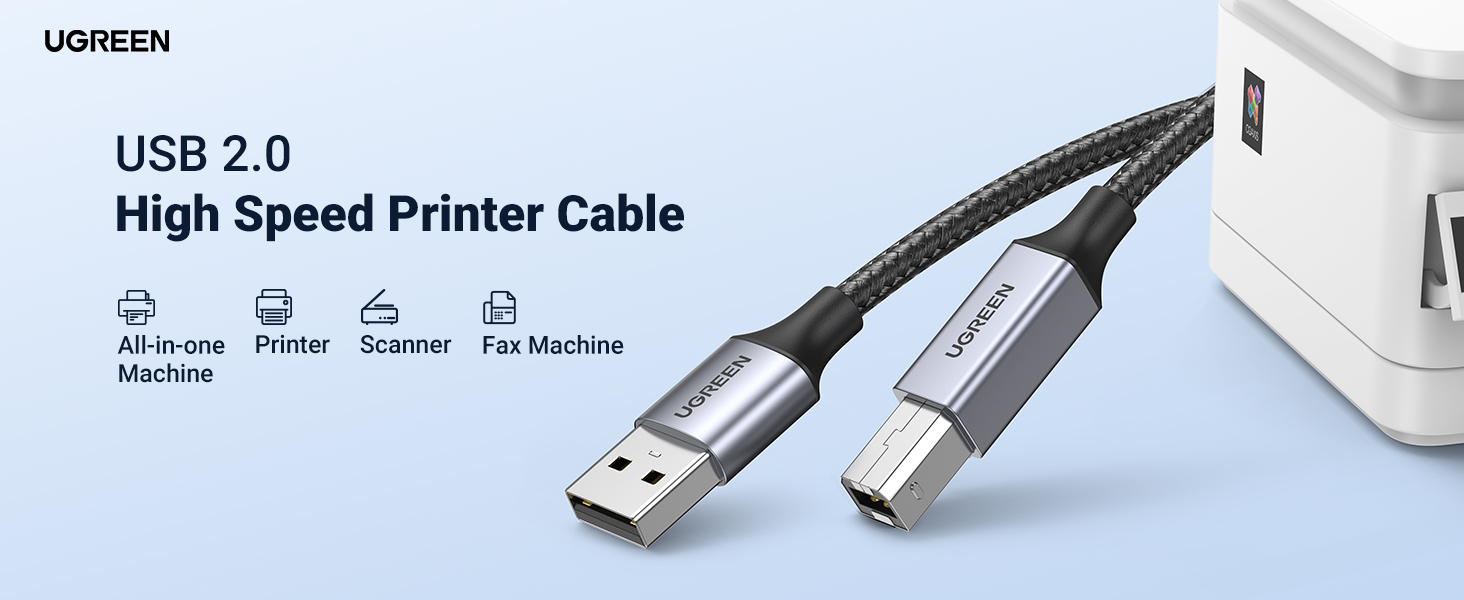
Image 1: UGREEN USB 2.0 High Speed Printer Cable overview.
2. Key Features
- Universal Compatibility: Connects printers, scanners, servers, cameras, pianos, DACs, and other USB-B devices to laptops or computers (Mac/PC). Compatible with major brands like Epson, Canon, HP, Brother, Dell, Samsung, Lexmark, and Xerox.
- High-Speed Data Transfer: Achieves data transmission speeds up to 480Mbps, enabling quick printing and file transfers. Backward compatible with USB 1.1 (12 Mbps) and USB 1.0 (1.5 Mbps) standards.
- Durable Construction: Features a durable nylon braided exterior and aluminum alloy casing for enhanced protection and extended service life.
- High-Quality Materials: Built with high-purity core wires, multiple shielding layers, corrosion-resistant connectors, and reinforced joints to minimize interference and ensure stable transmission.
- Plug and Play: No driver installation required for convenient and fast setup. Available in various lengths to suit different connection needs.
3. Setup and Operation
3.1 Connecting the Cable
- Locate the USB-A port on your computer (laptop or desktop).
- Locate the USB-B port on your printer, scanner, or other compatible device.
- Insert the USB-A end of the UGREEN cable into the USB-A port on your computer.
- Insert the USB-B end of the UGREEN cable into the USB-B port on your peripheral device.
- Ensure both connections are secure. The cable is plug-and-play, so no additional drivers are typically needed for most operating systems.
3.2 Printing and Scanning
Once connected, your computer should automatically detect the device. You can then proceed with printing documents or scanning images as you normally would with your device's software. The direct wired connection ensures stable and fast data transfer, reducing potential issues associated with wireless connections.

Image 2: Demonstrating fast printing with the UGREEN USB-A to USB-B cable.

Image 3: Visual representation of clear and smooth printing via wired connection.
Video 1: UGREEN USB Printer Cable in use, demonstrating connectivity and function.
4. Universal Compatibility
This cable is designed for broad compatibility with a wide range of devices and brands, ensuring you can connect your peripherals without hassle.

Image 4: Compatibility diagram for USB-A to USB-B connections with various office devices.
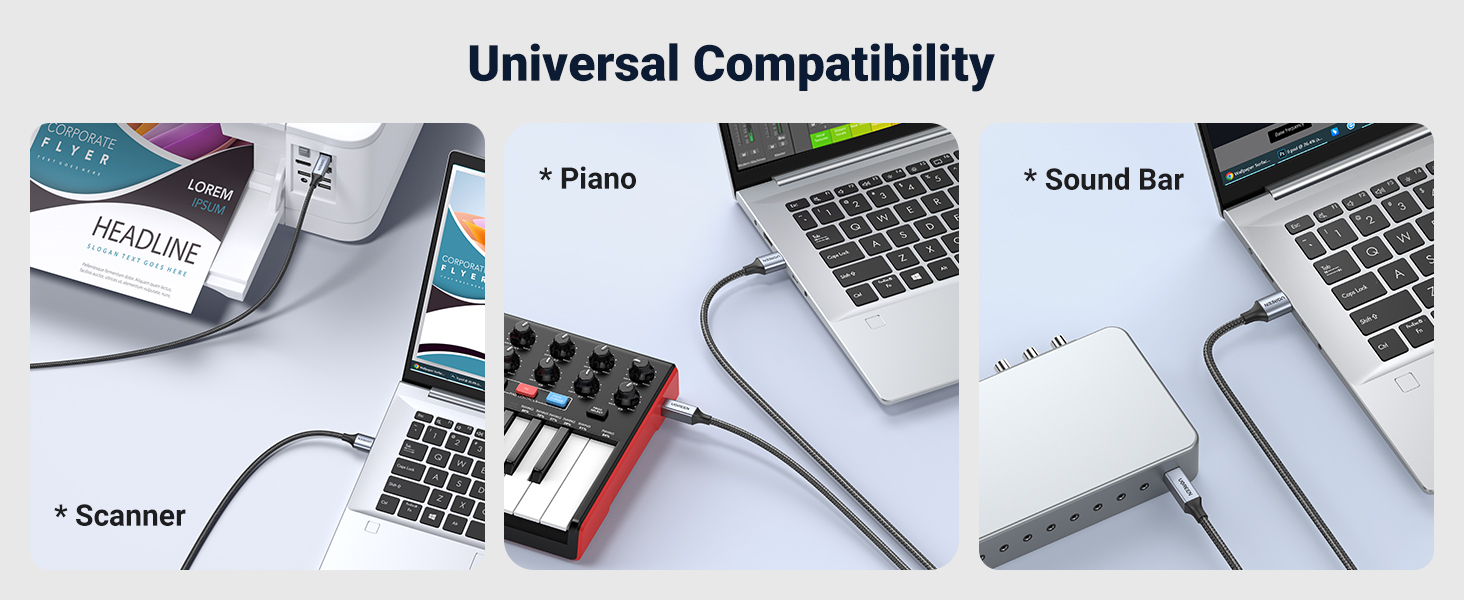
Image 5: Further compatibility examples including scanners, digital pianos, and sound bars.
5. Maintenance
To ensure the longevity and optimal performance of your UGREEN USB-A to USB-B 2.0 Printer Cable, follow these simple maintenance guidelines:
- Avoid sharp bends or kinks in the cable, especially near the connectors, to prevent internal wire damage.
- Store the cable neatly coiled when not in use. The braided design helps prevent tangling.
- Keep connectors clean and free from dust or debris. Use a soft, dry cloth to wipe them if necessary.
- Do not expose the cable to extreme temperatures or direct sunlight for prolonged periods.

Image 6: The flexible and durable nylon braided design of the UGREEN cable.
Video 2: UGREEN Braided USB Cable highlighting its robust construction.
6. Troubleshooting
If you encounter issues with your UGREEN USB-A to USB-B 2.0 Printer Cable, consider the following:
- Device Not Recognized: Ensure both ends of the cable are securely plugged into the correct ports. Try connecting the cable to a different USB port on your computer. Restart your computer and the peripheral device.
- Slow Data Transfer: Verify that your computer's USB port and the device's USB port are functioning correctly. While the cable supports 480Mbps, actual speeds may vary based on the devices connected and system load.
- Intermittent Connection: Check the cable for any visible damage (kinks, cuts). Ensure the connectors are clean. Try using the cable with another compatible device to isolate the issue.
- Driver Issues: Although the cable is plug-and-play, some older operating systems or specific devices might require drivers. Consult your peripheral device's manual or manufacturer's website for driver installation instructions.
7. Specifications
| Feature | Detail |
|---|---|
| Brand | UGREEN |
| Model Name | 80803 |
| Connector Type | USB A to USB B |
| Data Transfer Rate | 480 Megabits Per Second |
| Special Feature | Braided Nylon Exterior |
| Outer Material | Nylon |
| Connector Gender | Male-to-Male |
| Voltage | 5 Volts |
| Color | Grey |
| Compatible Devices | Printers, Scanners, Servers, Cameras, Pianos, DACs (e.g., Brother, Canon, Dell, Epson, HP, Samsung, Lexmark, Xerox) |
8. Warranty and Support
UGREEN products typically come with an 18-month warranty, ensuring peace of mind regarding product quality and performance. For any technical assistance, troubleshooting, or warranty claims, please contact UGREEN customer support through their official website or the retailer where the product was purchased.
For further information and product details, please visit the official UGREEN website or the product page on Amazon.


