Introduction
The Theragun Elite is a premium, effective, and elevated smart percussive therapy device. Elegantly designed, lightweight, and fully personalized for your body’s needs, it serves as your ultimate wellness partner. With its unparalleled power and QuietForce Technology, it delivers deep muscle treatment while being remarkably quiet. The device connects seamlessly via Bluetooth to the Therabody app, offering customized wellness routines based on your activity data, guiding you through each session to enhance your life by reducing deep muscle tension.
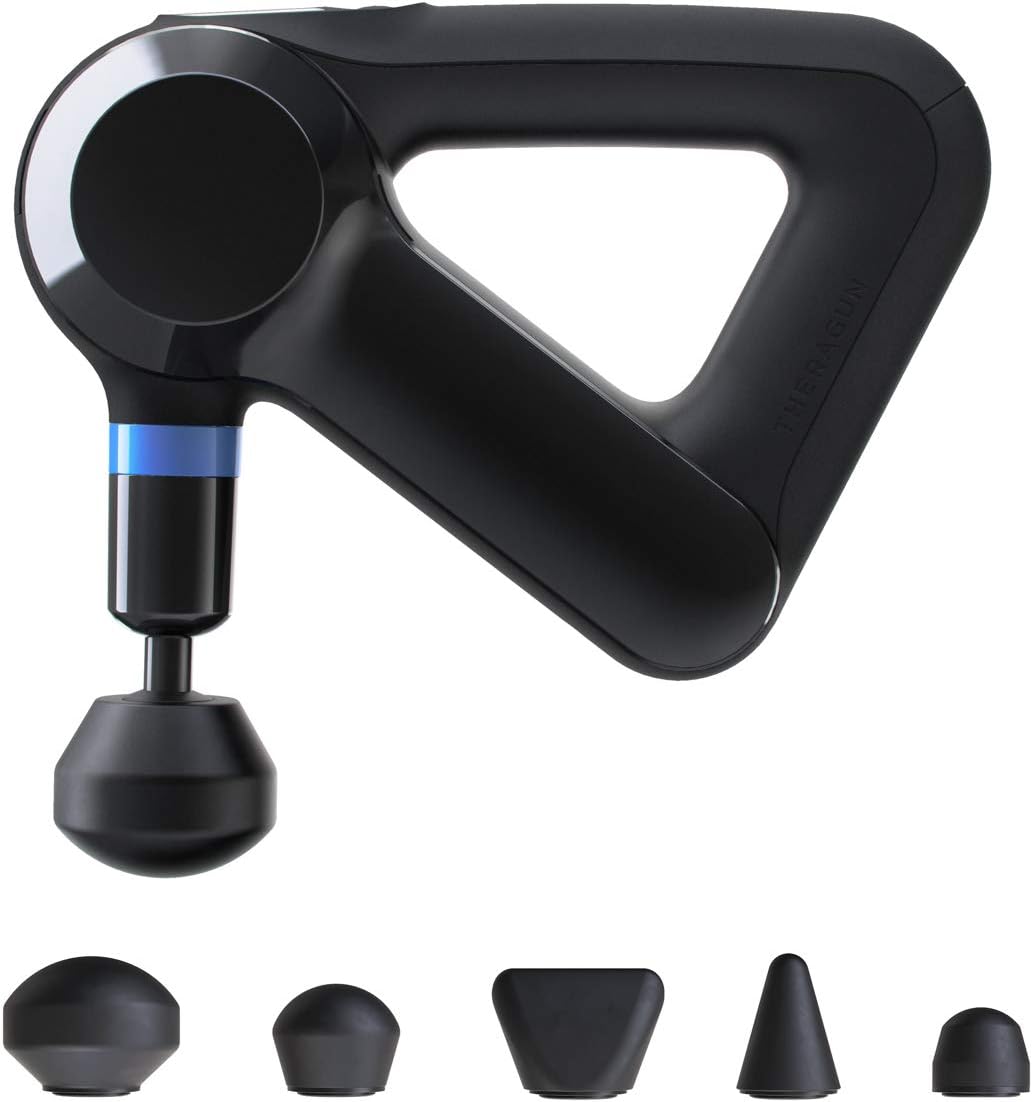
Figure 1: Theragun Elite with included attachments.
Setup
Before first use, ensure your Theragun Elite is fully charged. The device comes with a lithium-ion battery included. Connect the provided charger to the device and a power outlet. The LED screen will indicate charging status. Once fully charged, the device is ready for use.

Figure 2: Theragun Elite package contents including the device, charger, and carrying case.
Attaching Percussion Heads
The Theragun Elite comes with 5 easy-to-clean foam attachments designed for various muscle groups and treatment types. To attach a head, simply align the base of the attachment with the device's arm and push firmly until it clicks into place. To remove, pull the attachment straight out.
- Standard Ball: General use for large and small muscle groups.
- Dampener: For tender or bony areas.
- Thumb: For trigger points and lower back.
- Cone: For pinpoint muscle treatment, including hands and feet.
- Wedge: For shoulder blades and IT bands.
Operating Instructions
Powering On/Off and Speed Adjustment
To power on the Theragun Elite, press and hold the center button on the QLED screen. The device will start at a default speed. Use the up and down arrows on the control panel to adjust the percussion speed to your desired intensity. To power off, press and hold the center button until the device shuts down.

Figure 3: The QLED screen displays current speed and force meter readings.
Using the Therabody App (Bluetooth Connectivity)
The Theragun Elite is Bluetooth enabled for smart percussive therapy. Download the Therabody app on your smartphone. The app connects seamlessly to your device and provides customized wellness routines based on your activity data or specific ailments. The app will guide you through each routine, suggesting appropriate speeds, attachments, and areas of the body to target.

Figure 4: Key features of the Theragun Elite, including Bluetooth connectivity.
Application Techniques
Apply the device to the desired muscle area. You can adjust the angle of the arm for hard-to-reach spots. Glide the device slowly over the muscle, applying light to moderate pressure. The 16mm amplitude allows for deep muscle penetration, stimulating circulation and releasing tension. Avoid pressing too hard, especially on bony areas. The ergonomic multi-grip design allows for comfortable and effective self-application.

Figure 5: Proper technique for using the Theragun Elite on various body parts.
Maintenance
Cleaning
The 5 foam attachments are easy to clean. Wipe the device and attachments with a damp cloth or an alcohol-free wipe after each use. Do not submerge the device in water.
Battery Care
The Theragun Elite is powered by a Lithium Ion battery. To maintain battery health and longevity, it is recommended to use the device regularly. If storing for an extended period, ensure the battery is partially charged (around 50%) and recharge it every few months to prevent deep discharge, which can lead to permanent battery damage.
Troubleshooting
- Device not turning on: Ensure the battery is charged. If the device has been stored for a long time without use, the battery might be deeply discharged. Try charging for several hours.
- Device not holding charge: This could indicate a battery issue. Refer to the battery care section. If the problem persists, contact customer support.
- Unusual noises or vibrations: Power off the device immediately. Check if the attachment is properly secured. If the issue continues, discontinue use and contact customer support.
- Bluetooth connectivity issues: Ensure Bluetooth is enabled on your smartphone and the Theragun Elite is within range. Try restarting both the device and the app.
Specifications
| Product Dimensions | 12 x 3 x 12 inches |
| Item Weight | 2.2 Pounds (998 Grams) |
| Item Model Number | 4.0 |
| Batteries | 1 Lithium Ion batteries required (included) |
| Power Source | Corded Electric |
| Color | Black |
| Manufacturer | TheraGun |
Warranty & Support
Specific warranty details are typically provided with your product purchase. Please refer to the documentation included in your Theragun Elite packaging for comprehensive warranty information.
For further support, technical assistance, or to inquire about repairs, please visit the official TheraGun website or contact their customer service directly. You can also utilize the Therabody app for guided routines and additional product information.