
Introduction
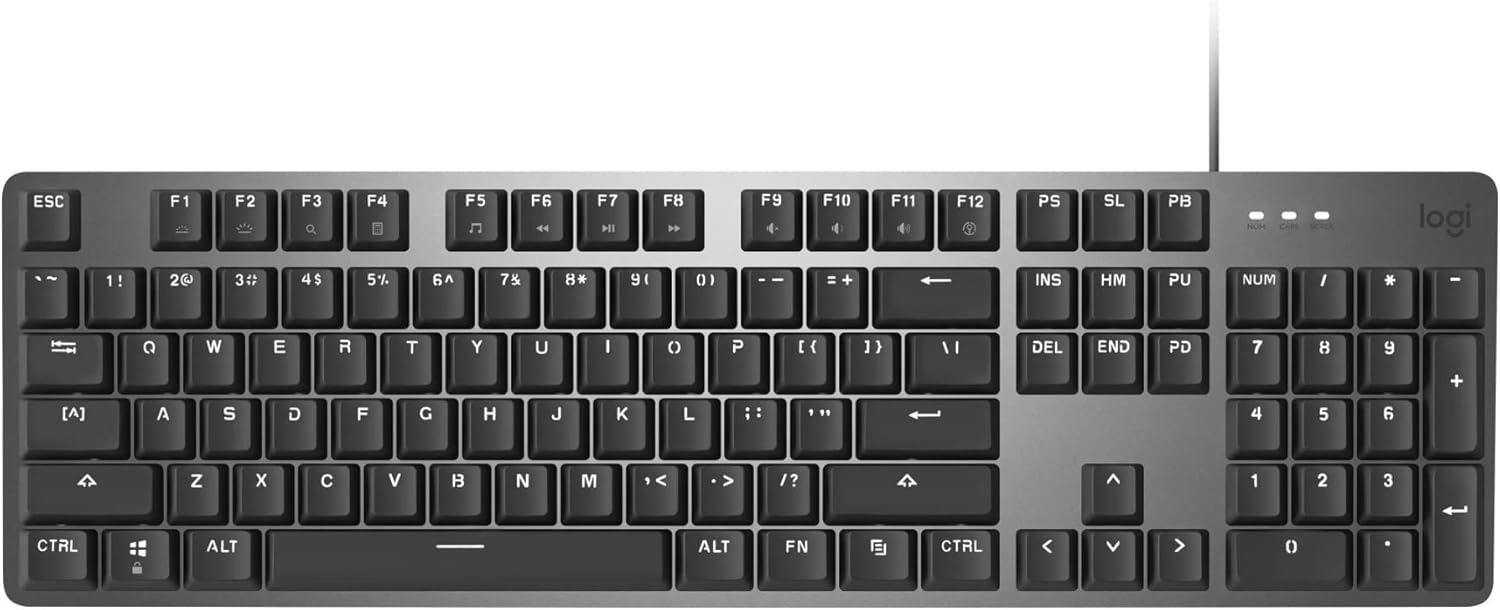
The Logitech K845 Mechanical Illuminated Keyboard combines precise mechanical switches with a durable aluminum design. This full-size keyboard offers adjustable tilt, customizable backlighting, and a comfortable typing experience for various tasks. It is designed for use with Windows operating systems.
What's in the Box
- Logitech K845 Mechanical Illuminated Keyboard
- USB Cable (attached)
Setup
To set up your Logitech K845 keyboard, follow these simple steps:
- Unpack the keyboard from its packaging.
- Locate an available USB port on your computer.
- Plug the attached USB cable from the keyboard into the USB port on your computer.
- The keyboard is plug-and-play and should be recognized automatically by your Windows operating system.
Operating Instructions
Basic Functions
The Logitech K845 keyboard operates like a standard full-size keyboard. It includes a full QWERTY layout, a numeric keypad, and a row of function (F1-F12) keys. Dedicated media control functions are integrated into the function keys, accessible via the 'Fn' key.
Backlighting Control
The keyboard features white backlighting with five different lighting patterns and adjustable brightness levels. Use the following key combinations to control the backlighting:
- Fn + F1: Decrease backlighting brightness.
- Fn + F2: Increase backlighting brightness.
- Fn + F3: Cycle through different backlighting patterns.
Adjustable Tilt Legs
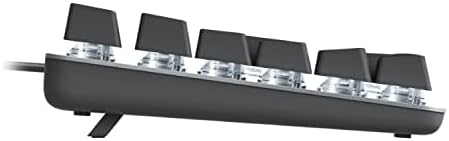
The keyboard is equipped with adjustable tilt legs on the underside, allowing you to choose between a 4-degree or 8-degree typing angle for enhanced comfort. Simply flip out the legs to your desired position.
Key Switches
The Logitech K845 keyboard is available with various mechanical key switch types. This specific model features TTC Red switches. TTC Red switches are linear, meaning they have a consistent, smooth keystroke without a tactile bump or audible click. This makes them ideal for fast typing and gaming where quick, repeated key presses are common.

Maintenance
To ensure the longevity and optimal performance of your keyboard, regular maintenance is recommended:
- Cleaning: Use a soft, lint-free cloth slightly dampened with water or a mild cleaning solution to wipe down the keycaps and keyboard surface. Avoid excessive moisture.
- Dust Removal: Use compressed air to remove dust and debris from between the keycaps.
- Avoid Spills: Keep liquids away from the keyboard to prevent damage to the internal components.
Troubleshooting
If you encounter issues with your Logitech K845 keyboard, try the following troubleshooting steps:
- Keyboard Not Responding:
- Ensure the USB cable is securely plugged into both the keyboard and the computer.
- Try plugging the keyboard into a different USB port on your computer.
- Restart your computer.
- Backlighting Not Working:
- Check if the backlighting brightness is turned down using Fn + F1.
- Ensure the keyboard is properly connected to the computer.
- Keys Not Registering:
- Clean around the affected key to remove any debris.
- Test the keyboard on another computer if possible to rule out a computer-specific issue.
Specifications
| Feature | Detail |
|---|---|
| Brand | Logitech |
| Model Number | 920-009859 |
| Connectivity | USB Corded |
| Key Switches | TTC Red (Linear) |
| Backlighting | White, 5 patterns, adjustable brightness |
| Adjustable Tilt | 4-degree and 8-degree options |
| Top Case Material | Aluminum |
| Operating System Compatibility | Windows 10, 11 or later |
| Dimensions (LxWxH) | 17.12 x 5 x 1.43 inches |
| Item Weight | 0.01 ounces |
Warranty and Support
For detailed warranty information and customer support, please refer to the official Logitech website or the warranty card included with your product. You can typically find support resources, FAQs, and contact information on the manufacturer's website.


