
MINELAB GO-FIND 44
Minelab GO-FIND 44 Metal Detector and PRO-FIND 20 Pinpointer User Manual
Model: GO-FIND 44
Introduction
This manual provides essential instructions for the proper setup, operation, and maintenance of your Minelab GO-FIND 44 Metal Detector and PRO-FIND 20 Pinpointer. Please read this manual thoroughly before using the devices to ensure optimal performance and longevity. The GO-FIND 44 is designed for detecting various metal objects, while the PRO-FIND 20 assists in precisely locating targets.
Package Contents
Verify that all items listed below are present in your package:
- Minelab GO-FIND 44 Metal Detector
- 10-inch 7.8 kHz Waterproof Search Coil (integrated)
- 2 Camouflage Skins
- Minelab PRO-FIND 20 Pinpointer
- PRO-FIND 20 Belt Holster
- Minelab GO-FIND Series Carry Bag (Black)
- Owner's Manual (this document)
- Metal Detector Registration Card
- Multi-language instructions for PRO-FIND 20
- 4 AA batteries (included, pre-installed or separate)

Image: The Minelab GO-FIND 44 Metal Detector, fully assembled with its search coil and control unit.

Image: The Minelab PRO-FIND 20 Pinpointer, a compact yellow and black device used for precise target location.

Image: The black Minelab GO-FIND Series Carry Bag, designed for transporting the metal detector and accessories.
Setup
GO-FIND 44 Metal Detector Assembly
The GO-FIND 44 is designed for quick setup with no loose parts. It features a collapsible design for easy transport and deployment.
- Unfold the Detector: Gently extend the detector shaft until it locks into place. Ensure all sections are securely fastened.
- Adjust Length: Adjust the shaft length to a comfortable operating position, allowing the search coil to be parallel to the ground when standing upright.
- Armrest Adjustment: Position the armrest for comfortable support during use.
- Battery Installation: The GO-FIND 44 requires 4 AA batteries. If not pre-installed, open the battery compartment (refer to the diagram on the device) and insert the batteries, observing correct polarity.
- Apply Camouflage Skins (Optional): If desired, apply the included camouflage skins to customize the appearance of your detector.

Image: The Minelab GO-FIND 44 Metal Detector in its folded, compact state, ready for transport or storage.

Image: The Minelab GO-FIND 44 Metal Detector shown with optional camouflage skins applied to the shaft.
PRO-FIND 20 Pinpointer Setup
- Battery Installation: The PRO-FIND 20 typically uses a 9V battery. Open the battery cap at the end of the pinpointer and insert the battery, ensuring correct polarity.
- Attach Holster: Secure the included belt holster to your belt for easy access to the pinpointer during use.
Operating the Minelab GO-FIND 44 Metal Detector
Basic Operation
- Power On: Press and hold the Power button on the control panel to turn on the detector.
- Volume Adjustment: Use the volume controls (+ / -) to set your preferred audio level.
- Sensitivity Adjustment: Adjust the sensitivity using the dedicated buttons to optimize detection depth and minimize false signals. Higher sensitivity increases depth but can also increase interference.
- Ground Balance (Easy-Track Automatic): The GO-FIND 44 features Easy-Track Automatic ground balancing. This system automatically reduces noise interference from ground minerals and maximizes target signals. No manual adjustment is typically required.
- Sweeping Technique: Hold the detector with the search coil parallel to the ground, about 1-2 inches above the surface. Sweep the coil from side to side in a slow, overlapping motion.
- Target Indication: When a metal object is detected, the detector will emit an audio tone and display visual indicators on the control panel.

Image: Close-up view of the Minelab GO-FIND 44 control panel, showing the display and button layout for operation.
Treasure View
The GO-FIND 44 incorporates a Treasure View feature that helps distinguish between different types of metal targets. The display will illuminate icons corresponding to potential target categories (e.g., iron, foil, rings, coins, treasure). This visual feedback assists in deciding whether to dig a target.
Smartphone App Integration
The GO-FIND 44 is compatible with a dedicated smartphone application. This app can enhance your detecting experience by providing additional features, mapping capabilities, and detector control. Refer to the Minelab website or app store for details on downloading and connecting the app to your GO-FIND 44 via Bluetooth.
Operating the PRO-FIND 20 Pinpointer
- Power On: Press the power button to turn on the PRO-FIND 20. It will emit a short tone to indicate it's active.
- Locating Targets: Once a target is detected with the GO-FIND 44 and you have excavated a small hole, insert the tip of the PRO-FIND 20 into the hole.
- Audio and Vibration Indication: The pinpointer will emit an increasing audio tone and/or vibrate more intensely as its tip gets closer to the metal target.
- Power Off: Press and hold the power button to turn off the PRO-FIND 20 when not in use to conserve battery life.
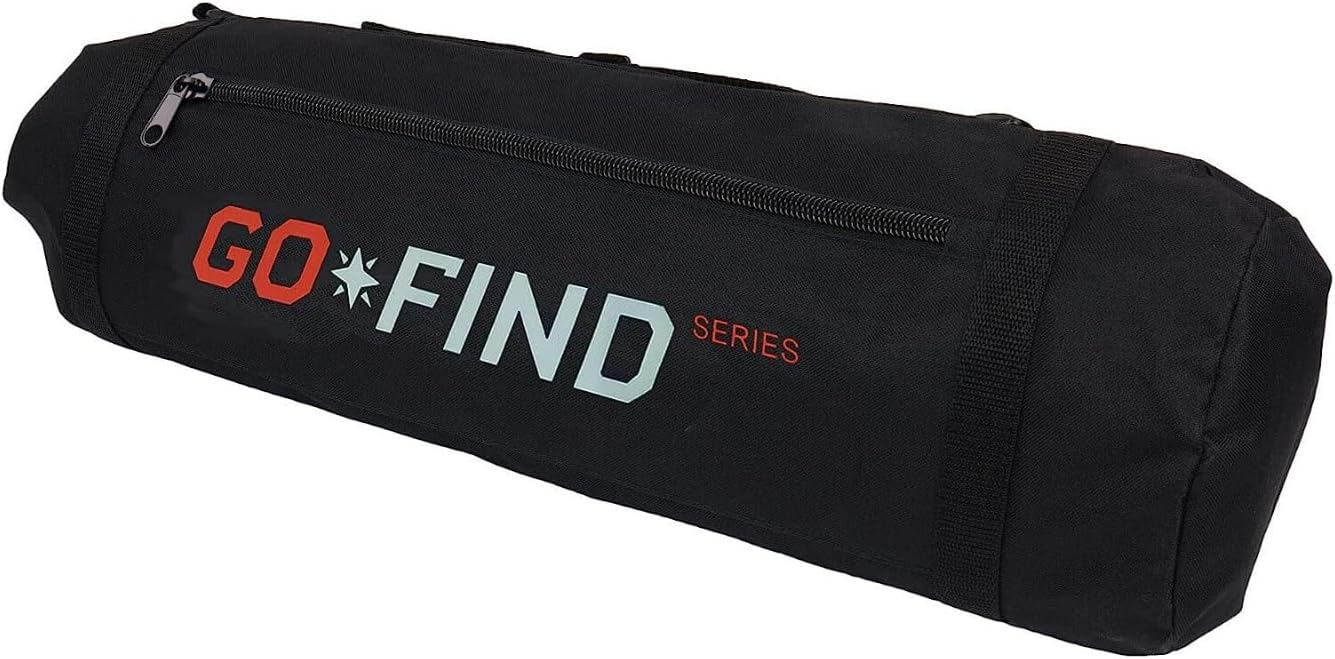
Image: The Minelab PRO-FIND 20 Pinpointer, illustrating its use for precise target location in excavated soil.
Maintenance
- Cleaning: After each use, wipe down the detector and pinpointer with a damp cloth to remove dirt, dust, and moisture. Avoid using abrasive cleaners or solvents.
- Search Coil: The 10-inch search coil is waterproof. It can be rinsed with fresh water if it becomes muddy. Ensure the control unit is not submerged.
- Battery Care: Remove batteries from both devices if they will not be used for an extended period to prevent leakage. Store batteries in a cool, dry place.
- Storage: Store the GO-FIND 44 in its collapsed state within the provided carry bag in a dry, temperate environment. Store the PRO-FIND 20 in its holster or a protective pouch.
- Inspection: Periodically inspect cables, connections, and the search coil for any signs of wear or damage.
Troubleshooting
If you encounter issues with your Minelab GO-FIND 44 or PRO-FIND 20, consider the following common solutions:
- No Power: Check battery installation and ensure batteries are fresh. Replace if necessary.
- Erratic Signals/False Alarms:
- Reduce sensitivity settings.
- Ensure the search coil is not bumping against objects or the ground.
- Move away from sources of electromagnetic interference (power lines, other electronics).
- Perform a ground balance (Easy-Track Automatic should handle this, but ensure no large metal objects are nearby during startup).
- No Detection:
- Increase sensitivity.
- Ensure the search coil is properly connected and undamaged.
- Verify the detector is in an appropriate search mode (if applicable, though GO-FIND 44 is simplified).
- Pinpointer Not Working: Check battery, ensure it's powered on, and test on a known metal object.
For further assistance, refer to the Minelab support website or contact customer service.
Specifications
| Feature | Specification |
|---|---|
| Model | GO-FIND 44 |
| Brand | MINELAB |
| Operating Frequency | 7.8 kHz |
| Search Coil | 10-inch Waterproof Monoloop |
| Ground Balance | Easy-Track Automatic |
| Power Source | 4 x AA Batteries (included) |
| Weight | 1.06 kg (2.3 lbs) |
| Dimensions (Product) | 6 x 22.5 x 4.5 inches (folded/packaged) |
| International Protection Rating | IP54 (Control unit splash-proof, coil waterproof) |
| Pinpointer Model | PRO-FIND 20 |
| Pinpointer Power Source | 9V Battery (typical for PRO-FIND series) |
Safety Information
- Always obtain permission before detecting on private property.
- Be aware of local regulations and laws regarding metal detecting.
- Exercise caution when digging to avoid damaging underground utilities or historical artifacts.
- Wear appropriate footwear and gloves when detecting.
- Do not operate the detector near active electrical lines or in hazardous environments.
- Keep batteries away from children and dispose of them responsibly.
- The search coil is waterproof, but the control unit of the GO-FIND 44 is only splash-proof (IP54). Do not submerge the control unit.
Warranty and Support
Minelab products are manufactured to high-quality standards. For information regarding warranty coverage, terms, and conditions, please refer to the warranty card included with your product or visit the official Minelab website. For technical support, troubleshooting assistance, or service inquiries, please contact Minelab customer support through their official channels.
Online Resources: www.minelab.com
Related documentsGO-FIND 44


Ask a question about this manual
Ask about setup, troubleshooting, compatibility, parts, safety, or missing instructions. Manuals+ will review the question and use this page’s manual context to help answer it.