
1. Introduction
Thank you for choosing the MaedHawk Bluetooth 5.0 Receiver. This portable wireless audio car kit is designed to seamlessly convert your traditional wired speakers, headphones, or car audio systems into wireless Bluetooth-enabled devices. Enjoy high-quality music streaming and convenient hands-free calling with enhanced stability and range.
This manual provides detailed instructions on how to set up, operate, and maintain your MaedHawk Bluetooth receiver, ensuring optimal performance and a superior audio experience.

Figure 1: MaedHawk Bluetooth 5.0 Receiver (Silver)
The MaedHawk Bluetooth 5.0 Receiver in silver, featuring a compact design with a 3.5mm audio jack for versatile connectivity.
2. Safety Information
Please read and follow these safety guidelines carefully to ensure safe operation and prolong the life of your device:
- Handle the device's lithium battery with care. Avoid exposure to extreme temperatures (above 45°C / 113°F or below -10°C / 14°F) and high humidity.
- Do not disassemble, modify, or attempt to repair the device yourself. This may void the warranty and pose safety risks.
- Keep the device away from water and other liquids. If it comes into contact with liquid, power it off immediately and do not use it until it is completely dry.
- Ensure proper ventilation when charging. Do not cover the device or charging cable.
- If using multiple wireless devices, ensure they do not interfere with each other.
- Dispose of the device and its battery responsibly according to local regulations. Do not dispose of in household waste.
3. What's in the Box
Upon opening your MaedHawk Bluetooth 5.0 Receiver package, you should find the following items:
- 1 x BRT005 Bluetooth AUX Car Adapter
- 1 x USB Charging Cable
- 1 x User Manual
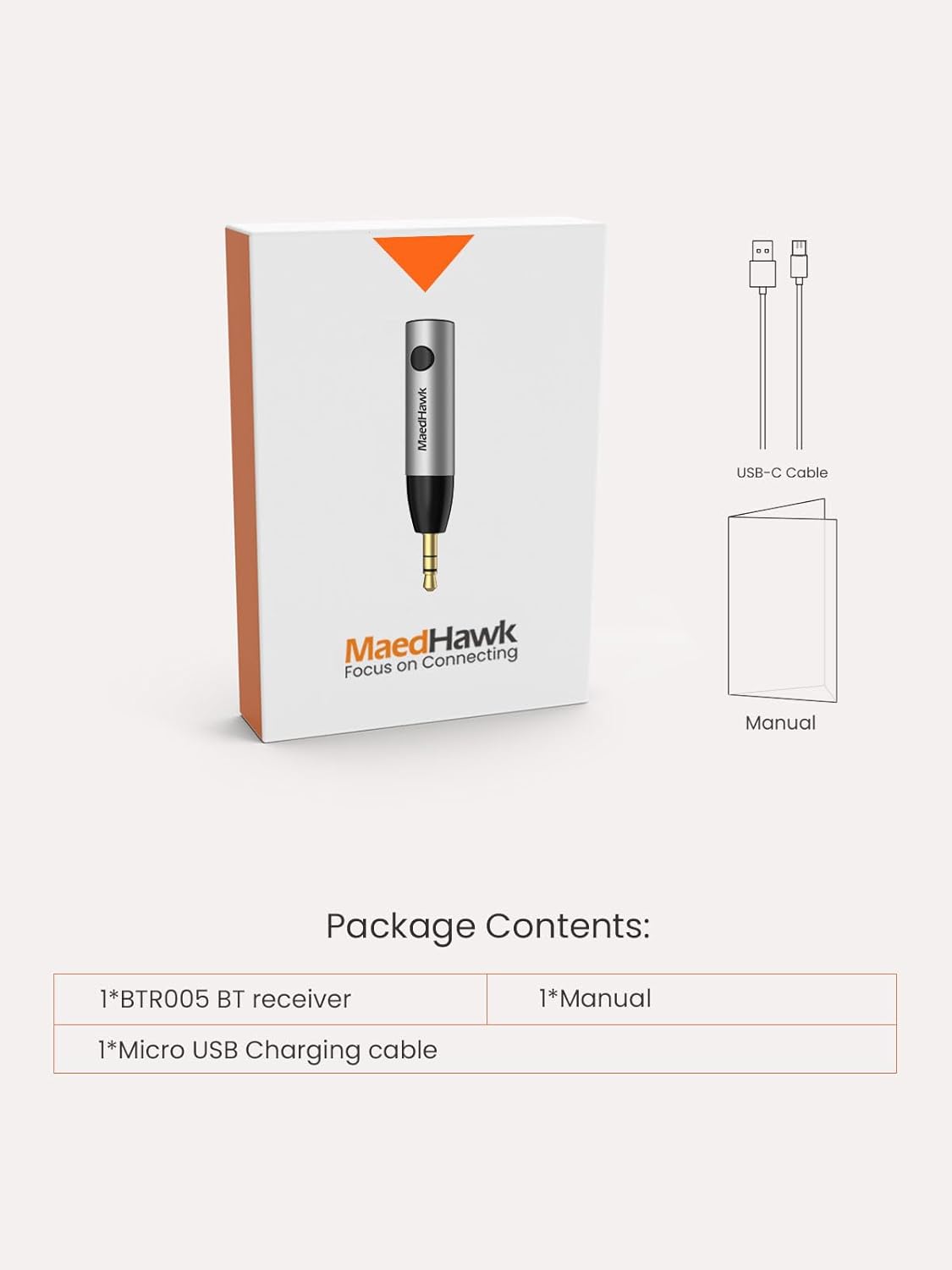
Figure 2: Package Contents
A visual representation of all items included in the MaedHawk Bluetooth receiver package.
4. Product Overview and Features
The MaedHawk Bluetooth 5.0 Receiver is designed for convenience and high-quality audio. Key features include:
- Wireless Audio Upgrade: Converts old home wired speakers or headphones into wireless devices, allowing for seamless music streaming.
- Hands-Free Calling: Built-in microphone enables safe and convenient hands-free calls while driving.
- Dual Device Connectivity: Connects to two Bluetooth devices simultaneously, allowing music streaming from either device.
- Bluetooth 5.0 Technology: Ensures faster transmission speeds and maintains a stable connection up to 50 feet (15 meters) in open areas. Backwards compatible with Bluetooth V4.2, V4.1, V4.0, etc.
- Compact and Portable: Slim aluminum body with a 3.5mm AUX Jack, designed to eliminate tangled cables.
- Long Battery Life: Provides up to 5 hours of wireless music playback on a single 1.5-hour charge. Can be used while charging.
- Smart Connection: Features an all-in-one Multi-Function Button (MFB) for easy call handling and music control. Automatically reconnects to the last paired device upon power-on.

Figure 3: Enhanced Wireless Experience
The MaedHawk Bluetooth receiver seamlessly integrates into your car, offering wireless music, hands-free calling, and voice navigation powered by Bluetooth 5.0.

Figure 4: Wide Compatibility
This diagram shows the broad compatibility of the receiver, connecting to various output devices like headphones, speakers, and car systems, and receiving input from laptops, smartphones, and tablets.

Figure 5: Car Integration
The receiver enhances your car's audio system with features like faster data transmission, dual phone connectivity, and the ability to operate while charging, all within a 15-meter effective range.

Figure 6: Upgrading Wired Stereo
Easily transform your traditional wired stereo speakers into a wireless music hub with the MaedHawk Bluetooth receiver.

Figure 7: Wireless Headphones
The receiver can make your wired headphones wireless. Note: It may not fit headphones with recessed Aux Ports (e.g., some Bose models).

Figure 8: Product Diagram
A detailed view of the MaedHawk Bluetooth AUX adapter, highlighting its 3.5mm audio jack, built-in microphone, Multi-Function Button (MFB), Micro USB charging port, and compact body size (Dia. 1.2 x 5 cm).
5. Setup Instructions
Setting up your MaedHawk Bluetooth Receiver is a simple three-step process:
- Power On: Press and hold the Multi-Function Button (MFB) for 2 seconds to turn on the receiver. The device will automatically enter pairing mode, indicated by a flashing LED light.
- Pair: On your smartphone, tablet, or other Bluetooth-enabled device, go to the Bluetooth settings. Search for "Maedhawk BTR005" in the list of available devices and tap to connect. Once paired, the LED light will become solid.
- Plug In: Insert the 3.5mm audio jack of the MaedHawk receiver into the AUX audio-in port of your car stereo, home speakers, or headphones.
Your device is now ready to stream audio wirelessly.

Figure 9: 3 Steps to Use
A visual guide to the simple power on, pair, and plug in steps for using your MaedHawk Bluetooth receiver.
6. Operating Instructions
Once connected, operating your MaedHawk Bluetooth Receiver is intuitive:
- Music Playback: Control music playback (play/pause, next/previous track) directly from your connected Bluetooth device. The receiver will transmit the audio to your connected speakers/headphones.
- Hands-Free Calls: When a call comes in, press the MFB once to answer. Press again to end the call. To reject a call, press and hold the MFB for 2 seconds. The built-in microphone ensures clear communication.
- Automatic Reconnection: The receiver will automatically attempt to reconnect to the last paired device when powered on, simplifying daily use.
- Dual Link Function: To connect a second device, ensure the first device is connected. Then, put the receiver back into pairing mode (if needed, by disconnecting the first device or restarting the receiver) and connect the second device. The receiver can maintain a connection with two devices simultaneously, allowing you to switch audio sources.
- Charging While Using: The device can be used continuously while it is charging, ensuring uninterrupted audio playback.
7. Maintenance
To ensure the longevity and optimal performance of your MaedHawk Bluetooth Receiver, follow these simple maintenance tips:
- Cleaning: Use a soft, dry cloth to wipe the device. Do not use abrasive cleaners, solvents, or strong chemicals, as they may damage the surface or internal components.
- Storage: When not in use for extended periods, store the device in a cool, dry place, away from direct sunlight and extreme temperatures.
- Charging: Use the provided USB charging cable. Avoid overcharging the battery; disconnect once fully charged.
- Handling: Avoid dropping the device or subjecting it to strong impacts, which can damage internal circuitry.
8. Troubleshooting
If you encounter any issues with your MaedHawk Bluetooth Receiver, please refer to the following common problems and solutions:
| Problem | Possible Cause | Solution |
|---|---|---|
| Device does not power on. | Low battery. | Charge the device using the provided USB cable. Ensure the charging indicator light is on. |
| Cannot pair with a device. | Receiver not in pairing mode; Bluetooth on source device is off or already connected to another device. | Ensure the receiver is in pairing mode (flashing LED). Turn off and on Bluetooth on your source device. Disconnect from other Bluetooth devices. |
| No audio or poor sound quality. | Volume too low; incorrect AUX input selected; loose connection; interference; device out of range. | Increase volume on both the source device and the connected audio system. Ensure the AUX cable is fully inserted and the correct input is selected. Move closer to the receiver. Reduce interference from other wireless devices. |
| Battery life is shorter than expected. | Continuous usage at high volume; aging battery. | Battery life can vary with volume levels. Ensure the device is fully charged before use. Consider using it while charging for extended periods. |
| Device does not fit into headphones/speakers. | Recessed AUX port design. | The receiver's 3.5mm jack may not fit into devices with deeply recessed AUX ports. Consider using a 3.5mm extension cable if necessary. |
| Audio cuts out or skips frequently. | Interference; distance from source device; obstacles. | Ensure there are no major obstacles (walls, large metal objects) between the receiver and the source device. Move the source device closer to the receiver. Avoid strong electromagnetic interference. |
9. Specifications
| Model Number | BTR005PRO |
| Product Dimensions | 1.97 x 0.49 x 0.49 inches (50 x 12 x 12 mm) |
| Item Weight | 0.236 ounces (6.7 grams) |
| Connectivity Technology | Bluetooth, Auxiliary, USB |
| Bluetooth Version | 5.0 |
| Power Source | Battery Powered (1 Lithium Polymer battery included) |
| Battery Life | Approximately 5 hours (music playback) |
| Charging Time | Approximately 1.5 hours |
| Material | Aluminum |
| Manufacturer | Meekom |
| Country of Origin | China |
10. Warranty and Support
For warranty information and customer support, please refer to the documentation included with your purchase or contact MaedHawk directly through their official channels. You can also visit the MaedHawk Store on Amazon for more details and contact options.
MaedHawk is committed to providing high-quality products and excellent customer service. If you have any questions or require assistance, do not hesitate to reach out.

