1. Introduction
Thank you for choosing the STEREN CCTV-235 Wi-Fi Full HD 1080p Robotic Outdoor Security Camera. This advanced security camera is designed to provide comprehensive surveillance for your outdoor spaces, featuring Full HD 1080p resolution, robotic pan and tilt capabilities, intelligent motion tracking, clear night vision, and two-way audio communication. This manual will guide you through the installation, setup, and operation of your new security camera, ensuring optimal performance and security.
2. Package Contents
Please verify that all items are present in your package:
- STEREN CCTV-235 Security Camera
- Voltage Converter (Power Adapter)
- Wall Plugs and Screws for Mounting
- Wi-Fi Antenna
- User Manual (This Document)
3. Product Overview
The STEREN CCTV-235 camera offers robust features for reliable outdoor security:
- Full HD 1080p Resolution: Provides clear and detailed video footage.
- Robotic Pan & Tilt: Horizontal movement of 355° and vertical movement of 155° for wide coverage.
- Motion Tracking: Automatically detects and follows moving objects.
- Night Vision: Equipped with both standard infrared night vision and color night vision for enhanced visibility in low-light conditions.
- Two-Way Audio: Built-in microphone and speaker for real-time communication.
- Wi-Fi and Ethernet Connectivity: Flexible network connection options.
- Outdoor Use (IP65 Rated): Designed to withstand various weather conditions.
- Steren Home App Control: Manage and monitor your camera from your smartphone.
- MicroSD Card Recording: Supports local storage of video footage.
- HDR (High Dynamic Range): Improves image clarity in challenging lighting.
- ONVIF Compatibility: Integrates with existing video surveillance systems.
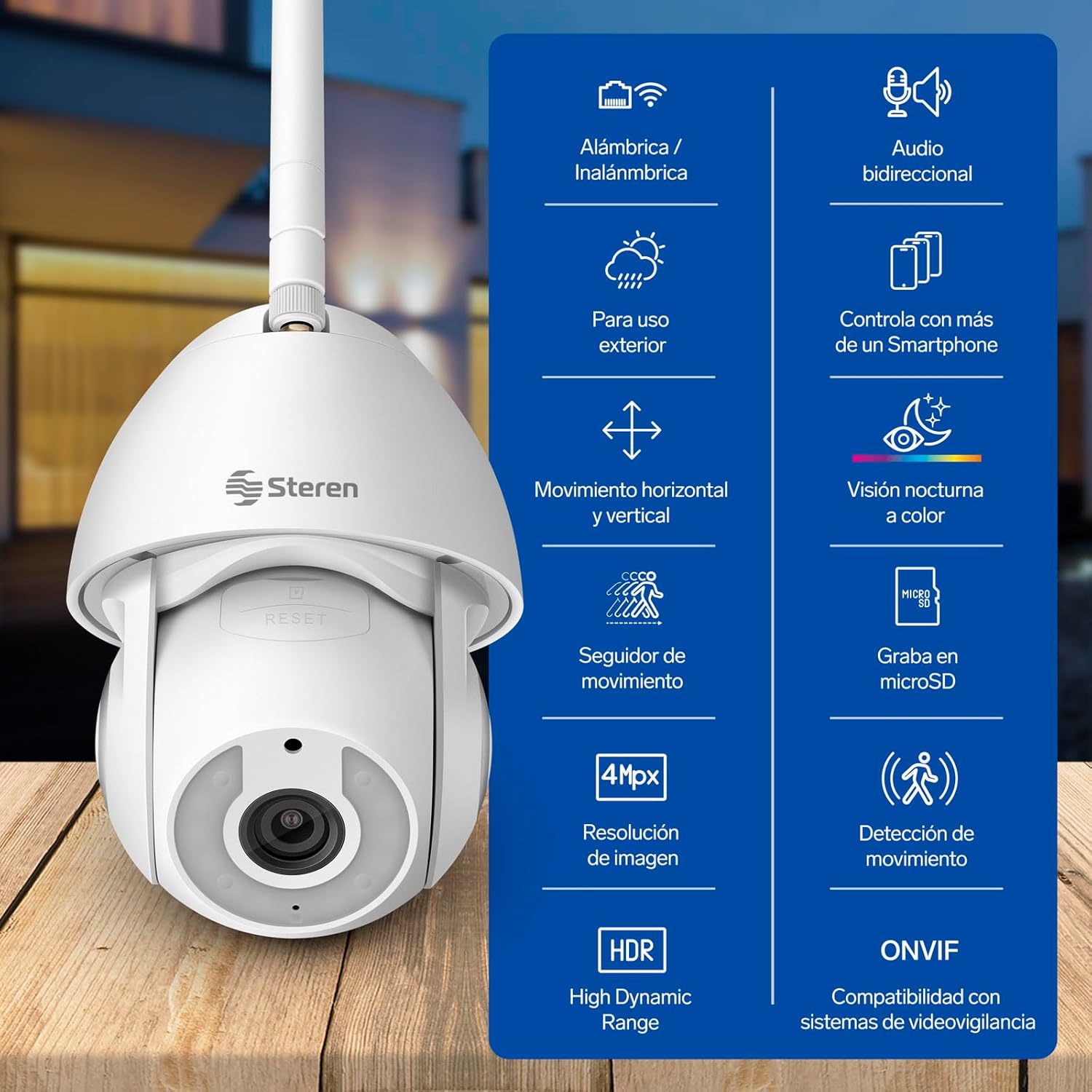
Image 3.1: STEREN CCTV-235 camera highlighting its key features.
4. Setup and Installation
4.1 Mounting the Camera
- Choose a suitable outdoor location for mounting the camera. Ensure it has a clear line of sight to the area you wish to monitor and is within range of your Wi-Fi network or an Ethernet cable.
- Use the provided wall plugs and screws to securely attach the mounting bracket to a wall or ceiling.
- Attach the camera to the mounting bracket. Ensure it is firmly in place.

Image 4.1: The STEREN CCTV-235 camera mounted outdoors, demonstrating its IP65 water resistance.
4.2 Power Connection
Connect the provided voltage converter (power adapter) to the camera's power input port and then plug it into a standard electrical outlet. The camera will power on automatically.
4.3 Network Connection (Wi-Fi or Ethernet)
The CCTV-235 offers both wireless and wired connectivity:
- Wi-Fi Connection: Ensure the Wi-Fi antenna is securely attached to the camera. Follow the in-app instructions to connect the camera to your 2.4GHz Wi-Fi network.
- Ethernet Connection: For a more stable connection, plug an Ethernet cable from your router into the camera's Ethernet port. The camera will automatically detect the wired connection.

Image 4.2: Illustrates the flexible wired (Ethernet) and wireless (Wi-Fi) connection options.
4.4 App Download and Pairing
- Download the Steren Home app from the App Store (for iOS devices) or Google Play Store (for Android devices).
- Open the app and create an account or log in if you already have one.
- Follow the on-screen instructions within the app to add your CCTV-235 camera. This typically involves scanning a QR code on the camera or manually selecting the device type.
- Once paired, you will be able to view the live feed and control the camera from your smartphone.

Image 4.3: The Steren Home App interface for controlling the camera.
5. Operating Instructions
5.1 Live View and Control
Open the Steren Home app and select your CCTV-235 camera to access the live video feed. Use the directional controls within the app to remotely pan (horizontal) and tilt (vertical) the camera to adjust its viewing angle.
5.2 Motion Tracking and Detection
The camera features intelligent motion detection and tracking. When enabled in the app settings, the camera will automatically detect movement and follow the subject across its field of view. You will receive notifications on your smartphone when motion is detected.

Image 5.1: Demonstrates the camera's robotic movement and motion tracking.
5.3 Two-Way Audio
Utilize the built-in microphone and speaker for two-way communication. From the live view in the app, tap the microphone icon to speak through the camera's speaker, and listen to audio from the camera's microphone.
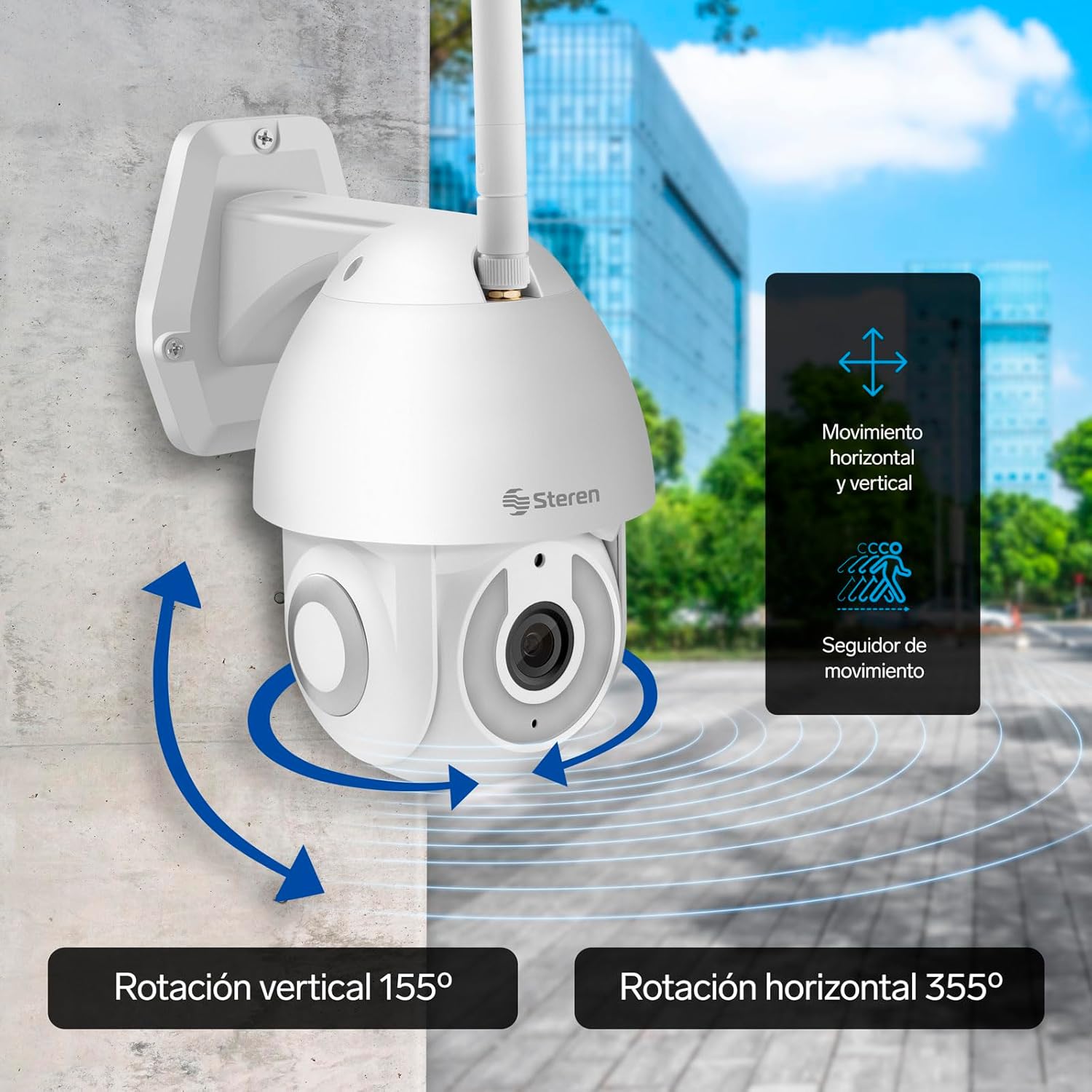
Image 5.2: Using the two-way audio feature to communicate remotely.
5.4 Night Vision
The CCTV-235 is equipped with advanced night vision technology. It automatically switches to infrared night vision in low-light conditions, providing clear black and white images. Additionally, it supports color night vision for enhanced detail and clarity during nighttime surveillance.
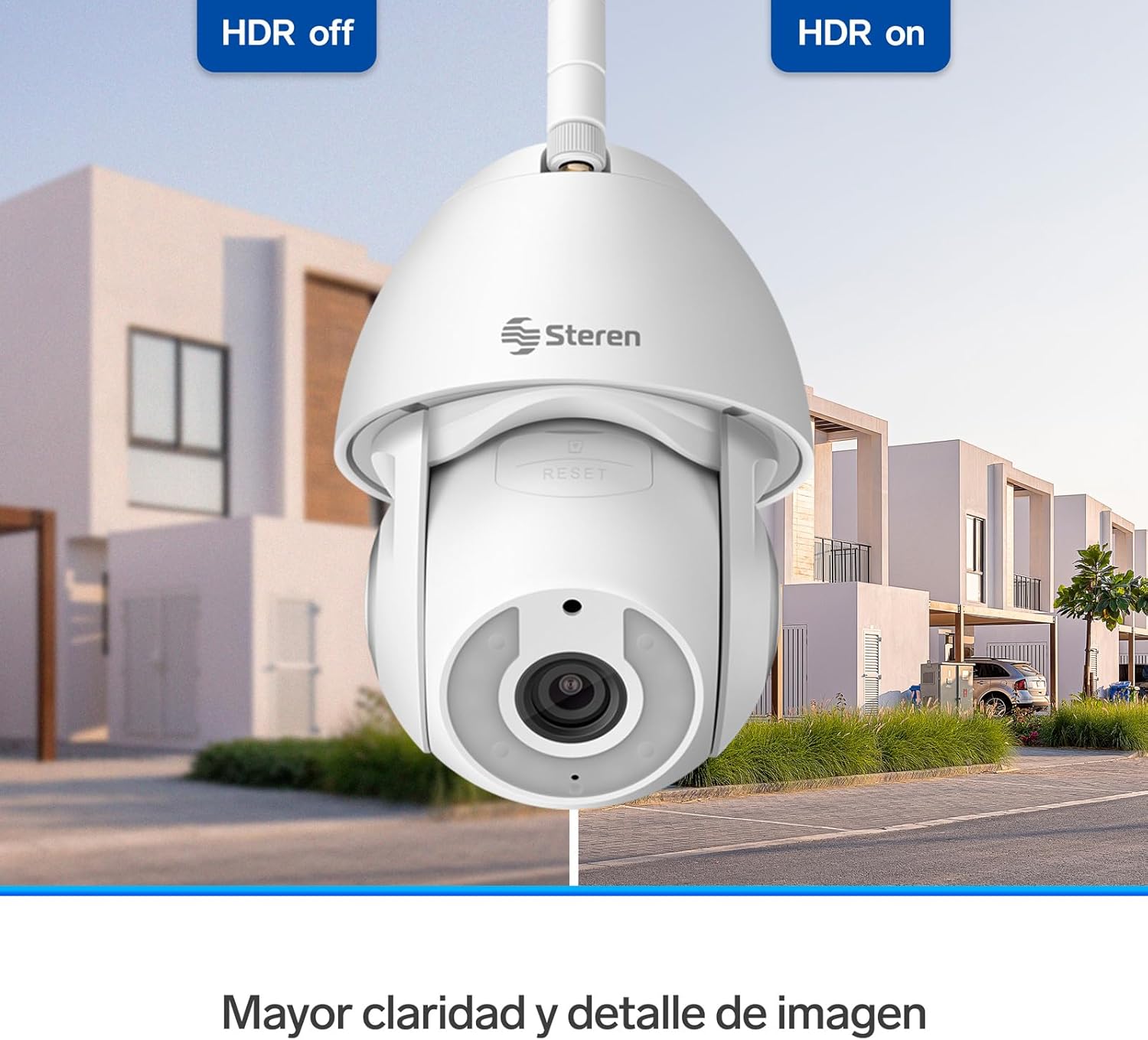
Image 5.3: Night vision capabilities, including color night vision.
5.5 Recording and Storage
The camera supports local storage via a MicroSD card (not included). Insert a MicroSD card into the designated slot to record continuous footage or motion-triggered events. Cloud storage options may also be available through the Steren Home app, often requiring a subscription for extended storage and features.
5.6 HDR Functionality
High Dynamic Range (HDR) technology enhances image quality by optimizing exposure in scenes with both very bright and very dark areas. This results in clearer, more balanced images with greater detail.

Image 5.4: HDR (High Dynamic Range) for enhanced image clarity.
5.7 ONVIF Compatibility
The CCTV-235 camera is ONVIF compliant, allowing for easy and quick integration with video surveillance systems from other manufacturers. This provides flexibility for expanding or upgrading your existing security infrastructure.
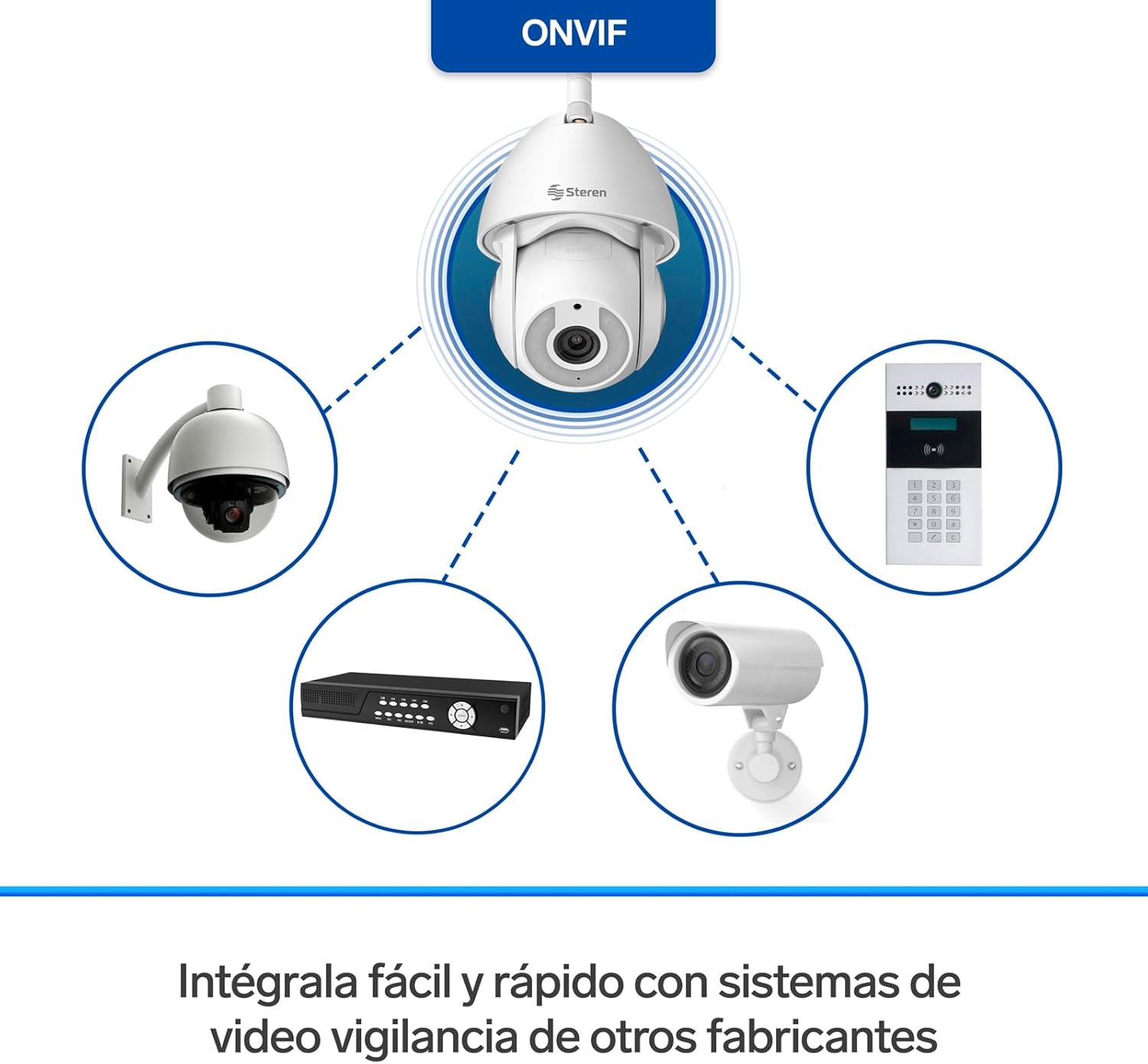
Image 5.5: ONVIF compatibility for integration with other surveillance systems.
6. Maintenance
- Cleaning: Regularly clean the camera lens with a soft, dry cloth to ensure clear image quality. Do not use harsh chemicals or abrasive materials.
- Firmware Updates: Check the Steren Home app periodically for available firmware updates. Keeping your camera's firmware up-to-date ensures optimal performance, security, and access to new features.
- Power Cycle: If the camera experiences issues, try power cycling it by unplugging it from the power source for a few seconds and then plugging it back in.
7. Troubleshooting
- Camera Offline: Ensure the camera is powered on and connected to your network (Wi-Fi or Ethernet). Check your router and internet connection. If using Wi-Fi, ensure the camera is within range and connected to a 2.4GHz network.
- Poor Image Quality: Clean the camera lens. Check your network speed; a slow connection can affect streaming quality. Ensure HDR is enabled if needed for challenging lighting.
- Motion Detection Not Working: Verify that motion detection and tracking are enabled in the Steren Home app settings. Adjust sensitivity levels if necessary.
- No Audio/Two-Way Audio Issues: Check microphone and speaker settings in the app. Ensure your phone's volume is up.
- MicroSD Card Not Recording: Ensure the MicroSD card is inserted correctly and is not full. Format the card through the app if issues persist.
8. Specifications
| Feature | Specification |
|---|---|
| Model Number | CCTV-235 |
| Video Capture Resolution | 1080p Full HD |
| Connectivity Technology | Wireless (Wi-Fi), Wired (Ethernet) |
| Wireless Communication Technology | Wi-Fi |
| Special Features | Motion Detector, Night Vision, Two-Way Audio, HD Resolution |
| Indoor/Outdoor Use | Outdoor |
| Mounting Type | Wall Mount |
| Water Resistance Level | Water Resistant (IP65) |
| Voltage | 5 Volts (DC) |
| Dimensions (L x W x H) | 25 x 20 x 20 cm |
| Weight | 1 kg |
| Compatible Devices | Smartphone |
| Power Source | Corded Electric |
| Controller Type | Android |
9. Warranty and Support
For warranty information and technical support, please refer to the documentation included with your purchase or visit the official STEREN website. You can also contact STEREN customer service for assistance with product setup, troubleshooting, or any other inquiries.