
1. Introduction and Overview
This manual provides essential information for the proper use and understanding of your uxcell Passive Electronic Buzzer. This device is designed to produce a continuous high-decibel alarm sound when integrated into an appropriate external oscillation circuit. It operates on a DC 5V power supply and can generate sound up to 80dB.
Important Note: This is a passive buzzer. Unlike active buzzers, a passive buzzer requires an external oscillation circuit to function. Connecting it directly to a DC power source without such a circuit will not produce sound. If your application requires a buzzer that functions directly with a DC power supply, please ensure you purchase an active buzzer.
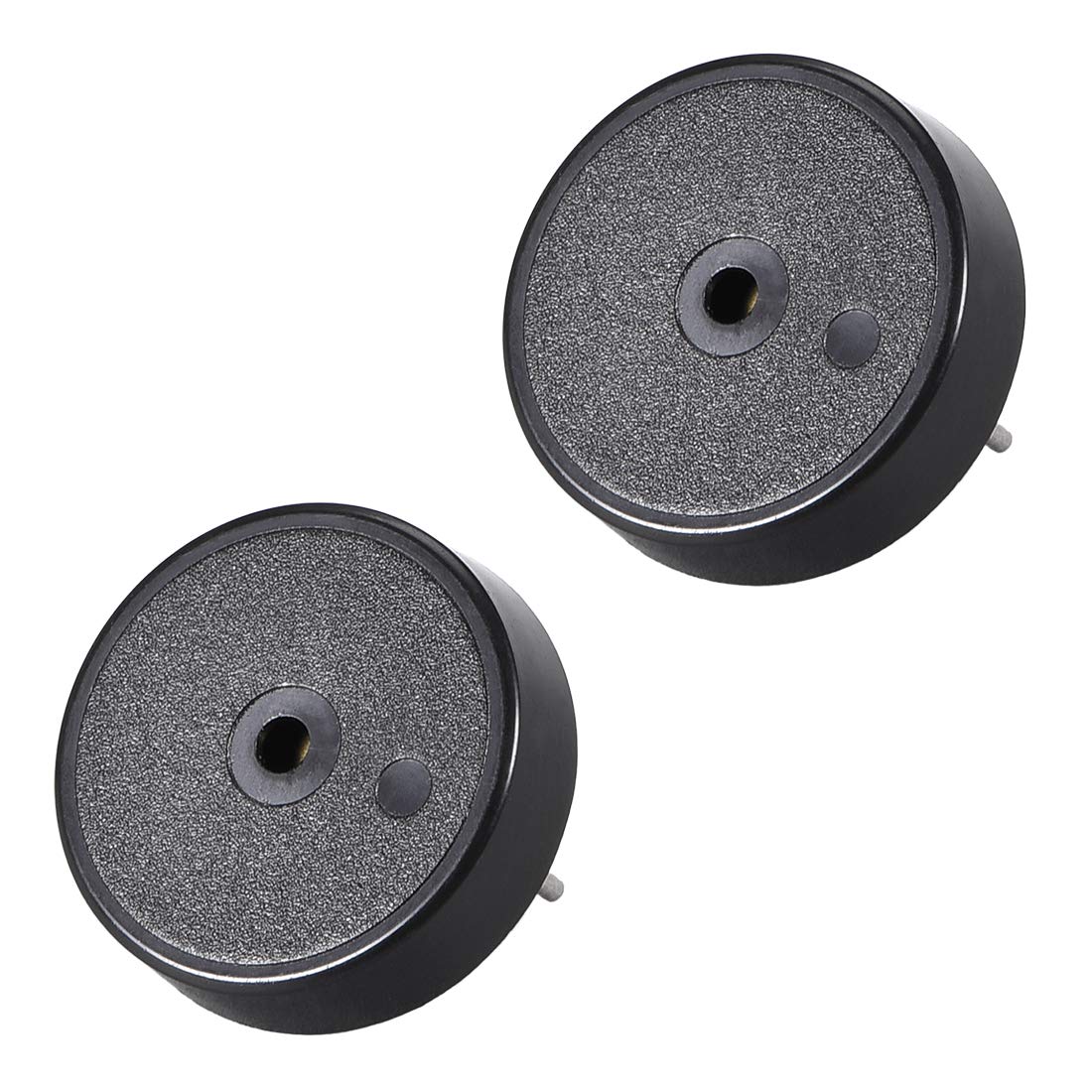
Image 1: The uxcell Passive Electronic Buzzer, showing its compact black cylindrical body and two metal terminals for circuit connection.
2. Setup
The uxcell Passive Electronic Buzzer is designed for easy integration into electronic circuits. It features two terminals at its base for connection.
2.1 Connection Requirements
- Power Supply: The buzzer requires a DC 5V power supply.
- External Oscillation Circuit: An external oscillation circuit is mandatory for the passive buzzer to produce sound. This circuit will provide the necessary alternating current (AC) signal to drive the buzzer. Common circuits include those built with microcontrollers (e.g., Arduino, Raspberry Pi) or dedicated oscillator ICs.
- Polarity: While passive buzzers typically do not have strict polarity requirements for the AC signal, ensure your oscillation circuit is correctly designed to provide the appropriate signal.
2.2 Installation Steps
- Identify the two terminals on the bottom of the buzzer.
- Connect these terminals to your external oscillation circuit. Ensure secure connections, typically by soldering or using appropriate connectors.
- Verify that your oscillation circuit is correctly configured to output a signal suitable for a 5V passive buzzer.
3. Operating Instructions
Once properly connected to an external oscillation circuit and powered, the uxcell Passive Electronic Buzzer will emit a continuous alarm sound.
3.1 Sound Generation
- The sound output is rated at 80dB.
- The response frequency is approximately 4000 +/- 500Hz. The exact pitch and tone will depend on the frequency and waveform generated by your external oscillation circuit.
- To activate the sound, ensure the oscillation circuit is powered and generating the required signal.
3.2 Applications
This passive buzzer is suitable for various applications requiring a sound alarm, including:
- Car modification projects.
- DIY electronics reminder systems.
- General electronic projects requiring an audible alert.
4. Maintenance
The uxcell Passive Electronic Buzzer is a low-maintenance component. Follow these guidelines for optimal performance and longevity:
- Cleaning: Keep the buzzer free from dust and debris. Use a soft, dry cloth for cleaning. Avoid using liquids or abrasive cleaners.
- Operating Environment: Ensure the buzzer operates within its specified temperature range of -20°C to 70°C. Avoid extreme humidity or direct exposure to water.
- Physical Damage: Handle the buzzer with care to prevent physical damage to its housing or terminals.
5. Troubleshooting
If your uxcell Passive Electronic Buzzer is not functioning as expected, consider the following troubleshooting steps:
- No Sound:
- Is it a passive buzzer? Confirm that you have correctly identified it as a passive buzzer. If you require direct sound output from a DC source, an active buzzer is needed.
- External Oscillation Circuit: Verify that an external oscillation circuit is properly connected and functioning. The buzzer requires an AC signal to operate.
- Power Supply: Ensure the buzzer is receiving the correct DC 5V power supply. Check connections and power source.
- Connections: Inspect all connections for looseness or incorrect wiring. Re-solder or re-connect if necessary.
- Weak or Distorted Sound:
- Oscillation Circuit Output: Check the output of your oscillation circuit. An insufficient or unstable signal can lead to poor sound quality.
- Power Supply: Ensure the 5V power supply is stable and providing sufficient current (max 5mA).
- Intermittent Sound:
- Loose Connections: Check for any intermittent or loose connections in your circuit.
- Circuit Stability: Ensure the oscillation circuit is stable and not experiencing power fluctuations.
6. Specifications
| Feature | Specification |
|---|---|
| Product Name | Passive Buzzer |
| Rated Voltage | DC 5V |
| Max Rated Current | 5mA |
| Mini Sound Output | 80dB |
| Response Frequency | 4000 +/- 500Hz |
| Operating Temperature | -20°C to 70°C |
| Total Size (H x D) | 10 mm x 17 mm |
| Material | ABS |
| Color | Black |
| Package Content | 2 x Passive Electronic Alarm Buzzers |
7. Warranty and Support
For warranty information or technical support regarding your uxcell Passive Electronic Buzzer, please refer to the purchase documentation or contact the seller directly. Keep your proof of purchase for any warranty claims.