Product Overview
The Care Touch Infrared Forehead Thermometer provides quick and accurate temperature measurements in as fast as three seconds. Its non-contact design helps prevent cross-infection, making it ideal for family use. Key features include a clear LCD display, internal memory storage for up to 10 readings, and dual temperature modes.

Figure 1: Care Touch Infrared Forehead Thermometer and packaging.
- Accurate Results: Provides readings in approximately 3 seconds.
- Non-Contact: Measures temperature without physical contact.
- Memory Storage: Stores up to 10 previous readings.
- Clear LCD Display: Shows readings, time, and temperature unit.
- Dual Modes: Easily switch between Forehead and Object temperature modes.
- Automatic Power Off: Conserves battery life by shutting off after one minute of inactivity.
Setup
Battery Installation
Your Care Touch Infrared Forehead Thermometer requires two AAA batteries for operation. These are typically included in the package.
- Locate the battery compartment cover on the back of the thermometer handle.
- Slide the cover open in the direction indicated by the arrow.
- Insert two AAA batteries, ensuring the positive (+) and negative (-) terminals align correctly with the markings inside the compartment.
- Close the battery compartment cover securely until it clicks into place.
The thermometer is now ready for use. A low battery indicator will appear on the LCD screen when the batteries need to be replaced.
Operating Instructions
Taking a Forehead Temperature
To ensure accurate readings, follow these steps:
- Press the power button (⏻) to turn on the thermometer.
- Aim the infrared thermometer at the center of the forehead, maintaining a distance of 2-3 cm (approximately 1-1.2 inches).
- Press the START button. The temperature reading will appear on the LCD screen within three seconds.
- The unit will automatically shut off after approximately one minute of inactivity.

Figure 2: Taking a forehead temperature on a child.
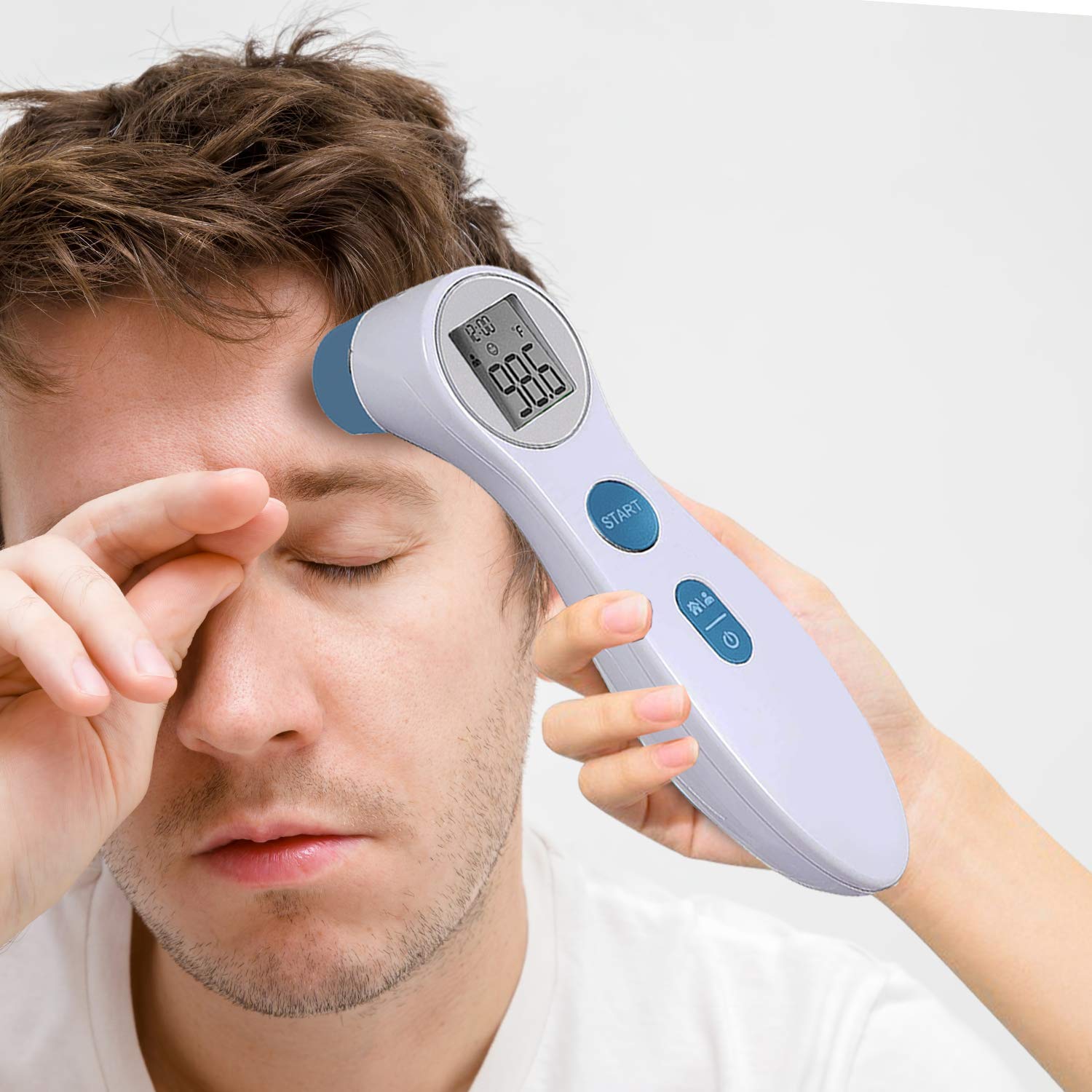
Figure 3: Taking a forehead temperature on an adult.
Switching Temperature Modes (Forehead / Object)
The thermometer features two distinct modes: Forehead mode (for body temperature) and Object mode (for surface temperature). To switch between modes:
- With the thermometer powered on, press the MODE button (often indicated by a person/house icon).
- The icon on the LCD screen will change to indicate the currently selected mode (person icon for forehead, house icon for object).
Understanding the Display
The clear LCD screen provides various pieces of information:
- Temperature Reading: Displays the measured temperature in Celsius (C°) or Fahrenheit (F°). You can switch between C° and F° by pressing and holding the MODE button for a few seconds until the unit changes.
- Time: Shows the current time.
- Mode Indicator: Icons for Forehead mode (person) or Object mode (house).
- Low Battery Indicator: An icon will appear when the batteries are low and need replacement.
- Memory Indicator: Indicates when a reading is being stored or recalled from memory.
- Fever Alarm: The thermometer will alert you if the temperature reading is above normal.

Figure 4: Detailed view of the LCD display and its features.
Memory Function
The thermometer can store up to 10 previous temperature readings. This is useful for monitoring temperature trends over time.
- To access stored readings, press the POWER button (⏻) when the device is off.
- Each press will cycle through the stored readings, displaying the reading number and the temperature.
Maintenance and Care
Proper care ensures the longevity and accuracy of your thermometer:
- Cleaning: Wipe the thermometer body and probe with a soft, dry cloth or an alcohol swab after each use. Do not immerse the thermometer in water or any other liquid.
- Storage: Store the thermometer in a cool, dry place, away from direct sunlight and extreme temperatures.
- Battery Replacement: Replace batteries promptly when the low battery indicator appears to maintain optimal performance.
- Avoid Drops: Handle the device with care to prevent damage from dropping.
Troubleshooting
| Problem | Possible Cause | Solution |
|---|---|---|
| No display / Thermometer won't turn on | Dead or incorrectly inserted batteries. | Check battery orientation. Replace with new AAA batteries. |
| Inaccurate readings | Incorrect measuring distance; dirty probe; recent activity (e.g., exercise, bathing); extreme ambient temperature. | Ensure 2-3 cm distance from forehead. Clean the probe. Wait at least 10 minutes after activity. Take readings in a stable room temperature environment. |
| "Lo" or "Hi" displayed | Temperature is outside the measurable range. | Ensure the thermometer is used within its specified operating temperature range (typically 10°C-40°C or 50°F-104°F for body temperature). |
| Display shows "Err" | System error or malfunction. | Turn off the thermometer, wait a few seconds, and turn it back on. If the error persists, contact customer support. |
Product Specifications
| Feature | Detail |
|---|---|
| Brand | Care Touch |
| Model Number | CT-NCT |
| Measurement Type | Non-Contact Infrared |
| Measurement Modes | Forehead, Object |
| Measurement Units | Celsius (°C), Fahrenheit (°F) |
| Memory Storage | Up to 10 readings |
| Display Type | LCD |
| Power Source | 2 x AAA Batteries |
| Automatic Shut-off | Yes (after approx. 1 minute) |
| Dimensions | 153 mm x 41 mm x 44 mm (approx. 6.02 x 1.61 x 1.73 inches) |
| Weight | Approx. 4.16 ounces (without batteries) |
| Product Care | Wipe Clean |
Warranty and Support
Care Touch is dedicated to providing high-quality products and ensuring customer satisfaction. If you have any questions, concerns, or require assistance with your Care Touch Infrared Forehead Thermometer, please do not hesitate to contact our customer support team.
Our staff is available to help with any inquiries regarding product operation, troubleshooting, or warranty information. Please refer to the contact details provided on your product packaging or visit the official Care Touch website for the most up-to-date support information.


