
ViewSonic VA2732-MH
ViewSonic VA2732-MH Monitor User Manual
Model: VA2732-MH
Product Overview
The ViewSonic VA2732-MH is a 27-inch Full HD IPS monitor designed for home and office use, offering a blend of visual clarity, fluid performance, and eye comfort features. It supports multi-OS compatibility and provides versatile connectivity options.
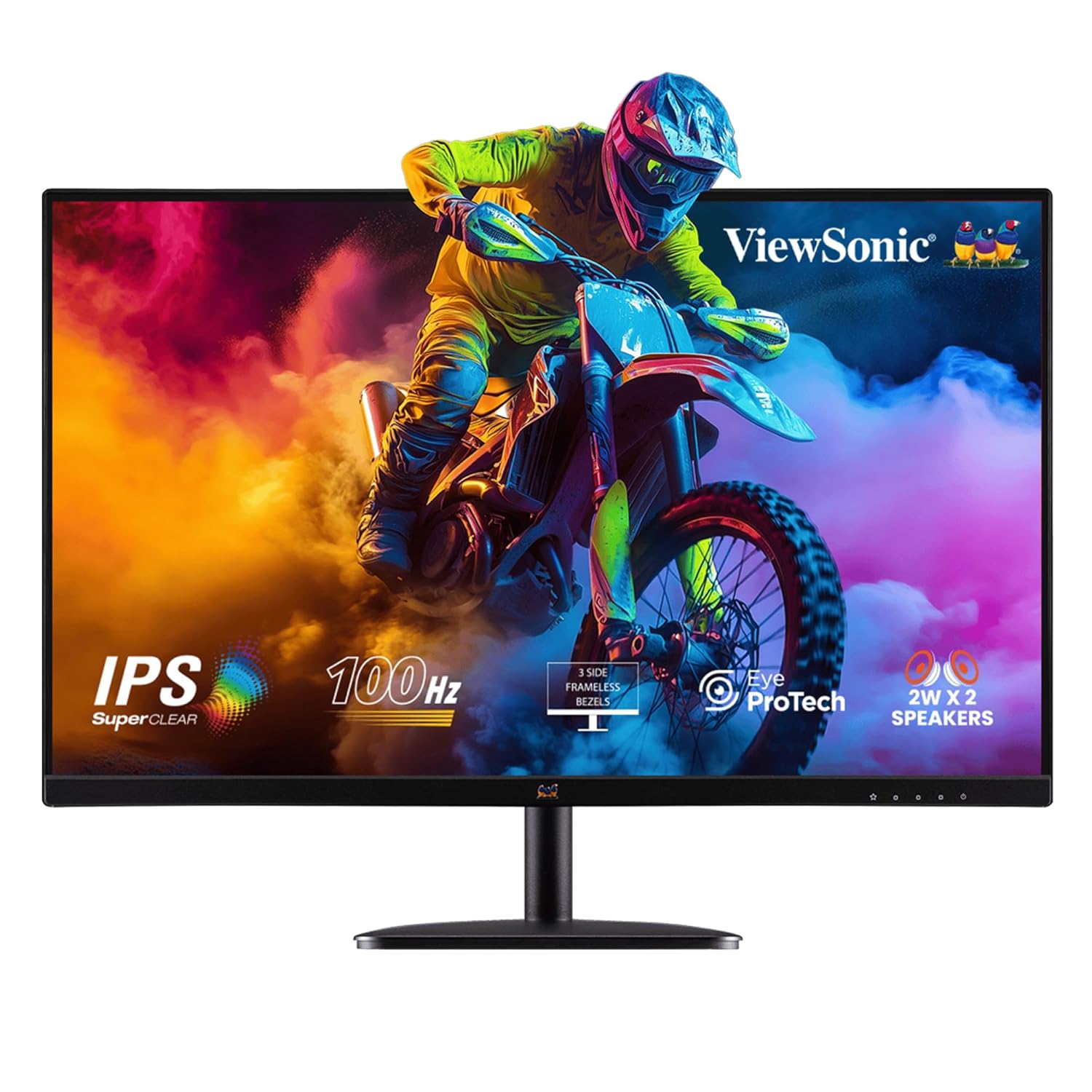
Figure 1: Front view of the ViewSonic VA2732-MH monitor, showcasing its display and stand.
Key Features:
- 27-inch Full HD IPS Display: Features a 1920x1080 resolution with SuperClear IPS panel for stunning clarity, wide viewing angles, and vibrant colors (109% sRGB).
- 100Hz Refresh Rate & 1ms (MPRT) Response Time: Ensures fluid visuals and reduced stutter, ideal for gaming, video playback, and fast-paced tasks.
- Eye ProTech: Combines Flicker-Free technology and a low blue light filter to minimize eye strain during extended use.
- Flexible Connectivity: Equipped with HDMI, VGA, 2W x 2 built-in stereo speakers, and a 3.5mm audio out port.
- Borderless Design: Sleek 3-side borderless screen for a clean aesthetic and seamless multi-monitor setups.
- ViewMode Presets: Offers optimized color, brightness, and contrast settings for various applications like Game, Movie, Web, Text, and Mono.
- Multi-OS Compatibility: Certified for Windows 10/11 and tested for macOS.
Setup Guide
1. Unpacking the Monitor
Carefully remove all components from the packaging. Ensure all items listed in the "Box Includes" section are present.
- VA2732-MH Monitor
- 3-pin Plug (IEC C13 / CEE22)
- HDMI Cable (v1.4; Male-Male)
- AC/DC Adapter
- Quick Start Guide
2. Assembling the Stand
Attach the monitor stand to the back of the monitor. Refer to the Quick Start Guide for specific instructions on securing the stand, typically involving a single screw for the base.
3. Connecting the Monitor
Connect the monitor to your computer or other devices using the provided HDMI cable. The monitor also supports VGA connections.

Figure 2: Rear view of the monitor showing HDMI and VGA input ports for versatile connectivity.
- Connect one end of the HDMI cable to the HDMI port on your computer's graphics card.
- Connect the other end of the HDMI cable to the HDMI port on the monitor.
- For audio, connect external speakers to the 3.5mm Audio Out port if not using the built-in speakers.
4. Power Connection
Connect the AC/DC adapter to the monitor's power input, then plug the 3-pin power cable into a wall outlet.
- Insert the AC/DC adapter into the monitor's power jack.
- Plug the power cord into the AC/DC adapter.
- Plug the other end of the power cord into a grounded electrical outlet.
Operating Instructions
1. Powering On/Off
Press the power button located on the bottom right of the monitor to turn it on or off. The power indicator light will illuminate when the monitor is active.
2. Adjusting Display Settings (ViewMode)
The monitor features ViewMode presets to optimize display settings for different content types. Access the On-Screen Display (OSD) menu to select your preferred mode.
- Game Mode: Enhances visibility in dark scenes and reduces input lag for a better gaming experience.
- Movie Mode: Optimizes brightness and contrast for cinematic viewing.
- Web Mode: Balances brightness and color for comfortable web browsing.
- Text Mode: Reduces blue light and adjusts brightness for comfortable reading.
- Mono Mode: Displays content in grayscale, useful for specific tasks or preferences.

Figure 3: The monitor's three-sided frameless design enhances multi-monitor setups and provides an immersive viewing experience.
3. Eye Comfort Features (Eye ProTech)
To reduce eye strain during prolonged use, the monitor incorporates Flicker-Free technology and a Low Blue Light filter.
- Flicker-Free: Eliminates screen flickering, which can cause eye fatigue.
- Low Blue Light Filter: Reduces harmful blue light emissions by up to 50%, promoting healthier viewing.

Figure 4: Visual representation of Flicker-Free and Low Blue Light technologies, alongside connectivity options.
Maintenance
Cleaning the Monitor
To maintain optimal performance and appearance, regularly clean your monitor. Always power off and unplug the monitor before cleaning.
- Use a soft, lint-free cloth slightly dampened with water or a non-abrasive screen cleaner.
- Gently wipe the screen and monitor casing. Avoid spraying liquid directly onto the screen or into openings.
- Do not use benzene, thinner, ammonia, or abrasive cleaners, as these can damage the monitor's surface.
Storage
When storing the monitor for an extended period, ensure it is kept in a cool, dry place, away from direct sunlight and extreme temperatures. Use the original packaging for best protection.
Troubleshooting
This section provides solutions to common issues you might encounter with your ViewSonic VA2732-MH monitor.
| Problem | Possible Cause | Solution |
|---|---|---|
| No image on screen | Power cable disconnected; Video cable disconnected; Incorrect input source. | Ensure power cable is securely connected. Check HDMI/VGA cable connection. Press the input select button on the monitor to cycle through input sources. |
| Image is blurry or distorted | Incorrect resolution; Loose video cable. | Set the display resolution to 1920 x 1080. Reconnect the video cable securely. |
| Screen flickering | Interference; Refresh rate setting. | Ensure no strong electromagnetic devices are near the monitor. Verify display refresh rate is set to 100Hz in your computer's display settings. The monitor's Flicker-Free technology should prevent this. |
| No sound from speakers | Volume too low; Audio cable disconnected; Incorrect audio output selected on computer. | Increase monitor volume via OSD menu. Check if 3.5mm audio cable is connected (if using external speakers). Ensure monitor is selected as audio output device on your computer. Note that built-in speakers are 2W x 2 and may have limited volume. |
Specifications
| Feature | Detail |
|---|---|
| Brand | ViewSonic |
| Model Number | VA2732-MH (Internal: 401G000015720) |
| Screen Size | 27 Inches |
| Display Type | IPS |
| Resolution | 1920 x 1080 (Full HD) |
| Refresh Rate | 100Hz |
| Response Time | 1ms (MPRT) |
| Brightness | 250 cd/m² |
| Contrast Ratio (Typical) | 1,000:1 |
| Dynamic Contrast Ratio | 50M:1 |
| Color Gamut | 109% sRGB |
| Viewing Angle | 178° (H) / 178° (V) |
| Connectivity | 1x HDMI (v1.4), 1x VGA, 1x 3.5mm Audio Out |
| Speakers | 2W x 2 Stereo Speakers |
| VESA Mount Compatible | 100 x 100 mm |
| Power Consumption (Typical) | 28W |
| Dimensions (Physical) | 615 x 459 x 225 mm |
| Net Weight | 4.1 kg |
| Anti-Glare Surface | Yes, with 3H hard coating |
Warranty and Support
Warranty Information
The ViewSonic VA2732-MH monitor comes with a 3 Years Standard On-site Manufacturer Warranty. Please retain your proof of purchase for warranty claims.
Customer Support
For technical assistance, troubleshooting beyond this manual, or warranty service, please contact ViewSonic customer support. Refer to the official ViewSonic website or the Quick Start Guide for contact details specific to your region.
Note: The warranty covers manufacturing defects and issues arising from normal use. Damage caused by misuse, accidents, or unauthorized modifications may not be covered.
Related documentsVA2732-MH


Ask a question about this manual
Ask about setup, troubleshooting, compatibility, parts, safety, or missing instructions. Manuals+ will review the question and use this page’s manual context to help answer it.