
GODOX AD300Pro
Contents
Godox AD300 Pro Outdoor Flash Strobe Light User Manual
Model: AD300Pro
1. Product Overview
The Godox AD300 Pro is a compact and powerful 300Ws outdoor flash strobe light designed for professional photographers. It features TTL autoflash, High-Speed Sync (HSS) up to 1/8000s, and a bi-color LED modeling lamp, making it a versatile lighting solution for various shooting environments.

Figure 1.1: Godox AD300 Pro with included accessories.
Key Features:
- 300Ws Power Output: Provides ample power for various lighting scenarios.
- TTL & HSS: Supports Through-The-Lens (TTL) autoflash and High-Speed Sync up to 1/8000s for versatile shooting.
- 2.4G Wireless X System: Built-in receiver for wireless control with Godox X1T/X2T/XPro/XProII/X3 triggers.
- Bi-Color LED Modeling Lamp: 12W lamp with adjustable brightness (1-10 steps) and color temperature (3000K-6000K).
- High Capacity Lithium Battery: 2600mAh battery provides up to 320 full power flashes.
- Compact & Portable: Weighs only 1.25kg (with battery), making it ideal for on-location shoots.
- Godox-Mount: Compatible with a wide range of Godox-mount accessories for diverse light shaping.
2. Setup Guide
2.1 Unboxing and Initial Inspection
Carefully unpack all components and inspect them for any signs of damage. Ensure all items listed below are present.
What's in the Box:
- 1x AD300Pro Flash
- 1x Flash tube
- 1x Glass lamp cover
- 1x Reflector
- 1x AD-E2 bracket
- 1x Charger
- 1x Power cord
- 1x Battery
- 1x Carrying case
- 1x Clean Cloth

Figure 2.1: The Godox AD300 Pro and its complete set of accessories as packaged.
2.2 Battery Installation and Charging
The AD300 Pro uses a high-performance rechargeable lithium battery. Ensure the battery is fully charged before first use.
- Insert the battery into the battery compartment on the side of the flash unit until it clicks into place.
- To charge, connect the charger to the battery and then to a power outlet. The charging indicator will show the charging status.
- A full charge typically takes less than 2.5 hours. The battery of AD200 and AD200Pro can also be used with AD300Pro.

Figure 2.2: Proper insertion of the lithium battery into the AD300 Pro flash unit.
2.3 Mounting the Flash
The AD300 Pro comes with an AD-E2 bracket for mounting onto light stands. For additional versatility and compatibility with Bowens mount accessories, the optional S2 bracket (sold separately) can be used.
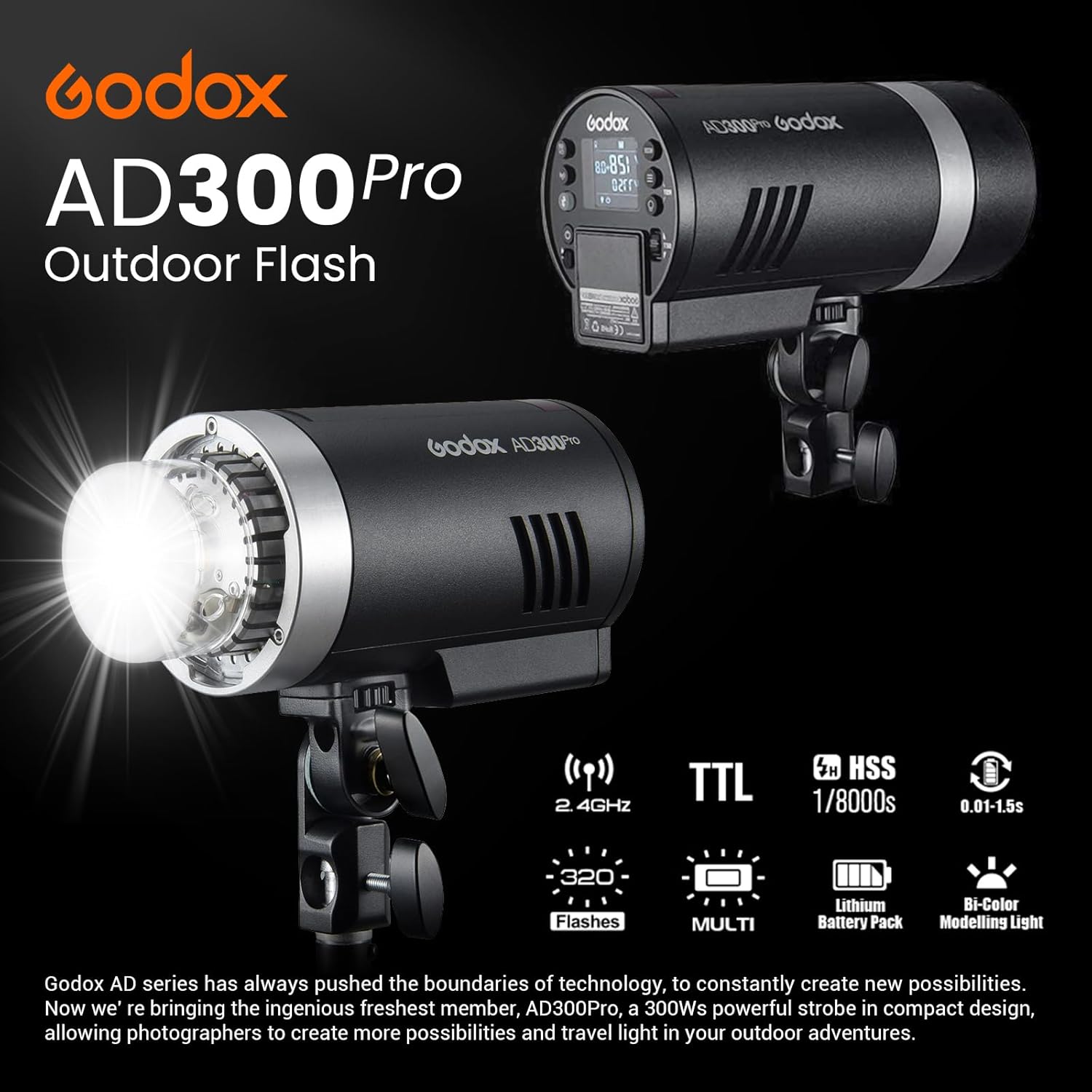
Figure 2.3: The AD300 Pro mounted on a light stand, ready for use.
3. Operating Instructions
3.1 Control Panel Overview
The large LCD panel and intuitive buttons allow for quick and easy adjustment of flash parameters.

Figure 3.1: Detailed view of the AD300 Pro's control panel and buttons.
3.2 Flash Modes and Settings
The AD300 Pro supports various flash modes to suit different photographic needs:
- TTL Autoflash: Automatically calculates the correct flash exposure.
- Manual Flash: Allows precise control over flash power output (1/1 to 1/256 in 1/10th stop increments).
- Multi Flash: Fires a series of rapid flashes for capturing multiple exposures in one frame.
- High-Speed Sync (HSS): Enables flash synchronization with shutter speeds up to 1/8000s, ideal for freezing fast motion or overpowering ambient light.

Figure 3.2: Demonstrating High-Speed Sync capabilities of the AD300 Pro.
3.3 2.4G Wireless X System
The built-in 2.4G wireless system allows for seamless integration with Godox X-series triggers (X1T, X2T, XPro, XProII, X3) for remote triggering and power control. This system supports Canon, Nikon, Sony, FUJIFILM, Olympus, and Panasonic TTL autoflash systems.

Figure 3.3: The AD300 Pro's compatibility with Godox 2.4G Wireless X System triggers.
3.4 Modeling Lamp Operation
The 12W bi-color LED modeling lamp can be adjusted for brightness and color temperature (3000K to 6000K) to aid in pre-visualization and blend with ambient light. It can also serve as a continuous light source for video shooting.

Figure 3.4: Adjusting the bi-color LED modeling lamp on the AD300 Pro.
3.5 Using Light Modifiers
The AD300 Pro features a Godox-mount for direct attachment of various light modifiers. For compatibility with Bowens mount accessories, the optional Godox S2 bracket is required.

Figure 3.5: Examples of light modifiers compatible with the Godox AD300 Pro.
4. Maintenance
4.1 Cleaning
Regularly clean the flash unit with a soft, dry cloth. For the flash tube and glass lamp cover, use a lens cleaning cloth and solution if necessary. Avoid using harsh chemicals or abrasive materials.
4.2 Battery Care
To prolong battery life, avoid fully discharging the battery frequently. Store the battery in a cool, dry place when not in use, and charge it periodically if stored for extended periods.
4.3 Storage
When not in use, store the AD300 Pro in its carrying case in a dry, dust-free environment. Remove the battery if storing for a long duration to prevent potential damage.
5. Troubleshooting
| Problem | Possible Cause | Solution |
|---|---|---|
| Flash not firing. | Low battery; Incorrect trigger settings; Flash in sleep mode. | Charge battery; Check trigger channel/group settings; Press test button to wake up flash. |
| Wireless connection issues. | Interference; Incorrect channel/ID; Distance too far. | Change channel/ID; Reduce distance between flash and trigger; Check for obstructions. |
| Inconsistent flash output. | Battery low; Overheating protection; Flash tube aging. | Recharge battery; Allow flash to cool down; Contact service for flash tube replacement. |
If the problem persists after attempting these solutions, please contact Godox customer support.
6. Technical Specifications
| Feature | Detail |
|---|---|
| Product Dimensions | 7.5 x 3.9 x 3.5 inches |
| Item Weight | 5.19 pounds |
| Model Number | AD300Pro |
| Batteries | 1 Lithium Ion battery (included) |
| Manufacturer | GODOX |
| Compatible Mountings | Canon, Sony, Nikon, Fujifilm, Olympus, Panasonic, Pentax |
| Flash Sync Speed | 1/8000s |
| Camera Flash Type | Slave |
7. Warranty and Support
Godox products typically come with a limited manufacturer's warranty. Please refer to the warranty card included with your product for specific terms and conditions, or visit the official Godox website for detailed warranty information.
For technical support, service, or inquiries, please contact Godox customer service through their official website or the retailer from whom you purchased the product.
A digital version of the user guide is available for download: Godox AD300 Pro User Guide (PDF)
Ask a question about this manual
Ask about setup, troubleshooting, compatibility, parts, safety, or missing instructions. Manuals+ will review the question and use this page’s manual context to help answer it.