1. Introduction
Thank you for choosing a Bosch appliance. This user manual provides important information for the safe and efficient operation of your Bosch KGN33NWEB Series 2 Freestanding Combined Refrigerator. Please read these instructions carefully before installation, first use, and maintenance to ensure optimal performance and longevity of your appliance. Keep this manual for future reference.
2. Safety Information
Always observe the following safety precautions to prevent personal injury or damage to the appliance:
- Electrical Safety: Ensure the appliance is connected to a properly grounded outlet. Do not use extension cords or multiple socket adapters.
- Installation: Install the appliance according to the instructions provided. Ensure adequate ventilation.
- Children: Keep children away from packaging materials. Do not allow children to play with the appliance.
- Flammable Materials: Do not store explosive substances or products containing flammable propellants (e.g., aerosol cans) inside the appliance.
- Maintenance: Disconnect the appliance from the power supply before cleaning or performing any maintenance.
- Damage: If the power cord is damaged, it must be replaced by the manufacturer, its service agent, or similarly qualified persons to avoid a hazard.
3. Product Overview
Key Features
- MultiAirflow System: Minimizes temperature fluctuations and reduces cooling times for optimal food preservation.
- FreshSense Technology: Internal and external sensors maintain a constant temperature, ensuring ideal food storage conditions.
- Super Freezing: Rapidly freezes new items to protect existing frozen food from thawing.
- Door Open Alarm: Visual and audible alarm alerts you if a door is left open.
- LED Lighting: Progressive intensity LED lighting for clear visibility inside the refrigerator.
- Holiday Mode: Saves energy while keeping the freezer running and the refrigerator at a higher, energy-saving temperature.
- 90° Door Opening: Specific hinges allow doors to open at a 90-degree angle, enabling placement flush against a wall.
Components



4. Installation and Setup
4.1 Unpacking
Carefully remove all packaging materials. Dispose of packaging responsibly. Check the appliance for any transport damage. If damaged, do not connect it to the power supply and contact your retailer.
4.2 Placement
Place the appliance on a firm, level surface. Ensure there is sufficient clearance around the appliance for proper ventilation. The 90° door opening feature allows for flush placement against a wall without hindering door operation.
4.3 Electrical Connection
Connect the appliance to a dedicated, grounded electrical outlet. After positioning, wait at least 1 hour before plugging in the appliance to allow the refrigerant to settle.
4.4 First Use
After plugging in, set the desired temperatures for the refrigerator and freezer compartments. Allow the appliance to run for several hours (e.g., 4-6 hours) before loading it with food to ensure it reaches the correct operating temperatures.
4.5 Door Reversibility
The doors of this appliance are reversible. If you wish to change the door hinge side, please refer to the detailed instructions in the full technical manual or contact Bosch customer service for assistance.
5. Operating Instructions
5.1 Temperature Control
The refrigerator and freezer temperatures are controlled independently. Use the control panel located inside the refrigerator compartment to adjust settings.

- Refrigerator: Turn the dial to select the desired cooling level. A mid-setting is usually sufficient for general use.
- Freezer: The freezer temperature can be adjusted via a separate control, typically indicated by a range of temperatures (e.g., -18°C to -24°C).
5.2 MultiAirflow System
The MultiAirflow system ensures even distribution of cold air throughout the refrigerator compartment, minimizing temperature fluctuations. This helps to keep food fresh for longer. Ensure air vents are not blocked by food items.
5.3 FreshSense Technology
Integrated sensors continuously monitor the internal and external temperatures, automatically adjusting the cooling performance to maintain a stable environment inside the refrigerator. This technology optimizes food preservation regardless of ambient temperature changes.
5.4 Super Freezing Function
Activate the Super Freezing function when adding a large quantity of fresh food to the freezer. This rapidly lowers the freezer temperature to quickly freeze new items, preventing a rise in temperature that could affect already frozen food. The function typically deactivates automatically after a set period or when the optimal temperature is reached.
5.5 Holiday Mode
If you are going away for an extended period, activate Holiday Mode. This mode sets the refrigerator compartment to a higher, energy-saving temperature (e.g., +14°C) to prevent odors while keeping the freezer compartment at its normal operating temperature to preserve frozen goods. Ensure no perishable food is left in the refrigerator compartment when this mode is active.
5.6 Door Open Alarm
If a door is left open for too long, a visual and audible alarm will activate. Close the door promptly to stop the alarm and maintain optimal internal temperatures.
6. Care and Maintenance
6.1 Cleaning the Interior
Before cleaning, unplug the appliance. Clean the interior regularly with a soft cloth and a mild, non-abrasive cleaning solution. Avoid using harsh chemicals or abrasive pads. Remove shelves and drawers for thorough cleaning. Rinse with clean water and dry thoroughly before replacing components and plugging the appliance back in.
6.2 Cleaning the Exterior
Wipe the exterior surfaces with a soft, damp cloth. For stubborn marks, use a mild detergent. Do not use abrasive cleaners or solvents. Clean the condenser coils at the back of the appliance periodically (if accessible) to ensure efficient operation.
6.3 NoFrost Feature
The freezer compartment features NoFrost technology, which prevents ice build-up. This means manual defrosting of the freezer is not required. If ice does form, check that the door is sealing properly and that the appliance is not overloaded.
7. Troubleshooting
Before contacting customer service, please check the following common issues and solutions:
| Problem | Possible Cause | Solution |
|---|---|---|
| Appliance does not cool | No power supply; temperature setting too high; door left open. | Check power plug and fuse; adjust temperature setting; ensure door is closed properly. |
| Excessive noise | Appliance not level; items touching the back wall; normal operating sounds. | Adjust leveling feet; rearrange items; some sounds (e.g., gurgling, humming) are normal. |
| Water on the bottom of the refrigerator compartment | Drain hole blocked. | Clean the drain hole at the back of the refrigerator compartment with a small tool. |
| Door alarm sounds | Door not closed completely. | Close the door firmly. Check for obstructions. |
8. Specifications
| Feature | Value |
|---|---|
| Brand | Bosch |
| Model Number | KGN33NWEB |
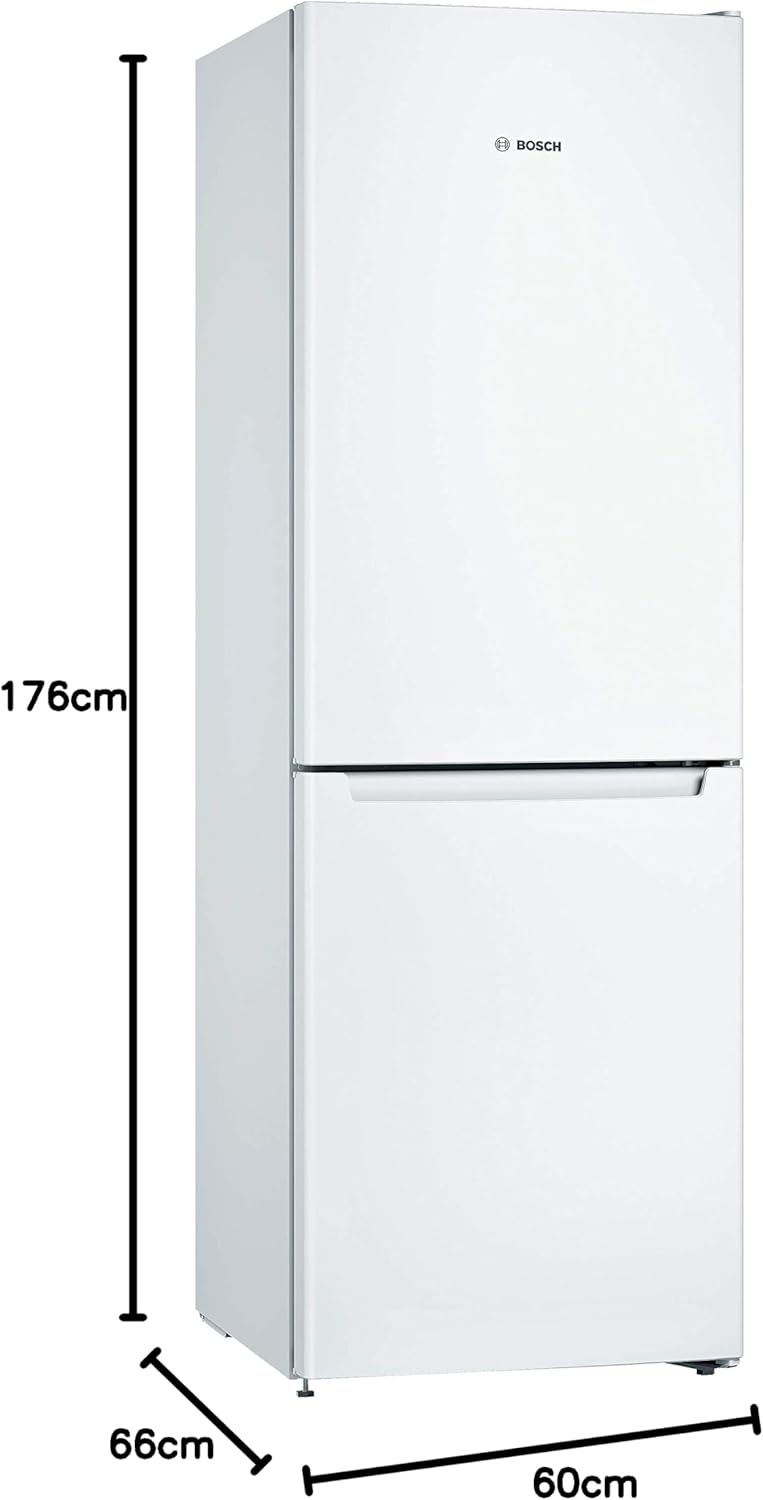
| Dimensions (H x W x D) | 176 cm x 60 cm x 66 cm |
| Total Volume | 282 Liters (279 Liters according to specifications) |
| Refrigerator Capacity | 193 Liters |
| Annual Energy Consumption | 237 kWh/year |
| Energy Efficiency Class | E |
| Noise Level | 42 Decibels |
| Freezing Capacity | 10 kg in 24h |
| Storage Time During Power Failure | 12 hours |
| Defrost System | Automatic (NoFrost) |
| Installation Type | Freestanding |
| Color | White |
| Voltage | 240 Volts |
| Number of Shelves | 3 (glass, 2 adjustable, 1 EasyAccess) |
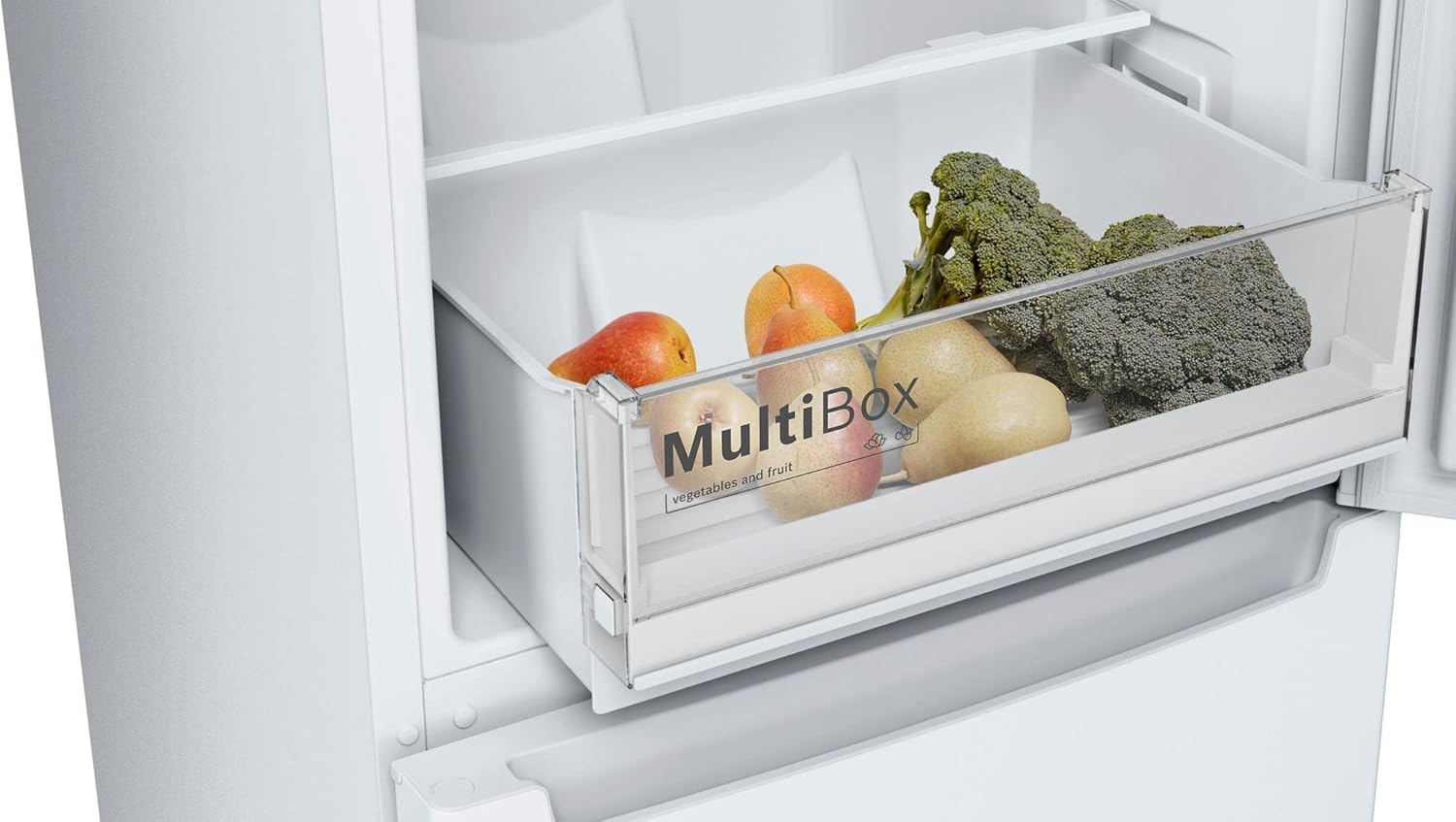
| Number of Drawers | 1 (MultiBox) |
9. Warranty and Customer Support
9.1 Manufacturer's Warranty
This Bosch appliance comes with a 2-year manufacturer's commercial warranty. Please retain your proof of purchase for warranty claims. The warranty covers defects in materials and workmanship under normal use.
9.2 Spare Parts Availability
Spare parts for this model are available for up to 11 years after the end of production, ensuring long-term serviceability of your appliance.
9.3 Customer Support
For technical assistance, service requests, or to order spare parts, please contact Bosch customer service. You can find contact information on the official Bosch website or in the documentation provided with your appliance. When contacting support, please have your appliance's model number (KGN33NWEB) and serial number ready.
You can also visit the official Bosch store for more information and support: Bosch Store


