
1. Introduction
Thank you for purchasing the HOTT CD711T Portable CD Player. This manual provides detailed instructions for the proper use, setup, and maintenance of your device. Please read this manual thoroughly before operation to ensure optimal performance and longevity of your CD player.
2. Product Overview
2.1 Package Contents
- HOTT CD711T Portable CD Player
- USB Charging Cable
- Wire-controlled Headset
- AUX Cable
- User Manual (this document)
2.2 Device Layout and Controls
Familiarize yourself with the buttons and ports on your CD player.

This image displays the HOTT CD711T portable CD player in black, shown with its wired headphones, USB charging cable, and AUX cable.
Front Panel Controls:

This diagram labels the front controls of the CD player: 1. LCD display, 2. DIR (select next album for MP3), 3. ASP (Anti-Shock Protection on/off), 4. Previous/Fast Backward, 5. Next/Fast Forward, 6. Stop/Shutdown, 7. Sound Effect, 8. Play Mode/Bluetooth, 9. Power On/Play/Pause.
Side and Back Ports:

This diagram labels the side and back features of the CD player: 10. HOLD/UNHOLD switch (locks/unlocks buttons), 11. Volume adjustment, 12. PHONES (earphone jack), 13. DC IN 4.5V-5V (power supply input).
3. Setup
3.1 Initial Charging
- Connect the provided USB charging cable to the DC IN 4.5V-5V port (13) on the CD player.
- Connect the other end of the USB cable to a compatible USB power adapter (not included) or a computer USB port.
- The charging indicator will illuminate. A full charge takes approximately 3 to 3.5 hours.
- Disconnect the charging cable once fully charged.
3.2 Inserting a CD
- Slide the HOLD/UNHOLD switch (10) to the UNHOLD position to unlock the controls.
- Gently open the CD compartment lid.
- Place a CD with the label side facing up onto the center spindle. Ensure the CD is securely seated.
- Close the CD compartment lid firmly until it clicks.
4. Operating Instructions
4.1 Basic Playback
- Power On/Play/Pause (9): Press once to power on and begin playback. Press again to pause. Press a third time to resume.
- Stop/Shutdown (6): Press once to stop playback. Press and hold to power off the device.
- Next Track/Fast Forward (5): Short press to skip to the next track. Long press to fast forward within the current track.
- Previous Track/Fast Backward (4): Short press twice to go to the previous track. Long press to fast backward within the current track.
- Volume Adjustment (11): Rotate the volume dial on the side of the player to increase or decrease the audio output.
4.2 Advanced Features
- Sound Effects (7): Press repeatedly to cycle through available sound effects: BBS, Pop, Jazz, Rock, Classic.
- Anti-Shock Protection (ASP) (3): Press to toggle the Anti-Shock Protection feature on or off. This feature helps prevent audio skips during movement (45 seconds for CD, 120 seconds for MP3).
- DIR (2): For MP3 discs with multiple folders, press this button to navigate to the next album or folder.
- Play Modes (8): Press repeatedly to cycle through different playback modes.

This image illustrates the five available play modes: Sequential, Shuffle, Single Track Repeat, Repeat All, and Scan (plays first 10 seconds of each track). It also highlights compatibility with MP3, CD-RW, CD-R, and HDCD disc formats.
- Key Lock (HOLD) (10): Slide the HOLD/UNHOLD switch to the HOLD position to lock all buttons. This prevents accidental button presses during transport. Slide to UNHOLD to unlock.
5. Bluetooth Connection
The HOTT CD711T features Bluetooth 5.0 for wireless audio streaming to compatible devices.
- Ensure your Bluetooth headphones or speaker are in pairing mode. Refer to your audio device's manual for specific instructions.
- Power on the HOTT CD711T.
- Press the Play Mode/Bluetooth button (8) to switch to Bluetooth mode. The Bluetooth icon on the LCD display (1) will flash, indicating it is searching for devices.
- Once paired, the Bluetooth icon will stop flashing and remain solid. Audio will now stream wirelessly to your connected device.
- If pairing fails, ensure both devices are close to each other and repeat the steps.
6. Car Connection
You can connect your HOTT CD711T to your car's audio system using two methods:

This image demonstrates two ways to connect the CD player to a car: via an AUX cable (high priority) and via Bluetooth (partial car support). Visuals show connecting an AUX cable to a car's AUX IN port and a finger touching a car's touchscreen for Bluetooth pairing.
6.1 Using the AUX Cable
- Connect one end of the provided AUX cable to the PHONES (earphone) jack (12) on the CD player.
- Connect the other end of the AUX cable to your car's AUX IN port.
- Select the AUX input on your car's audio system.
- Adjust the volume on both the CD player and your car's audio system for optimal sound.
6.2 Using Bluetooth (Partial Car Support)
Some car audio systems support Bluetooth connection with external devices. Follow the Bluetooth connection steps in Section 5, then pair with your car's Bluetooth system. Note that compatibility may vary with different car models.
7. Battery and Charging
The HOTT CD711T is equipped with a built-in 1000mAh rechargeable Li-ion battery.
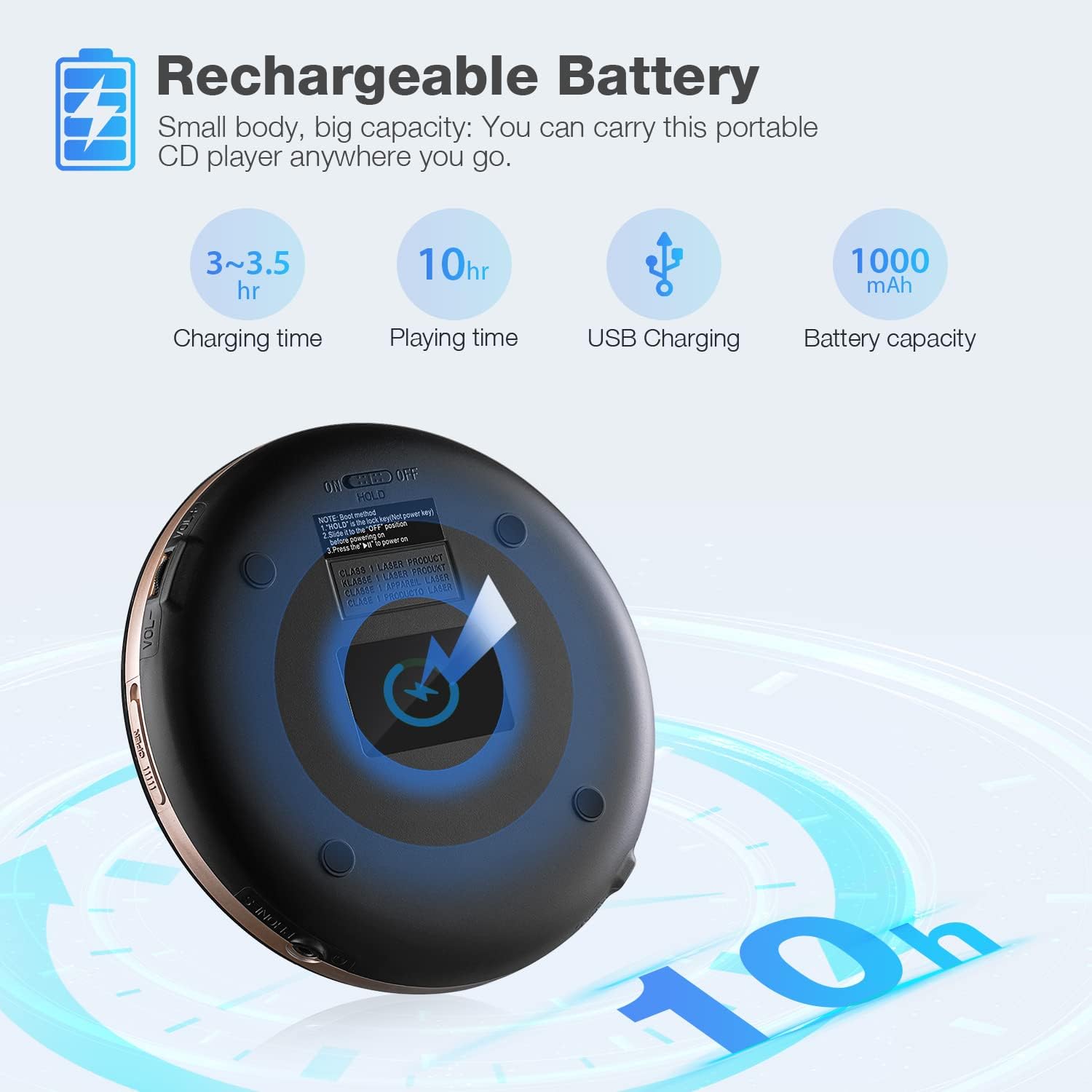
This image details the rechargeable battery features: 3-3.5 hours charging time, 10 hours playing time, USB charging, and a 1000mAh battery capacity. A diagram shows the USB charging port on the player's underside.
- Charging Time: Approximately 3 to 3.5 hours for a full charge.
- Playing Time: Up to 7 hours at medium volume on a full charge.
- Charging Method: Use the provided USB cable connected to a 5V USB power source.
- The battery indicator on the LCD display will show the current charge level.
8. Maintenance
8.1 Cleaning the Device
- Wipe the exterior of the CD player with a soft, dry cloth.
- Do not use abrasive cleaners, waxes, or solvents.
- Keep the CD compartment free of dust and debris. Use a soft brush or compressed air if necessary.
8.2 CD Care
- Handle CDs by their edges to avoid fingerprints and scratches.
- Store CDs in their cases when not in use.
- Clean dirty CDs with a soft, lint-free cloth, wiping from the center outwards.
9. Troubleshooting
If you encounter issues with your HOTT CD711T, please refer to the following common problems and solutions:
| Problem | Possible Cause | Solution |
|---|---|---|
| Player does not power on | Low battery; HOLD switch engaged | Charge the battery; Slide HOLD switch to UNHOLD |
| CD skips or stops playing | CD is dirty or scratched; ASP is off; Player is subjected to strong vibration | Clean or replace CD; Ensure ASP is on; Minimize movement during playback |
| No sound | Volume too low; Headphones not connected properly; Bluetooth not paired | Increase volume; Reconnect headphones; Re-pair Bluetooth device |
| Bluetooth not connecting | Device not in pairing mode; Too far from player; Interference | Ensure audio device is in pairing mode; Bring devices closer; Turn off other Bluetooth devices temporarily |
| Disc error message | CD inserted incorrectly; Unsupported disc format; Damaged CD | Reinsert CD correctly; Use compatible disc (CD, MP3, CD-R, CD-RW, WMA); Try a different CD |
10. Specifications
- Model: CD711T
- Dimensions: 5.5 x 5.5 x 1 inches
- Item Weight: 15.5 ounces
- Connectivity: Bluetooth 5.0, USB, 3.5mm AUX
- Disc Compatibility: CD, MP3, CD-RW, CD-R, WMA
- Sound Effects: BBS, Pop, Jazz, Rock, Classic
- Anti-Shock Protection: 45 seconds (CD), 120 seconds (MP3)
- Battery: 1000mAh Li-ion rechargeable battery
- Charging Time: 3-3.5 hours
- Playback Time: Up to 7 hours (medium volume)
11. Warranty and Support
HOTT is committed to providing quality products and excellent customer service.
- 30-Day Return Policy: If you are not satisfied with your purchase, you may return it within 30 days.
- 1-Year Warranty: The HOTT CD711T Portable CD Player comes with a 1-year warranty against manufacturing defects.
- Lifetime Support: HOTT offers lifetime technical support for its products. For assistance, please contact HOTT customer service.


