
CANDY CSO 1495T3/1-19
Candy SmartPro Washing Machine User Manual
Model: CSO 1495T3/1-19
Introduction
This manual provides essential instructions for the safe and efficient operation, installation, and maintenance of your Candy SmartPro 9KG 1400rpm Washing Machine, model CSO 1495T3/1-19. Please read this manual thoroughly before using the appliance and keep it for future reference.
Safety Information
Always follow basic safety precautions when using electrical appliances to reduce the risk of fire, electric shock, and injury to persons. This appliance is intended for domestic use only. Do not allow children to play with the appliance. Ensure the appliance is properly grounded. Do not operate the machine if the power cord is damaged.
Product Overview
The Candy SmartPro washing machine is designed for efficient and convenient laundry care. Key features include:
- Capacity: 9 Kilograms
- Max Spin Speed: 1400 RPM
- Smart Connectivity: Wi-Fi and Bluetooth for remote control via the Simply-Fi app.
- Hygiene Steam: Special program for enhanced sanitization.
- Active Motion System: Boosts detergent cleaning action.
- Easy Iron Function: Reduces creases by up to 80% with steam action.
- Rapid Programs: 9 quick wash cycles, many under one hour.
- Display: 5-digit Smart Text Display for easy program management.
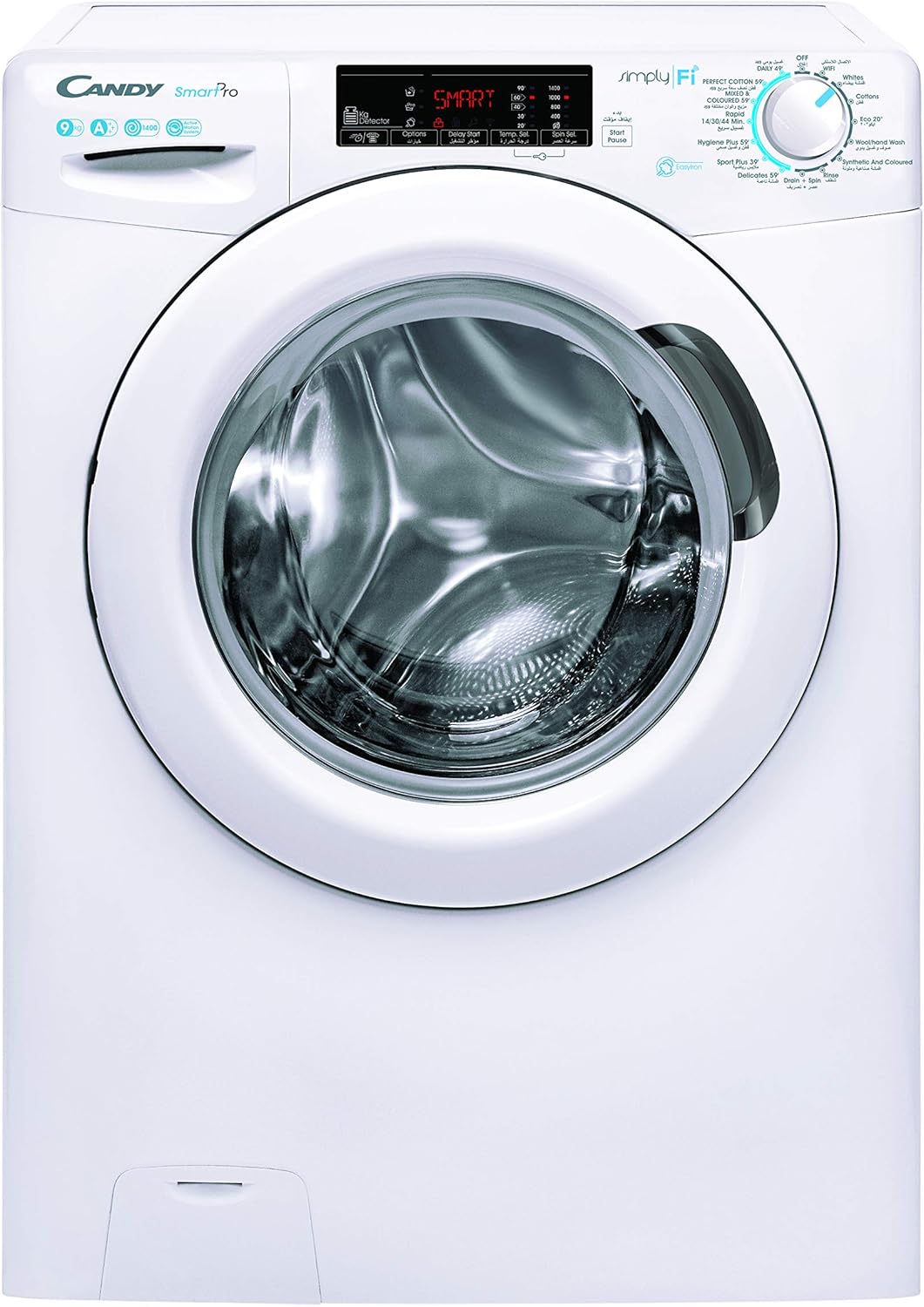
Image 1: Front view of the Candy SmartPro Washing Machine, model CSO 1495T3/1-19. Shows the control panel, detergent drawer, and large front-loading door.
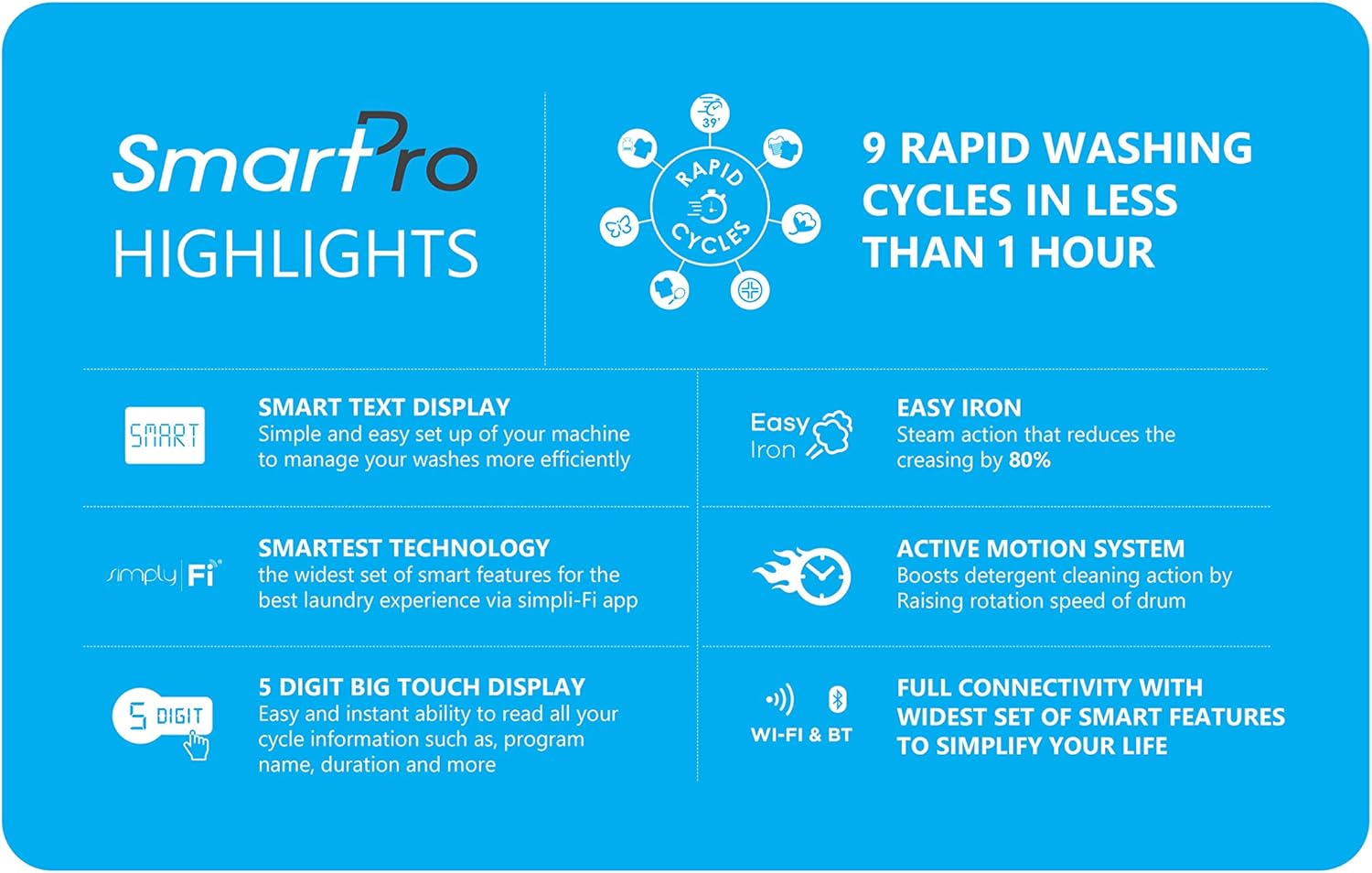
Image 2: Visual representation of Candy SmartPro highlights, including 9 rapid washing cycles, Smart Text Display, Easy Iron function, Simply-Fi technology, Active Motion System, and full Wi-Fi & Bluetooth connectivity.
Setup and Installation
The Candy SmartPro washing machine is designed for freestanding installation. Follow these general steps for proper setup:
- Unpacking: Carefully remove all packaging materials and transport bolts from the rear of the machine. Retain these for future transport.
- Positioning: Place the machine on a firm, level surface. Adjust the feet to ensure stability and prevent vibrations during operation.
- Water Connection: Connect the water inlet hose to a cold water tap. Ensure all connections are tight to prevent leaks.
- Drainage: Position the drain hose correctly into a standpipe or sink, ensuring it is securely fixed and not kinked.
- Electrical Connection: Plug the power cord into a grounded electrical outlet. Ensure the voltage matches the appliance's requirements (240 Volts).
Refer to the detailed diagrams in the included instruction manual for specific connection points and procedures.
Operating Instructions
Operating your Candy SmartPro washing machine involves selecting programs, adding detergent, and utilizing smart features.
Control Panel and Display
The machine features a 5-digit Smart Text Display and a remote control console. Use the display to navigate and select wash programs and options.
Washing Programs
The SmartPro offers 9 standard cycles, including several rapid programs:
- Daily 49': Quick cycle for half loads in 49 minutes.
- Eco Saving: Energy-efficient wash.
- Mixed & Coloured: For mixed fabric types and colors.
- Perfect Cotton: Optimized for cotton garments.
- Hygiene Plus: High-temperature wash with steam for sanitization.
- Sport Plus: For sportswear.
- Delicate: Gentle wash for delicate items.
- Other specialized cycles.
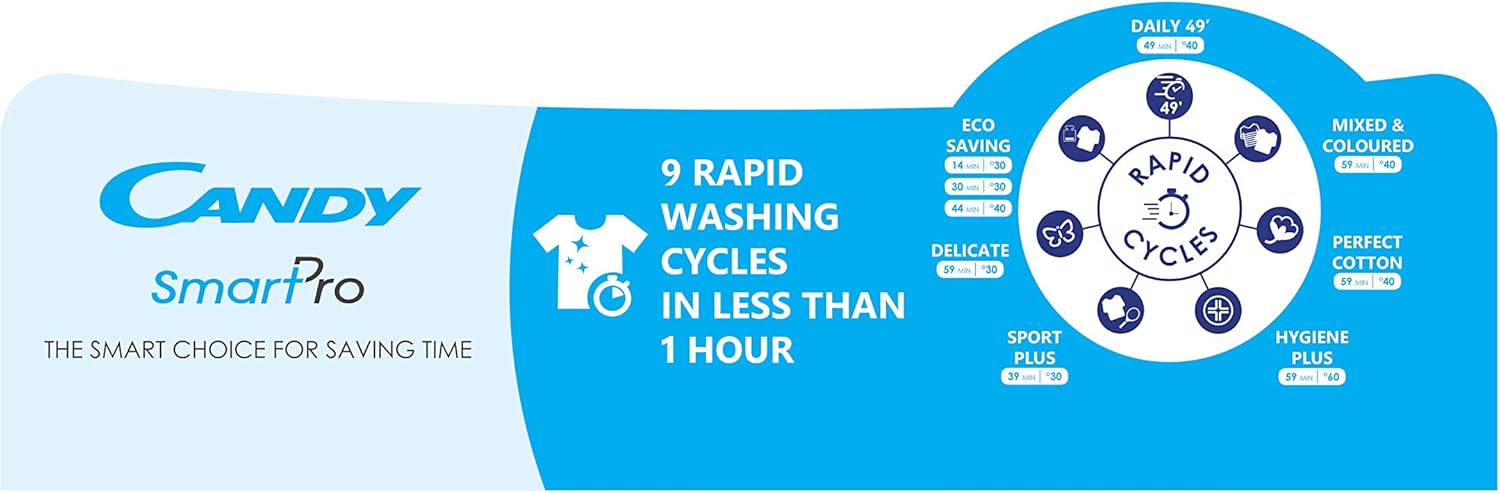
Image 3: Diagram illustrating the 9 rapid washing cycles available on the Candy SmartPro washing machine, including Daily 49', Eco Saving, Mixed & Coloured, Perfect Cotton, Hygiene Plus, Sport Plus, and Delicate programs.
Using Smart Features (Simply-Fi App)
The Simply-Fi app allows full remote control of your washing machine via Wi-Fi and Bluetooth. You can set favorite cycles, check reminders, and manage washes efficiently.
- Download the Simply-Fi app from your device's app store.
- Follow the in-app instructions to pair your washing machine.
- Utilize features like remote start, program selection, and cycle monitoring.
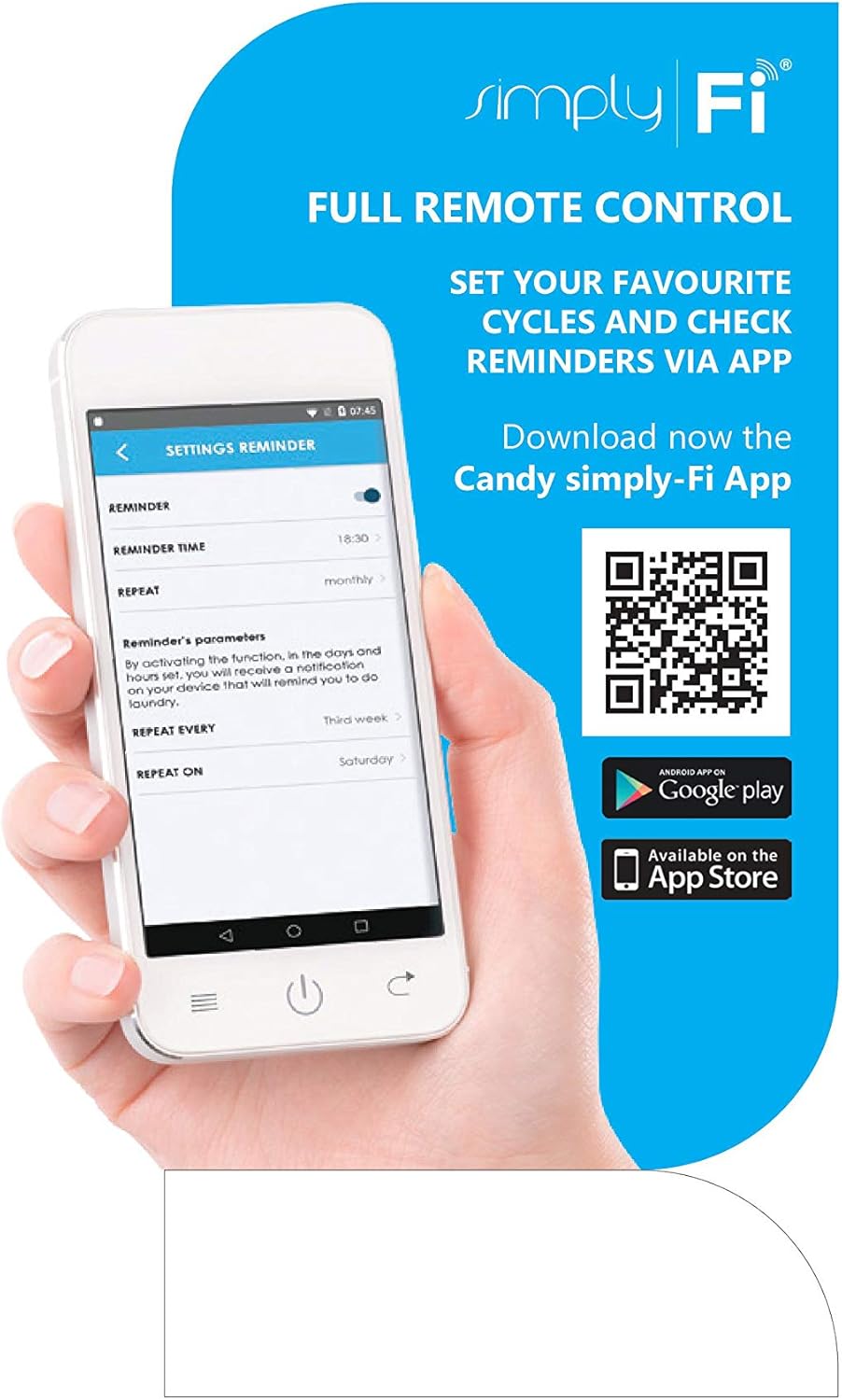
Image 4: Screenshot of the Candy Simply-Fi app interface on a smartphone, demonstrating remote control capabilities and reminder settings for laundry tasks. The image also shows QR codes for downloading the app from Google Play and the App Store.
For app download and more information, visit: go.candy-group.com/download-simplyfi
Maintenance and Care
Regular maintenance ensures the longevity and optimal performance of your washing machine.
- Cleaning the Detergent Drawer: Periodically remove and clean the detergent drawer to prevent residue buildup.
- Cleaning the Filter: Check and clean the drain pump filter regularly to remove lint and small objects.
- Drum Cleaning: Run a maintenance wash cycle (e.g., a hot wash with a descaler) periodically to clean the drum and remove odors.
- Door Seal: Wipe the door seal after each wash to prevent mold and mildew growth.
- Exterior Cleaning: Clean the exterior with a soft, damp cloth. Do not use abrasive cleaners.
Troubleshooting
Before contacting service, consult the following table for common issues and solutions:
| Problem | Possible Cause | Solution |
|---|---|---|
| Machine does not start | Power cord not plugged in; door not closed properly; program not selected. | Check power supply; ensure door is latched; select a wash program and press start. |
| Water not filling | Water tap closed; inlet hose kinked; water pressure too low. | Open water tap; straighten hose; check household water pressure. |
| Machine not draining | Drain hose kinked or blocked; drain filter clogged. | Check and clear drain hose; clean drain pump filter. |
| Excessive vibration/noise | Machine not level; transport bolts not removed; uneven load. | Adjust leveling feet; ensure transport bolts are removed; redistribute laundry inside the drum. |
For issues not listed here, or if solutions do not resolve the problem, please contact customer support.
Technical Specifications
| Feature | Detail |
|---|---|
| Brand | CANDY |
| Model Number | CSO 1495T3/1-19 |
| Capacity | 9 Kilograms |
| Max Spin Speed | 1400 RPM |
| Product Dimensions (D x W x H) | 60 x 55 x 85 cm |
| Item Weight | 65 Kilograms |
| Noise Level | 58 Decibels |
| Installation Type | Freestanding |
| Voltage | 240 Volts |
| Wattage | 1600 watts |
| Control Console | Remote (via app) / Touchpad |
| Special Features | Hygiene Steam, Smart Connectivity (Wi-Fi+BT), Active Motion System, Easy Iron |
| Material Type | Galvanized Steel |
| Color | White |
Warranty and Support
For warranty information and customer support, please refer to the documentation included with your appliance or visit the official Candy website. Keep your purchase receipt as proof of purchase for warranty claims.
Related documentsCSO 1495T3/1-19


Ask a question about this manual
Ask about setup, troubleshooting, compatibility, parts, safety, or missing instructions. Manuals+ will review the question and use this page’s manual context to help answer it.