
1. Introduction
This manual provides detailed instructions for the safe installation, operation, and maintenance of your Maclean MCE702W Touch Wall Switch. Please read this manual thoroughly before installation and retain it for future reference. This touch-sensitive wall switch offers a modern and convenient way to control your lighting.
2. Safety Information
WARNING: Electrical installation should only be performed by a qualified electrician. Always disconnect power at the circuit breaker before installing or servicing the switch to prevent electric shock.
- Ensure the power supply is turned off before any installation or maintenance.
- Do not exceed the maximum load capacity of 1000W.
- This switch is designed for indoor use only.
- Keep the device away from water and high humidity.
- Do not attempt to repair or modify the switch yourself. Contact qualified personnel for service.
3. Package Contents
Verify that all components are present in the package:
- Maclean MCE702W Touch Wall Switch (White, Single Round Button)
- LED Adapter (for preventing ghosting/flickering with low-wattage LED lights)
- Mounting Screws
- User Manual
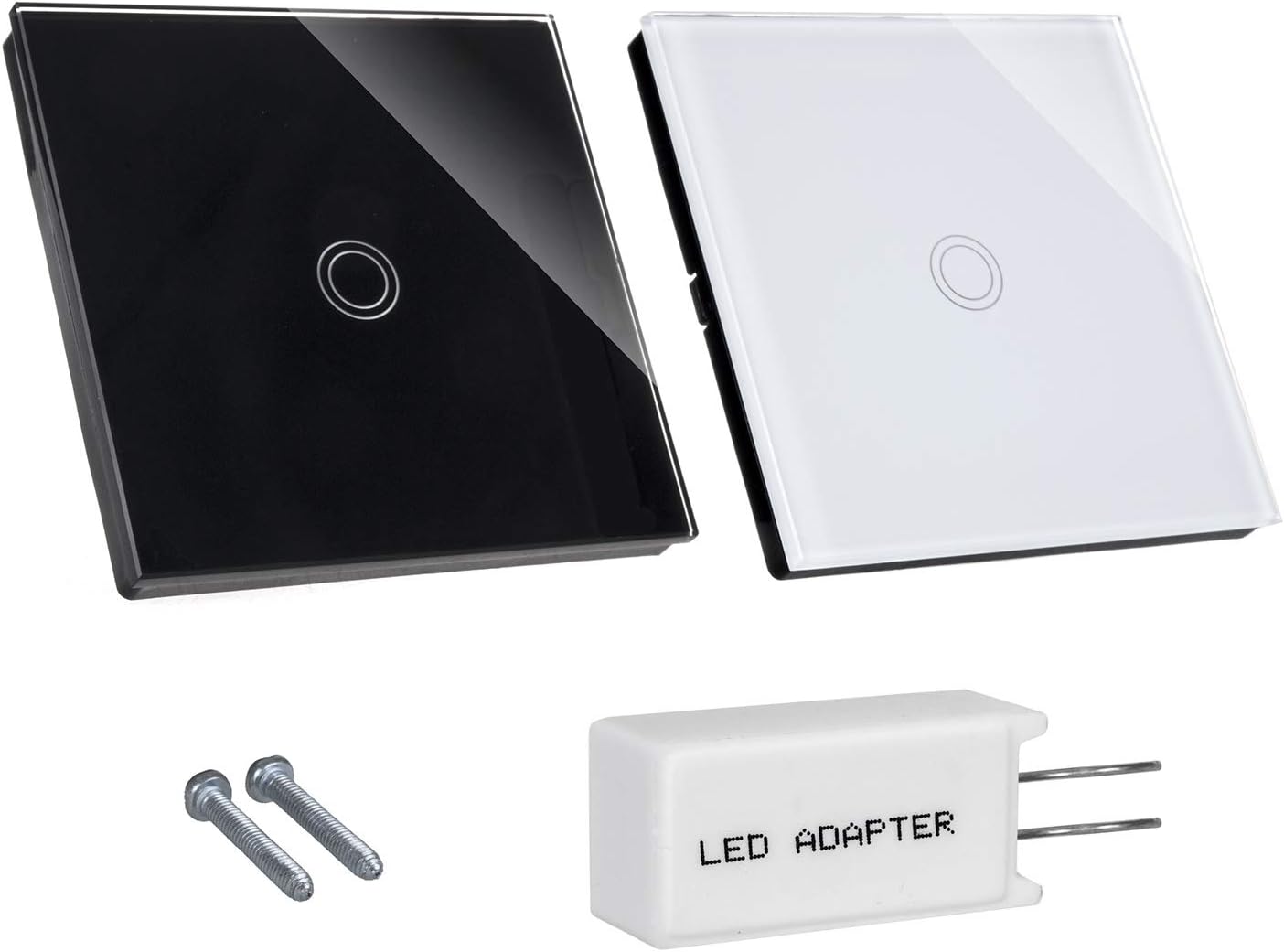
Image: The Maclean MCE702W touch wall switch in white, alongside an LED adapter and two mounting screws, illustrating the typical package contents.
4. Product Overview and Features
The Maclean MCE702W is a modern touch-sensitive wall switch designed for ease of use and durability. Its elegant glass panel integrates seamlessly into various interior designs.
- Touch Sensor: Responsive touch interface for light control.
- Night Indicator: Features a subtle backlight for easy location in the dark. The indicator changes color (green when off, red when on).
- Durable Material: Made with tempered glass, offering resistance against scratches, humidity, and temperature fluctuations.
- Easy to Clean: Smooth crystal glass surface allows for simple cleaning.
- High Load Capacity: Supports light sources up to a maximum of 1000W.
- LED Adapter Included: Helps prevent flickering or residual glow in low-wattage LED lighting systems.

Image: The Maclean MCE702W touch wall switch, white with a single round touch button, installed on a dark wall in a room with a window.
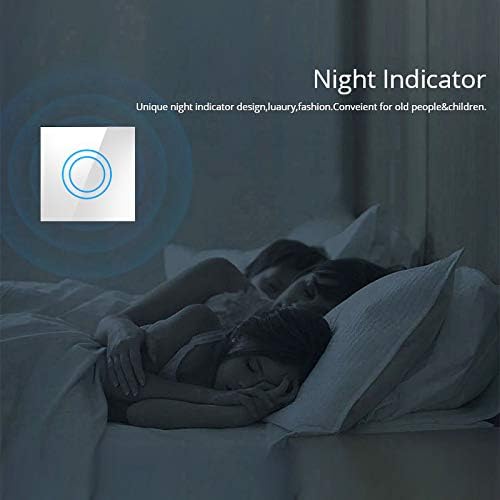
Image: A close-up of the touch switch in a dark room, highlighting its blue night indicator light, which helps locate the switch in low light conditions.

Image: A hand holding a metal key, with the tip of the key touching the glass surface of the touch switch, illustrating the scratch-resistant properties of the tempered glass panel.
5. Setup and Installation
IMPORTANT: Ensure power is disconnected at the main circuit breaker before beginning installation. Incorrect wiring can cause damage to the switch, property, or personal injury.
Wiring Diagram
The Maclean MCE702W requires a live (L) and neutral (N) connection. The output for the light fixture is typically labeled L1, L2, etc. for multiple gangs. For this single-gang switch, connect the live wire to 'L' and the load wire to 'L1'.

Image: The rear view of the Maclean MCE702W touch switch, displaying the wiring terminals labeled L, L1, L2, L3, and N, along with a warning not to install with power and a maximum load of 1000W.
Installation Steps
- Disconnect Power: Turn off the power supply to the relevant circuit at your home's main circuit breaker. Verify power is off using a voltage tester.
- Remove Old Switch: Carefully remove your existing wall switch from the wall box. Disconnect its wires.
- Wire the New Switch: Connect the wires from the wall box to the corresponding terminals on the Maclean MCE702W switch. Use the screw terminals for secure connections.
- Connect the Live wire (usually brown or red) to the 'L' terminal.
- Connect the Load wire (to the light fixture) to the 'L1' terminal.
- If using the LED adapter to prevent flickering, connect it in parallel with the light fixture (across the live and neutral wires at the light fixture).
- Mount the Switch: Gently push the wired switch into the wall box. Secure it with the provided mounting screws.
- Attach Glass Panel: Snap the glass front panel onto the switch mechanism.
- Restore Power: Turn the power back on at the circuit breaker.
- Test Functionality: Test the touch switch to ensure it operates correctly.
6. Operating Instructions
The Maclean MCE702W Touch Wall Switch is simple to operate:
- Turning On/Off: Lightly touch the circular icon on the glass panel to toggle the connected light fixture on or off.
- Indicator Light: When the light is off, the circular icon will glow green. When the light is on, it will glow red. This provides a visual indication of the switch's status and helps locate it in the dark.

Image: A human finger making contact with the illuminated circular touch area on the glass panel of the switch, demonstrating the touch operation.
7. Maintenance
To ensure the longevity and proper functioning of your touch wall switch:
- Cleaning: Wipe the glass surface with a soft, damp cloth. Avoid abrasive cleaners or harsh chemicals that could damage the glass or electronic components.
- Inspection: Periodically check for any loose connections or signs of wear. If any issues are found, disconnect power and consult a qualified electrician.

Image: A hand using a small squeegee to clean the glass surface of the touch wall switch, which is installed on a wall in a modern kitchen.
8. Troubleshooting
If you encounter problems with your Maclean MCE702W switch, refer to the following common issues and solutions:
| Problem | Possible Cause | Solution |
|---|---|---|
| Light does not turn on/off. | No power, incorrect wiring, faulty bulb, or switch malfunction. | Check circuit breaker. Verify wiring connections (L and L1). Replace bulb. If problem persists, consult an electrician. |
| Light flickers or glows faintly when off. | Residual current in low-wattage LED circuits. | Install the included LED adapter in parallel with the light fixture. |
| Touch sensor is unresponsive. | Power issue, dirty surface, or internal fault. | Ensure power is on. Clean the glass surface. If unresponsive after cleaning and power cycling, contact support. |
| Indicator light not working. | Internal fault. | Contact customer support for assistance. |
9. Specifications
Technical details for the Maclean MCE702W Touch Wall Switch:
- Model: MCE702W
- Dimensions (L x W x H): 8.5 x 8.5 x 3.3 cm
- Weight: 180 grams
- Operating Voltage: 240 Volts
- Maximum Power: 1000 Watts
- Control Method: Touch
- Type of Switch: Tactile
- Material: Tempered Glass
- Mounting Type: Wall Mount
- Number of Positions: 1
- International Protection Rating: IP00
- Compliance: CE certified

Image: A technical diagram illustrating the dimensions of the Maclean MCE702W touch switch, showing its front panel measurements of 85mm x 85mm and depth of 33mm, along with the back module dimensions.
10. Warranty and Support
Maclean products are designed for reliability and performance. For warranty information, please refer to the terms and conditions provided at the point of purchase or contact your retailer. If you require technical support or have questions not covered in this manual, please contact Maclean customer service through their official website or your local distributor.