
Shark AV970
Shark IQ Robot Vacuum AV970 User Manual
Model: AV970
1. Introduction
The Shark IQ Robot Vacuum AV970 is designed to provide efficient and thorough cleaning for your home. Featuring IQ Navigation, it methodically cleans row by row and navigates room to room for complete coverage. This robot vacuum is equipped with a self-cleaning brushroll to prevent hair wrap, an XL dust bin, and a high-efficiency filter to capture dust, debris, and pet allergens.
This manual provides essential information for setting up, operating, maintaining, and troubleshooting your Shark IQ Robot Vacuum AV970.
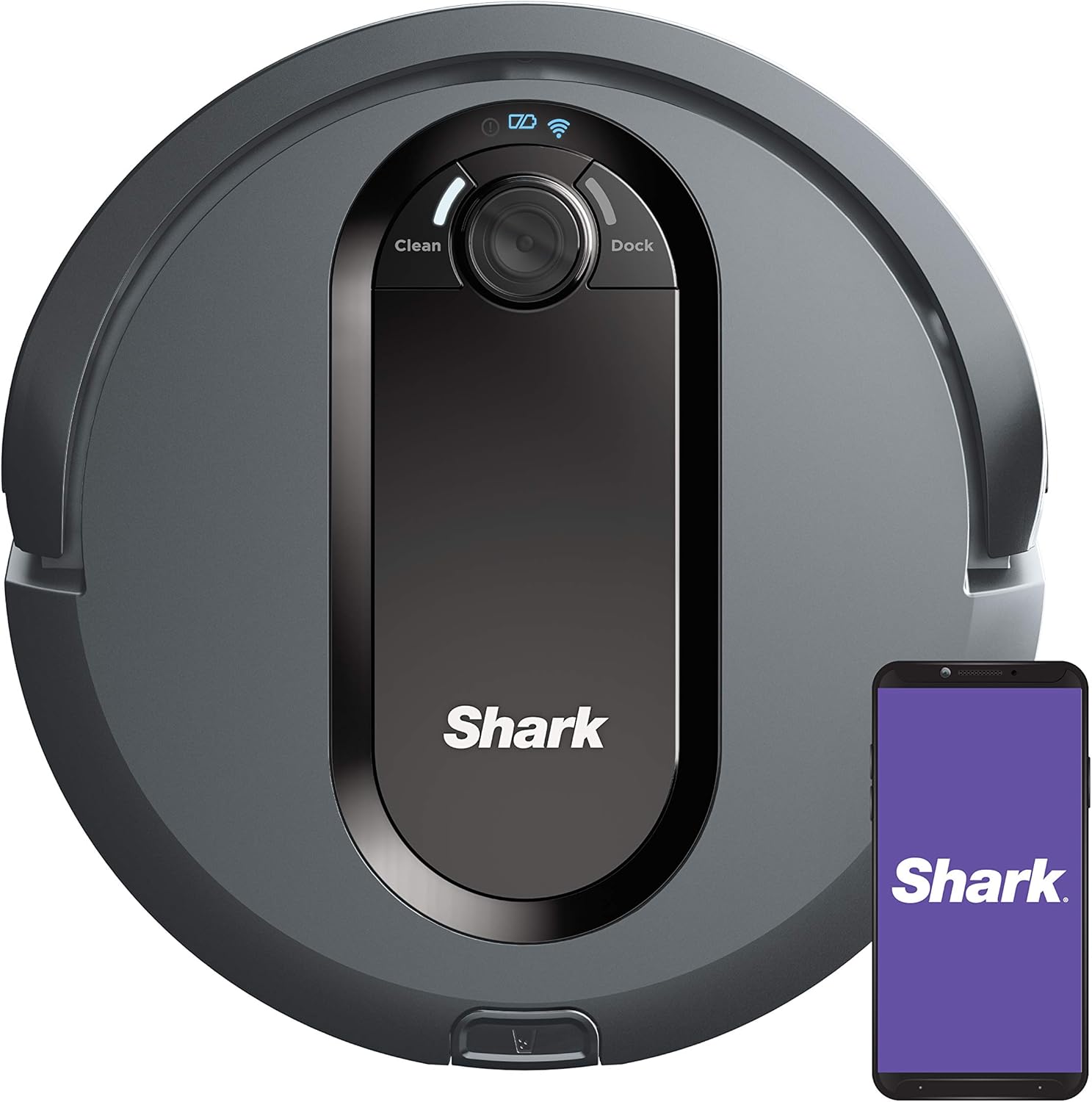
Image: The Shark IQ Robot Vacuum AV970, a round grey robotic vacuum cleaner, shown alongside a smartphone displaying the SharkClean app logo. This illustrates the product and its smart control capabilities.
Key Features:
- IQ Navigation: Methodical row-by-row and room-to-room cleaning.
- Self-Cleaning Brushroll: Automatically removes pet hair and long hair.
- Powerful Suction: Effective on large debris, small debris, and pet hair across carpets and hard floors.
- XL Dust Bin: Large capacity for extended cleaning sessions.
- High-Efficiency Filter: Captures 99% of dust, dander, and pet allergens (down to 1 micron).
- Recharge and Resume: Returns to the dock to recharge and continues cleaning from where it left off.
- App and Voice Control: Schedule cleanings via the SharkClean app or use voice commands with Amazon Alexa or Google Assistant.
- Dual Spinning Side Brushes: Designed to pull debris from corners and edges.
2. What's Included
Verify that all components are present in the packaging:
- 1 Shark IQ Robot Vacuum
- 1 Charging Dock
- 2 Side Brushes
- 1 High-Efficiency Filter
- BotBoundary Strips

Image: A visual representation of the accessories included with the Shark IQ Robot. This includes two side brushes, a high-efficiency filter, and a roll of BotBoundary strips.
3. Initial Setup
3.1 Preparing Your Home
- Clear floors of small objects, loose cables, and thick rugs that may obstruct the robot.
- Use the included BotBoundary strips to block off areas you do not want the robot to enter.
3.2 Charging Dock Placement
- Place the charging dock on a level surface against a wall.
- Ensure there is at least 3 feet of clear space on either side of the dock and 5 feet in front of it.
- Plug the charging dock into a power outlet.
3.3 First Charge
- Place the Shark IQ Robot onto the charging dock.
- Allow the robot to fully charge before its first use. This may take several hours.
3.4 Connecting to Wi-Fi and App
- Download the SharkClean app from your smartphone's app store.
- Follow the in-app instructions to connect your robot to your home Wi-Fi network.
- This enables remote control, scheduling, and access to cleaning maps.

Image: A smartphone screen showing the SharkClean app interface, indicating the robot vacuum is charging. Logos for Amazon Alexa and Google Assistant are also visible, highlighting voice control compatibility.
4. Operating Your Robot Vacuum
4.1 Starting a Cleaning Cycle
- Manual Start: Press the "Clean" button on the robot or in the SharkClean app.
- Scheduled Cleaning: Use the SharkClean app to set up recurring cleaning schedules.
- Voice Control: Use Amazon Alexa or Google Assistant to start cleaning (e.g., "Alexa, tell Shark to start cleaning").
4.2 IQ Navigation and Coverage
The Shark IQ Robot uses IQ Navigation to clean your home systematically. It cleans in neat rows and transitions from room to room to ensure comprehensive coverage. If the battery runs low during a cleaning cycle, the robot will return to its dock, recharge, and then resume cleaning from where it left off.

Image: A visual comparison showing a standard robot vacuum's random cleaning path (red lines) versus the Shark IQ Robot's methodical row-by-row cleaning pattern (white lines) across different floor types.

Image: The Shark IQ Robot vacuum is depicted returning to its charging dock, illustrating its "Recharge and Resume" functionality where it recharges and then continues its cleaning path.
4.3 Cleaning Performance
The robot is designed for powerful pickup on all floor types, easily transitioning from hard floors to carpets. Its dual spinning side brushes effectively pull debris from corners and edges.

Image: The Shark IQ Robot vacuum is shown cleaning a floor that is half carpet and half hard surface, demonstrating its ability to pick up various types of debris on both textures.
5. Maintenance
Regular maintenance ensures optimal performance of your Shark IQ Robot Vacuum.
5.1 Emptying the Dust Bin
- The XL dust bin should be emptied after each cleaning cycle or when full.
- Press the dust bin release button and slide out the bin.
- Open the dust bin and discard collected debris.
- Close the dust bin and reinsert it into the robot.
5.2 Cleaning the Self-Cleaning Brushroll
The self-cleaning brushroll is designed to prevent hair wrap. Periodically check the brushroll for any remaining debris or hair and remove it if necessary.

Image: A visual comparison illustrating the effectiveness of the self-cleaning brushroll. One side shows a standard brushroll tangled with hair, while the other side shows a clean Shark brushroll, with a golden retriever puppy in the center.
5.3 Cleaning the Filter
- Remove the high-efficiency filter from the dust bin.
- Tap off loose dirt over a trash can. Do not wash the filter with water.
- Replace the filter every 6-12 months, or as needed, to maintain suction power.
5.4 Cleaning Side Brushes and Sensors
- Inspect side brushes for wear or damage and replace if necessary.
- Gently wipe the robot's sensors and charging pads with a dry cloth to remove dust and debris.
6. Troubleshooting
If your Shark IQ Robot Vacuum encounters an issue, refer to the following common solutions:
| Problem | Possible Cause | Solution |
|---|---|---|
| Robot does not turn on or charge. | Not properly docked; power issue with dock or outlet. | Ensure robot is correctly seated on the charging dock. Check if the dock is plugged into a working outlet. |
| Robot gets stuck frequently. | Obstacles on the floor; uneven surfaces; tangled brushroll. | Clear loose items, cables, and thick rugs. Use BotBoundary strips. Clean the brushroll. |
| Poor cleaning performance. | Full dust bin; clogged filter; dirty brushroll. | Empty the dust bin. Clean or replace the filter. Clean the brushroll and side brushes. |
| Robot cannot find its charging dock. | Dock location obstructed; robot too far from dock. | Ensure clear space around the dock. Manually place the robot closer to the dock. |
| App connectivity issues. | Wi-Fi signal weak; incorrect network credentials. | Check Wi-Fi signal strength. Re-enter Wi-Fi credentials in the app. Restart robot and router. |
7. Specifications
- Model: AV970
- Brand: Shark
- Product Dimensions: 12.91"L x 12.6"W x 3.55"H
- Item Weight: 6.22 pounds
- Color: Black
- Power Source: Battery Powered
- Battery Type: Lithium Ion (1 required, included)
- Voltage: 16.8V
- Capacity: 0.6 Quarts (Dust Bin)
- Filter Type: Non-Washable High-Efficiency Filter
- Control Method: Voice (Amazon Alexa, Google Home), App (SharkClean App)
- UPC: 622356563772
8. Warranty and Support
8.1 Warranty Information
The Shark IQ Robot Vacuum AV970 comes with a 1-year limited warranty. Please refer to the warranty card included in your product packaging for full terms and conditions. Keep your purchase receipt as proof of purchase for warranty claims.
8.2 Customer Support
For further assistance, troubleshooting, or to inquire about replacement parts, please visit the official Shark website or contact their customer service department. Contact information can typically be found on the Shark website or in your product packaging.
Online Resources: www.sharkclean.com
Ask a question about this manual
Ask about setup, troubleshooting, compatibility, parts, safety, or missing instructions. Manuals+ will review the question and use this page’s manual context to help answer it.