
Introduction
This manual provides essential information for the safe and effective use of your LifePro Waver Mini Vibration Plate Exercise Machine. Please read all instructions carefully before operating the device. Keep this manual for future reference.
The LifePro Waver Mini is designed to provide whole-body vibration, which can assist in improving circulation, lymphatic drainage, muscle stimulation, and flexibility. Its compact design makes it suitable for home and travel use.
Safety Information
- Consult with a healthcare professional before starting any new exercise program, especially if you have pre-existing medical conditions, are pregnant, or have recently undergone surgery.
- Do not use the machine if you have a pacemaker, metal implants, or any other medical device that may be affected by vibrations.
- Ensure the machine is placed on a stable, level surface before use.
- Keep children and pets away from the machine during operation.
- Do not exceed the maximum weight recommendation of 117.93 kg (260 lbs).
- Always hold onto a stable support if you feel unsteady during use.
- Unplug the machine from the power outlet when not in use or before cleaning.
- Do not use the machine if the power cord or plug is damaged.
- Avoid placing hands or feet under the machine during operation.
Package Contents
Verify that all components are present in the package:
- LifePro Waver Mini Vibration Plate
- Power Cord
- Remote Control
- Resistance Bands (2)
- LifePro Mini Bands (4)

Image: LifePro Waver Mini Vibration Plate with included accessories: remote control, two loop bands, and four resistance bands.
Setup
- Unpack the LifePro Waver Mini Vibration Plate and all accessories from the box.
- Place the vibration plate on a firm, level surface, ensuring there is enough space around it for safe movement.
- Connect the power cord to the machine and then plug it into a grounded electrical outlet.
- Turn on the main power switch located on the side of the machine. The LED display should illuminate.
- Insert batteries into the remote control (if not already installed).
Operating Instructions
The LifePro Waver Mini can be operated using the control panel on the unit or the remote control.
Control Panel & Remote Functions:
- Power: Turns the machine on/off.
- Time: Adjusts the workout duration.
- Speed: Increases or decreases the vibration speed (99 levels available).
- Program Mode (P/PRG MODE): Selects from 9 preset programs.
- Start/Stop: Begins or ends the vibration.
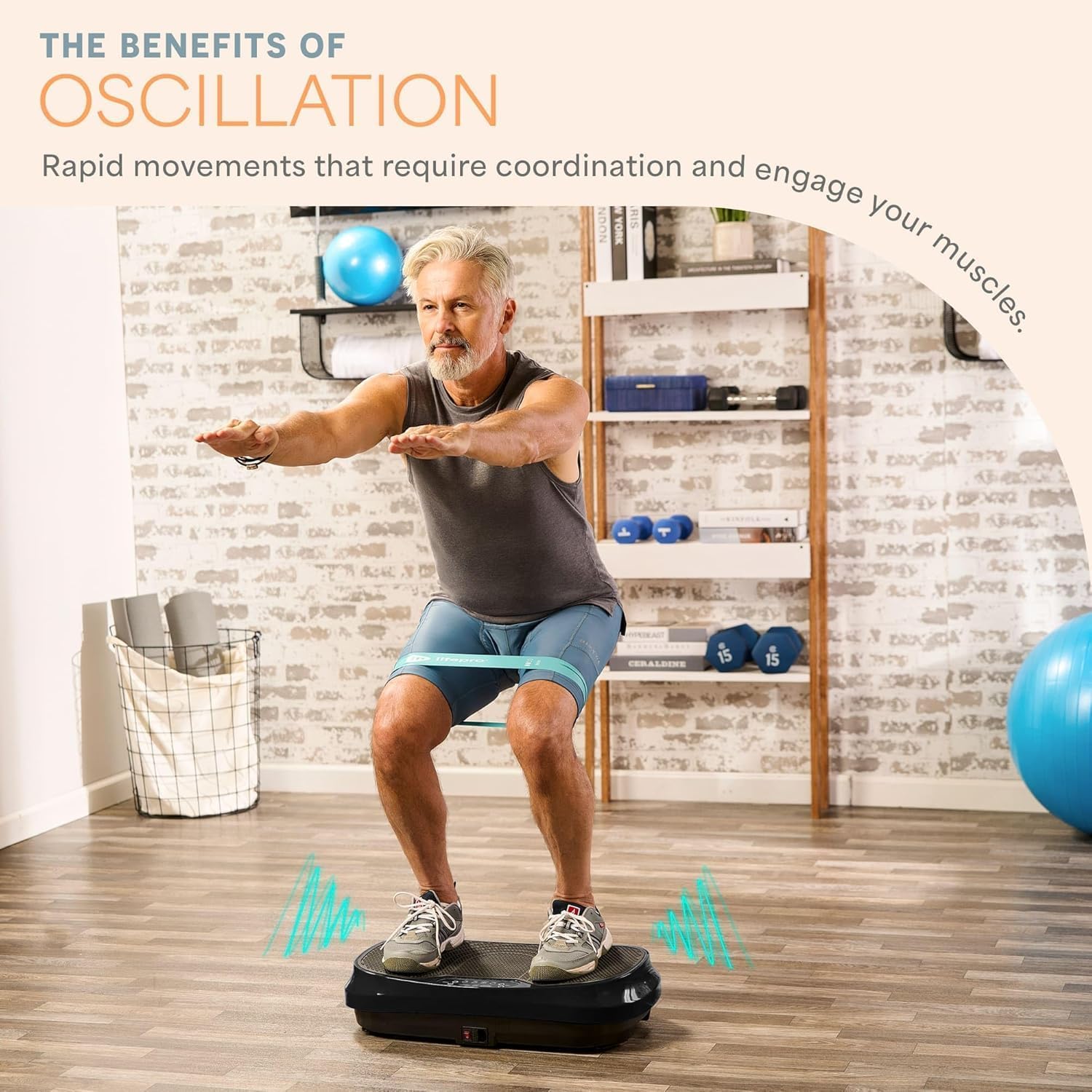
Image: Close-up of the LifePro Waver Mini control panel and remote control.
Basic Operation:
- Step onto the platform with both feet.
- Press the 'Power' button to turn on the machine.
- Select your desired program (P1-P9) or manually adjust the speed using the 'Speed' buttons.
- Press 'Start' to begin your session.
- To end your session, press 'Stop' and step off the platform once the vibrations cease.
Usage Examples and Exercises
The Waver Mini can be used for various exercises to target different muscle groups and improve overall wellness. Adjust your stance and body position to vary the intensity of the vibration.
Standing Stance:
Stand with feet shoulder-width apart, knees slightly bent. This position helps improve circulation and lymphatic drainage.

Image: A man standing on the LifePro Waver Mini Vibration Plate, holding resistance bands for an arm exercise.
Squats:
Perform squats while standing on the platform. This engages leg and glute muscles more intensely due to the vibration.

Image: A woman performing squats on the LifePro Waver Mini Vibration Plate with a resistance band around her thighs.
Plank:
Place your hands or forearms on the platform and hold a plank position. This intensifies core engagement.

Image: A man holding a plank position with his forearms on the LifePro Waver Mini Vibration Plate.
Lunges:
Perform lunges with one foot on the platform. This can enhance balance and leg muscle activation.

Image: A woman performing a lunge with one foot on the LifePro Waver Mini Vibration Plate.
Resistance Band Exercises:
Attach the included resistance bands to the base of the machine and perform exercises like bicep curls, tricep extensions, or lateral raises while standing on the plate.

Image: LifePro Waver Mini Vibration Plate with resistance bands attached, ready for use.
Maintenance
- Cleaning: Wipe the machine with a soft, damp cloth after each use. Do not use abrasive cleaners or solvents.
- Storage: Store the machine in a cool, dry place away from direct sunlight and moisture. Its compact size allows for easy storage.
- Inspection: Regularly check the power cord and machine for any signs of damage. Do not use if damaged.
Troubleshooting
| Problem | Possible Cause | Solution |
|---|---|---|
| Machine does not turn on | Power cord not properly connected; Main power switch off; No power from outlet. | Ensure power cord is securely plugged in. Turn on the main power switch. Check the power outlet with another device. |
| No vibration | Machine is on but not started; Speed setting is too low. | Press the 'Start' button. Increase the speed setting. |
| Remote control not working | Batteries are dead or incorrectly inserted; Remote is out of range. | Replace batteries. Ensure batteries are inserted correctly. Use the remote within close proximity to the machine. |
Specifications
- Model Number: LP-WVRM-BLK
- Maximum Weight Recommendation: 117.93 kg (260 lbs)
- Controls Type: Remote
- Display Type: LED
- Maximum Speed: 99 RPM
- Motor Horsepower: 0.268 horsepower
- Number of Resistance Levels: 99
- Operation Mode: Automatic
- Power Source: Corded Electric
- Product Dimensions: 59.99 x 35 x 11.99 cm (23.6 x 13.8 x 4.7 inches)
- Item Weight: 9.98 kg (22 lbs)
- Material: Plastic
- Color: Black

Image: LifePro Waver Mini Vibration Plate with dimensions labeled: 30.5 inches long, 15.3 inches wide, and 5.8 inches high. Max weight 260 lbs.
Warranty and Support
LifePro products are designed for durability and comfort. This product comes with a 100% Lifetime Satisfaction Guarantee. For any questions, concerns, or support needs, please refer to the contact information provided with your product packaging or visit the official LifePro website.


