
Geeni GNC-CW025-101
Geeni Smart Video Doorbell Instruction Manual
Model: GNC-CW025-101
Product Overview
The Geeni Smart Video Doorbell provides comprehensive front door security with 1080p HD video, motion detection, two-way audio, and night vision. Designed for wired installation, it is weather-resistant and compatible with popular smart home platforms like Alexa and Google Assistant. This manual provides detailed instructions for setup, operation, and maintenance of your Geeni Smart Video Doorbell.

Figure 1: Geeni Smart Video Doorbell and its accompanying mobile application interface.
What's in the Box
Verify that all components are present before beginning installation:
- Smart Wi-Fi Doorbell
- Release Tool
- Angled Wedge Mount
- Extension Wires and Wire Connectors
- Wall Anchors
- 2 Mounting Screws & 1 Security Screw
- User Manual

Figure 2: Included components for the Geeni Smart Video Doorbell installation.
Specifications
| Feature | Detail |
|---|---|
| Model Name | Doorpeek (GNC-CW025-101) |
| Video Capture Resolution | 1080p HD |
| Night Vision Range | 20 Feet |
| Field Of View | 130 Degrees |
| Connectivity | Wired, Wi-Fi |
| Power Source | Corded Electric (Requires existing 16-24 VAC transformer doorbell wiring) |
| Compatibility | Amazon Alexa, Google Assistant |
| Weather Resistance | IP54 (Water Resistant) |
| Local Storage | MicroSD card slot (up to 128GB, card not included) |
| Dimensions (L x W x H) | 7.68 x 4 x 3.11 inches |
| Item Weight | 0.55 Pounds (8.8 ounces) |
Setup Guide
1. Initial Preparation
Before you begin installation, ensure you have turned off the power to your existing doorbell at your home's breaker or fuse box. This is a crucial safety step.

Figure 3: Wired installation process for the Geeni Smart Video Doorbell.
2. Download the Geeni App
The Geeni Smart Video Doorbell operates through the Geeni mobile application. Download the app from your device's app store:
3. Wired Installation
The Geeni Smart Video Doorbell requires existing 16-24 VAC transformer doorbell wiring for power. Follow the detailed instructions provided in the included User Manual for physical installation. Ensure proper connection of the extension wires and wire connectors. Use the provided wall anchors and mounting screws to secure the doorbell. An angled wedge mount is included for optimal viewing angles if needed.
4. Connect to Wi-Fi
Once physically installed and powered, open the Geeni app and follow the on-screen instructions to connect your doorbell to your home's 2.4GHz Wi-Fi network. This process typically involves scanning a QR code on the doorbell or entering your Wi-Fi credentials within the app.

Figure 4: Simplified setup steps: Download App, Install, Connect.
Operating Instructions
Live View and Recording
Access the live 1080p HD video feed of your front door through the Geeni app at any time. You can manually record video or capture screenshots directly from the live view.

Figure 5: Live footage from the doorbell camera on a smartphone.
Night Vision
The doorbell features infrared night vision, allowing for clear video capture even in low-light conditions or complete darkness, ensuring 24/7 security monitoring.
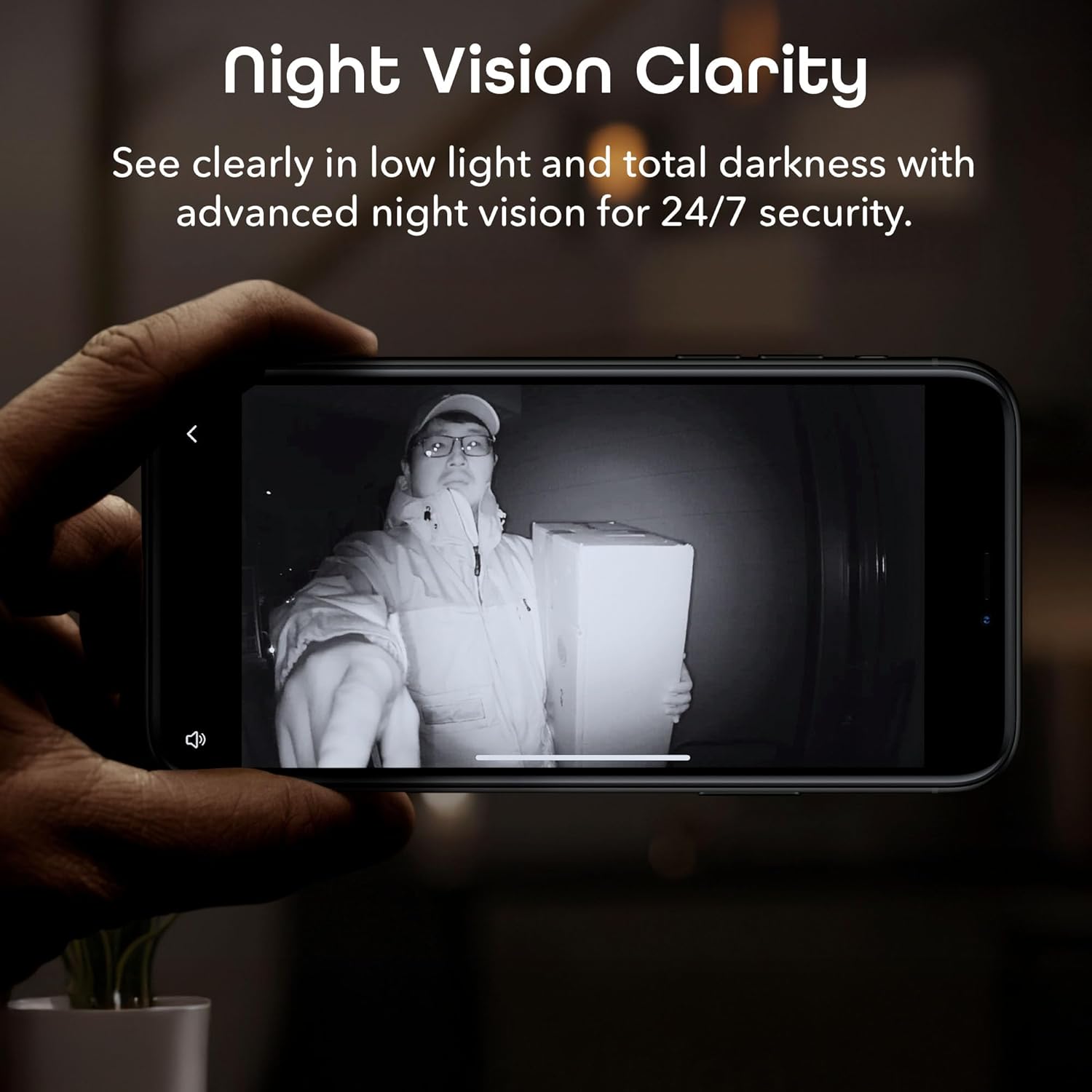
Figure 6: Night vision clarity of the doorbell camera.
Motion Detection & Alerts
Receive instant notifications on your smartphone when motion is detected outside your door. You can customize motion detection zones and sensitivity settings within the Geeni app to focus on specific areas and reduce false alerts.

Figure 7: Motion detection alert displayed on a smartphone.
Two-Way Audio
Utilize the built-in microphone and speaker to communicate with visitors or delivery personnel directly through your smartphone, whether you are at home or away.
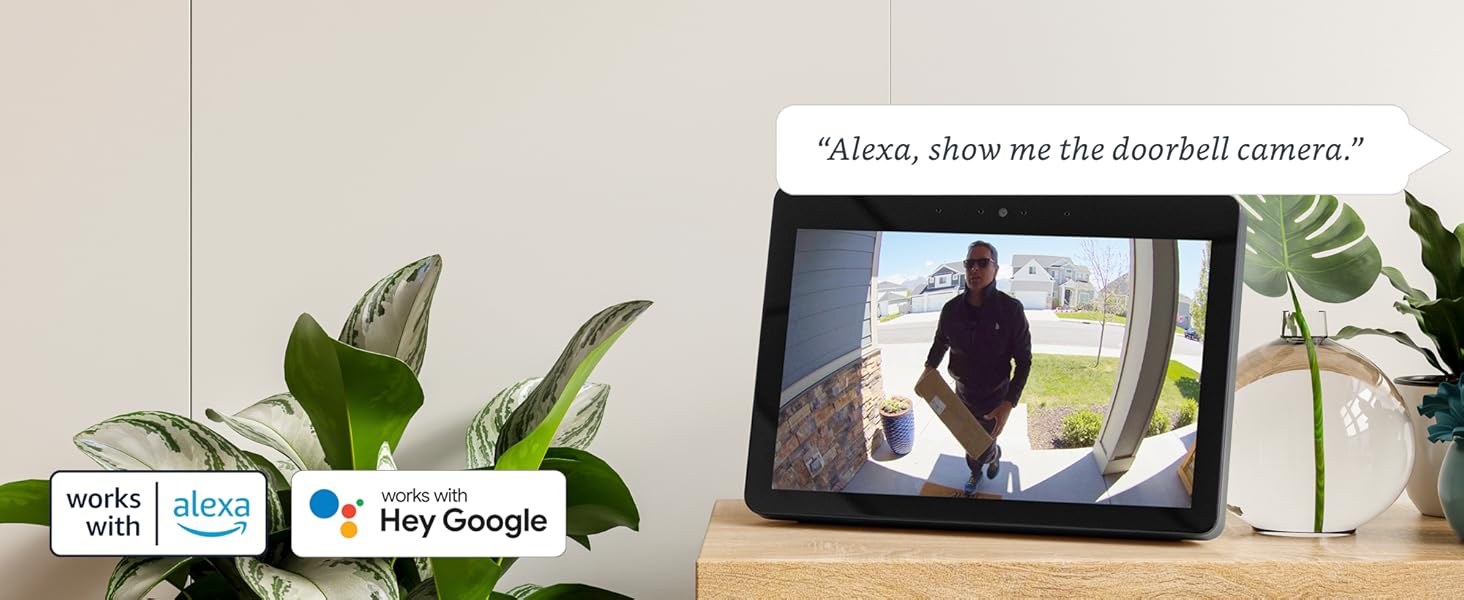
Figure 8: Two-way audio communication via the doorbell.
Smart Home Compatibility
The Geeni Smart Video Doorbell is compatible with Amazon Alexa and Google Assistant, allowing for hands-free control and integration into your existing smart home ecosystem. For example, you can ask Alexa to "show me the front door" on a compatible smart display.

Figure 9: Voice control and smart home integration with Alexa and Google Assistant.
Local and Cloud Storage
The doorbell supports local storage via a MicroSD card (up to 128GB, not included), allowing you to save recorded footage without a subscription. Cloud storage options may also be available through the Geeni app for additional backup and features.

Figure 10: Cloud storage and event timeline within the Geeni app.
Maintenance
Cleaning
To maintain optimal performance, regularly clean the doorbell's camera lens and surrounding area with a soft, damp cloth. Avoid using harsh chemicals or abrasive materials that could damage the device.
Weather Resistance
The Geeni Smart Video Doorbell is designed to be weather-resistant (IP54 rated) and can withstand various outdoor conditions. However, for prolonged extreme weather, consider additional protective measures if available.

Figure 11: Weatherproof design of the doorbell.
Firmware Updates
Ensure your Geeni app and doorbell firmware are always up to date. The app will typically notify you of available updates. These updates often include performance improvements, new features, and security enhancements.
Troubleshooting
If you encounter issues with your Geeni Smart Video Doorbell, try the following troubleshooting steps:
- No Power/Offline: Check the power connection at the breaker box and ensure the doorbell wiring is secure. Verify your Wi-Fi network is active and stable.
- App Connection Issues: Ensure your smartphone is connected to a 2.4GHz Wi-Fi network during setup. Try restarting your router and the Geeni app. If issues persist, try resetting the doorbell (refer to the full user manual for reset instructions) and re-pairing it with the app. Some users have reported app-related connectivity challenges; ensure the app is updated to the latest version.
- Poor Video Quality: Check your Wi-Fi signal strength at the doorbell's location. Ensure the camera lens is clean and free from obstructions.
- Motion Detection Not Working: Verify motion detection is enabled in the Geeni app settings. Adjust the sensitivity level and activity areas to optimize detection.
- No Chime Sound: Ensure the chime kit (if applicable) is correctly installed and compatible with the doorbell's power requirements (16-24 VAC). Some users have found that a higher voltage transformer (e.g., 24VAC) may be necessary for the chime to function properly.
- Two-Way Audio Problems: Check your phone's microphone and speaker settings. Ensure there are no obstructions blocking the doorbell's microphone or speaker.
Warranty Information
The Geeni Smart Video Doorbell typically comes with a 1-year limited warranty from the date of purchase. This warranty covers defects in materials and workmanship under normal use. Please retain your proof of purchase for warranty claims. For specific warranty terms and conditions, refer to the official Geeni website or the warranty card included with your product.
Support
For further assistance, technical support, or to access the full digital user manual, please visit the official Geeni support website or contact their customer service. The full User Manual (PDF) can be found at: Geeni User Manual PDF.
You can also visit the Geeni Store on Amazon for more products and information: Geeni Amazon Store.
Smart Home Integration Overview
Geeni offers a wide range of smart home products that seamlessly integrate with your Smart Video Doorbell for a connected home experience. This video provides an overview of the Geeni smart home ecosystem.
Video 1: Geeni Smart Home Product Overview. This video showcases various Geeni smart devices, including the doorbell, and how they can work together to create a smart home environment.
Related documentsGNC-CW025-101


Ask a question about this manual
Ask about setup, troubleshooting, compatibility, parts, safety, or missing instructions. Manuals+ will review the question and use this page’s manual context to help answer it.