
PERLESMITH PSPISF1
PERLESMITH PSPISF1 Full-Motion TV Wall Mount Instruction Manual
Model: PSPISF1
1. Introduction and Safety Information
This manual provides detailed instructions for the safe installation, operation, and maintenance of your PERLESMITH PSPISF1 Full-Motion TV Wall Mount. Please read all instructions carefully before installation to ensure proper setup and to prevent injury or damage.
Safety Precautions:
- The PERLESMITH wall mount is designed to securely fix your television to the wall, preventing accidental tipping.
- This product has undergone UL safety testing and is certified to withstand 4 times its maximum rated load capacity.
- Constructed from cold-rolled steel, the mount offers robust durability and earthquake resistance.
- Always ensure the wall structure can support the combined weight of the mount and your television.
- Do not exceed the maximum load capacity of 20 kg (44 lbs).
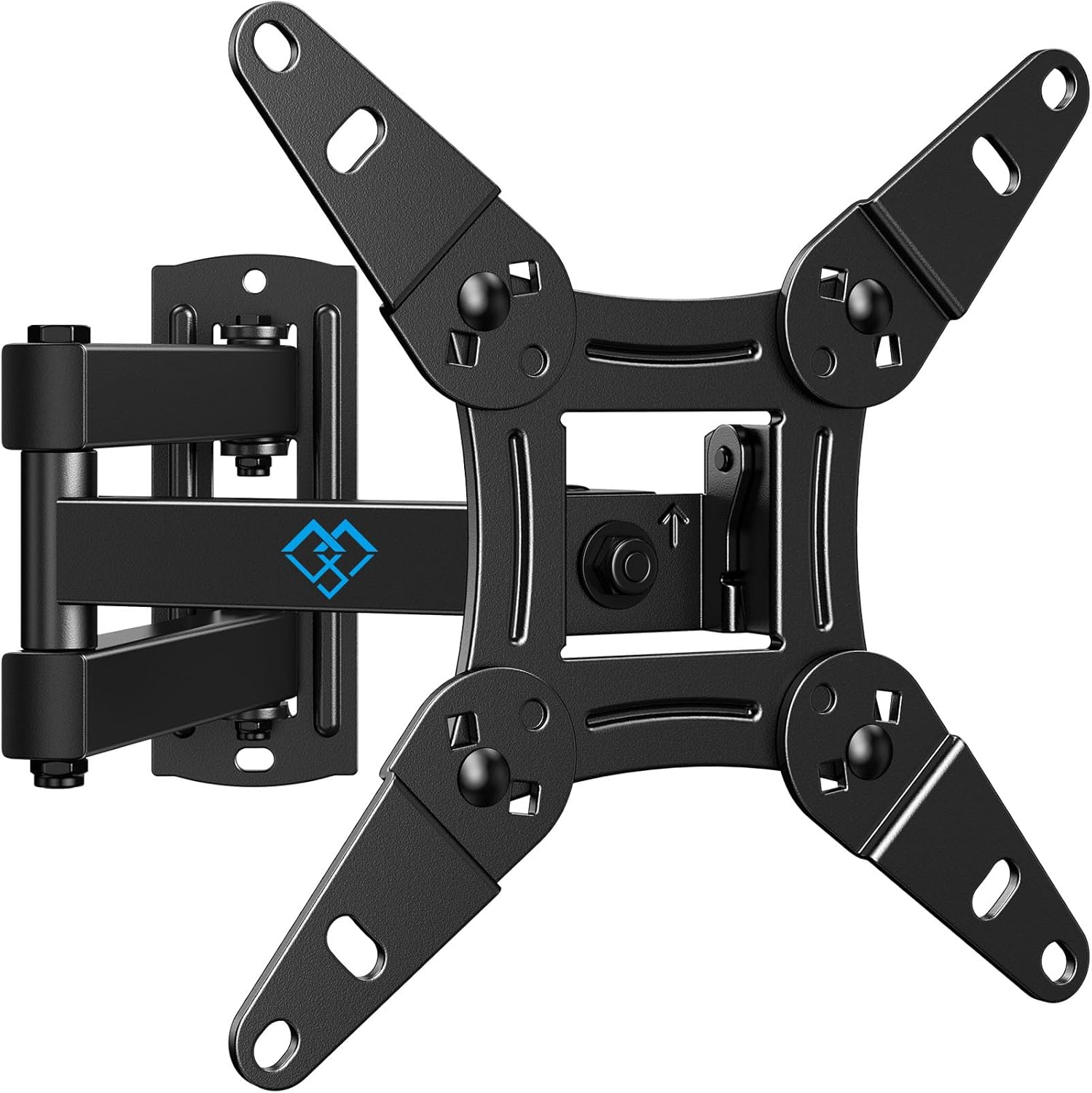
Figure 1: Overview of the PERLESMITH PSPISF1 Full-Motion TV Wall Mount.
2. Compatibility Check
Before proceeding with installation, verify that your television and wall are compatible with this mount.
2.1 TV Size and Weight
- Compatible TV sizes: 13 to 42 inches.
- Maximum weight capacity: 20 kg (44 lbs). Ensure your TV and any accessories do not exceed this limit.
2.2 VESA Mounting Patterns
This mount supports the following VESA patterns (horizontal x vertical screw hole spacing on the back of your TV):
- 75 x 75 mm
- 100 x 100 mm
- 100 x 200 mm
- 200 x 100 mm
- 200 x 200 mm

Figure 2: Illustrates compatible TV and monitor sizes (13-42 inches) and VESA mounting patterns.

Figure 3: Detailed diagrams of supported VESA mounting patterns (75x75mm, 100x100mm, 100x200mm, 200x100mm, 200x200mm).
2.3 Wall Types
The mount is suitable for installation on:
- Wooden stud walls
- Concrete walls
- Brick walls
Caution: Do not install this mount on plasterboard walls without securing it to underlying wooden studs or concrete. Ensure the wall can safely support the combined weight of the mount and your TV.

Figure 4: Examples of compatible wall types: brick, concrete, and wooden stud walls.
2.4 TV Back Panel Check
If your TV has a recessed back or uneven surface around the mounting holes, use the included spacers to create a flat mounting surface and allow for cable routing.
3. Parts List
Please ensure all necessary parts are present before beginning installation. Refer to the packaging for a complete list of included hardware, which typically includes the wall mount assembly, various screws, washers, anchors, and spacers for TV attachment and wall mounting.
4. Installation Instructions
Follow these steps carefully for a secure installation:
- Step 1: Verify All Parts. Unpack the product and confirm that all components are present and undamaged.
- Step 2: Attach VESA Plate to TV. Secure the VESA plate (the part that attaches to the TV) to the back of your television using the appropriate screws and spacers. Ensure a snug fit without overtightening.
- Step 3: Attach Wall Plate to Wall. Mark the desired mounting location on your wall. Drill pilot holes and securely fasten the wall plate (the part that attaches to the wall) using the provided screws and anchors suitable for your wall type. Use a level to ensure it is straight.
- Step 4: Hang TV onto Wall Plate. Carefully lift the television with the attached VESA plate and hook it onto the wall plate. Ensure it is securely seated.
- Step 5: Adjust TV Angle. Once the TV is securely mounted, adjust the viewing angle as desired.

Figure 5: A simplified visual guide to the three main installation steps: attaching the bracket to the TV, attaching the wall plate, and hanging the TV.
5. Operating and Adjustments
The PERLESMITH PSPISF1 mount offers flexible adjustments for optimal viewing:
- Swivel: The wall-side attachment point allows for left and right swivel adjustment up to 180 degrees.
- Extension: The arm can extend the TV from the wall, with a range of 69mm (2.7 inches) to 368mm (14.5 inches).
- Rotation: The TV mounting plate can rotate 360 degrees, allowing for horizontal or vertical screen orientation.
- Tilt: Adjust the vertical tilt from +5 degrees (upward) to -15 degrees (downward) to reduce glare and optimize viewing angles.
Note: The actual range of motion may vary depending on your TV's size.
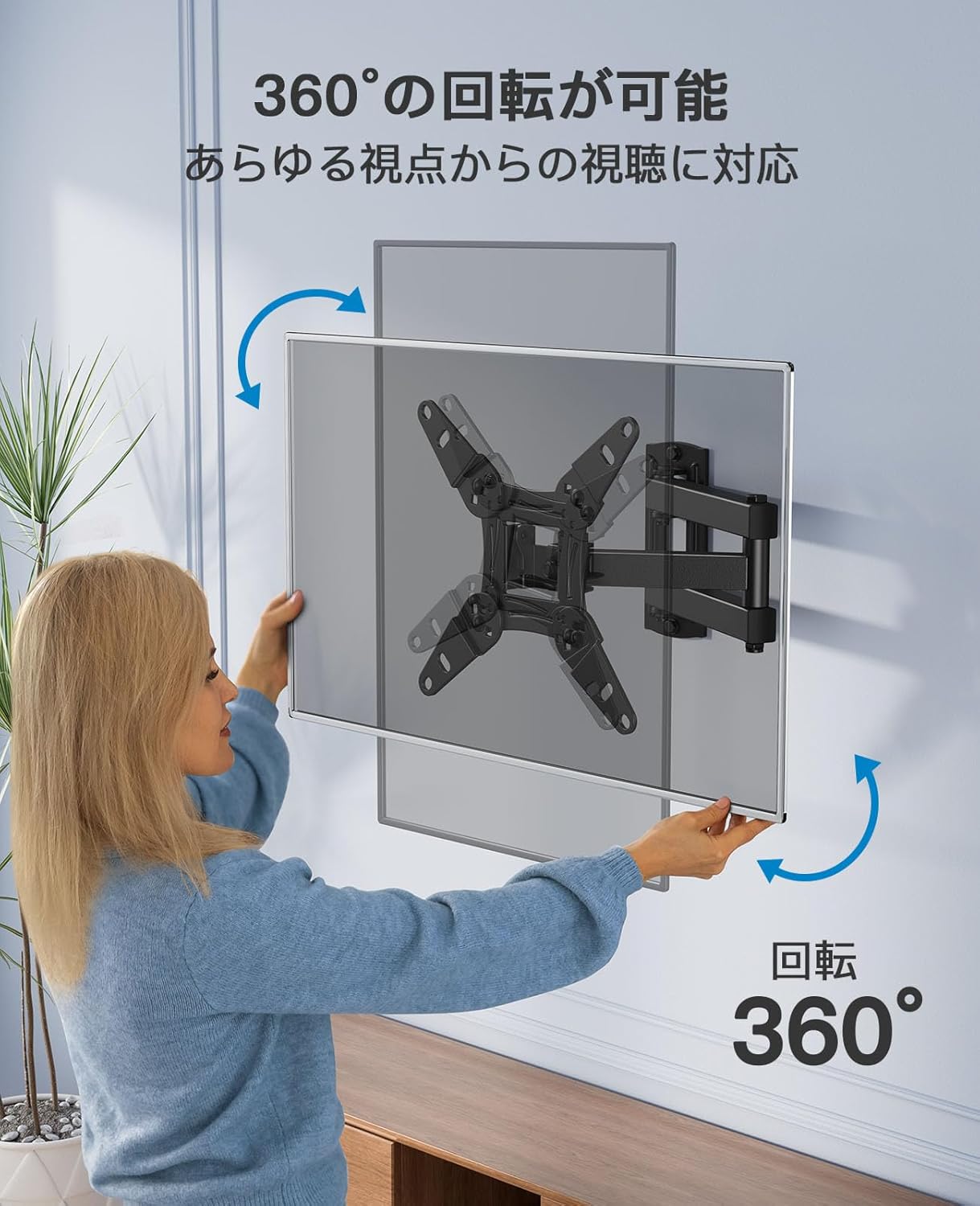
Figure 6: Demonstrates the 360-degree rotation capability of the TV mounting plate.

Figure 7: Shows the left/right swivel (up to 90 degrees each way) and up/down tilt (+5/-15 degrees) adjustments.

Figure 8: Illustrates the arm's extension capability, showing the TV's distance from the wall ranging from 69mm to 368mm.
5.1 Cable Management
The mount includes cable holders to help organize and conceal cables, contributing to a tidy appearance and preventing clutter.
6. Maintenance
To ensure the longevity and safe operation of your TV wall mount:
- Periodically check all screws and fasteners to ensure they remain tight.
- Clean the mount with a soft, dry cloth. Avoid abrasive cleaners or solvents.
- Do not hang objects from the mount or apply excessive force to the TV while it is mounted.
7. Troubleshooting
If you encounter any issues during assembly or operation, please refer to the following:
- Missing Parts or Initial Defects: If any parts are missing, or if the product has initial defects or damage from shipping, please contact customer support immediately for assistance with returns or exchanges.
- Assembly Difficulties: If you have any questions or difficulties during assembly, do not hesitate to contact our support team.
8. Specifications
| Feature | Detail |
|---|---|
| Brand | PERLESMITH |
| Model Number | PSPISF1 |
| Compatible Devices | TV, Monitor |
| Screen Size Compatibility | 13 to 42 inches |
| Maximum Load Capacity | 20 kg (44 lbs) |
| VESA Compatibility | 75x75mm, 100x100mm, 100x200mm, 200x100mm, 200x200mm |
| Mounting Type | Wall Mount |
| Movement Type | Full Motion (Swivel, Tilt, Extend, Rotate) |
| Tilt Angle | Max 15 degrees (up/down) |
| Extension from Wall | 69mm to 368mm |
| Material | Steel |
| Color | Black |
| Product Dimensions | 24.9 x 15.7 x 6.7 cm |
| Product Weight | 1.42 kg |
| UPC | 619191016709 |
9. Warranty and Support
PERLESMITH provides a three-year quality guarantee from the date of purchase for all its products.
For any inquiries regarding initial defects, missing parts, damage during delivery, or assembly issues, please contact PERLESMITH customer support. We are committed to providing prompt assistance for returns, exchanges, or troubleshooting.
Thank you for choosing PERLESMITH.
Related documentsPSPISF1


Ask a question about this manual
Ask about setup, troubleshooting, compatibility, parts, safety, or missing instructions. Manuals+ will review the question and use this page’s manual context to help answer it.