1. Product Overview
The ENUOSUMA BS07 Neckband Bluetooth Speaker offers an immersive audio experience with its true 3D stereo sound system. Designed for comfort and portability, this wearable speaker allows you to enjoy music and take calls while keeping your hands and ears free. Its IPX5 waterproof rating makes it suitable for various indoor and outdoor activities.

Image: The ENUOSUMA BS07 Neckband Bluetooth Speaker, black in color, designed to rest comfortably around the neck.
2. What's in the Box
- 1 x ENUOSUMA BS07 Neckband Bluetooth Speaker
- 1 x Micro USB Charging Cable
- 1 x User Manual
3. Setup
3.1 Charging the Speaker
Before first use, fully charge the speaker. Connect the Micro USB charging cable to the DC IN 5V port on the speaker and the other end to a compatible USB power source (e.g., computer USB port, wall adapter). The charging indicator light will provide feedback on the charging status.
Video: This video demonstrates the charging port location and basic controls of the ENUOSUMA BS07 Neckband Bluetooth Speaker.
3.2 Power On/Off
To power on the speaker, long press the Power On/Off button located on the side of the neckband. To power off, long press the same button again.
3.3 Bluetooth Pairing
With the speaker powered on, it will automatically enter Bluetooth pairing mode (indicated by a flashing LED light). On your device (smartphone, tablet, laptop), enable Bluetooth and search for available devices. Select "BS07" from the list to connect. Once connected, the LED indicator will typically show a solid light, and you will hear an audible confirmation.

Image: A visual representation highlighting the Bluetooth 5.0 connectivity of the speaker, ensuring a stable and fast connection.
4. Operating the Speaker
4.1 Controls
The speaker features intuitive controls for easy operation:
- Power On/Off / Bluetooth Connection Button: Long press to power on/off. Short press to play/pause music or answer/end calls.
- Volume Up / Previous Song Button: Long press to increase volume. Short press to go to the previous song.
- Volume Down / Next Song Button: Long press to decrease volume. Short press to go to the next song.
4.2 Wearing the Speaker
The ENUOSUMA BS07 is designed with an ergonomic neckband that rests lightly on your shoulders, providing comfort for extended listening periods. Its lightweight and skin-friendly silicone materials ensure a pleasant wearing experience.

Image: The flexible, skin-friendly material and lightweight design of the neckband speaker, emphasizing comfort.
4.3 Audio Experience
Experience true 3D stereo sound with the built-in 3W*2 speaker system. The upward-facing speakers create an immersive sound field around you, ideal for home theater, gaming, or simply enjoying your favorite audio content.
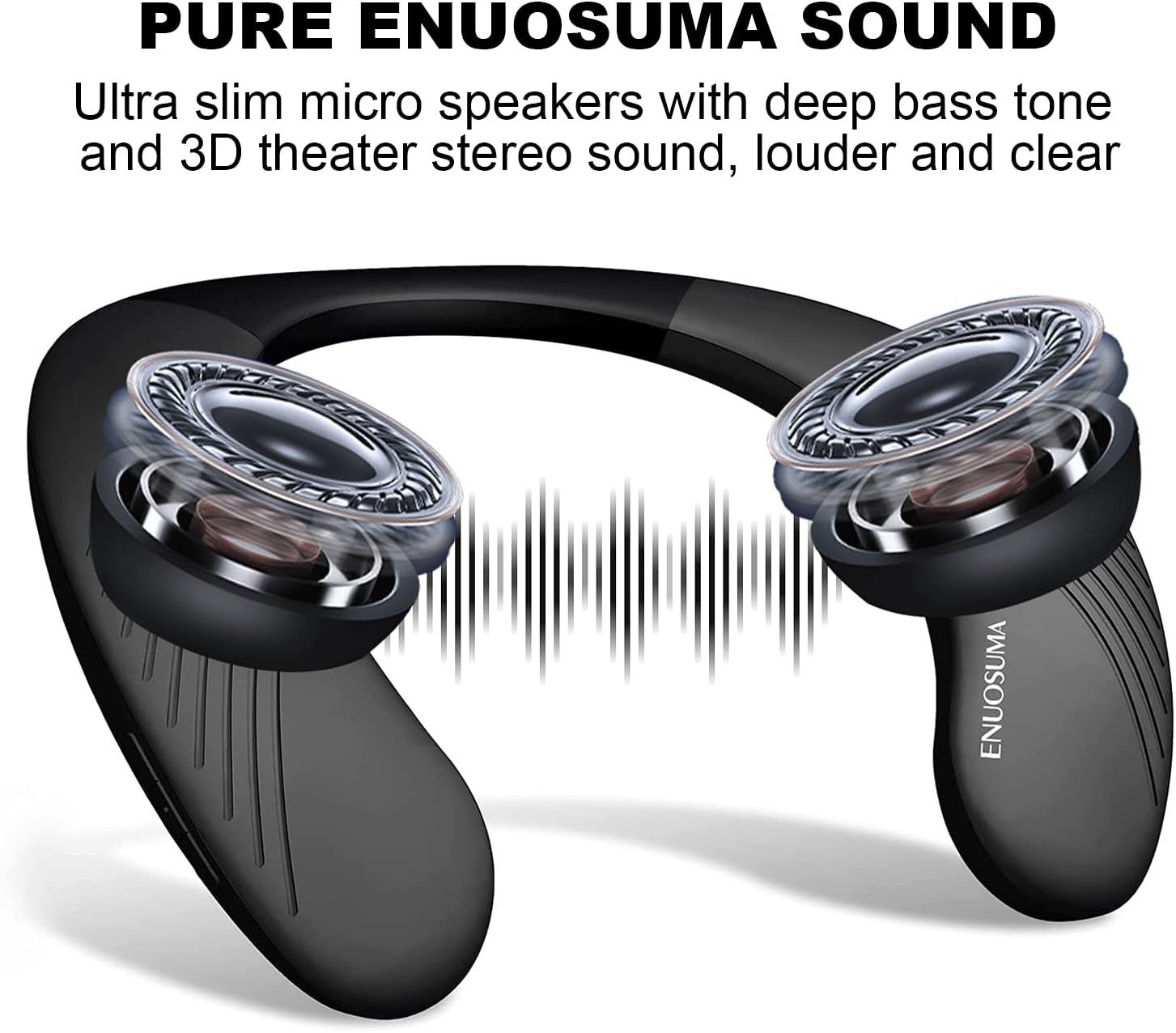
Image: An illustration showing the internal speakers and the concept of 3D stereo sound emanating from the neckband.
4.4 Hands-Free Calling
With the integrated microphone, you can make and receive calls directly through the speaker. This feature allows you to stay connected without needing to hold your phone, making it convenient for multitasking.
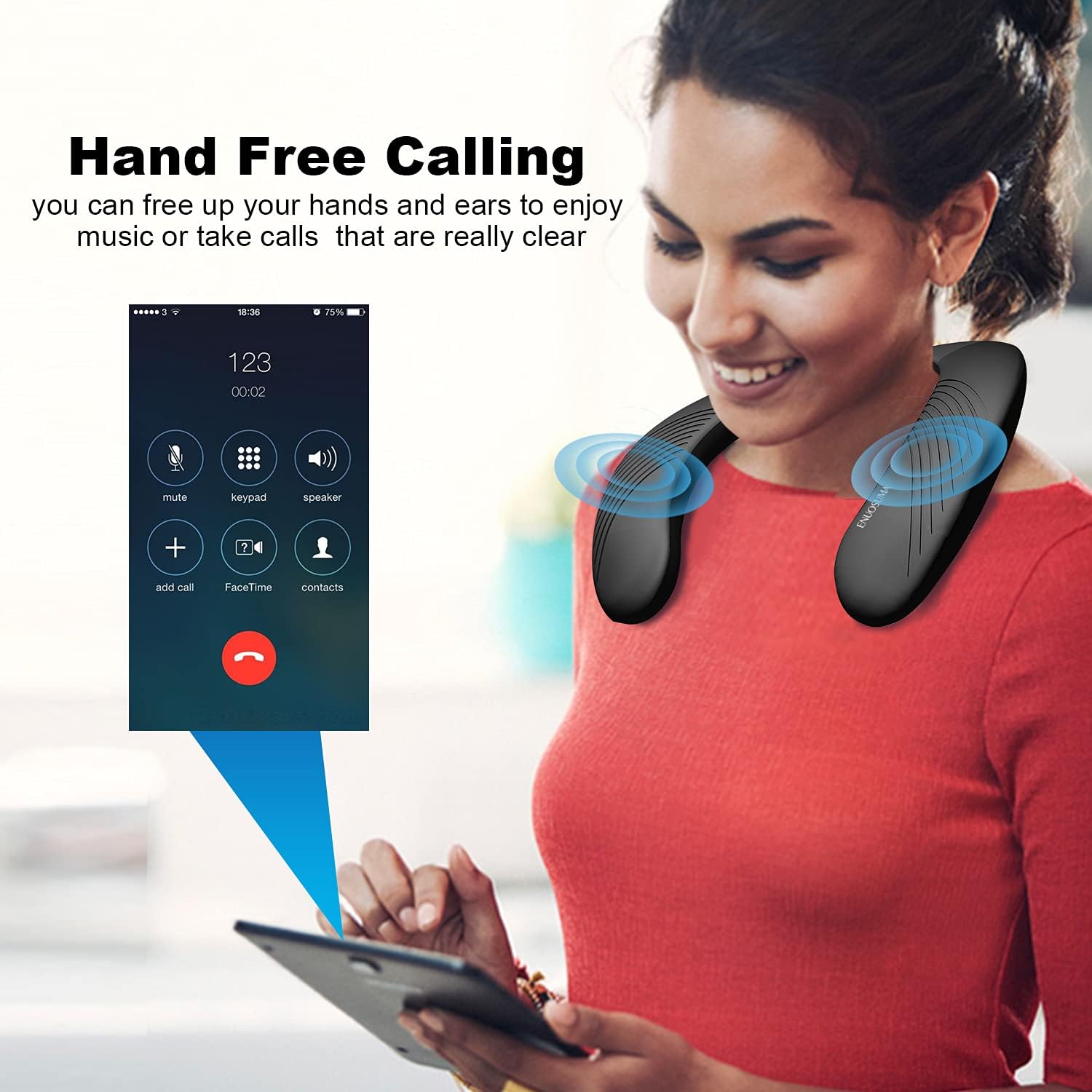
Image: A person using the neckband speaker for a hands-free phone call, demonstrating its convenience.
4.5 Usage Scenarios
The portable and durable design of the BS07 makes it versatile for various activities:
- Home Theater: Enhance your movie or TV show experience with immersive sound.
- Gaming: Get a more engaging audio experience while gaming.
- Outdoor Sports: Ideal for walking, cycling, or climbing, allowing you to stay aware of your surroundings.
- Cooking & Daily Chores: Enjoy audio content without headphones obstructing your ears.

Image: A collage showing different usage scenarios for the neckband speaker, including outdoor activities, cooking, and VR gaming.
5. Maintenance
5.1 Water Resistance (IPX5)
The ENUOSUMA BS07 is IPX5 waterproof, meaning it is resistant to sweat and splashes. It is not designed for submersion in water. Ensure the charging port cover is securely closed to maintain water resistance.
5.2 Cleaning
To clean the speaker, use a soft, damp cloth. Avoid using harsh chemicals or abrasive materials that could damage the surface. Ensure the device is completely dry before charging.
5.3 Storage
Store the speaker in a cool, dry place away from direct sunlight and extreme temperatures. Avoid placing heavy objects on top of the speaker.
6. Troubleshooting
6.1 Speaker Does Not Power On
- Ensure the speaker is fully charged.
- Press and hold the Power On/Off button for at least 3-5 seconds.
6.2 Cannot Pair with Device
- Make sure the speaker is in pairing mode (flashing LED).
- Ensure Bluetooth is enabled on your device and it is within range (up to 20 meters).
- Forget or remove "BS07" from your device's Bluetooth list and try pairing again.
- Restart both the speaker and your device.
6.3 No Sound or Low Volume
- Increase the volume on both the speaker and your connected device.
- Ensure the speaker is properly connected via Bluetooth.
- Check if the audio source is playing.
7. Specifications
| Feature | Detail |
|---|---|
| Model Name | BS07 |
| Brand | ENUOSUMA |
| Color | Black |
| Material | Plastic |
| Speaker Type | Surround Sound |
| Connectivity Technology | Bluetooth, USB |
| Wireless Communication Technology | Bluetooth |
| Bluetooth Range | 40 Meters (approx. 130 feet) |
| Battery Life | Up to 12 Hours |
| Battery Capacity | 1200 mAh Lithium Polymer |
| Speaker Maximum Output Power | 3 Watts x 2 |
| Item Weight | 400 Grams (14.1 ounces) |
| Product Dimensions | 2.36"D x 9.84"W x 9.84"H |
| Water Resistance Level | IPX5 |
8. Warranty and Support
For any problems or inquiries regarding your ENUOSUMA BS07 Neckband Bluetooth Speaker, please feel free to contact our customer support. Refer to the product packaging or the official ENUOSUMA website for specific warranty details and contact information.

