
LG SN5Y
LG SN5Y Sound Bar with Wireless Subwoofer Instruction Manual
Model: SN5Y
1. Introduction
This manual provides detailed instructions for the setup, operation, and maintenance of your LG SN5Y Sound Bar with Wireless Subwoofer. Please read this manual thoroughly before using your product to ensure proper usage and to prevent damage.
2. Product Overview
2.1 Components
- LG SN5Y Sound Bar (Main Unit)
- Wireless Subwoofer
- Remote Control
- Power Cables
- Optical Cable (may be included)
- Wall Mount Brackets (may be included)
2.2 Key Features
- 2.1 Channel Sound: Delivers enhanced audio for your television.
- High Resolution Audio (24bit / 96kHz): Provides superior sound quality.
- DTS Virtual: X: Creates an immersive, multi-dimensional sound experience.
- AI Sound Pro: Automatically optimizes sound settings based on content.
- Wireless Surround Sound Ready: Compatible with optional wireless rear speakers (sold separately) for a true surround sound setup.
- Bluetooth Connectivity: Easily stream audio wirelessly from compatible devices.
- Wall Mountable: Designed for flexible placement options.
2.3 Product Views

Figure 1: LG SN5Y Sound Bar and Wireless Subwoofer. This image displays the main sound bar unit alongside its accompanying wireless subwoofer, both in a sleek black finish.

Figure 2: Front view of the LG SN5Y Sound Bar, showcasing its minimalist design and speaker grille.

Figure 3: Top panel of the LG SN5Y Sound Bar, featuring touch controls for power, volume, function selection, and input switching.

Figure 4: Rear view of the LG SN5Y Sound Bar, highlighting the various input and output ports including Optical In, HDMI Out (TV eARC/ARC), HDMI In, and USB (5V 500mA).
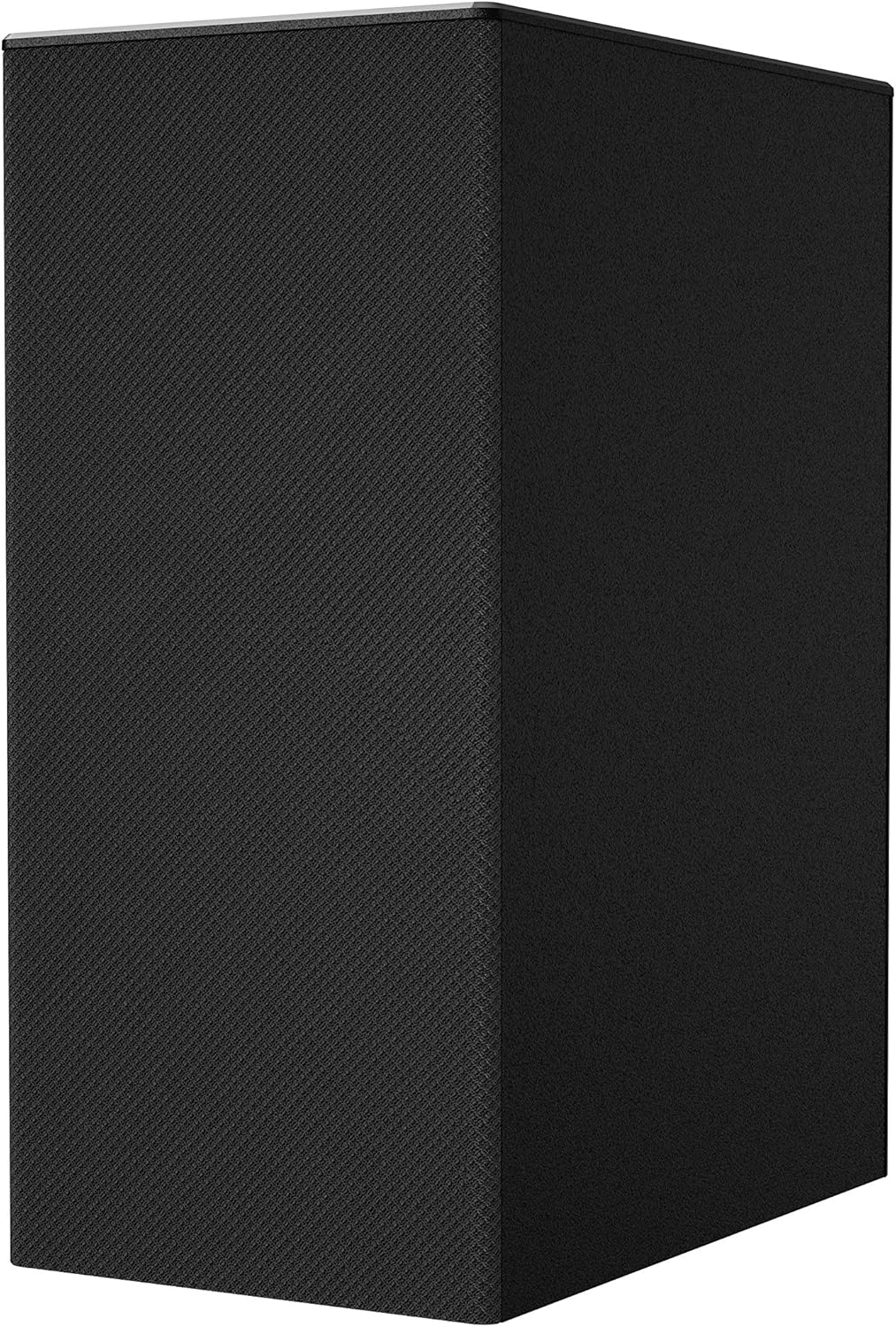
Figure 5: Close-up view of the LG SN5Y Wireless Subwoofer, showing its textured finish and compact design.
3. Setup
3.1 Placement
- Place the Sound Bar directly in front of your TV, centered for optimal sound projection.
- The Wireless Subwoofer can be placed anywhere in the room, ideally near the Sound Bar, as it connects wirelessly. Ensure it is within range and not obstructed.
- For wall mounting, use the provided brackets and follow the detailed instructions in the separate wall mounting guide.

Figure 6: Example setup of the LG SN5Y Sound Bar positioned below an LG UHD TV, demonstrating a typical home theater arrangement.
3.2 Initial Connection
- Connect the Sound Bar to your TV using an Optical cable or HDMI cable (HDMI ARC/eARC recommended for best performance).
- Plug the Sound Bar and Subwoofer into separate power outlets.
- The Sound Bar and Subwoofer should automatically pair. If not, refer to the "Troubleshooting" section for manual pairing instructions.
4. Connections
The LG SN5Y Sound Bar offers multiple connectivity options:
- HDMI ARC/eARC: Connect to your TV's HDMI ARC/eARC port for high-quality audio and control via your TV remote.
- Optical In: Connect to your TV's optical digital audio output.
- Bluetooth: For wireless audio streaming from smartphones, tablets, or other Bluetooth-enabled devices.
- USB: For playing audio files from a USB storage device.
5. Operating Instructions
5.1 Power On/Off
Press the Power button on the remote control or the Sound Bar to turn the unit on or off.
5.2 Volume Control
Use the Volume +/- buttons on the remote control or the Sound Bar to adjust the volume level.
5.3 Function Selection
Press the F (Function) button on the remote control or the Sound Bar to cycle through available input modes (HDMI, Optical, Bluetooth, USB, LG TV Sound Sync).
6. Sound Modes
The LG SN5Y Sound Bar features various sound modes to optimize your listening experience:
- AI Sound Pro: Analyzes content and automatically adjusts sound settings for optimal audio.
- DTS Virtual: X: Provides a virtual surround sound experience, creating a wider and taller soundstage.
- Other modes may include Standard, Bass Blast, or Cinema, depending on the specific firmware version. Refer to your remote control for available options.
7. Wireless Surround Sound Ready
Your LG SN5Y Sound Bar is designed to be compatible with optional wireless rear speakers (sold separately) to expand your audio system into a true surround sound setup. This feature allows for a more immersive home theater experience.
Video 1: This video demonstrates the concept of wireless surround sound, showing how additional speakers can be integrated with a sound bar system to create a more enveloping audio experience. It illustrates sound waves emanating from various speaker positions in a living room setup.
To set up wireless rear speakers, refer to the instruction manual provided with the optional speaker kit.
8. Bluetooth Connectivity
You can stream audio wirelessly from your Bluetooth-enabled devices to the Sound Bar.
- Press the F (Function) button on the remote control or Sound Bar until "BT" (Bluetooth) appears on the display.
- On your Bluetooth device, enable Bluetooth and search for available devices.
- Select "LG SN5Y" (or similar model name) from the list of devices.
- Once connected, you can play audio from your device through the Sound Bar.
9. Troubleshooting
| Problem | Solution |
|---|---|
| No power | Ensure power cables are securely connected to the Sound Bar, Subwoofer, and wall outlets. |
| No sound |
|
| Subwoofer not pairing |
|
| Bluetooth connection issues |
|
10. Specifications
| Feature | Detail |
|---|---|
| Model Name | SN5Y |
| Brand | LG |
| Channels | 2.1 Channel |
| Audio Features | High Resolution Audio (24bit / 96kHz), DTS Virtual: X, AI Sound Pro |
| Connectivity | Bluetooth, HDMI (ARC/eARC), Optical, USB |
| Mounting Type | Wall Mountable |
| Material | Plastic Or Metal |
| Sound Bar Dimensions (Approx.) | 35.4" (W) x 2.2" (H) x 3.4" (D) |
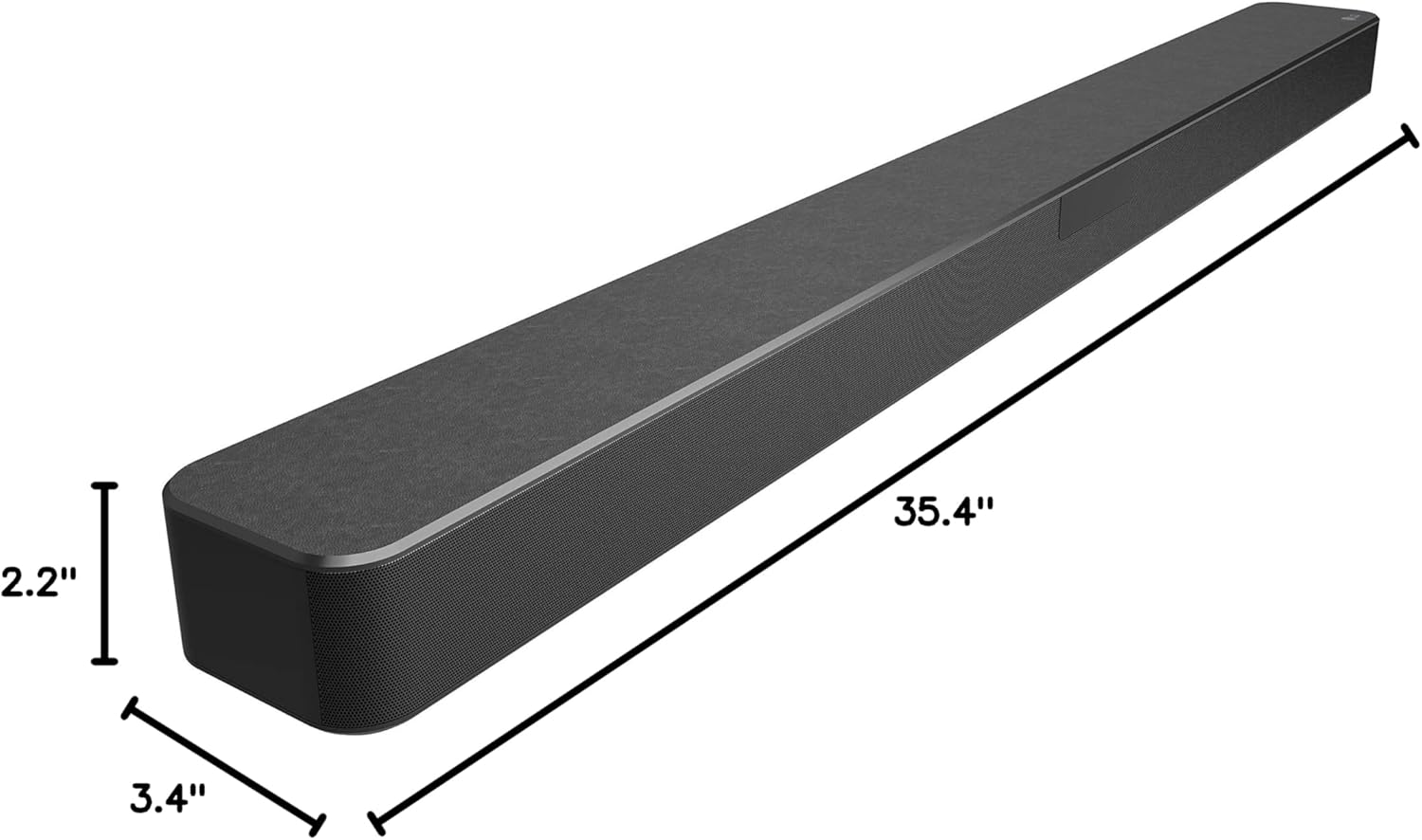
Figure 7: Diagram illustrating the approximate dimensions of the LG SN5Y Sound Bar: 35.4 inches in width, 2.2 inches in height, and 3.4 inches in depth.
11. Safety Information
Always follow basic safety precautions when using this product to reduce the risk of fire, electric shock, and injury to persons, including the following:
- Do not expose the unit to rain or moisture.
- Do not open the casing. Refer all servicing to qualified service personnel.
- Ensure proper ventilation and do not block any ventilation openings.
- Use only attachments/accessories specified by the manufacturer.
- Unplug the apparatus during lightning storms or when unused for long periods of time.
12. Warranty and Support
For warranty information and technical support, please refer to the warranty card included with your product or visit the official LG website. You can also contact LG customer service for assistance.
Ask a question about this manual
Ask about setup, troubleshooting, compatibility, parts, safety, or missing instructions. Manuals+ will review the question and use this page’s manual context to help answer it.