
1. Introduction
The Garmin Approach Z82 is a sophisticated golf GPS laser range finder designed to enhance your game with precise distance measurements and detailed course information. This manual provides essential guidance for operating and maintaining your device.
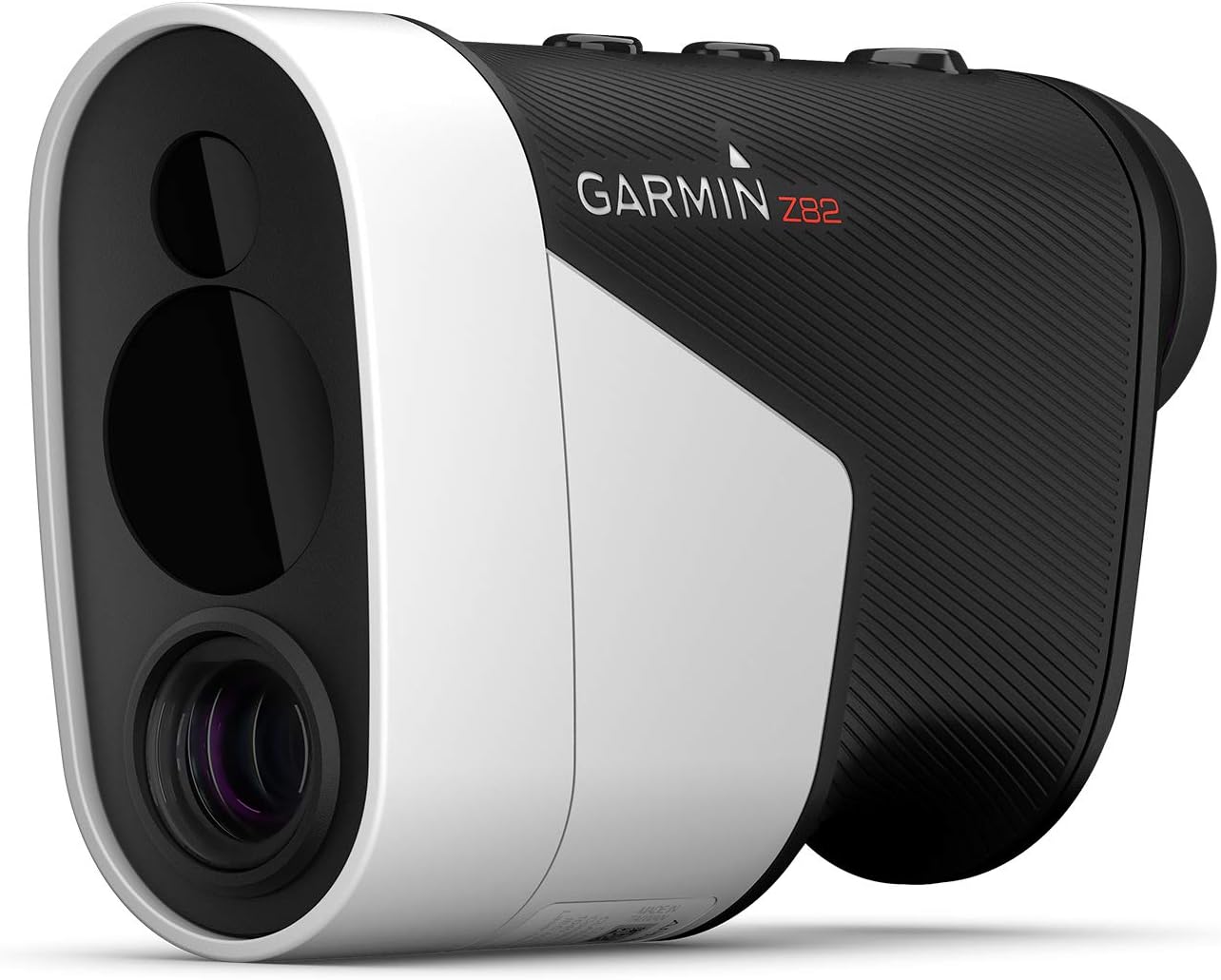
Figure 1: Front view of the Garmin Approach Z82 Golf GPS Laser Range Finder.
2. Setup
2.1 Charging the Device
Before initial use, fully charge your Approach Z82. The device includes a built-in rechargeable Lithium Polymer battery.
- Connect the microUSB cable (included) to the charging port on the device.
- Connect the other end of the cable to a USB power source.
- Allow the device to charge until the battery indicator shows full.
2.2 Powering On/Off
To power on the device, press and hold the power button until the screen activates. To power off, press and hold the power button until the shutdown prompt appears, then confirm.
2.3 Initial Pairing with Smartphone (Optional)
For advanced features like wind speed/direction and score tracking, pair your Approach Z82 with a compatible smartphone via Bluetooth using the Garmin Golf app.
- Download the Garmin Golf app from your smartphone's app store.
- Enable Bluetooth on your smartphone and on the Approach Z82.
- Follow the on-screen instructions in the Garmin Golf app to pair your device.
Video 1: Official Garmin video demonstrating the features and setup of the Approach Z82.
3. Operating Instructions
3.1 Laser Ranging and Flag Finder
The Approach Z82 provides highly accurate laser distance measurements, typically within 10 inches of the flag up to 450 yards.
- Point the device at your target and press the laser button.
- Image stabilization assists in steadying your view for easier target acquisition.
- Vibrational feedback confirms when the flag has been successfully locked in.

Figure 2: The viewfinder display showing precise distance measurement to the flag.
3.2 GPS CourseView Mapping
Access full-color 2-D CourseView mapping for over 41,000 preloaded courses worldwide directly in the viewfinder.
- The map overlays provide a comprehensive view of the hole.
- Use the controls to scroll through hazards on the course map with the hazard view feature.
- The Laser Range Arc feature draws an arc on the 2-D CourseView map at the ranged distance, showing all elements in play at that distance.

Figure 3: Viewfinder displaying a 2-D CourseView map with distances to various points on the hole.
3.3 Green View and PlaysLike Distance
Green View automatically displays distances to the front, middle, and back of the green. The PlaysLike Distance feature adjusts yardage based on uphill or downhill slope, providing a more accurate effective distance.

Figure 4: Green View showing distances to the front, center, and back of the green.
3.4 Wind Speed and Direction
When paired with a compatible smartphone, the Approach Z82 can display real-time wind speed and direction, aiding in club selection.

Figure 5: Viewfinder displaying wind speed and direction information.
3.5 Tournament Mode
The device features an external indicator light that can be turned on or off to signal when you are in tournament mode, adhering to competition rules.
4. Maintenance
4.1 Cleaning the Device
Regularly clean the device to ensure optimal performance. Use a soft, lint-free cloth to wipe the lenses and exterior. Avoid abrasive materials or harsh chemicals.
4.2 Battery Care
The device uses a rechargeable Lithium Polymer battery. For best battery life, avoid extreme temperatures and store the device with a partial charge if not used for extended periods.
4.3 Storage
Store the Approach Z82 in its included carry case with carabiner clip when not in use to protect it from dust, scratches, and impacts.
5. Troubleshooting
- Device not powering on: Ensure the battery is fully charged. Connect to a power source using the microUSB cable.
- Inaccurate distance readings: Ensure the lenses are clean and free from obstructions. Verify that the device is pointed steadily at the target.
- GPS signal issues: Ensure you are in an open area with a clear view of the sky. Allow sufficient time for the device to acquire a GPS signal.
- Bluetooth pairing problems: Ensure Bluetooth is enabled on both the device and your smartphone. Restart both devices and try pairing again through the Garmin Golf app.
- Display not clear: Adjust the focus by rotating the eyepiece.
6. Specifications
| Feature | Detail |
|---|---|
| Brand | Garmin |
| Model Number | 010-02260-00 |
| Dimensions (L x W x H) | 3.14" x 1.7" x 4.8" |
| Item Weight | 1.05 pounds (476 Grams) |
| Material | Plastic |
| Color | Black/White |
| Battery Type | 1 Lithium Polymer (included) |
| International Protection Rating | IPX7 (Water-resistant) |
| Connectivity | Bluetooth |
| UPC | 753759254452 |

Figure 6: Dimensions of the Garmin Approach Z82.
7. What's in the Box
- Garmin Approach Z82 Golf GPS Laser Range Finder
- Carry case with carabiner clip
- microUSB cable
- Documentation (this manual)
8. Warranty and Support
For warranty information, technical support, or additional product resources, please visit the official Garmin website or contact Garmin customer service. Refer to the included documentation for specific warranty terms and conditions.
Online Support: www.garmin.com/support