
Bozily Golf Rangefinder 1500Yd
Bozily Golf Rangefinder User Manual
Model: Golf Rangefinder 1500Yd
1. Introduction
Thank you for choosing the Bozily Golf Rangefinder. This device is designed to provide accurate distance measurements for golfers, enhancing precision and strategy on the course. It features advanced laser technology, slope compensation, flag lock, and continuous scan modes to assist players of all skill levels. Please read this manual thoroughly before using the product to ensure safe and optimal performance.

Image 1.1: Bozily Golf Rangefinder, front-side view. This image shows the Bozily Golf Rangefinder from a front-side perspective, highlighting its compact design and blue and silver color scheme. The objective and eyepiece lenses are visible, along with the Bozily brand logo.
2. Safety Information
WARNING: LASER RADIATION
- Do not stare directly into the laser beam or view it with optical instruments. This device emits invisible Class 1 laser radiation, which is safe under normal operating conditions but direct exposure to the beam may cause eye damage.
- Keep the device out of reach of children.
- Do not disassemble, modify, or attempt to repair the device. Unauthorized modifications can lead to laser exposure and void the warranty.
- Avoid exposing the device to extreme temperatures, direct sunlight for prolonged periods, or high humidity.
- Use only the specified charging cable and battery type.
3. Package Contents
Please check the package contents upon receipt. If any items are missing or damaged, contact customer support.
- Bozily Golf Rangefinder
- Carrying Case
- USB Charging Cable
- Cleaning Cloth
- User Manual
4. Product Diagram
Familiarize yourself with the components of your Bozily Golf Rangefinder:

Image 4.1: Bozily Rangefinder held in hand, with dimensions and slope switch detail. This image displays the Bozily Rangefinder held comfortably in a hand, emphasizing its compact and lightweight design. Insets provide key dimensions (10.59 cm length, 3.91 cm width, 7.18 cm height) and detail the physical slope ON/OFF switch located on the side of the device.
- Eyepiece: For viewing targets and display information.
- Objective Lens: The lens through which the laser is emitted and received.
- Power/Measurement Button: Press to power on, measure distance, and activate continuous scan.
- Mode Button: Press to cycle through different measurement modes (e.g., Golf Mode, Scan Mode).
- Slope Switch: A physical switch to enable or disable the slope compensation feature.
- Battery Compartment/Charging Port: For charging the internal lithium battery.
5. Setup
5.1 Charging the Battery
Before first use, fully charge the rangefinder. Connect the supplied USB charging cable to the device's charging port and to a standard USB power adapter (not included). The charging indicator will show the charging status and turn off when fully charged.
5.2 Powering On/Off
- To Power On: Press the Power/Measurement Button once. The display will activate.
- To Power Off: The device will automatically power off after a period of inactivity to conserve battery. You can also hold the Power/Measurement Button for a few seconds to manually power off.
5.3 Adjusting Eyepiece Focus
Rotate the eyepiece left or right until the display and target appear clear and sharp. This adjustment is crucial for optimal viewing clarity.
6. Operating Modes
6.1 General Measurement
Point the rangefinder at your desired target and press the Power/Measurement Button once. The distance will be displayed instantly in the eyepiece.
6.2 Flag Lock / Pin Seeker Technology
This mode is designed to easily lock onto the flagstick, even with background objects. While in Golf Mode, aim at the flag and press the Power/Measurement Button. The device will vibrate slightly (jolt technology) and display the distance to the flag, filtering out background interference.
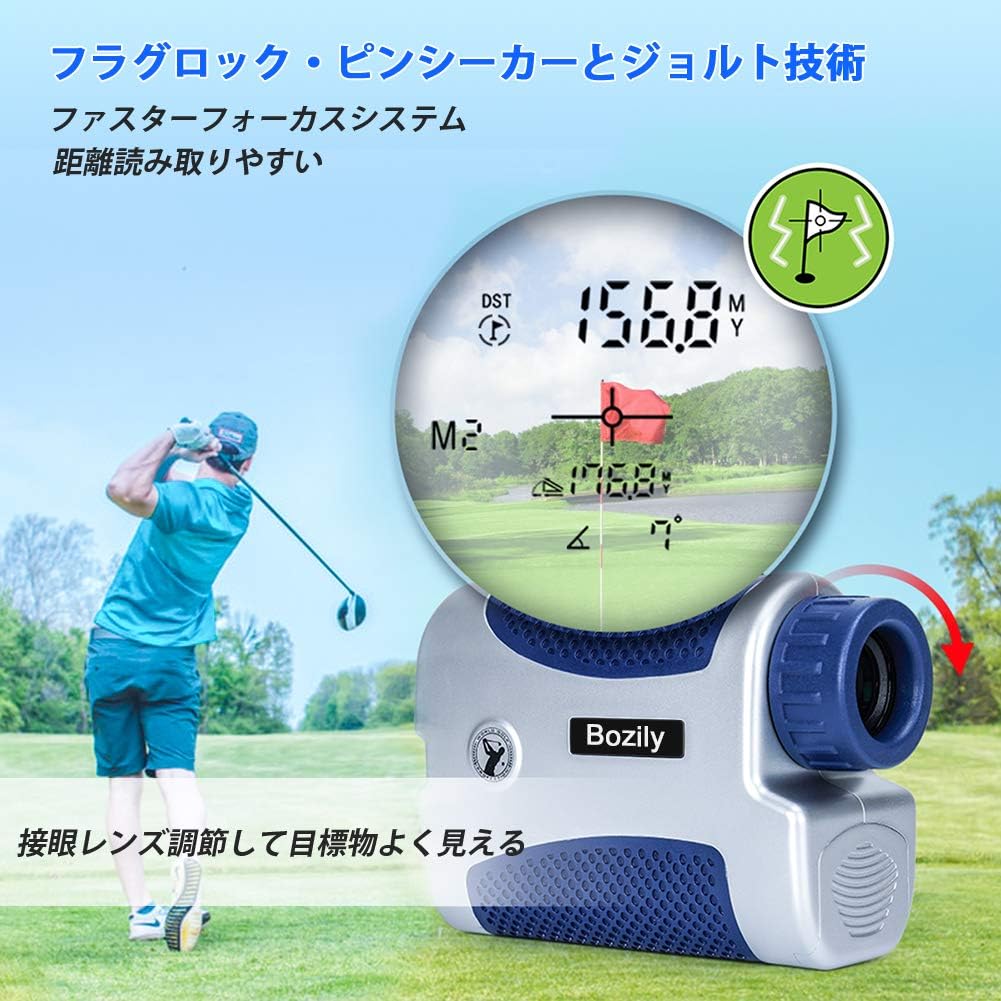
Image 6.1: Golfer using Bozily Rangefinder with flag lock and slope compensation display. A golfer is shown on a course, aiming the Bozily Rangefinder. The inset display illustrates the flag lock feature, showing a measured distance of 156.8 yards and a slope-adjusted distance of 176.8 yards, along with a flag icon indicating successful target acquisition.
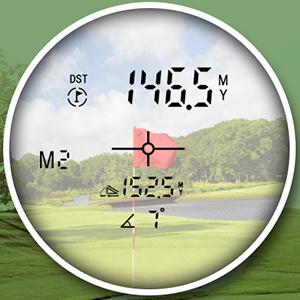
Image 6.2: Bozily Rangefinder display showing measured and slope-adjusted distances. A close-up view of the rangefinder's internal display. It shows a direct measured distance of 146.5 meters (or yards) and a slope-compensated distance of 152.5 meters (or yards), with a 4-degree slope indicated. A crosshair targets a flag in the background.
6.3 Slope Compensation Technology
The slope compensation feature calculates the uphill or downhill distance and provides a slope-adjusted distance, recommending the effective playing distance. This feature can be toggled ON or OFF using the physical Slope Switch on the side of the device. When OFF, the device provides only the straight-line distance, making it compliant with local tournament rules.

Image 6.3: Diagram explaining slope compensation on a golf course. This diagram visually explains the slope compensation technology. It shows a golfer aiming at a flag on an uphill slope. The device measures a straight line distance (e.g., 177 yards) and calculates the horizontal distance (e.g., 157 yards) based on the 7-degree slope, providing an adjusted distance for accurate club selection.
6.4 Continuous Scan Mode
For quick measurements of multiple targets or moving objects, hold down the Power/Measurement Button. The device will continuously scan and display distances as you pan across the landscape. Release the button to stop scanning.
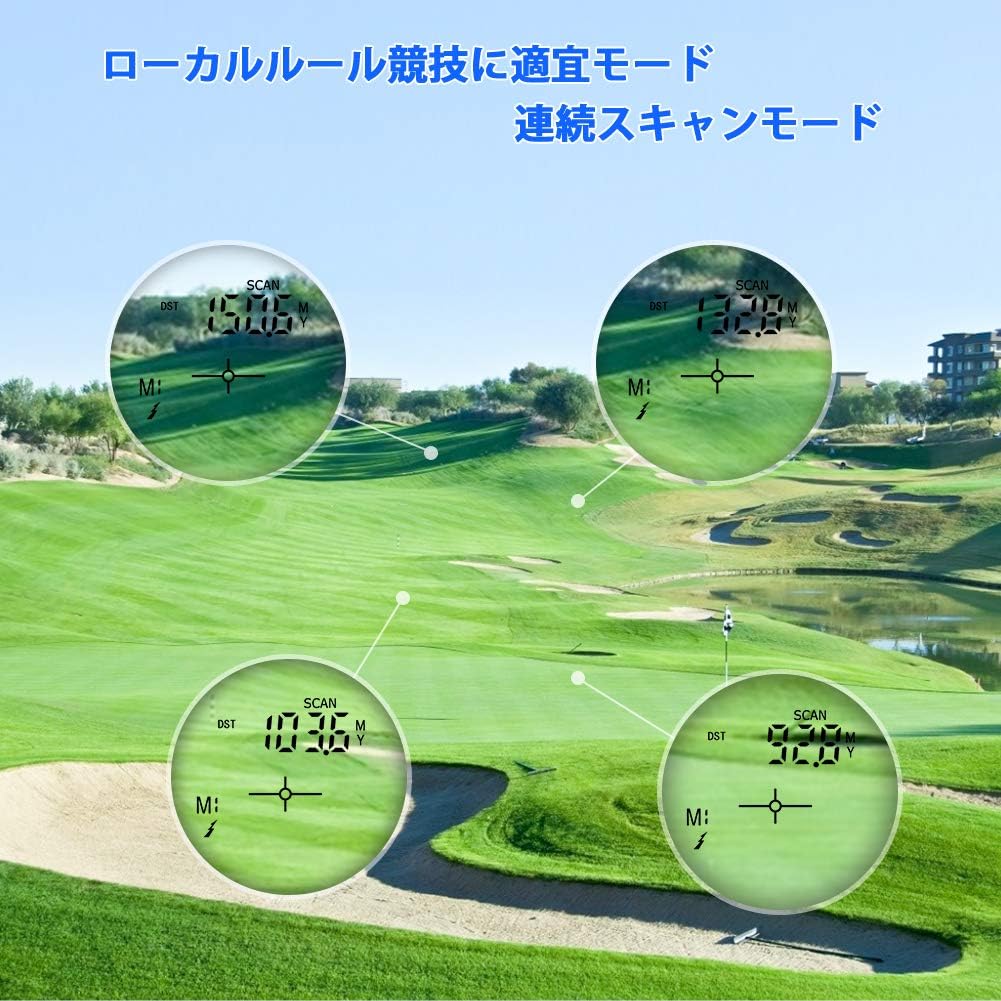
Image 6.4: Bozily Rangefinder demonstrating continuous scan mode on a golf course. Four circular insets show the rangefinder's display in continuous scan mode, measuring distances to various points on a golf course. This mode allows users to scan multiple targets quickly without repeatedly pressing the measurement button.
6.5 Unit Switching (Meters/Yards)
To switch between meters (M) and yards (Y), press and hold the Mode Button for approximately 3 seconds. The unit displayed in the eyepiece will change accordingly.
7. Maintenance
- Cleaning Lenses: Use the provided cleaning cloth or a soft, lint-free cloth to gently wipe the lenses. Do not use abrasive materials or chemical cleaners.
- Cleaning Body: Wipe the body of the rangefinder with a soft, damp cloth. Avoid harsh chemicals.
- Storage: Store the device in its carrying case in a cool, dry place when not in use. Avoid areas with extreme temperatures or high humidity.
- Battery Care: If storing for an extended period, ensure the battery is partially charged (around 50%) and recharge it every few months to maintain battery health.
8. Troubleshooting
| Problem | Possible Cause | Solution |
|---|---|---|
| No display/Device won't turn on | Low battery; Device malfunction | Charge the battery fully. If the issue persists, contact customer support. |
| Inaccurate distance readings | Unstable aiming; Fog/rain; Target too small/reflective; Eyepiece out of focus | Ensure stable aiming. Avoid use in heavy fog/rain. Adjust eyepiece focus. Use continuous scan mode for smaller targets. |
| Cannot lock onto flag | Background interference; Flag too far/small | Ensure the flag is within range. Use the flag lock feature by slowly scanning across the flag. |
| Display is blurry | Eyepiece not focused | Rotate the eyepiece to adjust focus until the display is clear. |
9. Specifications
| Feature | Detail |
|---|---|
| Brand | Bozily |
| Measurement Range | Up to 1500 yards |
| Magnification | 6x Optical |
| Accuracy | Typically +/- 1 yard |
| Slope Compensation | Yes, with ON/OFF switch |
| Flag Lock / Pin Seeker | Yes, with Jolt Technology |
| Continuous Scan Mode | Yes |
| Unit Measurement | Meters (M) / Yards (Y) |
| Battery Type | Rechargeable Lithium |
| Color | Silver, Blue |
| Product Dimensions | 10.6 cm (L) x 3.9 cm (W) x 7.2 cm (H) |
| Weight | Approximately 380 g (including packaging) |
10. Warranty and Support
Your Bozily Golf Rangefinder is covered by a limited warranty against defects in materials and workmanship. For specific warranty terms and conditions, please refer to the warranty card included with your product or contact Bozily customer support.
If you encounter any issues or have questions regarding your product, please contact our customer support team through the retailer where you purchased the device or via the contact information provided on the official Bozily website.
Ask a question about this manual
Ask about setup, troubleshooting, compatibility, parts, safety, or missing instructions. Manuals+ will review the question and use this page’s manual context to help answer it.