
Introduction
The Galcon Balcony Kit 9001BT is an automatic irrigation system designed for efficient watering of plants in containers, hanging baskets, and garden beds on patios, balconies, rooftops, and indoors. This system utilizes Bluetooth technology for convenient programming and control via a smartphone or tablet, ensuring your plants receive optimal hydration while conserving water.
What's Included
Please verify that all components listed below are present in your package:
- 1x Bluetooth Irrigation System Controller
- 1x Pressure Regulator
- 1x Instruction Manual
- 1x 10M 3/5” Tube (thin tube)
- 2x 10M 4/7” Tubes (thick tubes)
- 2x 4/7” Taps
- 3x 4/7” Connectors
- 4x 4/7” Pipeline Ends
- 5x Cable Ties
- 20x Drop Carriers
- 20x Stabilizer Supports
- 20x Pipeline Drippers

Image: All components of the Galcon Balcony Kit 9001BT, including the Bluetooth controller, tubing, drippers, and connectors, laid out for inspection.
Setup Instructions
1. Controller and Pressure Regulator Connection
Attach the Bluetooth Irrigation System Controller to your 3/4" faucet. Then, connect the pressure regulator to the bottom of the controller. Ensure all connections are hand-tightened securely to prevent leaks. No special tools are required for these connections.

Image: Diagram illustrating the connection of the Galcon 9001BT Bluetooth controller to a faucet, followed by the attachment of the pressure regulator to the controller. This image also details all kit components with labels.
2. Main Tubing Layout
Connect the 4/7" thick tube to the end of the pressure regulator. Route this main tube along your balcony or garden area, positioning it according to your plant layout. Use the provided cable ties to fasten the tube securely, for example, along a railing or wall.
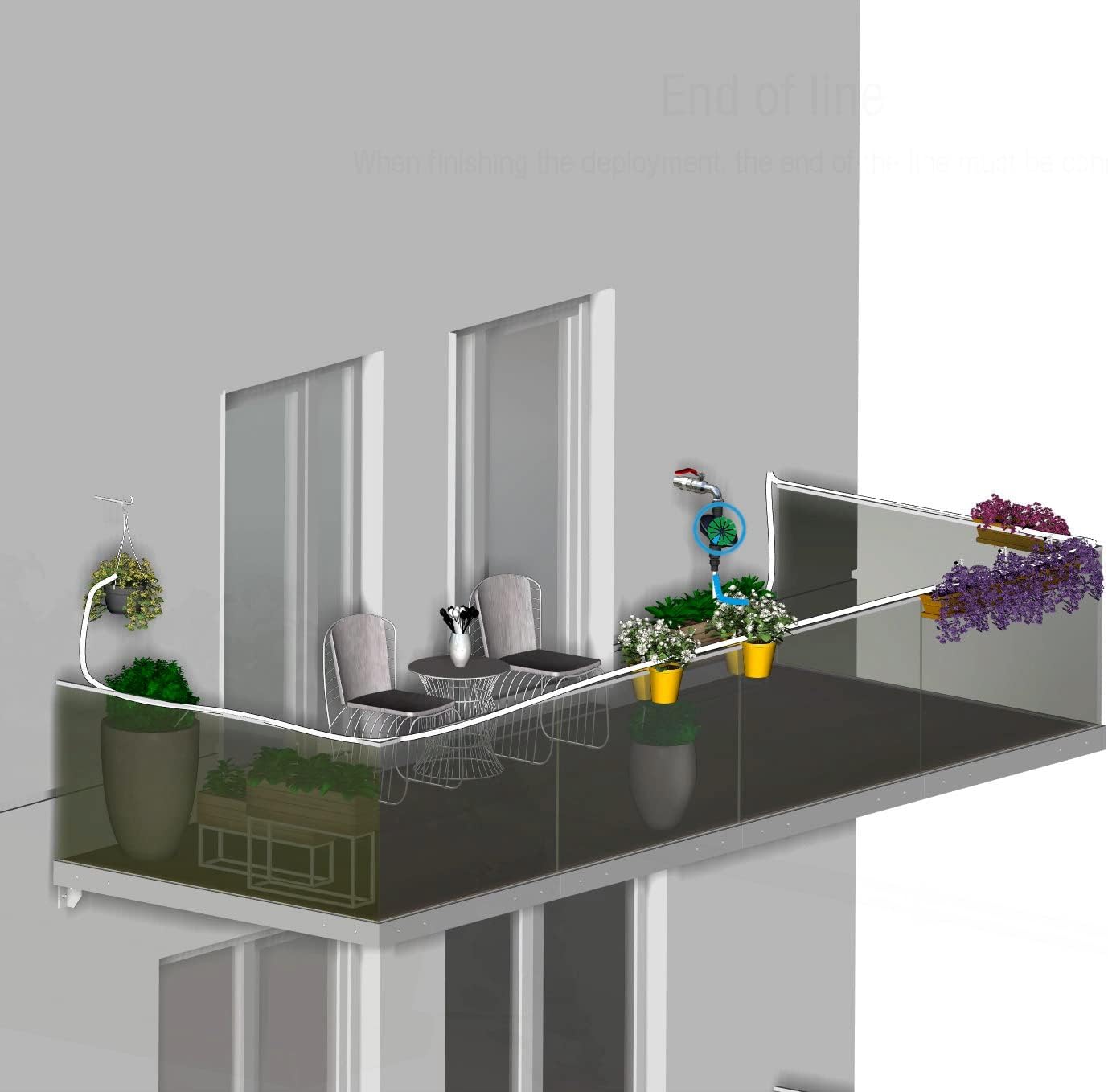
Image: An illustration showing the main 4/7" tube being laid out along a balcony railing, connecting various potted plants and hanging baskets to the irrigation controller.

Image: Close-up view of the 4/7" irrigation tube being fastened to a balcony railing using a white cable tie, ensuring the tube is held firmly in place.
3. Connecting Drippers and Drop Carriers
Cut the 3/5" thin tube to the desired lengths for individual plants. For easier connection, immerse the ends of the thin tube in hot water to soften them before inserting them into the 4/7" thick tube using the provided connectors. Attach drippers or drop carriers to the ends of these thin tubes. Use stabilizer supports to secure drippers in potted plants or directly in the soil.

Image: A pipeline dripper inserted into a potted plant, secured by a stabilizer support, ensuring precise water delivery to the plant's base.
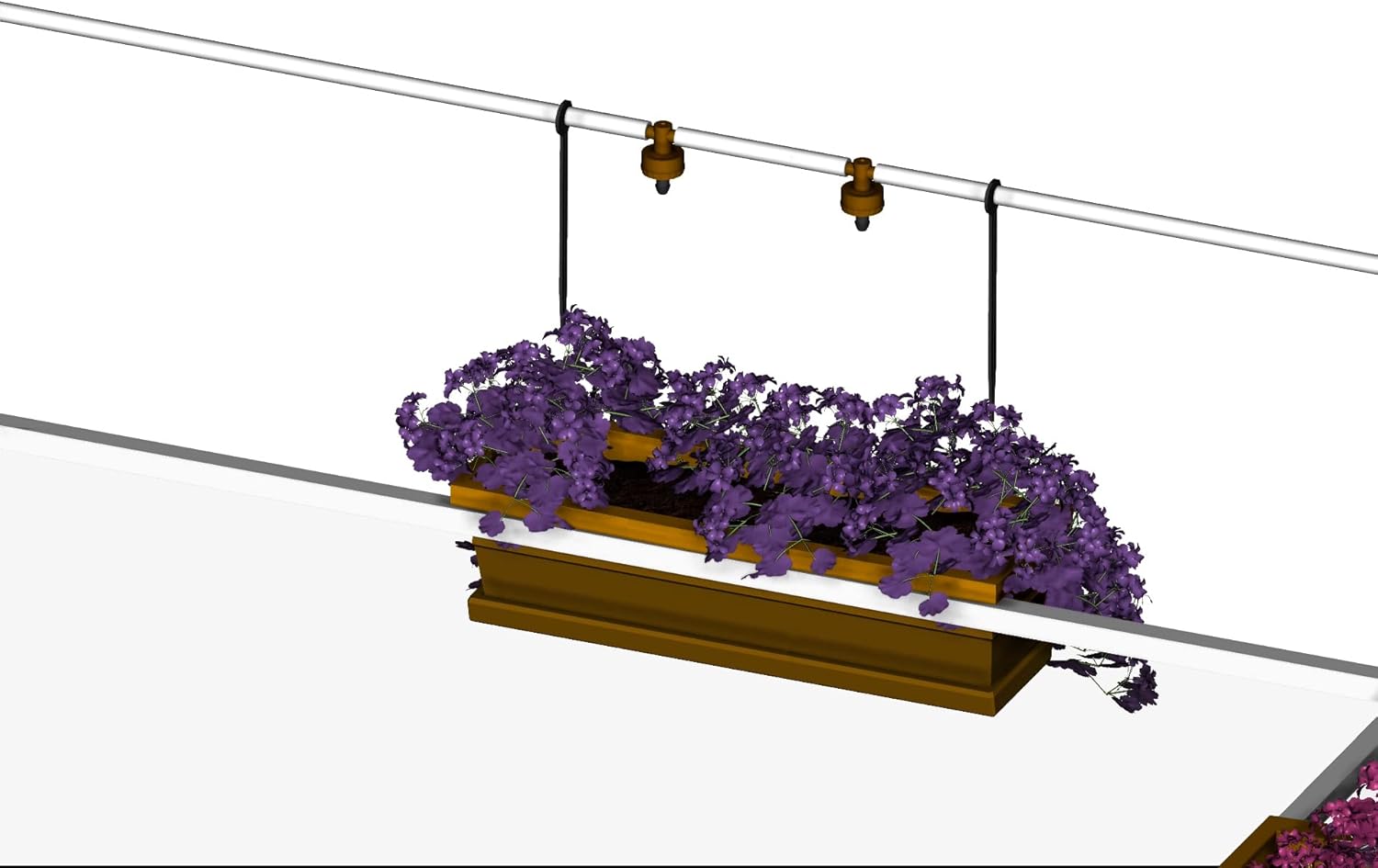
Image: Two drop carriers extending from the main irrigation line to water plants in a hanging basket, demonstrating irrigation for elevated plants.
4. Bluetooth App Control
Download the Galcon app on your Android or iOS device. The app allows you to remotely control and program one or more automatic irrigation system controllers from 5 to 30 meters away via Bluetooth 4.0. This enables precise scheduling and adjustment of watering cycles.
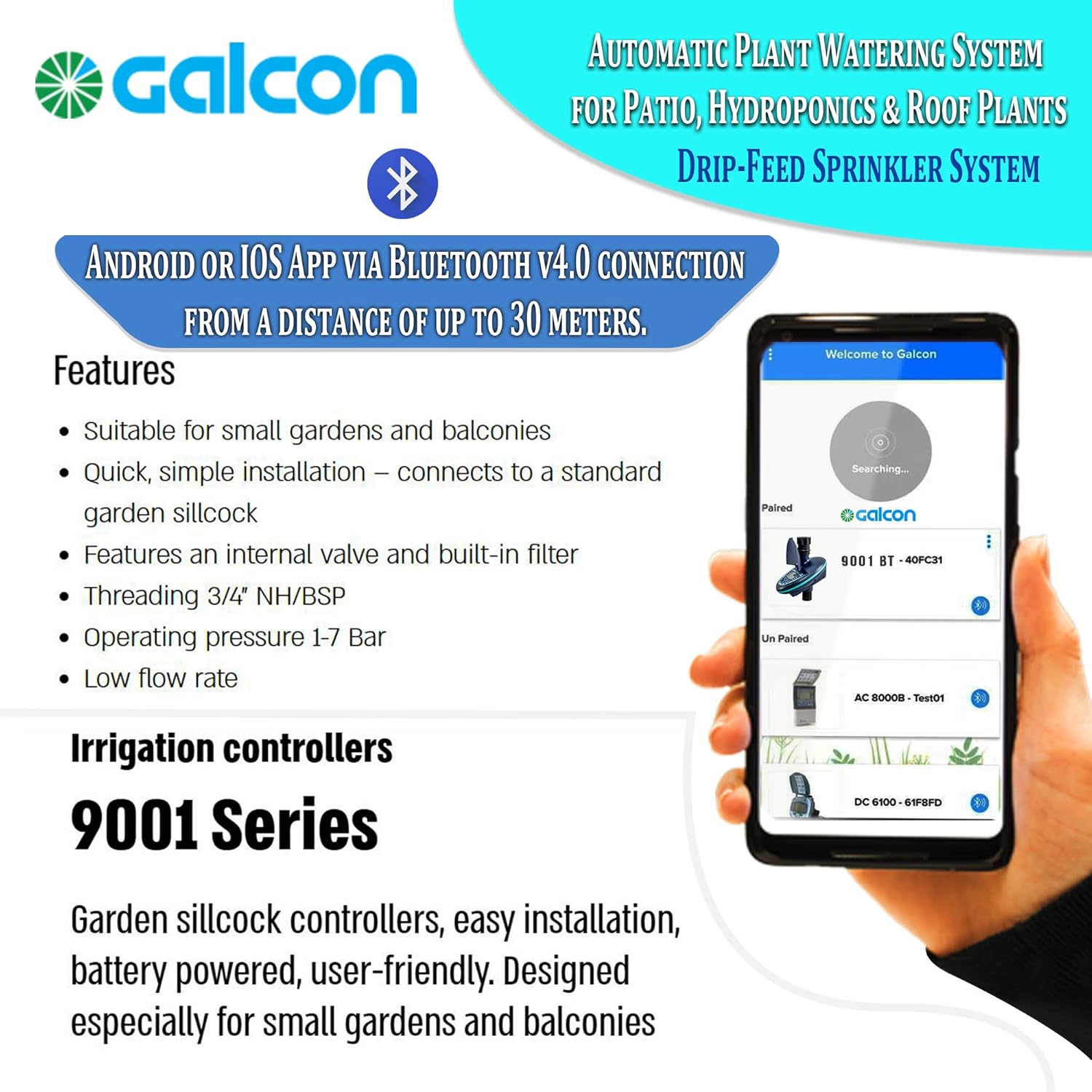
Image: A smartphone screen displaying the Galcon app interface, showing options to pair and control multiple irrigation controllers via Bluetooth.
Setup Animation
Video: An animated guide demonstrating the step-by-step installation process of the Galcon 9001BT Balcony Irrigation Kit, from connecting the controller to setting up drippers for various plant types.
Operating Instructions
1. Setting Watering Schedules
The system allows you to set watering durations from 2 minutes up to 14 days, and cycles can be set to occur every 3 hours or every 14 days. This flexibility helps prevent overwatering and ensures plants receive water directly at the roots.
2. Manual Control and Taps
The system includes 4/7" taps that enable manual opening and closing of irrigation for specific parts of the system. This is useful on rainy days when some plants are under cover and require irrigation, while others receive sufficient water from rain and can have their irrigation closed.

Image: A close-up of a manual tap integrated into the irrigation line, positioned above a plant box, allowing for individual control of water flow to specific plants.
3. Delaying Watering
The system allows you to delay watering cycles when needed, providing additional control over your plant's hydration schedule.
Maintenance
Regular maintenance ensures the longevity and optimal performance of your irrigation system.
- Filter Cleaning: The controller includes a built-in filter. Periodically check and clean the filter to prevent blockages and maintain consistent water flow.
- Battery Replacement: The irrigation controller requires a 9V battery (not included). Monitor the battery indicator in the app or on the controller and replace the battery when low to ensure uninterrupted operation.
- System Inspection: Regularly inspect all tubing, connectors, and drippers for any signs of damage, leaks, or blockages. Address any issues promptly to maintain system efficiency.
Troubleshooting
- Leaks at Connections: Ensure all connections, especially between the controller, pressure regulator, and main tubing, are hand-tightened securely. If a leak persists, check for proper seating of washers or inspect for damaged threads.
- No Water Flow: Check if the faucet is fully open. Verify the controller's schedule and battery level. Inspect the filter for clogs and clean if necessary. Ensure all tubing is free from kinks or blockages.
- Uneven Watering: Adjust individual drippers or micro-sprays to ensure even water distribution to all plants. Check for any partially clogged drippers.
- Bluetooth Connectivity Issues: Ensure your device is within the 5-30 meter range of the controller. Restart the app and/or your device. Check the controller's battery.
Specifications
- Model: Galcon 9001BT
- Special Feature: Automatic Watering, Sprinkler
- Hose Length: 30 Meters (total, including 3/5" and 4/7" tubes)
- Fit Type: Flexible tubing with various fittings and drippers
- Product Dimensions: 12.4 x 4.53 x 8.27 inches
- Item Weight: 3.56 pounds
- Power Source: Battery Powered (requires 9V battery, not included)
- Control: Bluetooth 4.0 via Android or iOS app (5-30 meter range)
Safety Information
Users should ensure the water pressure is at a safe level and follow the manufacturer's instructions for setting up and using the kit to prevent damage to the system or water leakage.
Warranty and Support
Galcon offers a 3-year satisfaction guarantee for this product. If you encounter any issues or are not satisfied with your purchase, please contact Galcon's customer service experts for assistance.