
Introduction
The Bracketron HD Phone Dock PRO is a heavy-duty phone mount designed for secure device placement in vehicles. It features robust construction and versatile mounting options for dashboards, windows, and air vents, ensuring your device remains stable and accessible while driving.
What's in the Box
- HD (Heavy-Duty) Phone Dock PRO Metal Clamp Mount
- Suction Cup Base with Extendable Arm
- Vent Mount Adapter
- Dashboard Mounting Pad (for textured surfaces)
- Instruction Manual
Setup and Installation
Follow these steps to assemble and install your Bracketron HD Phone Dock PRO mount. Ensure all surfaces are clean and dry before application for optimal adhesion.
1. Assembling the Phone Holder
- Unscrew the nut from the ball joint on the main mount arm.
- Place the phone holder onto the ball joint.
- Tighten the nut securely to fix the phone holder in place.
2. Choosing Your Mounting Location
The mount offers versatile placement options:
- Dashboard Mount: For textured or uneven dashboards, use the included dashboard mounting pad. Clean the dashboard surface with water or alcohol and let it dry. Apply the pad firmly, then attach the suction cup to the pad.
- Windshield Mount: Clean the windshield surface with water or alcohol and let it dry. Apply the suction cup directly to the clean glass.
- Vent Mount: Attach the vent mount adapter to the phone holder. Insert the hook firmly into a vent slat.
3. Securing the Mount
For suction cup mounts (dashboard or windshield):
- Remove the protective film from the sticky suction cup.
- Press the suction cup firmly against the chosen surface.
- Flip the lever on the suction cup base down to create a vacuum seal.
- Adjust the arm and phone holder to your desired viewing angle using the adjustment knobs.
Video: Installation Instructions for HD Phone Dock PRO. This video demonstrates the assembly and installation process for the mount.

Image: Ultra Durable Parts - An exploded view showing the various components of the mount, including anti-vibration metal components, oversized knob, vulcanized rubber, military-grade aluminum pedestal, high-impact polymer base, and patented Temporbond coated suction cup.
Operating Instructions
1. Inserting Your Phone
With one hand, gently press your phone against the center button of the holder. The arms will automatically close and secure your device. The bottom support is designed to allow charging cables to pass through.
2. Removing Your Phone
Squeeze the release arms on the sides of the holder to open them and retrieve your phone.
3. Adjusting Viewing Angle
The mount features a 360-degree rotatable pedestal and adjustable arm joints. Loosen the adjustment knobs to position your device for optimal viewing in portrait or landscape mode, then tighten the knobs to secure it.

Image: Highly Adjustable Arm - The mount's arm can extend up to 8.5 inches and features 360-degree rotation at multiple joints for flexible positioning. It fits devices up to 3.5 inches wide.
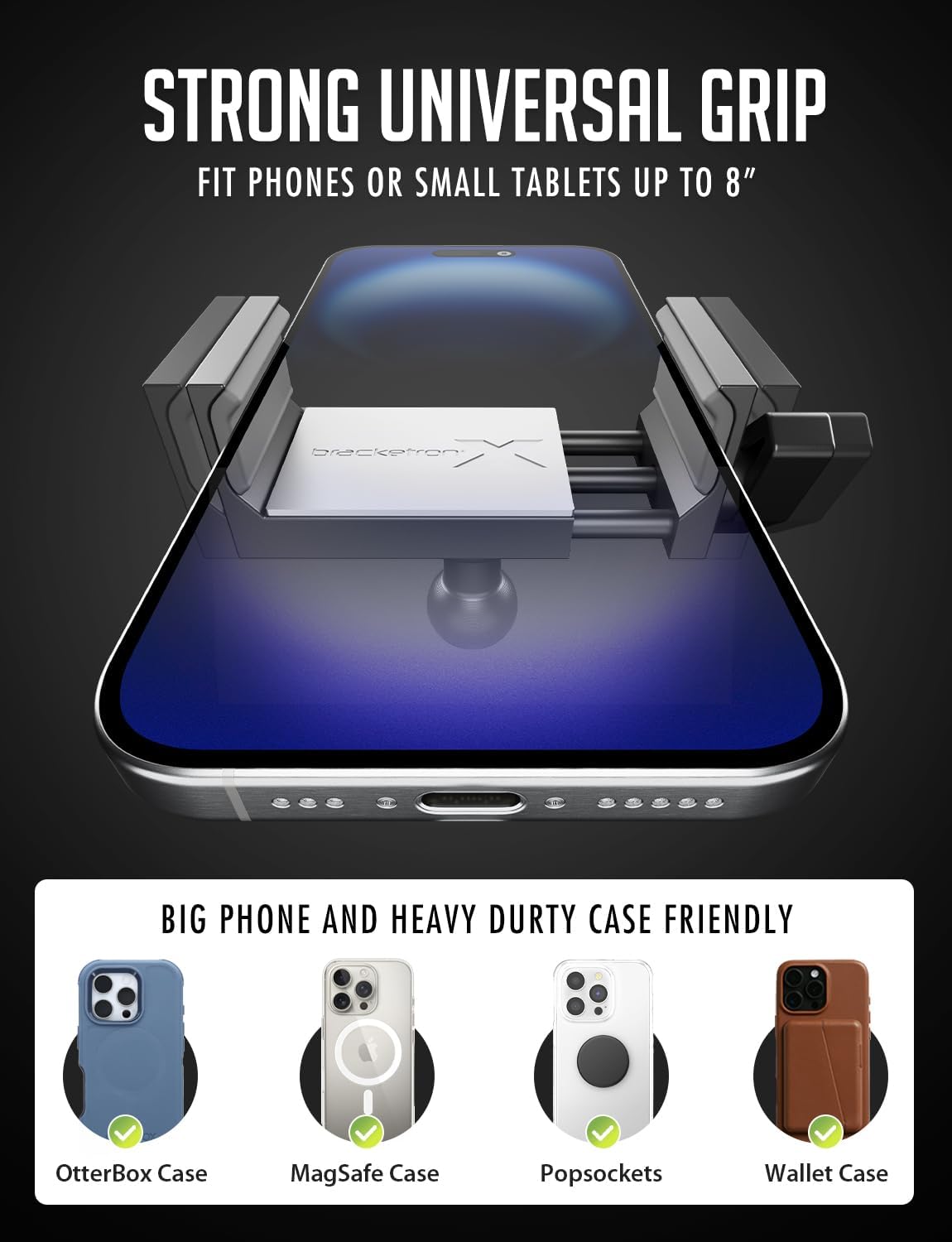
Image: Strong Universal Grip - The mount securely holds phones or small tablets up to 8 inches, accommodating various cases like OtterBox, MagSafe, Popsockets, and Wallet cases.
Maintenance
Cleaning the Suction Cup
If the suction cup loses its stickiness after repeated applications, simply wash it with warm water and allow it to air dry. This will reactivate the adhesive properties and restore its original condition.
Tightening Components
Periodically check all screws and adjustment knobs. If any components become loose, tighten them to maintain optimal stability. For persistent loosening, a thread-locking fluid can be applied to the screws.
Troubleshooting
- Mount not adhering: Ensure the mounting surface is clean, dry, and smooth. If using the dashboard pad, ensure it is securely attached before applying the suction cup. Wash the suction cup with warm water and air dry if it has lost stickiness.
- Phone not holding securely: Ensure the phone is properly centered in the clamp and the arms are fully closed. Adjust the bottom support to prevent buttons from being pressed.
- Mount feels wobbly: Tighten all adjustment knobs and screws on the mount's arm and base.
Specifications
| Feature | Detail |
|---|---|
| Product Dimensions | 10 x 4 x 5 inches |
| Item Weight | 1.3 pounds |
| Item Model Number | BX1-579-2 |
| Special Features | Military grade aluminum construction |
| Compatible Devices | Cell Phones (up to 3.5 inches wide) |
| Mounting Type | Dashboard, Window, Vent |
Warranty and Support
For warranty information or technical support, please refer to the product packaging or contact Bracketron customer service directly. Keep your purchase receipt for any warranty claims.