Introduction
This manual provides detailed instructions for the assembly, operation, maintenance, and troubleshooting of your EUREKA ERGONOMIC L60 Pink Gaming Desk. Please read this manual thoroughly before assembly and use to ensure proper setup and longevity of your product. Keep this manual for future reference.
Setup Instructions
The EUREKA ERGONOMIC L60 Gaming Desk is designed for straightforward assembly. It is recommended to have two people for assembly due to the size and weight of the desk components. All necessary tools, including a screwdriver, are provided in the packaging.
Assembly Steps:
- Unpack Components: Carefully remove all parts from the packaging and verify against the included parts list. Place them on a soft, clean surface to prevent scratches.
- Assemble Frame: Begin by assembling the custom-grade carbon steel frame. Follow the detailed diagrams in the provided instruction manual.
- Attach Desktop Sections: The desk features two desktop pieces. Align and attach them to the assembled frame. Ensure all connections are secure.
- Install Adjustable Leg Pads: Attach the adjustable leg pads to the bottom of the desk legs. These pads help ensure stability on uneven surfaces.
- Final Tightening: Once all parts are in their correct positions, tighten all screws firmly. Avoid over-tightening initially to allow for adjustments during assembly.
Tip: For optimal stability, ensure all screws are fully tightened after the desk is completely assembled and positioned.
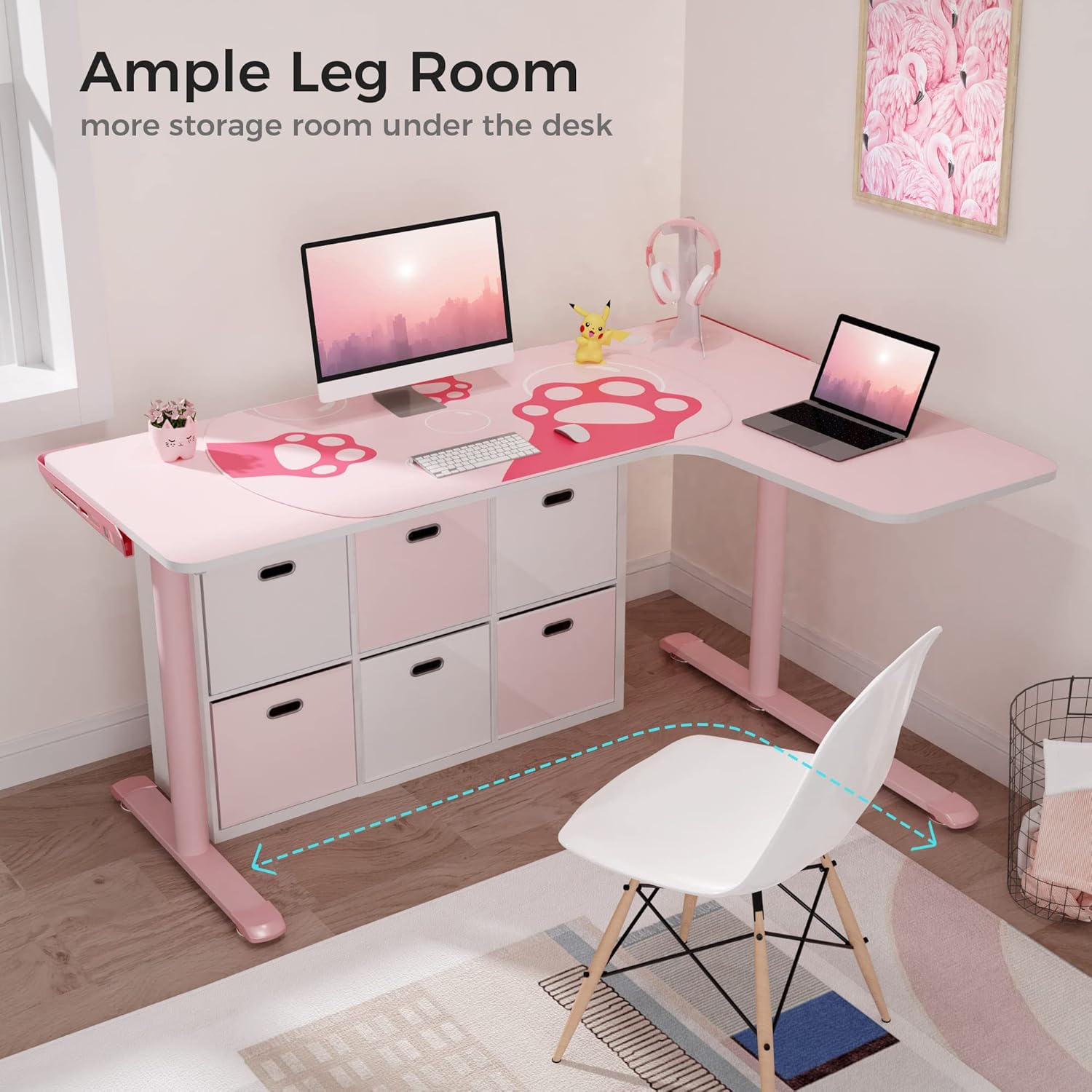
Image: The custom-grade carbon steel frame provides strong support for the desktop.

Image: Detailed dimensions of the L-shaped desk, showing the 60-inch width and 43-inch depth.
Operating Instructions
The EUREKA ERGONOMIC L60 Gaming Desk is designed to provide a spacious and organized workspace for gaming, computing, or general office use.
Key Features:
- Spacious L-Shaped Desktop: The 60"W x 43"D surface accommodates multiple monitors, keyboards, and other peripherals, maximizing your workspace.
- Cable Management System: Integrated power strip holder and two cable grommets help organize and conceal cables, maintaining a tidy setup.
- Adjustable Leg Pads: Fine-tune the desk's height and stability on uneven floors by adjusting the leg pads.
- Durable Construction: The desk supports a maximum weight load of 176 LBS, ensuring stability for your equipment.

Image: The L-shaped design provides generous legroom and space for under-desk storage.

Image: Detail of the integrated power strip holder and cable management grommets for an organized workspace.
Maintenance
To maintain the appearance and functionality of your EUREKA ERGONOMIC L60 Gaming Desk, follow these simple maintenance guidelines:
- Cleaning: Wipe the desktop and frame with a soft, damp cloth. Avoid abrasive cleaners or harsh chemicals that could damage the powder-coated finish.
- Regular Inspection: Periodically check all screws and connections to ensure they remain tight. Re-tighten if necessary to maintain stability.
- Avoid Excessive Weight: Do not exceed the maximum weight capacity of 176 LBS to prevent damage to the desk structure.
- Protect Surface: Use coasters for drinks and mousepads for prolonged mouse usage to protect the desktop surface.
Troubleshooting
If you encounter any issues with your EUREKA ERGONOMIC L60 Gaming Desk, refer to the following common solutions:
- Desk Wobbles:
- Ensure all assembly screws are securely tightened.
- Adjust the leg pads on the bottom of the desk legs to compensate for uneven flooring.
- Difficulty During Assembly:
- Review the instruction manual carefully, paying close attention to diagrams and part orientation.
- Ensure all parts are correctly aligned before tightening screws.
- Confirm all components are present according to the parts list.
- Missing or Damaged Parts:
- Contact EUREKA ERGONOMIC customer service immediately for assistance.
Specifications
| Feature | Specification |
|---|---|
| Brand | EUREKA ERGONOMIC |
| Model Number | GD0092 R- PK |
| Color | Pink |
| Style | Gaming, L-Shaped |
| Overall Dimensions (LxWxH) | 152 x 110 x 76 Centimeters (approx. 60"W x 43"D x 30"H) |
| Item Weight | 28.53 kg (approx. 62.9 lbs) |
| Maximum Weight Recommendation | 176 Pounds (approx. 80 kg) |
| Base Material | Alloy Steel (Frame: Carbon Steel) |
| Top Material Type | Plastic |
| Finish Type | Powder Coated |
| Special Feature | Ergonomic, Cable Management, Adjustable Leg Pads |
| Assembly Required | Yes |
Warranty Information
The EUREKA ERGONOMIC L60 Gaming Desk comes with a 1-Year Limited Warranty. This warranty covers manufacturing defects and material flaws under normal use. Please retain your proof of purchase for warranty claims.
For detailed warranty terms and conditions, please refer to the documentation included with your product or contact customer support.
Customer Support
For any questions, concerns, or assistance with your EUREKA ERGONOMIC L60 Gaming Desk, please contact our customer service team. Our US-based customer service is available to help you.
Please visit the official EUREKA ERGONOMIC website for contact details and additional support resources.