
T'nB HPXPL2BKV2
T’NB XPLORE Portable Bluetooth Speaker User Manual
Model: HPXPL2BKV2
Waterproof / 10 Watt / 7h Autonomy
1. Introduction
Thank you for choosing the T’NB XPLORE Portable Bluetooth Speaker. This 2-in-1 waterproof speaker is designed for extreme conditions and offers a unique separable design for 360° stereo sound. Please read this manual carefully before using the product to ensure proper operation and to maximize its lifespan.
The T’NB XPLORE speaker combines quality, power, robustness, and practicality, making it an ideal companion for enjoying your music anywhere, even in challenging environments.
2. Product Overview
The T’NB XPLORE speaker is a versatile audio device featuring a robust design and intuitive controls. It can function as a single powerful speaker or be separated into two independent units for an immersive stereo experience.
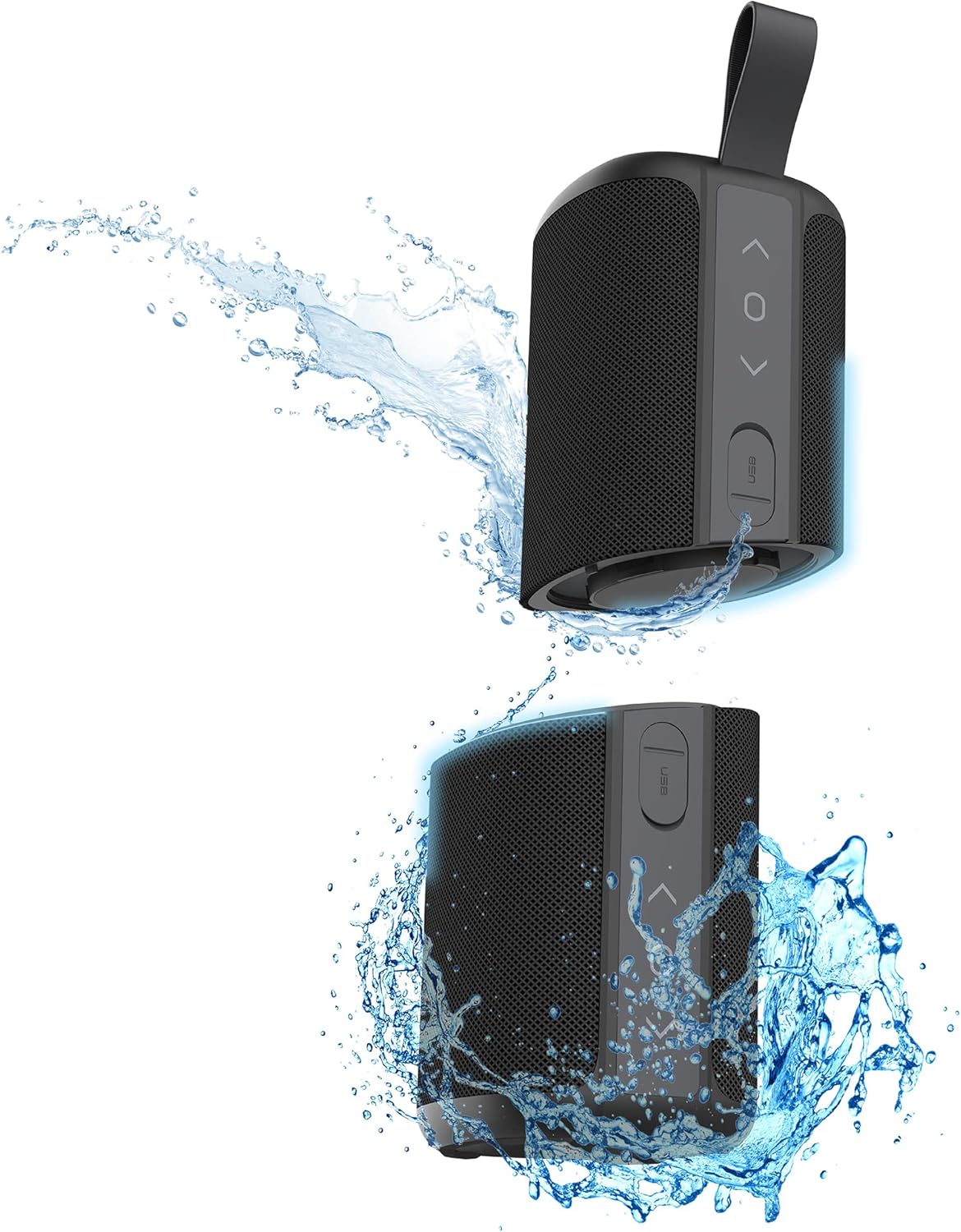
Figure 2.1: T’NB XPLORE Portable Bluetooth Speaker (single unit)
2.1 Components
- Main Speaker Unit: Contains all primary electronics and controls.
- Separable Speaker Unit: Detaches from the main unit to create a stereo pair.
- Integrated Controls: Buttons for power, volume, track control, and call management.
- USB Charging Port: For recharging the internal battery.
- Auxiliary (Jack) Input: For wired audio connection.
- Carrying Strap: For easy portability.

Figure 2.2: Integrated Controls (ON/OFF, Track, Volume)
3. Key Features
- Bluetooth 5.0 Connectivity: Enjoy stable and efficient wireless audio streaming from your compatible devices.
- 2-in-1 Separable Design: The speaker can be split into two independent 10W units, providing a total of 20W stereo sound with 360° audio coverage.
- IPX7 Waterproof Rating: Fully submersible up to 1 meter for 30 minutes, making it ideal for use near water (pool, beach, shower).
- 7-Hour Battery Life: A single charge provides up to 7 hours of continuous playback, ensuring your music lasts throughout your adventures.
- Integrated Controls: Easily manage power, volume, track selection, and phone calls directly from the speaker.
- Robust and Durable: Built to withstand extreme conditions and outdoor activities.
- Auxiliary Input: Connect non-Bluetooth devices via a 3.5mm jack cable.

Figure 3.1: IPX7 Waterproof Rating for outdoor use

Figure 3.2: 2-in-1 Separable Design for 360° Stereo Sound
4. Setup
4.1 Charging the Speaker
Before first use, fully charge the speaker. The T’NB XPLORE speaker uses two integrated Lithium-ion batteries.
- Locate the USB charging port on the speaker.
- Connect the provided USB charging cable to the speaker and a compatible USB power source (e.g., wall adapter, computer USB port).
- A small red LED indicator light will illuminate next to the charging port, indicating that the speaker is charging.
- The red LED will turn off once the speaker is fully charged.
Note: For optimal battery life, avoid completely draining the battery before recharging.
4.2 Powering On/Off
- To power on, press and hold the Power button (usually marked with a circle or power symbol) for a few seconds until you hear an audible prompt or see an indicator light.
- To power off, press and hold the Power button again for a few seconds.
4.3 Bluetooth Pairing
To connect your T’NB XPLORE speaker to a Bluetooth-enabled device:
- Ensure the speaker is powered on and in Bluetooth pairing mode (it may automatically enter this mode on first power-on or after disconnecting from a previous device). An indicator light will typically flash to show it's ready to pair.
- On your device (smartphone, tablet, laptop), enable Bluetooth and search for available devices.
- Select "T’NB XPLORE" or a similar name from the list of found devices.
- Once connected, the speaker will provide an audible confirmation, and the indicator light will stop flashing and remain solid.

Figure 4.1: Bluetooth 5.0 Wireless Connection
4.4 Separating the Speakers for Stereo Mode
The T’NB XPLORE speaker can be separated into two individual units to create a true wireless stereo (TWS) experience.
- Hold the speaker firmly with both hands.
- Gently twist and pull the two halves apart. They are designed to separate with a firm but controlled motion.
- Once separated, the two speakers will automatically attempt to pair with each other for stereo sound. An audible prompt will confirm successful stereo pairing.
- Then, proceed with Bluetooth pairing as described in Section 4.3. Your device will connect to one of the speakers, which will then transmit the other channel to the second speaker.

Figure 4.2: Separating the Speaker Units
5. Operating the Speaker
5.1 Music Playback
- Play/Pause: Press the Play/Pause button (often marked with a triangle or circle) once to play or pause music.
- Volume Up: Press the Volume Up (+) button to increase the volume. Hold to rapidly increase.
- Volume Down: Press the Volume Down (-) button to decrease the volume. Hold to rapidly decrease.
- Next Track: Press and hold the Volume Up (+) button (or a dedicated 'Next' button if available) to skip to the next track.
- Previous Track: Press and hold the Volume Down (-) button (or a dedicated 'Previous' button if available) to go to the previous track.
5.2 Hands-Free Calling
When connected to your smartphone via Bluetooth, the speaker can be used for hands-free calls.
- Answer Call: Press the Play/Pause button once when an incoming call rings.
- End Call: Press the Play/Pause button once during a call to end it.
- Reject Call: Press and hold the Play/Pause button for a few seconds to reject an incoming call.
5.3 Auxiliary (AUX) Mode
To use the speaker with a non-Bluetooth device:
- Connect one end of a 3.5mm audio jack cable (not included) to the AUX input port on the speaker.
- Connect the other end to the headphone jack or audio output of your device.
- The speaker should automatically switch to AUX mode. If not, press the Mode button (if available) to cycle through modes until AUX is selected.
- Control playback and volume from your connected device.
6. Maintenance
6.1 Cleaning
- Wipe the speaker with a soft, damp cloth. Do not use abrasive cleaners or solvents.
- For stubborn dirt, a mild soap solution can be used, but ensure the speaker is completely dry before charging or using.
- Given its waterproof nature, you can rinse it under tap water, but ensure all ports are securely closed before doing so.
6.2 Storage
- Store the speaker in a cool, dry place away from direct sunlight and extreme temperatures.
- If storing for an extended period, charge the battery to about 50% every few months to preserve battery health.
6.3 Battery Care
- Use only the provided charging cable or a certified equivalent.
- Do not expose the battery to fire or extreme heat.
- Do not attempt to replace the battery yourself. Contact customer support if battery issues arise.
7. Troubleshooting
| Problem | Possible Cause | Solution |
|---|---|---|
| Speaker does not power on. | Battery is drained. | Charge the speaker fully (refer to Section 4.1). |
| No sound from speaker. | Volume is too low; Device not connected; Speaker in wrong mode. | Increase speaker and device volume; Ensure Bluetooth is connected (Section 4.3) or AUX cable is properly inserted (Section 5.3); Check speaker mode. |
| Cannot pair via Bluetooth. | Speaker not in pairing mode; Device Bluetooth off; Too far from device; Interference. | Ensure speaker is in pairing mode; Turn device Bluetooth off and on; Move speaker closer to device (within 10 meters); Avoid strong electromagnetic interference. |
| Stereo pairing (TWS) not working after separating. | Speakers failed to automatically pair with each other. | Power off both speakers, then power them on again simultaneously. They should attempt to re-pair with each other before connecting to your device. If issues persist, consult T'nB support. |
| Sound distortion. | Volume too high; Low battery; Device audio quality issue. | Reduce volume; Charge speaker; Try playing audio from a different source. |
8. Technical Specifications
| Feature | Specification |
|---|---|
| Model Number | HPXPL2BKV2 |
| Bluetooth Version | 5.0 |
| Total Power Output | 20 Watts (2 x 10W separable speakers) |
| Battery Life | Up to 7 hours |
| Waterproof Rating | IPX7 |
| Dimensions (L x W x H) | 7.8 x 20.6 x 7.8 cm |
| Weight | 1.18 kg |
| Connectivity | Bluetooth, 3.5mm AUX input |
| Controller Type | Button |
| Audio Output Mode | Stereo |
| Compatible Devices | Laptop, Smartphone, Tablet |
| Material | Plastic |
9. Warranty and Support
T’nB products are designed and manufactured to the highest quality standards. For information regarding warranty coverage, please refer to the warranty card included with your purchase or visit the official T’nB website.
If you encounter any issues or have questions about your T’NB XPLORE speaker that are not covered in this manual, please contact T’nB customer support for assistance.
- Manufacturer: T'nB
- Country of Origin: France
- Support Contact: Please refer to the official T'nB website or product packaging for the most up-to-date contact information.
Related documentsHPXPL2BKV2


Ask a question about this manual
Ask about setup, troubleshooting, compatibility, parts, safety, or missing instructions. Manuals+ will review the question and use this page’s manual context to help answer it.