
Introduction
This manual provides essential instructions for the Easytry123 Replacement Remote Control. This remote is designed to function with specific Proscan TV models. Please review the compatibility information carefully to ensure proper operation. While this remote is a functional replacement, some advanced features of your original remote may not be supported.
Compatibility Information
It is critical to verify that your television model number precisely matches those listed for this replacement remote. Slight variations in model suffixes (e.g., PLEDED5068A vs. PLEDED5068A-S) can indicate different remote control requirements. This remote is specifically compatible with Proscan TV models PLEDV2488A-H, PLEDV2488A-Q, PLEDV2213A, and PLDV321300-B.
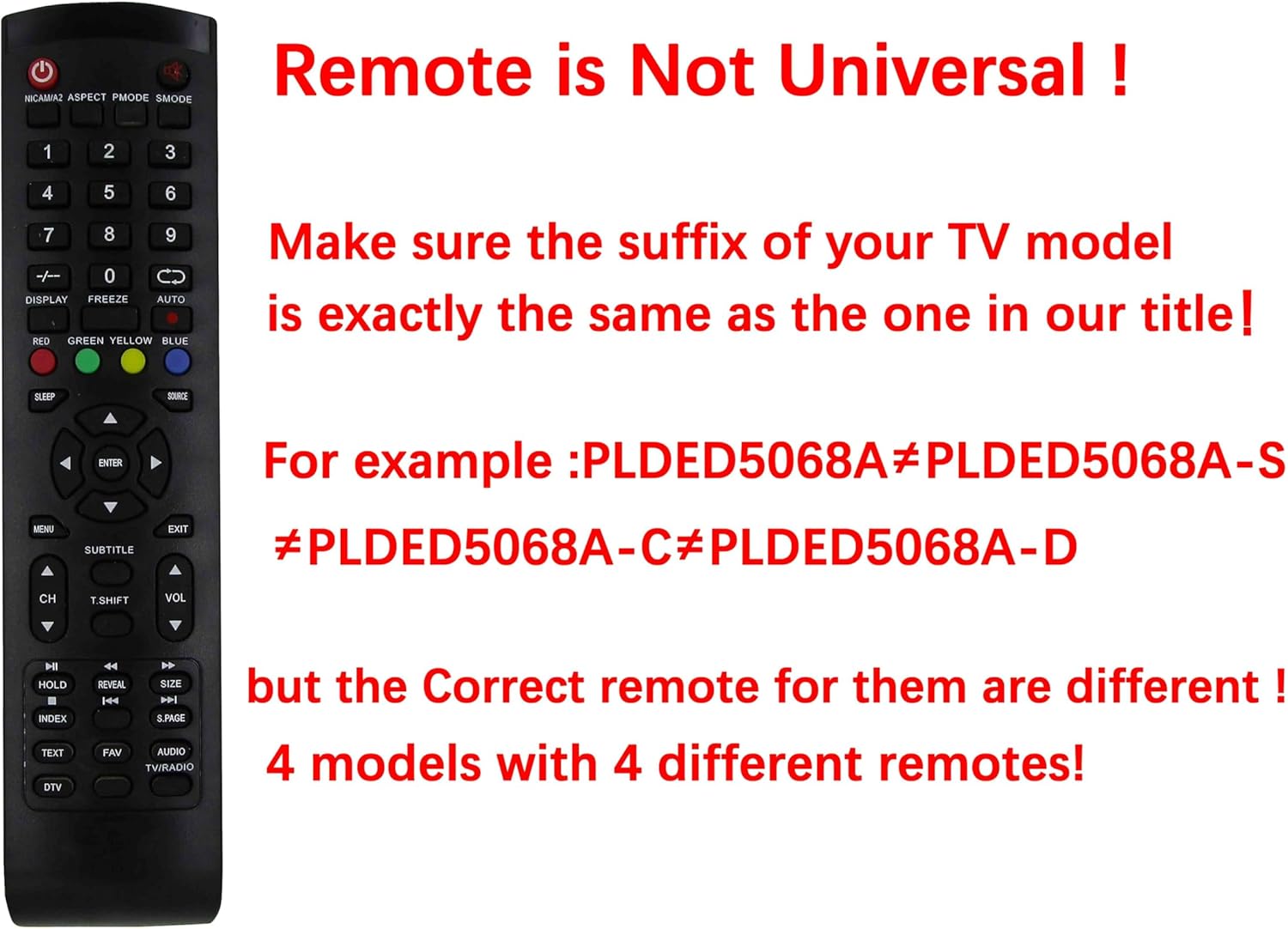
Image: Compatibility Warning. This image illustrates that replacement remotes are not universal. It highlights the importance of matching the exact model number, showing examples where a small suffix difference (e.g., PLEDED5068A vs. PLEDED5068A-S) means a different remote is required.
Setup
1. Battery Installation
- Locate the battery compartment on the back of the remote control.
- Slide the battery compartment cover downwards or outwards to open it.
- Insert two (2) AAA batteries, ensuring the positive (+) and negative (-) terminals align correctly with the markings inside the compartment.
- Replace the battery compartment cover by sliding it back into position until it clicks securely.

Image: Battery Compartment. This image shows the rear of the remote control with the battery cover removed, illustrating the correct orientation for inserting two AAA batteries.
2. Initial Use
This replacement remote control operates using infrared (IR) technology. No programming or pairing is typically required. Once batteries are installed, point the remote directly at your Proscan TV and press the Power button to test its functionality.
Operating Instructions
The remote control features standard buttons for TV operation. Point the remote directly at the TV's IR receiver for optimal performance.

Image: Remote Control Layout. This image displays the full layout of the replacement remote control, showing the arrangement and labeling of all buttons.
Button Functions:
- Power (●): Turns the TV on or off.
- Number Buttons (0-9): Direct channel selection.
- CH +/-: Changes channels up or down.
- VOL +/-: Adjusts volume up or down.
- Mute (symbol): Mutes or unmutes the TV audio.
- Source/Input: Selects input sources (HDMI, AV, etc.).
- Menu: Accesses the TV's main menu.
- Navigation Buttons (Up, Down, Left, Right, Enter): Navigates through menus and confirms selections.
- Exit: Exits the current menu or screen.
- Subtitle: Toggles subtitle display.
- Text: Accesses teletext functions (if supported by TV).
- FAV: Accesses favorite channels list.
- Audio/TV/Radio: Switches between audio modes or TV/Radio.
- DTV: Switches to digital TV mode.
- Sleep: Sets a sleep timer.
- Display: Shows current channel information.
- Freeze: Freezes the current image on screen.
- Auto: Automatic picture adjustment.
- Color Buttons (Red, Green, Yellow, Blue): Functions vary depending on the TV menu or application.
- Media Playback Controls (Play, Pause, Stop, Rewind, Fast Forward, Previous, Next): For media playback functions (if supported by TV).
- Index, Hold, Reveal, S.PAGE, Size, T.SHIFT: Advanced functions, compatibility may vary.
Note: Due to the nature of replacement remotes, some specific functions or buttons may not operate identically to your original remote or may not be supported by your TV model. Refer to your TV's original manual for detailed information on specific features.
Maintenance
Battery Replacement:
Replace batteries when the remote's response becomes sluggish or stops working. Always replace both AAA batteries simultaneously with new ones. Do not mix old and new batteries, or different types of batteries.
Cleaning:
Wipe the remote control with a soft, dry cloth. Do not use liquid cleaners or abrasive materials, as these can damage the remote's surface or internal components.
Storage:
If the remote control will not be used for an extended period, remove the batteries to prevent leakage and potential damage.
Troubleshooting
- Remote is not responding:
- Ensure batteries are inserted correctly with the correct polarity.
- Replace old batteries with new AAA batteries.
- Check for any obstructions between the remote control and the TV's IR receiver.
- Ensure you are pointing the remote directly at the TV.
- Certain buttons or functions do not work:
- This replacement remote may not support all advanced or specific functions of your original TV remote. This is normal for universal or replacement remotes.
- Verify that your TV model is precisely listed as compatible with this remote.
Specifications
| Brand: | Easytry123 |
| Compatible TV Brands: | Proscan |
| Compatible TV Models: | PLEDV2488A-H, PLEDV2488A-Q, PLEDV2213A, PLDV321300-B |
| Connectivity Technology: | Infrared (IR) |
| Power Source: | 2 x AAA Batteries (not included) |
| Max Number of Supported Devices: | 1 (Television) |
Warranty and Support
This product is manufactured by Easytry123. Specific warranty details are not provided with this replacement remote. For any issues or inquiries, please contact the seller or retailer from whom the product was purchased.