
Introduction
This manual provides essential information for the safe and efficient operation of your BEPER P206VEN260 Multidirectional Fan. Please read these instructions carefully before use and retain them for future reference.
The BEPER P206VEN260 is an intelligent air circulator designed to eliminate stratified heat, humidity, and stagnant air. Its multidirectional rotation ensures uniform air circulation, helping to prevent condensation and improve overall air quality.

Figure 1: The BEPER P206VEN260 Multidirectional Fan, showcasing its sleek design and the accompanying remote control for convenient operation.
Safety Instructions
To reduce the risk of fire, electric shock, or injury, always follow basic safety precautions when using electrical appliances.
- Ensure the voltage indicated on the appliance corresponds to the local mains voltage before connecting.
- Do not immerse the appliance, plug, or cord in water or other liquids.
- Unplug from the outlet when not in use and before cleaning.
- Do not operate any appliance with a damaged cord or plug.
- Keep children and pets away from the fan during operation.
- Do not insert fingers or foreign objects into the fan grille.
- Place the fan on a stable, flat surface to prevent tipping.
- Do not use the fan in excessively humid environments or near water.
Product Components
Familiarize yourself with the main parts of your BEPER P206VEN260 fan:
- Fan Head (with blades and grille)
- Control Panel (with LED display)
- Base
- Power Cord
- Remote Control
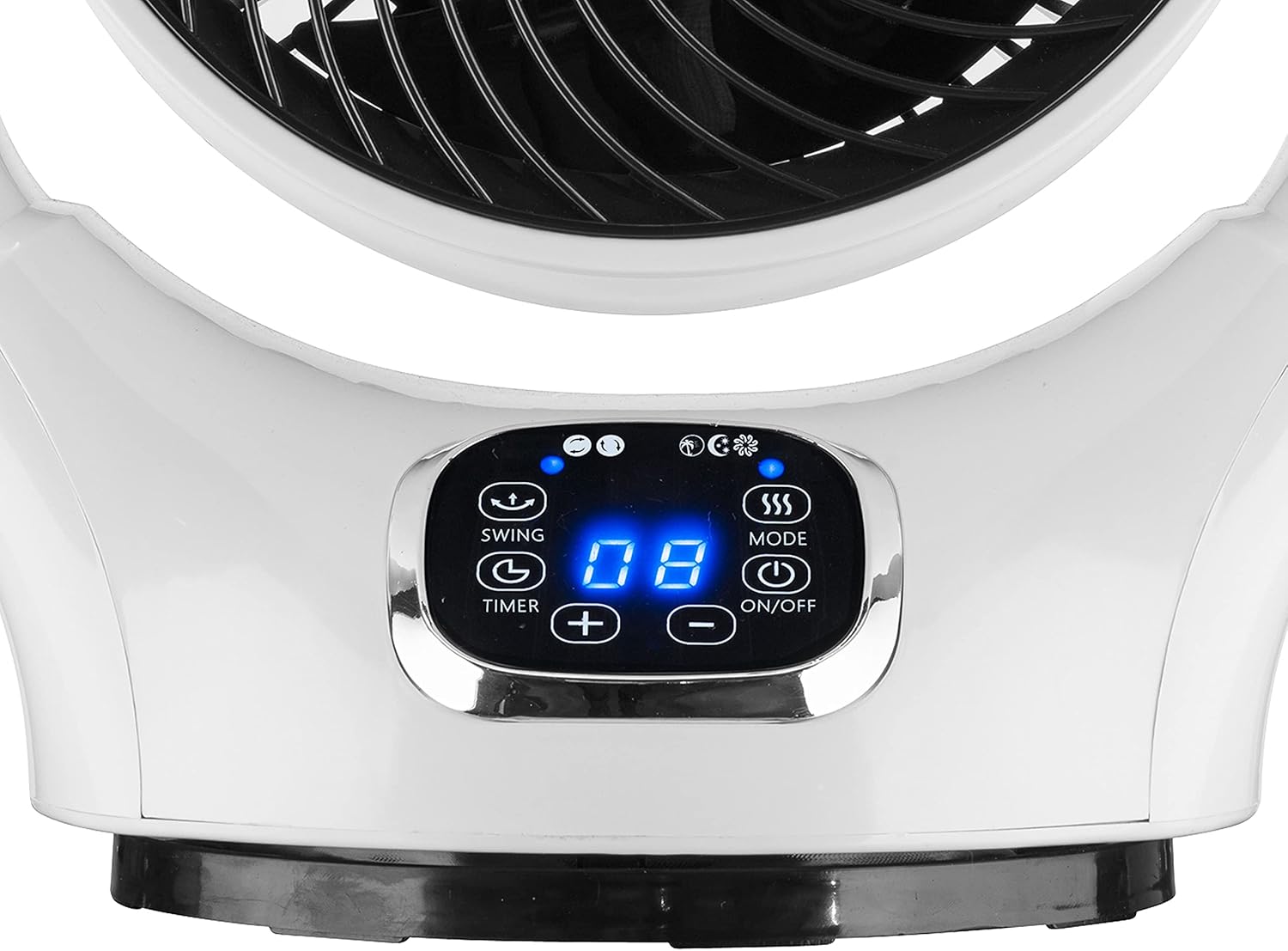
Figure 2: Detailed view of the fan's intuitive control panel, featuring a bright LED display and touch-sensitive buttons for various functions.
Setup
- Unpacking: Carefully remove the fan and all accessories from the packaging. Retain packaging for future storage or transport.
- Placement: Place the fan on a firm, level surface. Ensure there is adequate space around the fan for proper air circulation and oscillation. Avoid placing it directly against walls or furniture that might obstruct airflow.
- Power Connection: Plug the power cord into a standard electrical outlet (220V).
Operating Instructions
Control Panel and Remote Control Functions:
The fan can be operated using the touch control panel on the unit or the provided remote control.
| Button/Function | Description |
|---|---|
| ON/OFF | Powers the fan on or off. |
| MODE | Cycles through different fan modes (e.g., Normal, Natural, Sleep). |
| OSC (Oscillation) | Activates or deactivates the multidirectional oscillation feature (horizontal and vertical). |
| TIMER | Sets the automatic shut-off timer (up to 12 hours). Press repeatedly to adjust. |
| SPEED (+/-) | Adjusts the fan speed. The fan has 12 speed settings. |
Multidirectional Oscillation:
The BEPER P206VEN260 features intelligent automatic vertical and horizontal rotation, ensuring comprehensive air circulation throughout the room.

Figure 3: Illustration of the fan's capability for both horizontal and vertical automatic oscillation, providing wide-area air distribution.
Maintenance
Regular cleaning and maintenance will ensure the longevity and optimal performance of your fan.
- Before Cleaning: Always unplug the fan from the power outlet before cleaning.
- Exterior Cleaning: Wipe the exterior surfaces of the fan with a soft, damp cloth. Do not use abrasive cleaners or solvents.
- Grille Cleaning: Use a vacuum cleaner with a brush attachment to remove dust from the fan grille. For deeper cleaning, the front grille may be carefully removed if designed for user access (refer to specific product diagrams if available, otherwise consult professional service).
- Storage: When not in use for extended periods, store the fan in a cool, dry place, preferably in its original packaging.
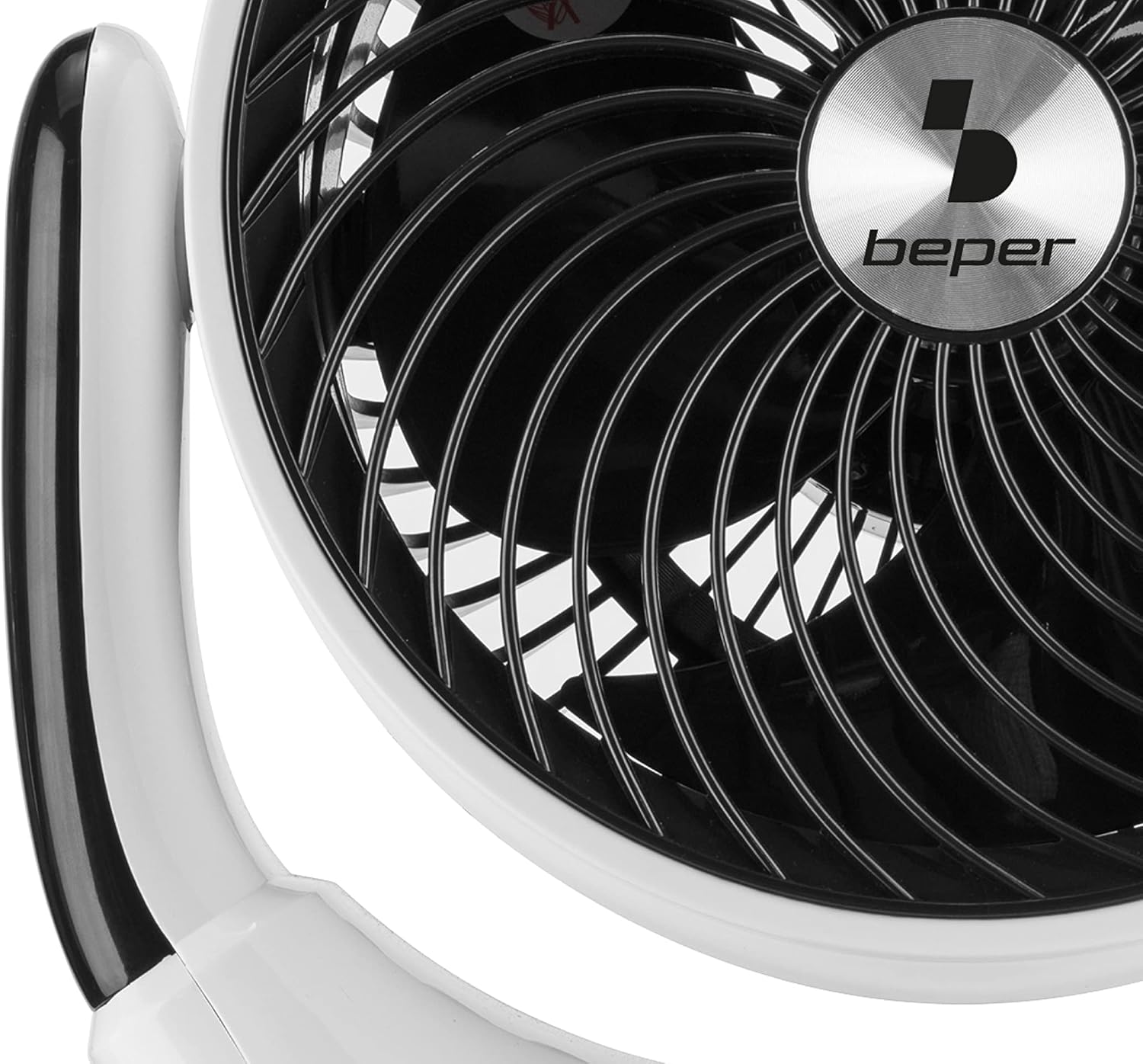
Figure 4: A detailed view of the fan's grille and internal blades, highlighting areas that may require periodic cleaning to maintain airflow efficiency.
Troubleshooting
If you encounter issues with your fan, refer to the following common problems and solutions:
| Problem | Possible Cause | Solution |
|---|---|---|
| Fan does not turn on. | Not plugged in; power outlet not working; fan is off. | Ensure the power cord is securely plugged into a working outlet. Press the ON/OFF button. |
| Weak airflow. | Fan speed too low; grille obstructed by dust. | Increase fan speed using the SPEED button. Clean the fan grille as per maintenance instructions. |
| Oscillation not working. | Oscillation feature is off. | Press the OSC button to activate oscillation. |
| Unusual noise. | Fan not on a stable surface; foreign object inside. | Place the fan on a stable, flat surface. Unplug and carefully check for any obstructions. If noise persists, discontinue use and contact support. |
If the problem persists after attempting these solutions, please contact customer support.
Specifications
| Feature | Detail |
|---|---|
| Brand | Beper |
| Model Number | P206VEN260 |
| Color | White / Black |
| Product Dimensions | 24.5 x 34.5 x 40.5 cm |
| Item Weight | 2.45 Kilograms |
| Power / Wattage | 25 watts |
| Voltage | 220V |
| Material | Plastic |
| Number of Speeds | 12 |
| Special Features | Oscillating (Multidirectional) |
| Electric Fan Design | Table Fan |
| Power Source | Corded Electric |
| Recommended Use | Air Circulation |

Figure 5: The product packaging, illustrating key features such as 25W power, 12 speeds, 360° oscillation, touch control, remote control, LED display, 12-hour timer, and 25cm diameter.
Warranty and Support
Specific warranty details for the BEPER P206VEN260 Multidirectional Fan are typically provided with the product at the time of purchase or can be found on the manufacturer's official website. Please refer to your purchase documentation for warranty period and terms.
For technical support, troubleshooting beyond this manual, or warranty claims, please contact Beper customer service through their official channels. Contact information can usually be found on the product packaging or the Beper official website.
