Introduction
The Meliconi HP Easy Digital Bundle provides a high-quality audio experience for your television, offering wireless stereo sound through two comfortable headphones. This system features both analog and digital audio inputs, ensuring broad compatibility with various audio sources such as TVs, set-top boxes, and Blu-ray players. The compact transmitter base can be discreetly placed and powered via a USB port. The headphones are designed for extended use with a built-in rechargeable battery, providing approximately 8 hours of continuous playback on a single charge.

Figure 1: Meliconi HP Easy Digital Bundle including two wireless headphones and the transmitter base.
Product Overview
Components Included
- Two (2) Wireless Stereo TV Headphones
- One (1) Compact Transmitter Base
- USB Charging Cable (for headphones)
- Audio Cables (e.g., 3.5mm jack cable, optical cable may be included or required separately)
Key Features
- Universal Connectivity: Features both analog and digital audio inputs for versatile connection to various devices.
- Compact Transmitter: Small base design allows for discreet placement, often behind the TV, and can be powered via a USB port.
- Rechargeable Battery: Integrated lithium polymer battery in each headphone provides approximately 8 hours of continuous use after a 2-hour charge.
- Ergonomic Design: Comfortable earcups and an adjustable headband ensure optimal positioning for prolonged listening sessions.
- Dual Transmission Channels: Two available transmission channels help minimize interference for clear audio.
Setup Instructions
1. Connect the Transmitter Base
The transmitter base requires power and an audio input connection to your TV or audio source.
- Power Connection: Connect the transmitter base to a power source using the provided USB cable. It can be powered by a TV's USB port or a standard USB power adapter (not always included).
- Audio Input: Choose the appropriate audio connection method for your TV or audio source:
- Digital Optical (TOSLINK): If your TV has an optical audio output, connect an optical cable (often sold separately) from your TV to the OPTICAL IN port on the transmitter base. This provides the best digital audio quality.
- Analog (3.5mm AUX): If your TV has a 3.5mm headphone jack or RCA audio outputs (requires an adapter, not included), connect the provided 3.5mm audio cable from your TV's audio output to the AUX IN port on the transmitter base.

Figure 2: Rear ports of the transmitter base, including power, optical, and AUX inputs.

Figure 3: Transmitter base positioned near a TV, illustrating connection points.
2. Charge the Headphones
Before first use, fully charge both headphones.
- Place each headphone onto the charging pins of the transmitter base. Ensure proper contact.
- A full charge takes approximately 2 hours. The indicator light on the headphones or base will show charging status (refer to specific LED indicators in the full manual if available).
- Once fully charged, the headphones provide about 8 hours of continuous listening.

Figure 4: Headphones placed on the transmitter base for charging.
Operating Instructions
1. Power On/Off
- Transmitter Base: Use the ON/OFF switch located on the rear of the base (see Figure 2).
- Headphones: Locate the power button on one of the earcups. Press and hold to turn on or off. An indicator light will confirm the status.
2. Adjusting Volume
- Volume control buttons are located on the earcup of each headphone. Use the '+' and '-' buttons to increase or decrease the listening volume.

Figure 5: Earcup controls for power and volume adjustment.
3. Selecting Transmission Channel
The system offers two transmission channels to avoid interference. If you experience audio disruptions, try switching the channel.
- Refer to the specific channel selection button or switch on the transmitter base and/or headphones (location may vary, consult the full product manual for exact details).
4. Wearing the Headphones
- Adjust the headband to fit comfortably over your head.
- Ensure the earcups fully cover your ears for optimal sound quality and comfort. The ergonomic design is intended for prolonged use.
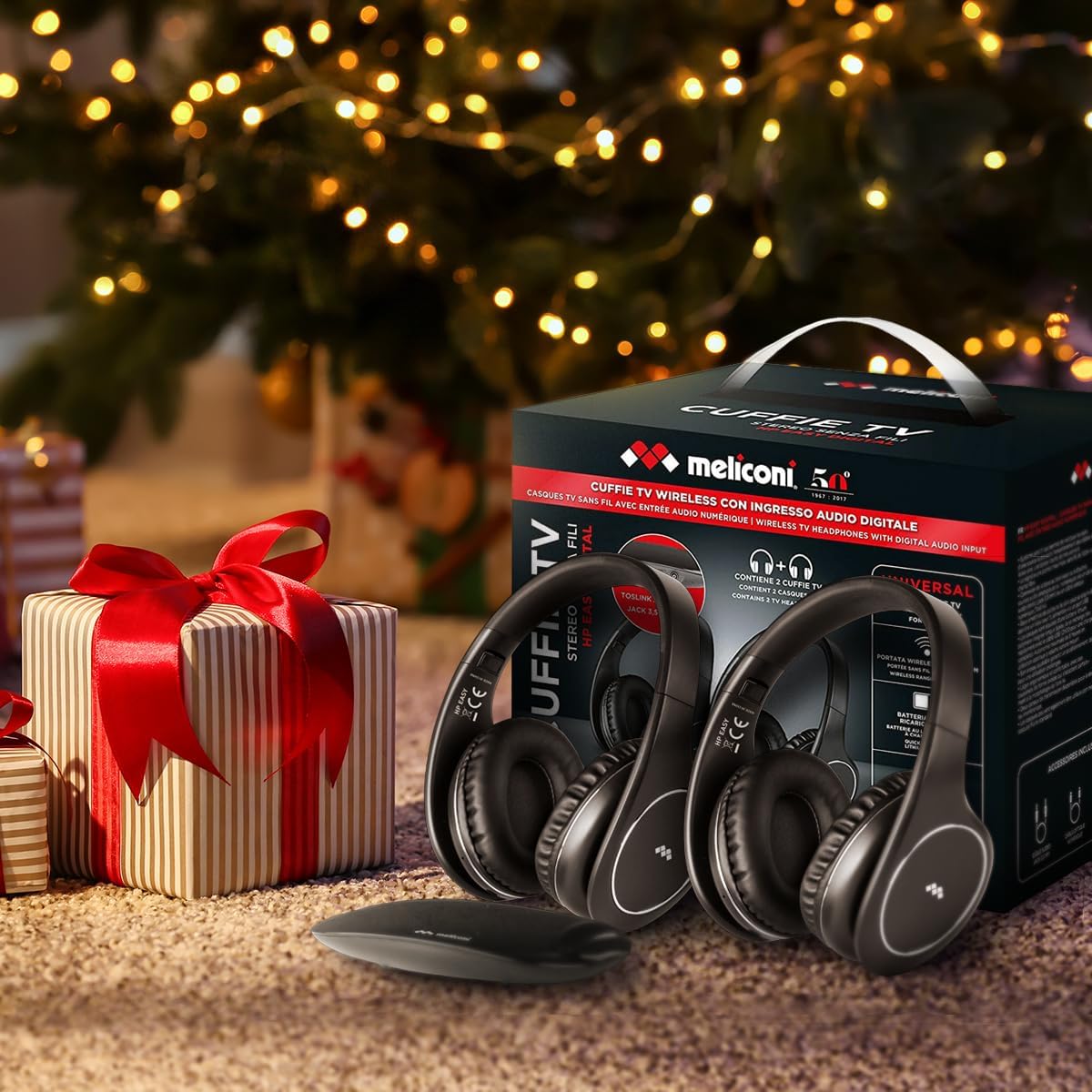
Figure 6: Users enjoying TV audio with Meliconi wireless headphones.
Maintenance
Charging
- Always place the headphones on the transmitter base when not in use to ensure they are charged and ready for next use.
- Avoid completely draining the battery frequently to prolong its lifespan.
Cleaning
- Wipe the headphones and transmitter base with a soft, dry cloth.
- Do not use abrasive cleaners or solvents.
- Keep the charging contacts on the headphones and base clean and free of dust.
Storage
- Store the headphones and base in a cool, dry place away from direct sunlight and extreme temperatures.
Troubleshooting
No Sound or Low Volume
- Check Power: Ensure both the transmitter base and headphones are powered on.
- Check Connections: Verify that the audio cable (optical or 3.5mm) is securely connected to both the TV/audio source and the transmitter base.
- Audio Source Output: Confirm that your TV's audio output settings are correctly configured for the chosen connection type (e.g., PCM for optical, external speakers for analog).
- Volume Levels: Adjust the volume on both the headphones and your TV/audio source.
- Headphone Charge: Ensure the headphones are sufficiently charged.
Interference or Poor Audio Quality
- Change Channel: The system has two transmission channels. Try switching to the other channel to avoid interference from other wireless devices.
- Proximity: Ensure the headphones are within the effective range of the transmitter base (up to 100 meters in open field). Walls and obstacles can reduce this range.
- Other Devices: Move the transmitter base away from other electronic devices that might cause interference (e.g., Wi-Fi routers, cordless phones).
One Headphone Not Working
- Check Charge: Verify the charge level of the non-working headphone.
- Reconnect: Place the headphone back onto the charging base to ensure it re-establishes connection.
- Power Cycle: Turn off the working headphone, then turn both headphones and the transmitter base off and on again.
Specifications
| Model Name | EASY DIGITAL BUNDLE |
| Model Number | DUO HP EASY DIGITAL |
| Connectivity Technology | Wireless (RF - Radio Frequency) |
| Audio Inputs | Analog (3.5mm AUX), Digital Optical (TOSLINK) |
| Headphone Type | Over-ear (On-ear positioning) |
| Impedance | 32 Ohm |
| Battery Life (Headphones) | Approx. 8 hours (continuous use) |
| Charging Time | Approx. 2 hours |
| Power Source | Battery Powered (Headphones), USB Powered (Transmitter Base) |
| Material | Synthetic Leather |
| Color | Black |
| Product Dimensions | 18 x 15 x 12 cm |
| Item Weight | 530 g |
| Compatible Devices | TV, set-top box, Blu-ray, and other analog/digital audio sources |
Warranty and Support
For detailed warranty information and customer support, please refer to the official Meliconi website or contact their customer service directly. Specific warranty terms may vary by region and retailer.
You can visit the Meliconi store for more information: Meliconi Official Store