
1. Introduction
This manual provides detailed instructions for the proper use, setup, operation, and maintenance of the PCE Instruments PCE-CT 25FN Coating Thickness Gauge. This device is designed for non-destructive measurement of coating thickness on both ferrous (magnetic) and non-ferrous (non-magnetic) metal substrates. Please read this manual thoroughly before operating the device to ensure accurate measurements and safe handling.
2. Product Overview
The PCE-CT 25FN is a compact and portable coating thickness gauge featuring a fast measuring frequency and an intuitive LCD display. It is suitable for various applications requiring precise coating thickness measurements.
Key Features:
- Small and compact design for portability.
- Fast measuring frequency for efficient operation.
- Includes a calibration set for accurate adjustments.
- Multiple measurement units can be selected (µm, mm, mils).
- Supports continuous measurements.

Figure 1: PCE Instruments PCE-CT 25FN Coating Thickness Gauge, showing its ergonomic design and LCD display.
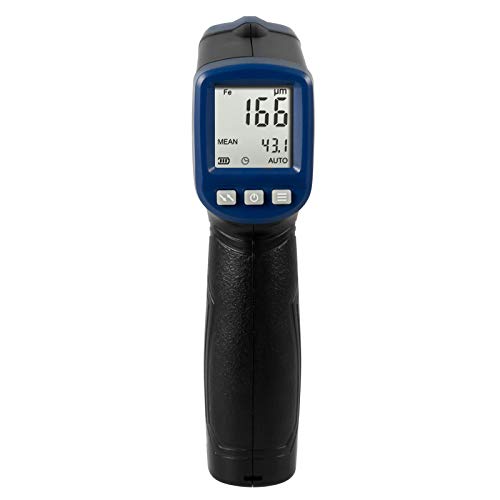
Figure 2: Front view of the PCE-CT 25FN, highlighting the LCD screen and control buttons.
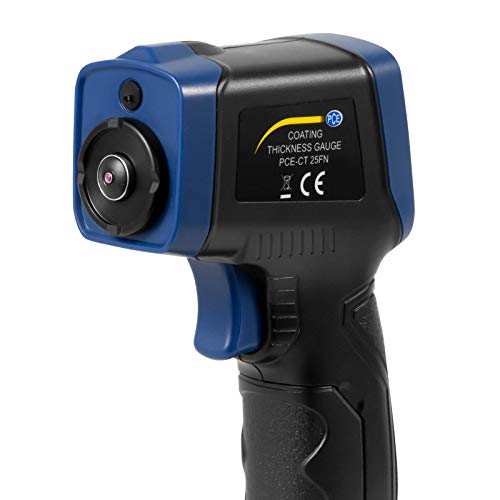
Figure 3: Side view of the PCE-CT 25FN, illustrating the integrated measurement sensor at the top.
3. Setup
3.1 Battery Installation
- Locate the battery compartment cover on the back of the device.
- Slide or unclip the cover to open it.
- Insert a 9V block battery, ensuring correct polarity (+/-).
- Replace the battery compartment cover securely.
3.2 Powering On/Off
Press and hold the power button (usually marked with a power symbol) to turn the device on or off. The LCD display will illuminate upon successful power-on.
4. Operation
4.1 Basic Measurement
- Ensure the device is powered on.
- Select the appropriate measurement mode (Fe for ferrous, NFe for non-ferrous) if not in auto-detection mode. Refer to the device's specific button functions for mode selection.
- Place the sensor head firmly and perpendicularly onto the coated surface to be measured.
- The measurement reading will appear on the LCD display.
- Lift the device from the surface to prepare for the next measurement.
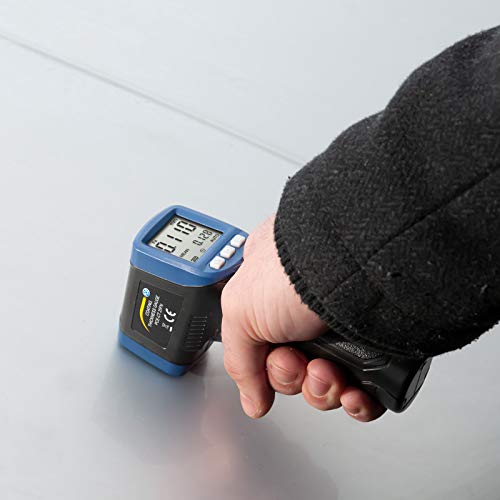
Figure 4: The PCE-CT 25FN being used to measure coating thickness on a flat metal surface.
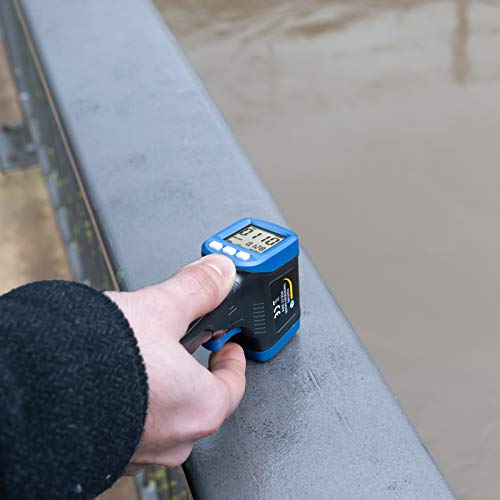
Figure 5: The PCE-CT 25FN measuring coating thickness on a curved metal railing, demonstrating its versatility.
4.2 Unit Selection
The PCE-CT 25FN supports measurements in micrometers (µm), millimeters (mm), and mils. Consult the device's button layout for the specific button or menu option to cycle through these units.
4.3 Continuous Measurement Mode
For continuous measurement, activate the respective mode (refer to your device's specific instructions). In this mode, the device will continuously display readings as it is moved across a surface, allowing for quick scanning of larger areas.
5. Calibration
Regular calibration ensures the accuracy of your PCE-CT 25FN. The device comes with a set of calibration foils and a zero plate. Follow these general steps for calibration:
- Ensure the device is clean and free of debris.
- Place the zero plate (uncoated metal substrate) on a stable surface.
- Perform a zero calibration by placing the sensor on the zero plate and following the on-screen prompts or button sequence.
- Select a calibration foil of known thickness.
- Place the foil on the zero plate and measure its thickness. Adjust the device according to the manual's instructions until the reading matches the foil's known thickness.
- Repeat with other foils if multi-point calibration is required.
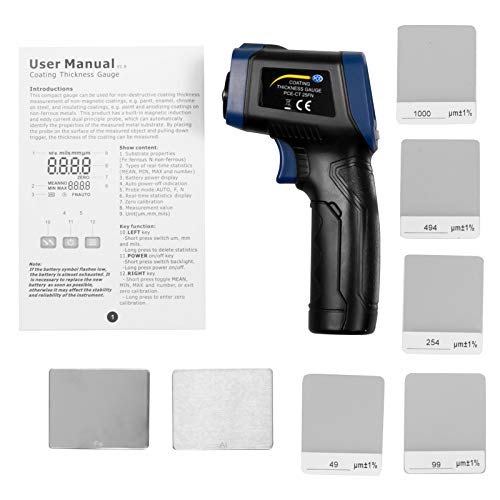
Figure 6: The PCE-CT 25FN device shown alongside its included calibration foils and a printed user manual, essential for accurate setup and use.
6. Maintenance
6.1 Cleaning
Wipe the device, especially the sensor head, with a soft, dry cloth after each use. Do not use abrasive cleaners or solvents. Ensure no moisture enters the device.
6.2 Storage
Store the PCE-CT 25FN in its original packaging or a protective case when not in use. Keep it in a dry environment, away from extreme temperatures and direct sunlight. Remove the battery if the device will not be used for an extended period.
7. Troubleshooting
- Device does not power on: Check battery installation and ensure the battery has sufficient charge. Replace if necessary.
- Inaccurate readings: Perform a calibration as described in Section 5. Ensure the sensor head is clean and placed firmly and perpendicularly on the surface. Verify the correct measurement mode (Fe/NFe) is selected.
- Display shows error message: Refer to the specific error codes in the full product manual (if available) or contact customer support.
- Battery low indicator: Replace the 9V block battery promptly to ensure continued accurate operation.
8. Specifications
| Parameter | Value |
|---|---|
| Measuring Range | 0 ... 1500 µm |
| Measurement Accuracy | ± (3% + 1 µm) |
| Resolution (0-100 µm) | 0.1 µm |
| Resolution (>100 µm) | 1 µm |
| Units | µm, mm, mils |
| Smallest Curvature (Convex) | 5 mm |
| Smallest Curvature (Concave) | 25 mm |
| Smallest Measuring Area | Ø 20 mm |
| Minimum Substrate Thickness (Fe) | 0.3 mm |
| Minimum Substrate Thickness (NFe) | 0.05 mm |
| Measuring Rate | Max. 2 Hz |
| Power Supply | 9 V block battery |
| Operating Conditions | -10 ... 50 °C, 20 ... 90% RH non-condensing |
| Storage Conditions | -10 ... 60 °C, 20 ... 90% RH non-condensing |
| Dimensions | 143 x 85 x 39 mm |
| Weight | approx. 100 g |
| Housing Material | ABS |
9. Safety Information
- Do not attempt to open or modify the device. This may void the warranty and cause damage.
- Keep the device away from strong magnetic fields, high temperatures, and corrosive environments.
- Avoid dropping the device or subjecting it to strong impacts.
- Dispose of batteries according to local regulations.
- This device is not intended for medical use.
10. Warranty and Support
For warranty information, technical support, or service inquiries regarding your PCE Instruments PCE-CT 25FN Coating Thickness Gauge, please contact PCE Instruments directly through their official website or the contact details provided with your purchase. Please have your model number (PCE-CT 25FN) and purchase date available when contacting support.


