
SpyX 10535
SpyX Door Alarm (Model 10535) Instruction Manual
Brand: SpyX | Model: 10535
1. Introduction
The SpyX Door Alarm is a motion-sensing device designed to detect movement and alert users with an audible alarm. This device is intended for recreational use and helps create a sense of security for personal spaces. It features a flexible cable for easy attachment to various doorknobs.

Image 1.1: The SpyX Door Alarm, shown both in its retail packaging and as a standalone unit. The alarm unit is black with red accents and features a flexible red cable.
2. Safety Information
WARNING:
- Not suitable for children under 3 years old due to small parts which may present a choking hazard.
- Adult supervision is recommended during use.
- Do not attempt to disassemble or modify the device.
3. Package Contents
- 1 x SpyX Door Alarm unit
- Instruction Manual (this document)
Note: 2 AAA batteries are required for operation and are not included in the package.
4. Setup
4.1 Battery Installation
- Locate the battery compartment on the back of the SpyX Door Alarm unit.
- Using a small Phillips head screwdriver (not included), unscrew the battery compartment cover.
- Insert 2 new AAA batteries, ensuring correct polarity (+/-) as indicated inside the compartment.
- Replace the battery compartment cover and secure it with the screw.

Image 4.1: The back of the SpyX Door Alarm, showing the battery compartment cover and the ON/OFF switch.
4.2 Mounting the Door Alarm
The SpyX Door Alarm features a flexible cable designed to fit various doorknobs.
- Identify the door you wish to monitor.
- Untie one side of the flexible red cable from the alarm unit. This allows the cable to extend and wrap around the doorknob.
- Wrap the flexible cable around the doorknob.
- Re-tie the cable end back into the alarm unit, ensuring the alarm hangs securely on the doorknob. The alarm should be positioned so it can detect vibrations when the door or knob is disturbed.
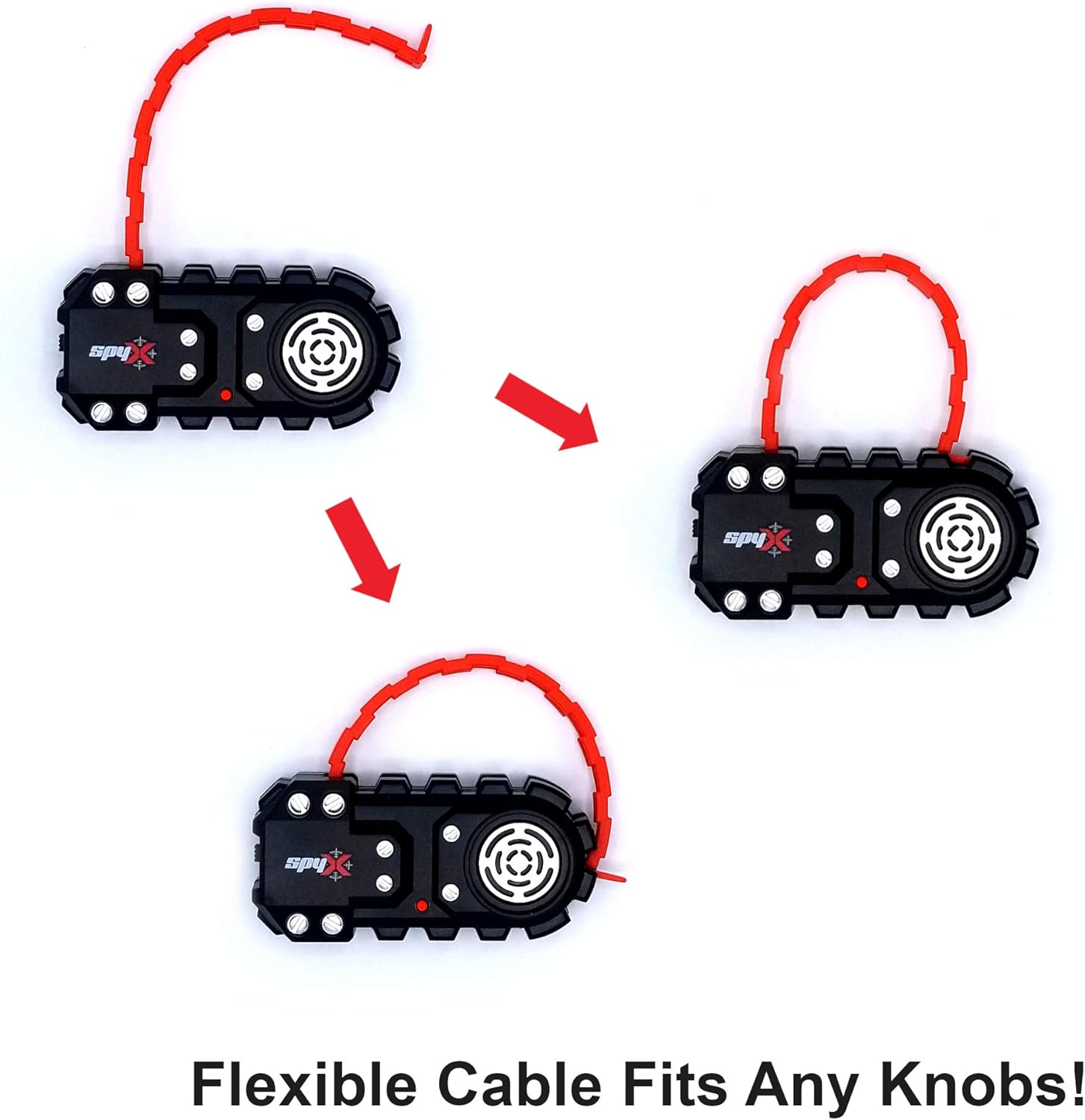
Image 4.2: Visual representation of the flexible cable's adjustability, demonstrating how it can be configured to fit different doorknob sizes.

Image 4.3: Detailed view of the flexible cable, illustrating how one end can be untied and re-secured to accommodate various doorknob dimensions.

Image 4.4: The SpyX Door Alarm correctly mounted on a doorknob, ready for operation.
5. Operating Instructions
- After mounting the alarm and installing batteries, locate the ON/OFF switch on the back of the unit (refer to Image 4.1).
- Slide the switch to the "ON" position to activate the alarm.
- When the door or doorknob is disturbed, the motion sensor will detect vibrations.
- Upon detection, the alarm speaker will emit a warning sound.
- The alarm will sound for a short duration and then automatically reset, ready to detect further disturbances.
- To deactivate the alarm, slide the switch to the "OFF" position.
6. Maintenance
- Keep the device clean by wiping it with a dry, soft cloth. Do not use abrasive cleaners or immerse in water.
- If the alarm is not in use for an extended period, remove the batteries to prevent leakage.
- Store the alarm in a cool, dry place away from direct sunlight.
7. Troubleshooting
| Problem | Possible Cause | Solution |
|---|---|---|
| Alarm does not sound. |
|
|
| Alarm sounds too easily (false alarms). |
|
|
| Alarm sound is weak. |
|
|
8. Specifications
| Model Number | 10535 |
| Product Dimensions | 4 x 4.3 x 1 inches (10.16 x 10.92 x 2.54 cm) |
| Item Weight | 1.76 ounces (50 grams) |
| Power Source | 2 x AAA batteries (not included) |
| Recommended Age | 6 years and up |
9. Warranty and Support
Specific warranty information and direct customer support contacts are not provided in the available product data. For further assistance or warranty inquiries, please refer to the product packaging or contact the retailer where the SpyX Door Alarm was purchased.
You may also visit the official SpyX Store on Amazon for general brand information.
Ask a question about this manual
Ask about setup, troubleshooting, compatibility, parts, safety, or missing instructions. Manuals+ will review the question and use this page’s manual context to help answer it.