
1. Introduction
This manual provides detailed instructions for the safe and efficient use of your Patona LP-E12 Battery and Dual USB Charger Kit. This kit includes two high-capacity LP-E12 rechargeable lithium-ion batteries and a versatile dual USB LCD charger (Model 141652) designed for compatible Canon cameras. Please read this manual thoroughly before first use and retain it for future reference.
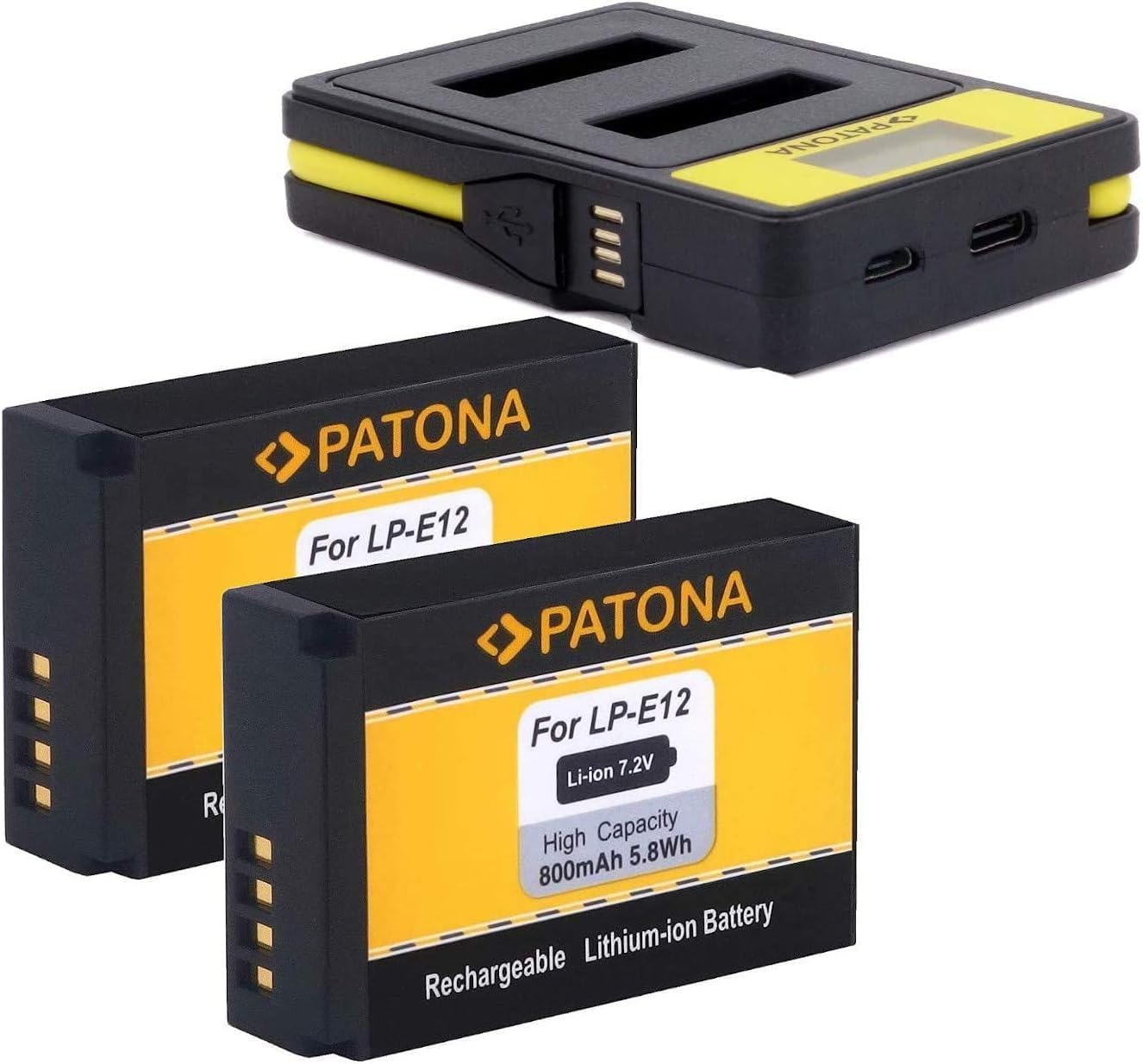
Image 1.1: Patona LP-E12 Batteries and Dual USB Charger Kit overview.
2. Package Contents
Verify that all items listed below are present in your package:
- 2 x Patona LP-E12 Rechargeable Lithium-ion Batteries (800 mAh, 7.2V)
- 1 x Patona 141652 Dual USB LCD Charger with integrated USB cable

Image 2.1: Contents of the Patona LP-E12 Battery and Charger Kit, including packaging.
3. Safety Instructions
To ensure safe operation and prevent damage, please observe the following safety guidelines:
- Do not disassemble the batteries or charger. Unauthorized modifications can lead to hazards.
- Keep the product away from moisture and liquids. Do not expose to rain or immerse in water.
- Avoid exposing the product to high temperatures (above 60°C / 140°F) or direct sunlight.
- Use only the provided charger or compatible charging devices.
- Store batteries in a cool, dry place when not in use.
- Dispose of depleted batteries according to local regulations. Do not incinerate.
- Keep out of reach of children.

Image 3.1: Rear view of the Patona charger showing safety warnings and specifications.
4. Setup
4.1. Charging the Batteries
- Connect the Charger: The Patona 141652 charger features multiple input options.
- Use the integrated USB cable to connect to a USB-A power source (e.g., computer, USB wall adapter).
- Alternatively, use a Micro-USB cable or a USB-C cable to connect to a compatible power source.
- Insert Batteries: Carefully insert one or two Patona LP-E12 batteries into the designated charging slots (CH1 and CH2) on the charger. Ensure the battery contacts align correctly with the charger pins.
- Monitor Charging: The LCD display on the charger will illuminate and show the charging status for each battery independently. A full battery icon indicates a complete charge.

Image 4.1: The Patona dual charger showing the integrated USB cable and battery slots.

Image 4.2: Close-up of the charger's LCD display indicating charging channels and battery level, along with USB-C and Micro-USB input ports.
5. Operating Instructions
5.1. Installing Batteries in Your Camera
The Patona LP-E12 batteries are compatible with various Canon camera models, including Canon EOS 100D, M, M10, M50, M100, M200, and PowerShot SX70 HS.
- Power Off Camera: Ensure your camera is turned off before installing or removing batteries.
- Open Battery Compartment: Locate and open the battery compartment cover on your camera.
- Insert Battery: Insert a fully charged Patona LP-E12 battery into the compartment, ensuring it clicks into place. Refer to your camera's manual for specific orientation.
- Close Compartment: Close the battery compartment cover securely.

Image 5.1: Patona LP-E12 battery shown installed in a compatible Canon camera, highlighting 100% compatibility.
5.2. Removing Batteries
To remove a battery, ensure the camera is off, open the battery compartment, and gently press the battery release lever (if present) to eject the battery. Close the compartment cover.
6. Maintenance
- Cleaning: Use a soft, dry cloth to clean the battery contacts and charger ports. Do not use liquid cleaners.
- Storage: Store batteries in a cool, dry place, ideally between 15°C and 25°C (59°F and 77°F). For long-term storage, charge batteries to approximately 50% capacity.
- Battery Life: To maximize battery life, avoid fully discharging batteries frequently. Recharge them before they are completely depleted.
- Charger Care: Keep the charger free from dust and debris. Avoid dropping or subjecting it to strong impacts.
7. Troubleshooting
| Problem | Possible Cause | Solution |
|---|---|---|
| Battery not charging. | Incorrect battery insertion, faulty cable, power source issue, or damaged battery. | Ensure battery is correctly inserted. Try a different USB cable or power source. Inspect battery for damage. |
| Charger LCD not displaying. | No power supply, faulty charger. | Check power connection. Try a different power source. |
| Battery not recognized by camera. | Battery not fully inserted, dirty contacts, or camera compatibility issue. | Re-insert battery firmly. Clean battery contacts. Verify camera model is listed as compatible. |
8. Specifications
- Battery Type: Lithium-ion
- Battery Model: LP-E12
- Battery Capacity: 800 mAh
- Battery Voltage: 7.2 V
- Charger Model: Patona 141652 Dual USB LCD Charger
- Charger Input: 5V / 2A (2000 mAh) 10W (via integrated USB-A cable, Micro-USB, or USB-C)
- Charger Output: 2x 8.4V, 5W, 600mA per slot
- Compatible Camera Models: Canon EOS 100D, Canon EOS M, Canon EOS M10, Canon EOS M50, Canon EOS M100, Canon EOS M200, Canon PowerShot SX70 HS
- Dimensions (Product Package): Approximately 21 x 15 x 4.2 cm
- Weight (Battery): 36.9 Grams (each)
9. Warranty and Support
For warranty information or technical support, please contact the manufacturer or your retailer. Keep your proof of purchase for any warranty claims.
Manufacturer: Bundlestar
Brand: Patona


