
IRIS USA PCF-SC15
IRIS USA WOOZOO Air Circulator Fan
Model: PCF-SC15
User Instruction Manual
Introduction
Thank you for choosing the IRIS USA WOOZOO Air Circulator Fan. This powerful yet compact unit is designed to maximize airflow in your home, office, or dorm. It features a remote control for convenient operation, five speed settings, an optional natural breeze mode, and both horizontal oscillation and manual vertical tilt for comprehensive air circulation. Its quiet operation ensures minimal disturbance, making it ideal for use during sleep or study. Please read this manual thoroughly before use to ensure proper operation and maintenance.

Image: The IRIS USA WOOZOO Air Circulator Fan in white, shown with its remote control, highlighting its compact design and oscillation capabilities.
Safety Information
To reduce the risk of fire, electric shock, or injury, please observe the following safety precautions:
- Always unplug the fan before cleaning or performing any maintenance.
- Do not operate the fan with a damaged cord or plug. If the cord or plug is damaged, contact customer support.
- Keep fingers, hair, and loose clothing away from the fan blades during operation.
- Do not immerse the fan in water or other liquids.
- Ensure the fan is placed on a stable, flat surface to prevent tipping.
- This fan is for indoor use only. Do not use outdoors or in wet conditions.
- Do not block air openings or operate near curtains or other materials that could be drawn into the fan.
- Supervise children when the fan is in use.
Package Contents
Verify that all items are included in your package:
- IRIS USA WOOZOO Air Circulator Fan (Model PCF-SC15)
- Remote Control
- Instruction Manual (this document)
Setup
Setting up your WOOZOO Air Circulator Fan is quick and easy:
- Unpack the fan and all accessories from the box.
- Place the fan on a firm, level surface.
- Ensure the fan head is securely attached to the base.
- Insert batteries into the remote control (batteries not included).
- Plug the fan's two-prong power cord into a standard 120V AC electrical outlet.

Image: The fan with its dimensions labeled: 8.27"D x 8.27"W x 11.42"H, illustrating its compact size.
Operating Instructions
Your WOOZOO fan can be operated using the control panel on the base or the included remote control.
Control Panel & Remote Functions:

Image: A hand holding the remote control, detailing its various buttons for fan functions.
- Power Button (⏻): Turns the fan On or Off.
- Speed Settings (I, II, III, IV, V): Adjusts the airflow intensity across 5 levels. Use the up/down arrows on the remote or the speed button on the base.
- Oscillation Button (⟲): Activates or deactivates horizontal oscillation. The fan oscillates 65° to the left and right for wide coverage.
- Timer Button (◷): Sets the auto-off timer for 1, 2, or 4 hours. The fan will automatically shut off after the selected duration.
- Mode Button (∿): Cycles through different airflow modes:
- Continuous Mode: Provides a steady, even breeze.
- Natural Breeze Mode: Mimics the natural pattern of an outdoor breeze.
- Turbo Circulation Mode: Oscillates vertically and then horizontally to achieve maximum circulation.

Image: Visual representation of the fan's three operational modes: Continuous, Natural Breeze, and Turbo Circulation, showing their distinct airflow patterns.
Manual Tilt Adjustment:
The fan head can be manually adjusted to one of six vertical tilt settings to direct airflow precisely where needed. Gently tilt the fan head up or down to your desired angle.
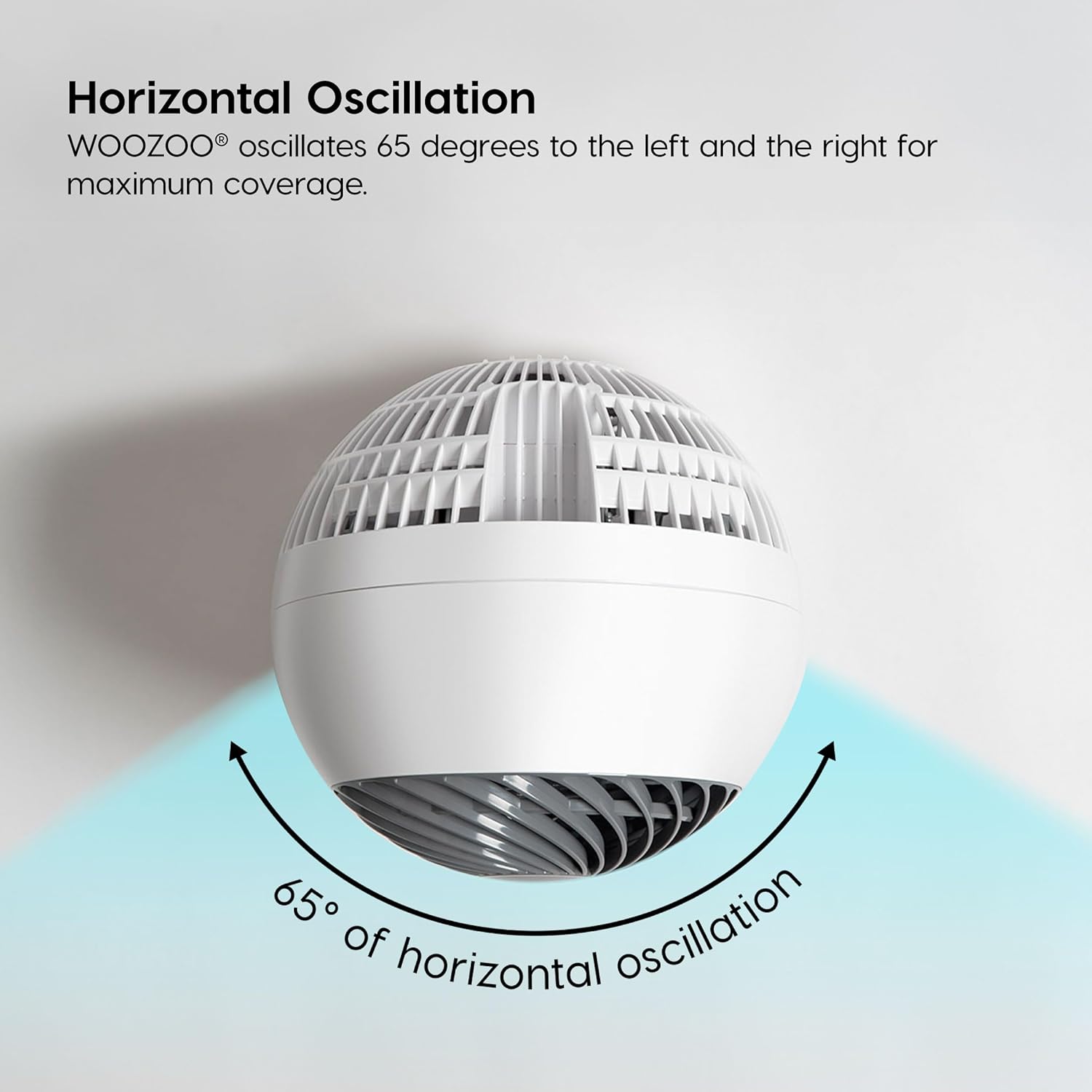
Image: The fan oscillating horizontally, indicating its 65-degree range of motion for wide area coverage.

Image: The fan on a nightstand next to a bed, with a graphic indicating its quiet operation (under 30 dB), suitable for peaceful environments.
Maintenance
Regular cleaning will help maintain your fan's performance and extend its lifespan.
- Cleaning: Always unplug the fan before cleaning. Use a soft, dry cloth to wipe down the exterior surfaces. Do not use abrasive cleaners or solvents.
- Dust Removal: Use a vacuum cleaner with a brush attachment to remove dust from the front and rear grilles.
- Storage: When not in use, store the fan in a cool, dry place, preferably in its original packaging, to protect it from dust and damage.
Troubleshooting
If you encounter issues with your WOOZOO fan, refer to the following common problems and solutions:
| Problem | Possible Cause | Solution |
|---|---|---|
| Fan does not turn on. | Not plugged in; Power outlet not working; Power button not pressed. | Ensure the power cord is securely plugged into a working outlet. Press the power button on the fan or remote. |
| Remote control not working. | Batteries are dead or incorrectly inserted; Obstruction between remote and fan. | Replace remote batteries, ensuring correct polarity. Remove any obstructions. Ensure remote is pointed at the fan's receiver. |
| Weak airflow. | Fan speed is too low; Grilles are dusty. | Increase the fan speed setting. Clean the fan grilles and blades as per maintenance instructions. |
| Fan is making unusual noise. | Fan is not on a level surface; Obstruction in fan blades. | Place the fan on a stable, flat surface. Unplug the fan and check for any obstructions around the blades. |
Specifications
| Feature | Detail |
|---|---|
| Brand | IRIS USA |
| Model Name | PCF-SC15 |
| Product Dimensions | 8.27"D x 8.27"W x 11.42"H |
| Item Weight | 4.2 Pounds |
| Power Source | Corded Electric |
| Voltage | 120 Volts |
| Wattage | 60 watts |
| Number of Speeds | 5 |
| Noise Level | 30 dB (on low setting) |
| Max Air Distance | 82 ft |
| Oscillation | 65° Horizontal |
| Adjustable Tilt | 6 Manual Settings |
| Timer Settings | 1, 2, 4 hours |
| Control Method | Remote, On-unit buttons |
| Material | Plastic |
| Indoor/Outdoor Usage | Indoor |
| Certification | UL |

Image: A comparison graphic showing the dimensions and room coverage for the SDC-15T (your model) and SDC-18T WOOZOO fans.
Warranty and Support
Warranty: This product comes with a 1-year limited warranty from the date of purchase. This warranty covers defects in materials and workmanship under normal use. It does not cover damage resulting from misuse, accident, alteration, or unauthorized repair.
Customer Support: For technical assistance, troubleshooting, or warranty claims, please contact IRIS USA customer support. Refer to the contact information provided on the product packaging or the official IRIS USA website.
Related Documents - PCF-SC15
 |
IRIS USA WOOZOO Globe Fan Series PCF-SDC18T User Manual User manual for the IRIS USA WOOZOO Globe Fan, Series PCF-SDC18T. Provides safety precautions, placement instructions, parts identification, usage instructions, cleaning and maintenance, troubleshooting, specifications, and warranty information. |
 |
WOOZOO Circulator Fan PCF-M18U User Manual and Safety Guide Official user manual and safety instructions for the IRIS USA WOOZOO Circulator Fan, Series PCF-M18U. This guide provides detailed information on product operation, safety precautions, user servicing, cleaning, troubleshooting, and warranty to ensure proper and safe use of the fan. |
 |
IRIS USA WOOZOO Globe Fan PCF-SC15 User Manual This user manual for the IRIS USA WOOZOO Globe Fan (Series PCF-SC15) provides comprehensive instructions on safe operation, setup, maintenance, troubleshooting, and specifications. It is designed for household use to ensure efficient air circulation. |
 |
WOOZOO® Circulator Fan User Manual - IRIS USA, Inc. Comprehensive user manual for the IRIS USA WOOZOO® Circulator Fan (Series PCF-SDC15T), detailing safety precautions, operation, maintenance, troubleshooting, specifications, and warranty information. |
 |
IRIS USA WOOZOO Globe Fan (Model PCF-SC12) User Manual User manual and safety instructions for the IRIS USA WOOZOO Globe Fan (Model PCF-SC12). Includes setup, operation, maintenance, and troubleshooting guidelines. |
 |
Woozoo Fan User Manual - Air Circulator Safety, Operation & Troubleshooting Guide This comprehensive Woozoo Fan User Manual provides detailed instructions for safe operation, maintenance, and troubleshooting of Woozoo air circulator fans, including models PCF-M15U, PCF-M18U, and PCF-HD18U. Learn about product features, safety precautions, cleaning procedures, and warranty information from IRIS USA, Inc. |
Ask a question about this manual
Ask about setup, troubleshooting, compatibility, parts, safety, or missing instructions. Manuals+ will review the question and use this page’s manual context to help answer it.