
VONYX VSA150S
Contents
VONYX VSA150S 15-inch 1000W Active/Passive Speaker Pair Instruction Manual
1. Introduction
Thank you for purchasing the VONYX VSA150S 15-inch 1000W Active/Passive Speaker Pair. This manual provides essential information for the safe and efficient operation of your new audio system. Please read these instructions carefully before use and retain them for future reference.
2. Safety Instructions
To reduce the risk of electric shock, fire, or injury, always observe the following safety precautions:
- Do not open the speaker enclosure. There are no user-serviceable parts inside. Refer all servicing to qualified personnel.
- Do not expose the speakers to rain or moisture. Keep away from liquids.
- Ensure proper ventilation. Do not block any ventilation openings.
- Connect the speakers to a grounded power outlet with the correct voltage (230 Volts AC).
- Avoid placing the speakers on unstable surfaces.
- Do not operate the speakers if the power cord is damaged.
- Keep children away from the equipment.
- Prolonged exposure to high volume levels can cause hearing damage.
3. Package Contents
The VONYX VSA150S package includes:
- 1x VONYX VSA150S Active Speaker
- 1x VONYX VSA150S Passive Speaker
- 1x Remote Control
- 1x Power Cable
- 1x Speaker Cable (for connecting active to passive speaker)
- 1x User Manual
4. Product Overview
The VONYX VSA150S speaker pair consists of one active speaker and one passive speaker, designed for portable sound reinforcement. The active speaker houses the amplifier and control panel, while the passive speaker connects to the active unit.

Figure 4.1: Front view of the VONYX VSA150S active and passive speakers, showcasing their protective grilles and VONYX branding.

Figure 4.2: Rear view of the VONYX VSA150S speakers. The left speaker shows the active unit's control panel, while the right shows the passive unit's input/output ports.
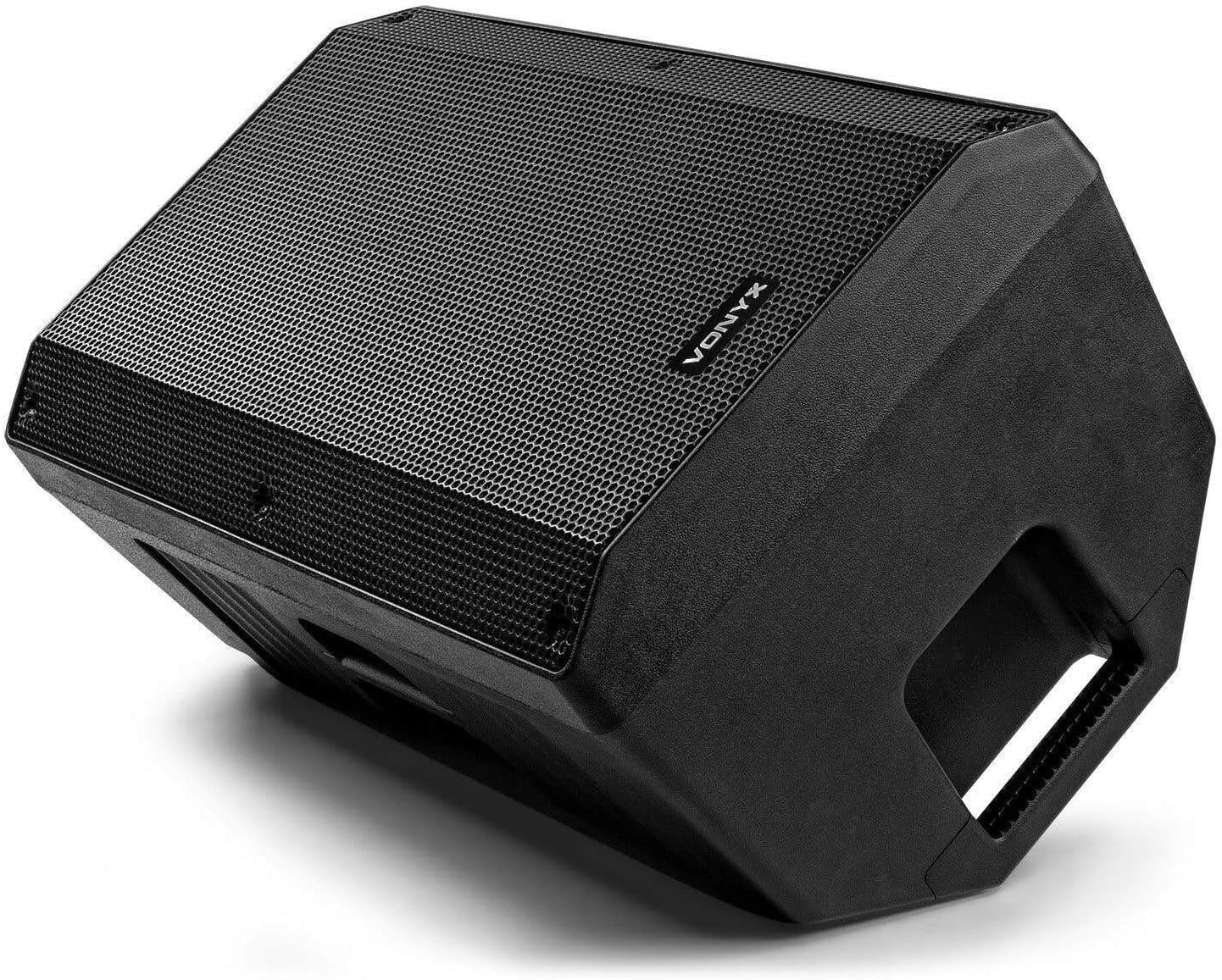
Figure 4.3: Side view of a VONYX VSA150S speaker, angled to highlight the integrated side handle for portability.

Figure 4.4: Bottom view of a VONYX VSA150S speaker, showing the integrated wheels for easy transport and the pole mount socket.

Figure 4.5: Close-up of the robust top handle on a VONYX VSA150S speaker, designed for comfortable lifting.

Figure 4.6: Close-up of the side handle on a VONYX VSA150S speaker, providing an additional grip point for transport.

Figure 4.7: The remote control for the VONYX VSA150S speaker system, featuring playback controls, volume, mode selection, and EQ.

Figure 4.8: Detailed view of the active speaker's control panel, showing various input options (MIC, LINE, GUITAR), USB port, Bluetooth receiver, and audio adjustment knobs.
5. Setup
5.1 Speaker Placement
Position the active and passive speakers in desired locations. For optimal sound dispersion, place them on a stable, elevated surface or use compatible speaker stands (not included) with the integrated pole mount socket.
5.2 Connecting the Speakers
- Ensure both speakers are powered off and disconnected from the mains supply.
- Connect the included speaker cable from the 'OUTPUT' port on the active speaker to the 'INPUT' port on the passive speaker.
5.3 Power Connection
- Connect the power cable to the active speaker's power input.
- Plug the power cable into a suitable 230V AC grounded power outlet.
- Turn on the power switch located on the active speaker's control panel.
6. Operating Instructions
6.1 Bluetooth Connectivity
- Press the 'MODE' button on the active speaker's control panel or remote control until 'Bluetooth' mode is selected.
- On your external device (smartphone, tablet, computer), enable Bluetooth and search for available devices.
- Select 'VONYX VSA150S' from the list to pair. A confirmation sound will indicate successful pairing.
- You can now stream audio wirelessly from your device to the speakers.
6.2 USB Playback
- Insert a USB flash drive containing MP3 audio files into the USB port on the active speaker.
- The speaker will automatically switch to USB mode and begin playing the audio files. If not, press the 'MODE' button to select USB.
- Use the playback controls (Play/Pause, Next/Previous Track) on the control panel or remote control to manage your music.
6.3 Input Connections
The active speaker offers multiple input options:
- Microphone (MIC): Connect a microphone using a 6.35mm jack or XLR cable. Adjust the 'MIC LEVEL' knob and apply 'ECHO' effect as desired.
- Guitar: Connect a guitar using a 6.35mm jack cable. Adjust the 'GUITAR LEVEL' knob.
- Line Input (AUX/RCA/XLR): Connect external audio sources like CD players, mixers, or other devices using RCA, 3.5mm jack, or XLR cables. Adjust the 'LINE LEVEL' knob.
6.4 Audio Controls
The active speaker's control panel features knobs for adjusting various audio parameters:
- Master Volume: Controls the overall output volume of the speaker system.
- Treble: Adjusts the high-frequency response.
- Bass: Adjusts the low-frequency response.
- Echo: Controls the intensity of the echo effect for microphone inputs.
7. Maintenance
Regular maintenance ensures the longevity and optimal performance of your VONYX VSA150S speakers.
- Cleaning: Use a soft, dry cloth to clean the exterior of the speakers. Do not use abrasive cleaners, solvents, or waxes.
- Storage: When not in use for extended periods, store the speakers in a cool, dry place, away from direct sunlight and extreme temperatures.
- Cables: Regularly check all cables for signs of wear or damage. Replace any damaged cables immediately.
8. Troubleshooting
If you encounter issues with your VONYX VSA150S speaker system, refer to the following common problems and solutions:
| Problem | Possible Cause | Solution |
|---|---|---|
| No sound from speakers | Power not connected; Volume too low; Incorrect input selected; Active/passive speaker not connected. | Check power connection and switch; Increase master volume; Select correct input mode; Ensure speaker cable connects active to passive unit. |
| Bluetooth not pairing | Speaker not in Bluetooth mode; Device too far; Interference. | Ensure speaker is in Bluetooth mode; Move device closer to speaker; Turn off other Bluetooth devices. |
| Distorted sound | Volume too high (clipping); Input signal too strong; Damaged cable. | Reduce master volume; Adjust input level; Check and replace cables if necessary. |
| USB playback not working | USB drive not formatted correctly; Unsupported file format; USB drive faulty. | Ensure USB drive is FAT32 formatted; Use MP3 files; Try a different USB drive. |
9. Specifications
Detailed technical specifications for the VONYX VSA150S speaker pair:
| Feature | Value |
|---|---|
| Brand | VONYX |
| Model Name | VSA150S |
| Speaker Type | Woofer |
| Maximum Speaker Output Power | 1000 Watts |
| Subwoofer Diameter | 15 Inches |
| Frequency Response | 18000 Hz |
| Impedance | 4 ohms |
| Connectivity Technology | Bluetooth |
| Wireless Communication Technology | Bluetooth |
| Connections | Bluetooth, USB |
| Audio Output Mode | Stereo |
| Surround Sound Channel Configuration | 2.0 |
| Power Source | Corded Electric |
| Input Voltage | 230 Volts (AC) |
| Control Method | Remote Control |
| Material | Solid Plastic (ABS) |
| Finish Types | Wood (referring to internal components/sound characteristics) |
| Color | Black |
| Product Dimensions (L x W x H) | 36 x 42 x 68 cm |
| Item Weight | 31.35 Kilograms |
| Mounting Type | Floor Mount |
| Recommended Product Uses | For smartphone or tablet |
| Compatible Devices | Karaoke device, MP3 player, Laptop, Smartphone, Tablet |
| Is Waterproof | False |
10. Warranty and Support
For warranty information and technical support, please refer to the documentation provided with your purchase or visit the official VONYX website. Keep your proof of purchase for any warranty claims.
Ask a question about this manual
Ask about setup, troubleshooting, compatibility, parts, safety, or missing instructions. Manuals+ will review the question and use this page’s manual context to help answer it.