
1. Introduction
This manual provides comprehensive instructions for the safe and efficient use of your LLOYTRON B1551 Smart Alkaline Charger. This device is designed to recharge AA and AAA alkaline batteries. Please read this manual thoroughly before first use and retain it for future reference.

Image 1.1: The LLOYTRON B1551 Smart Alkaline Charger with four AA batteries in its charging slots. The charger features an LCD screen and a hinged lid.
2. Important Safety Information
To prevent injury or damage to the charger and batteries, observe the following safety precautions:
- Compatibility: This charger is exclusively designed for AA and AAA ALKALINE batteries only. Do not attempt to charge rechargeable (NiMH, NiCd), carbon-zinc, or heavy-duty batteries. Charging incompatible battery types can lead to leakage, rupture, or explosion.
- Condition of Batteries: Only charge alkaline batteries that are in good condition. If a battery is damaged, leaking, or shows signs of corrosion, do not attempt to charge it.
- Polarity: Always insert batteries with the correct polarity (+ and -) as indicated in the charging slots. Incorrect insertion can cause damage.
- Ventilation: Ensure the charger is placed in a well-ventilated area during operation.
- Moisture: Do not expose the charger to water or excessive moisture.
- Disassembly: Do not attempt to disassemble or modify the charger. Refer all servicing to qualified personnel.
- Children: Keep the charger and batteries out of reach of children.
- Power Source: Use only with a standard 240V AC power outlet.
3. Package Contents
Upon opening the package, verify that the following items are included:
- 1 x LLOYTRON B1551 Smart Alkaline Charger
- 1 x Instruction Manual (this document)
4. Setup
- Unpack the LLOYTRON B1551 charger from its packaging.
- Place the charger on a stable, flat surface in a dry, well-ventilated area, away from direct sunlight or heat sources.
- Connect the charger's power cord to a standard 240V AC wall outlet. The LCD screen may briefly illuminate.

Image 4.1: The LLOYTRON B1551 charger shown with its retail packaging, highlighting features like "2hr charge" and "Up to 10x Charges".
5. Operating Instructions
5.1. Battery Compatibility
The LLOYTRON B1551 charger is designed exclusively for AA and AAA alkaline batteries. It can charge 1 to 4 batteries simultaneously.
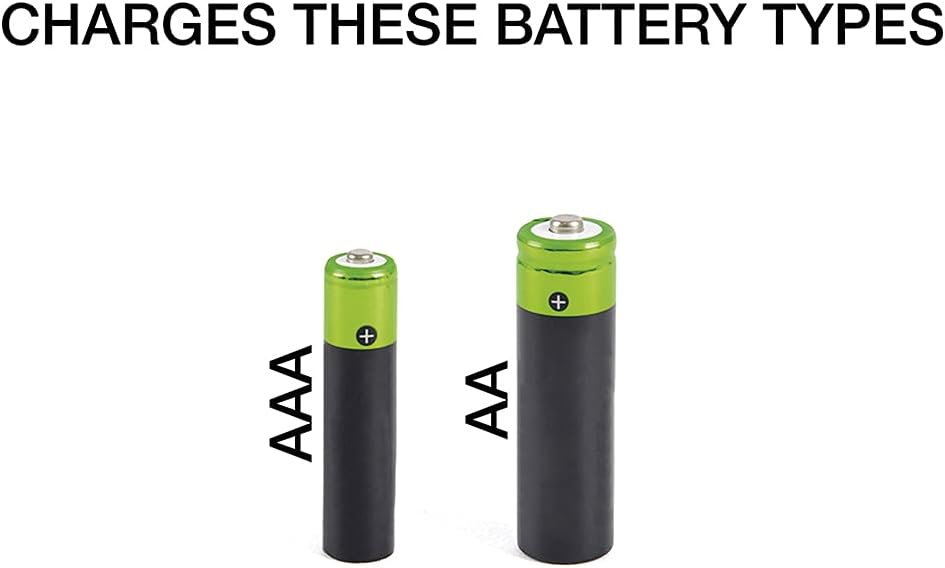
Image 5.1: Visual representation of AAA and AA battery types, indicating compatibility with the charger.
5.2. Inserting Batteries
- Open the charger lid.
- Insert 1 to 4 AA or AAA alkaline batteries into the appropriate charging slots. Ensure correct polarity (+ and -) by matching the battery terminals with the markings in the slots.
- Close the charger lid.
5.3. Charging Process and LCD Display
The charger features an LCD display to indicate the charging status of each battery.
- Charging Indication: When a battery is charging, its corresponding battery symbol on the LCD will flash, and the letters "CHG" will be displayed.
- Charge Completion: Once a battery is fully charged, its battery symbol will stop flashing, and the LCD backlight will turn off for that specific battery slot.
- Error Indication: If a faulty or incorrect battery type is inserted, the microprocessor-controlled LCD will display an error message. Refer to the Troubleshooting section for details.
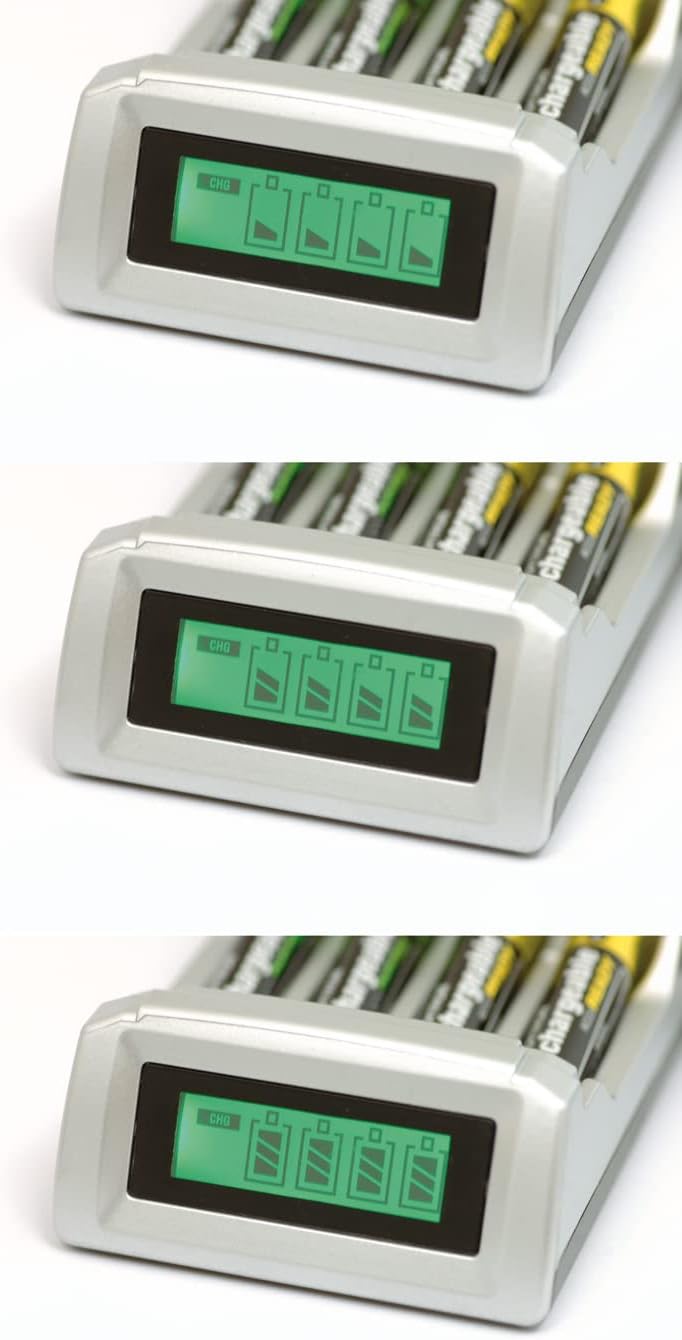
Image 5.2: A series of images demonstrating the LCD display's progression during charging, from an empty battery icon to a full one, with "CHG" indicating active charging.
5.4. Charging Time
The typical charging time for alkaline batteries is approximately 2 hours. Larger mAh capacity batteries may require slightly more time to reach a full charge.

Image 5.3: The LLOYTRON B1551 charger displaying its LCD screen, accompanied by graphical icons representing charging states and a "2hr charge" indicator.
5.5. Removing Batteries
Once charging is complete, open the lid and carefully remove the charged batteries.
6. Maintenance
- Cleaning: Disconnect the charger from the power outlet before cleaning. Use a soft, dry cloth to wipe the exterior of the charger. Do not use liquid cleaners or abrasive materials.
- Storage: When not in use, store the charger in a cool, dry place, away from direct sunlight and extreme temperatures.
- Battery Life: Many alkaline batteries can be recharged up to 10 times, depending on their initial quality and discharge depth.
7. Troubleshooting
| Problem | Possible Cause | Solution |
|---|---|---|
| LCD displays an error message. |
|
|
| Battery symbol not flashing / "CHG" not displayed. |
|
|
| Batteries leak during or after charging. |
|
|
8. Specifications
| Brand | LLOYTRON |
| Model Number | B1551 |
| Compatible Battery Types | AA and AAA Alkaline Batteries ONLY |
| Battery Composition | Alkaline |
| Input Voltage | 240 Volts AC |
| Output Voltage | 1.5 Volts DC |
| Charge Time | Approximately 2 hours (varies by battery capacity) |
| AA Charge Rate (1 battery) | 1.5V DC 600mA |
| AA Charge Rate (2 batteries) | 1.5V DC 300mA |
| AA Charge Rate (3 batteries) | 1.5V DC 150mA |
| AA Charge Rate (4 batteries) | 1.5V DC 150mA |
| AAA Charge Rate (1 battery) | 1.5V DC 300mA |
| AAA Charge Rate (2 batteries) | 1.5V DC 150mA |
| AAA Charge Rate (3 batteries) | 1.5V DC 75mA |
| AAA Charge Rate (4 batteries) | 1.5V DC 75mA |
| Product Dimensions | 7P x 8l x 16H centimeters |
| Color | Silver |
| Safety Features | Overload Protection, Reverse Polarity Protection, Short-Circuit Protection, Microprocessor-controlled LCD Error Display |
9. Warranty and Support
Warranty information for the LLOYTRON B1551 Smart Alkaline Charger is typically provided at the point of purchase or included with the product packaging. Please refer to these documents for details regarding your warranty coverage.
For technical support, troubleshooting assistance beyond what is provided in this manual, or inquiries about replacement parts, please contact LLOYTRON customer service directly. Contact details can usually be found on the manufacturer's official website or product packaging.
