1. Introduction
This manual provides comprehensive instructions for the setup, operation, maintenance, and troubleshooting of your OLYMPIA 2292 4500 Large Button Landline Telephone. Please read this manual thoroughly before using the device to ensure proper functionality and to maximize your user experience.

Image 1.1: The OLYMPIA 2292 4500 Large Button Landline Telephone, showcasing its large keypad and direct dial buttons.
2. Product Overview
The OLYMPIA 2292 4500 is a corded landline telephone designed for ease of use, particularly for seniors or individuals requiring enhanced visibility and audio features. Key features include:
- Extra Large Selection Buttons: For improved visibility and tactile feedback.
- 3 Photo Direct Dial Buttons: Customizable with pictures for quick dialing of important contacts.
- 3 Symbol Direct Dial Buttons: Freely programmable for services like emergency calls, family doctor, or nursing service.
- Bright LED for Call Signaling: Visual indication of incoming calls, useful in noisy environments or for individuals with hearing impairments.
- Ringtone with 3 Volume Settings: Adjustable to suit user preferences.
- Hearing Aid Compatible (HAC): Designed to work effectively with hearing aids.
- Handset Volume Boost: A dedicated booster button for increased handset volume.
- Hands-Free Function: With 3 adjustable volume settings.
- 10 Speed Dial Memories: For frequently called numbers.
- Redial, Pause, and Flash Functions: Standard telephone functionalities.
- Tone Dialing System (DTMF): Standard dialing method.
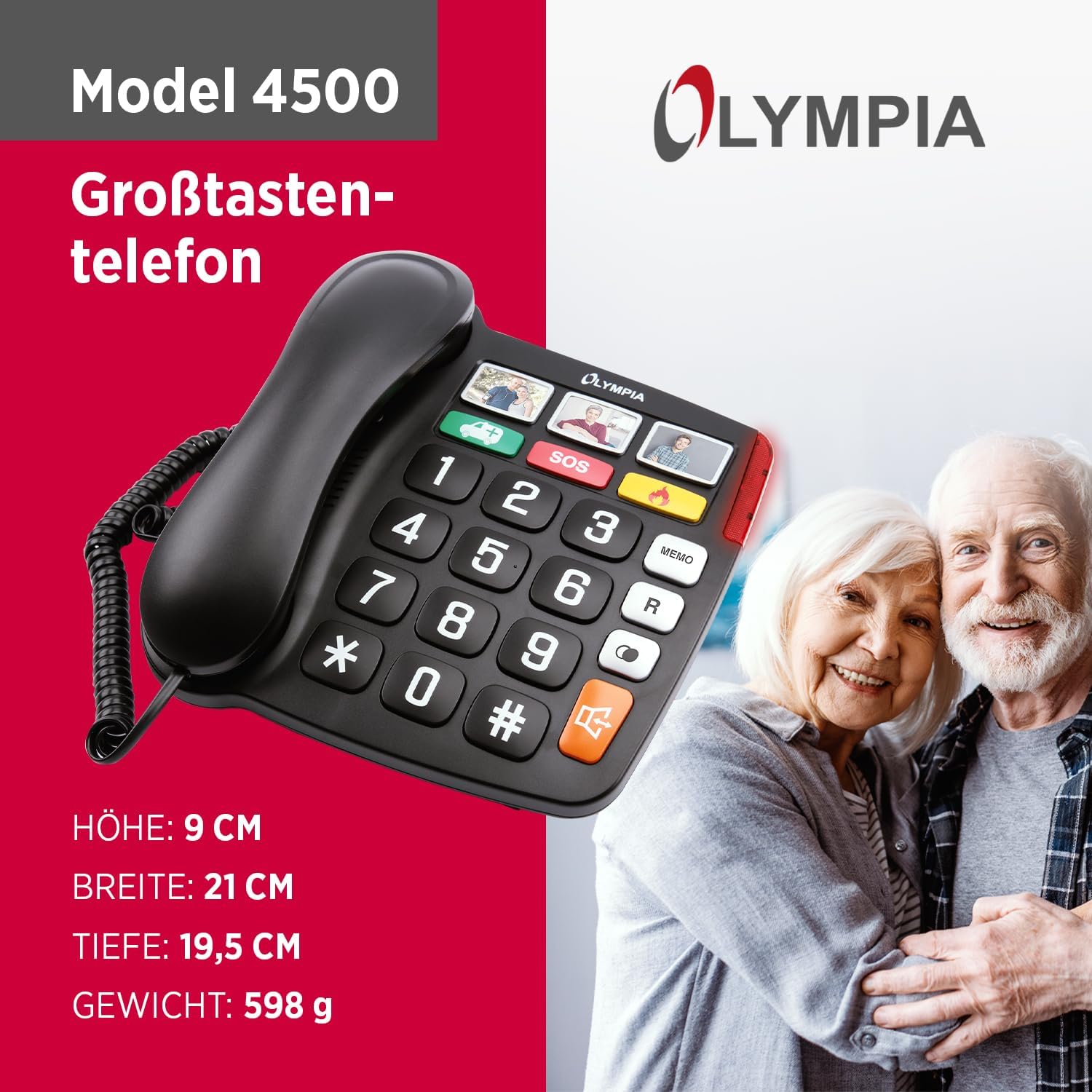
Image 2.1: Product dimensions for the OLYMPIA 2292 4500. Height: 9 cm, Width: 21 cm, Depth: 19.5 cm, Weight: 598 g.
3. Setup Instructions
Follow these steps to set up your OLYMPIA 2292 4500 telephone:
- Unpack the Telephone: Carefully remove all components from the packaging. Ensure you have the telephone base, handset, coiled handset cord, and telephone line cord.
- Connect the Handset: Plug one end of the coiled handset cord into the handset and the other end into the designated port on the side of the telephone base.
- Connect to Telephone Line: Plug one end of the telephone line cord into the 'LINE' port on the back or side of the telephone base. Plug the other end into your wall telephone jack.
- Power Connection (if applicable): This model is typically line-powered. If your specific unit includes an optional power adapter for enhanced features (e.g., brighter LED, memory retention during line outages), connect it to the designated power port and then to a standard electrical outlet.
- Test the Connection: Lift the handset. You should hear a dial tone. If not, recheck all connections.
- Insert Photos for Direct Dial (Optional): For the 3 photo direct dial buttons, carefully lift the clear plastic cover on each button and insert a small photo of the contact. Replace the cover securely.

Image 3.1: Close-up view of the three photo direct dial buttons, where users can insert pictures of important contacts.
4. Operating Instructions
4.1. Making a Call
- Lift the handset or press the hands-free button.
- Listen for a dial tone.
- Dial the desired telephone number using the large keypad buttons.
- Wait for the call to connect.
- To end the call, replace the handset or press the hands-free button again.
4.2. Using Photo Direct Dial Buttons
Once photos are inserted and numbers programmed (refer to programming section if needed), simply press the corresponding photo button to dial the stored number.
4.3. Using Symbol Direct Dial Buttons
The three symbol direct dial buttons (e.g., SOS, car/ambulance, flame/fire) are programmable. To use them, press the desired symbol button. Ensure these buttons are programmed with the correct emergency or service numbers.

Image 4.1: Close-up view of the three symbol direct dial buttons, which can be programmed for emergency or frequently used services.
4.4. Hands-Free Function
To activate hands-free calling, press the dedicated hands-free button (often indicated by a speaker icon). You can adjust the hands-free volume using the volume control buttons, typically located near the hands-free button.
4.5. Volume Adjustment
- Handset Volume: During a call, press the 'Booster' button to increase the handset volume for clearer listening.
- Ringtone Volume: The ringtone has 3 volume settings. Adjust this via a switch or button on the side or back of the telephone base.
4.6. Speed Dial Memories
The telephone features 10 speed dial memories. Refer to the programming section (if available in a separate guide or on the device itself) to store and recall numbers using these memories.
4.7. Redial, Pause, and Flash Functions
- Redial: Press the 'R' or 'Redial' button to redial the last number called.
- Pause: Use the 'Pause' button when dialing to insert a brief delay, often needed for accessing external lines or voicemail systems.
- Flash: The 'Flash' button is used for certain telephone services, such as call waiting or transferring calls, depending on your telephone service provider.

Image 4.2: The bright LED indicator on the telephone, which illuminates during an incoming call to provide a visual alert.
5. Maintenance and Care
To ensure the longevity and optimal performance of your OLYMPIA 2292 4500 telephone, follow these maintenance guidelines:
- Cleaning: Use a soft, damp cloth to clean the telephone's surface. Avoid abrasive cleaners, solvents, or strong chemicals, as these can damage the finish.
- Dust Removal: Regularly wipe down the keypad and display to prevent dust buildup.
- Avoid Liquids: Keep the telephone away from water and other liquids. Do not immerse it in water.
- Temperature and Humidity: Store and operate the telephone in a dry environment, away from extreme temperatures and high humidity.
- Cord Management: Ensure telephone and handset cords are not tangled or stretched excessively to prevent damage.
6. Troubleshooting
If you encounter issues with your telephone, refer to the following common problems and solutions:
- No Dial Tone:
- Check if the telephone line cord is securely plugged into both the telephone base and the wall jack.
- Ensure your telephone service is active.
- Test with another working telephone if available to isolate the issue.
- Cannot Hear Caller / Caller Cannot Hear You:
- Adjust the handset volume using the booster button.
- If using hands-free, adjust the hands-free volume.
- Ensure the handset cord is securely connected.
- Check for any obstructions around the microphone if using hands-free.
- Ringer is Too Quiet / Not Ringing:
- Check the ringer volume setting on the telephone base and adjust it to a higher level.
- Ensure the telephone is not set to silent or 'ringer off' mode.
- Verify the LED call signaling is working.
- Buttons Not Responding:
- Ensure the telephone is properly connected to the line.
- Clean the keypad area to remove any debris that might be obstructing button presses.
If the problem persists after trying these solutions, please contact customer support.
7. Technical Specifications
| Feature | Specification |
|---|---|
| Product Dimensions | 7.68 x 8.27 x 3.54 inches (195 x 210 x 90 mm) |
| Item Weight | 1.32 pounds (0.6 Kilograms) |
| Model Number | 2292 |
| Brand | OLYMPIA |
| Color | Black |
| Telephone Type | Corded |
| Material | Plastic |
| Power Source | Corded Electric (Line Powered) |
| Dialer Type | Single Keypad |
| Answering System Type | Digital (if integrated, otherwise external) |
| Compatible Devices | Hearing Aid |
8. Warranty and Support
Your OLYMPIA 2292 4500 telephone is covered by a manufacturer's warranty. For specific warranty terms and conditions, please refer to the documentation included with your purchase or visit the official OLYMPIA website. For technical support, troubleshooting assistance beyond this manual, or warranty claims, please contact OLYMPIA customer service through their official channels.


