
Introduction
This manual provides instructions for the safe and efficient use of your Panasonic KX-TGC410 DECT Cordless Phone. Please read these instructions carefully before use and retain them for future reference.

Image: The Panasonic KX-TGC410 DECT Cordless Phone handset resting on its compact base unit, displayed on a white surface.
Package Contents
Verify that your package contains the following items:
- Cordless Handset
- Base Unit
- AC Adapter for Base Unit
- Telephone Line Cord
- Rechargeable Batteries (AAA x 2)
- Handset Cover
Setup
1. Battery Installation
- Remove the handset cover.
- Insert the two AAA rechargeable batteries according to the polarity markings.
- Replace the handset cover.
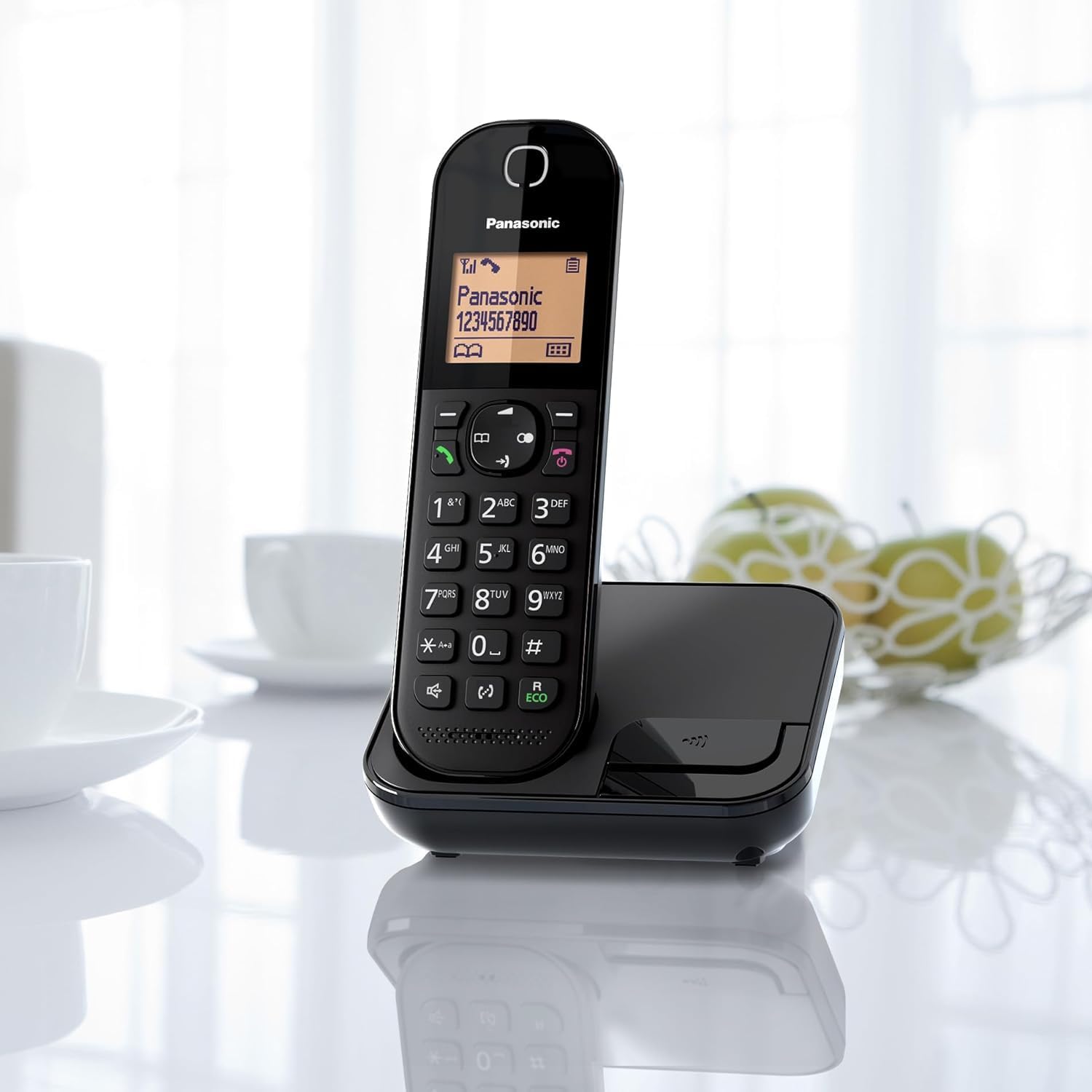
Image: Close-up of the Panasonic KX-TGC410 DECT Cordless Phone handset, showing the display and keypad.
2. Base Unit Connection
- Connect the AC adapter to the base unit and plug it into a power outlet.
- Connect the telephone line cord to the base unit and plug it into your telephone wall jack.

Image: Diagram showing the connections for the Panasonic KX-TGC410 DECT Cordless Phone base unit, including power and telephone line.
3. Initial Battery Charge
Place the handset on the base unit to charge the batteries. Allow at least 7 hours for a full charge before initial use.
Operating Instructions
Making a Call
- Lift the handset from the base unit or press the TALK button.
- Dial the phone number.
- To end the call, press the OFF button or place the handset back on the base unit.
Answering a Call
When the phone rings, lift the handset or press the TALK button.
Adjusting Volume
During a call, press the VOL up or down buttons to adjust the earpiece volume.
Redial
Press the REDIAL button to call the last dialed number.
Caller ID
If you subscribe to Caller ID service, the caller's information will be displayed on the handset screen before you answer.
Eco Mode
Press the R ECO button to activate Eco Mode, which reduces power consumption and signal output. The ECO indicator will appear on the LCD.

Image: The Panasonic KX-TGC410 DECT Cordless Phone handset with the "R ECO" button circled, illustrating the Eco Mode feature.
Maintenance
Cleaning
Wipe the handset and base unit with a soft, dry cloth. Do not use abrasive cleaners or solvents.
Battery Care
- Use only the specified rechargeable batteries.
- If the phone will not be used for an extended period, remove the batteries.
- Avoid exposing batteries to extreme temperatures.
Troubleshooting
| Problem | Solution |
|---|---|
| No dial tone. |
|
| Cannot make or receive calls. |
|
| Poor sound quality. |
|
Specifications
- Brand: Panasonic
- Model: KX-TGC410
- Phone Type: Cordless Phone
- Color: Black
- Batteries: 2 x AAA Rechargeable (included)
- Material: Plastic
- Power Source: Battery Powered
- Connection Type: Single Keypad
- Item Dimensions (LxWxH): 10.2 x 14 x 18 cm
- Answering System Type: Digital
- Conference Call Capability: Basic
- Talk Time: 10 hours
- Multi-line Operation: Single Line Operation
- Standby Time: 1 hour
- Caller ID: Yes
Warranty and Support
For warranty information and technical support, please refer to the warranty card included in your product packaging or visit the official Panasonic website for your region.
You can also contact Panasonic customer service for assistance with your KX-TGC410 DECT Cordless Phone.