
1. Introduction and Overview
The DOOGEE X95 is a feature-rich smartphone designed for everyday use, offering a large display, capable cameras, and a long-lasting battery. This manual provides essential information on setting up, operating, maintaining, and troubleshooting your device.

Figure 1.1: Front and back view of the DOOGEE X95 smartphone.
2. Package Contents
Please check the package contents carefully. If any items are missing or damaged, contact customer support.
- DOOGEE X95 Unlocked 4G Smartphone x 1
- Power Adapter x 1
- USB Data Cable x 1
- User Manual x 1
- DOOGEE X95 TPU Smartphone Case x 1
- Screen Protector Film (pre-applied) x 1
Note: There is no earphone included in the phone box.
3. Setup
3.1. SIM Card and TF Card Installation
The DOOGEE X95 smartphone supports dual Nano SIM cards or a Nano SIM card combined with a TF (microSD) card for expandable storage. Ensure the phone is powered off before inserting or removing cards.
- Locate the SIM card tray on the side of the phone.
- Insert the SIM ejector tool into the small hole next to the tray to pop it open.
- Carefully pull out the tray.
- Place your Nano SIM card(s) and/or TF card into the designated slots on the tray, ensuring the gold contacts face downwards.
- Gently push the tray back into the phone until it clicks into place.
3.2. Initial Power On and Charging
Before first use, it is recommended to fully charge your DOOGEE X95.
- Connect the USB data cable to the phone's charging port and the power adapter.
- Plug the power adapter into a wall outlet. The charging indicator will appear on the screen.
- Once fully charged, disconnect the charger.
- To power on, press and hold the Power button (usually on the right side) until the DOOGEE logo appears.
- Follow the on-screen prompts to complete the initial setup, including language selection, Wi-Fi connection, and Google account setup.

Figure 3.1: Key features of the DOOGEE X95.
4. Operating Your Smartphone
4.1. Display Features
The DOOGEE X95 features a 6.52-inch Incell 19.5:9 Waterdrop HD display, offering vibrant colors and stunning clarity. The waterdrop notch design maximizes screen-to-body ratio for an immersive viewing experience.

Figure 4.1: DOOGEE X95 Waterdrop HD Screen details.
4.2. Battery Management
Equipped with a large 4350mAh battery, the DOOGEE X95 provides extended usage time. It supports 10W fast charging to quickly replenish power.
- Charging: Use the provided power adapter and USB cable for optimal charging speed.
- Battery Life: The 4350mAh battery offers approximately 15 days of standby time and 12 hours of working time under typical usage conditions.
- Optimization: To extend battery life, manage background app usage, reduce screen brightness, and disable unnecessary connectivity features (Wi-Fi, Bluetooth, GPS) when not in use.

Figure 4.2: DOOGEE X95 4350mAh Big Battery features.
4.3. Camera Features
Capture your moments with the DOOGEE X95's versatile camera system:
- Rear Cameras: Features a 13.0MP main camera complemented by two 2.0MP sub-cameras, enhancing clarity and color richness in your photos.
- Front Camera: A 5.0MP front camera with smart beauty features for high-quality selfies and video calls.
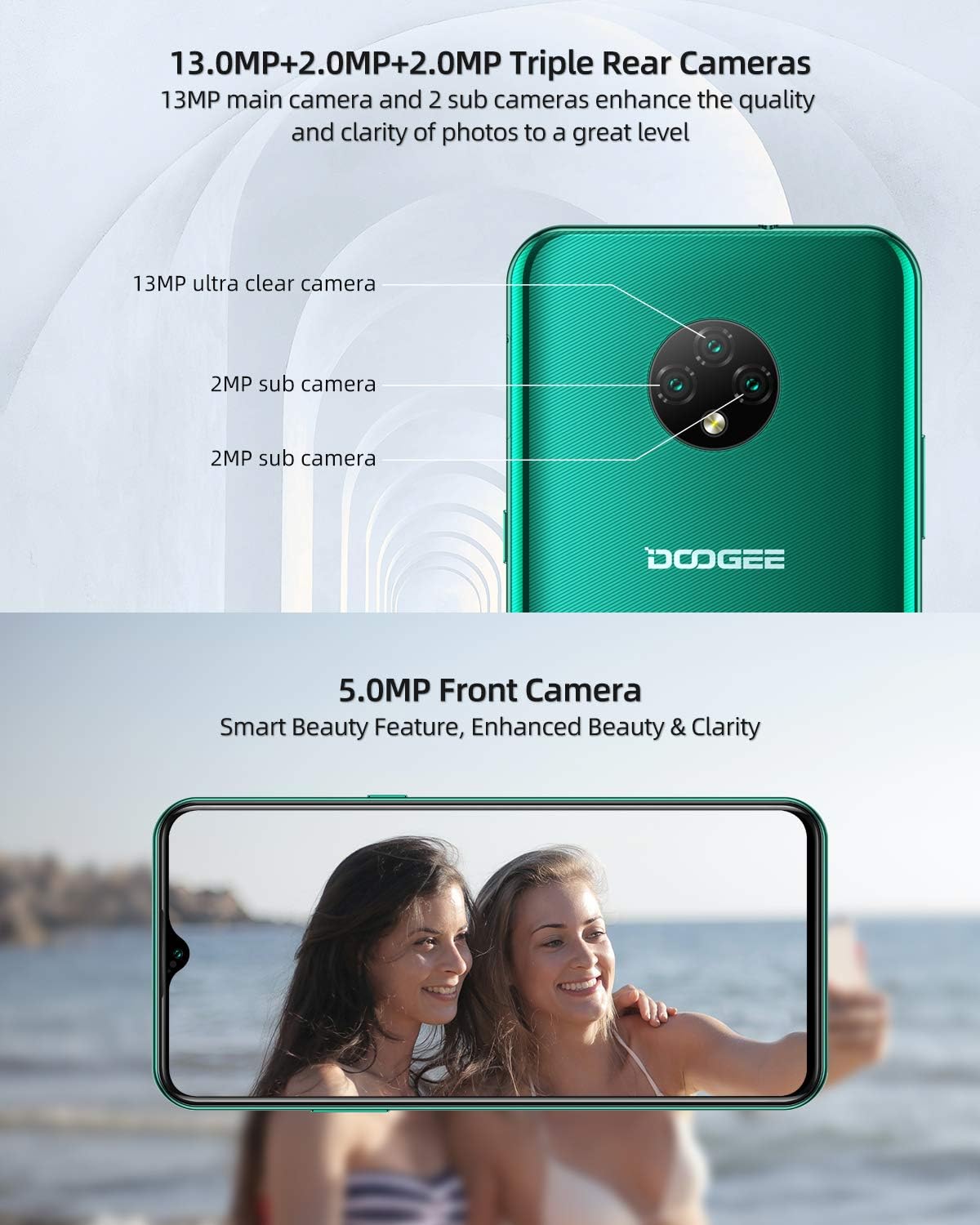
Figure 4.3: DOOGEE X95 Triple Rear and Front Cameras.
4.4. Android 10 GO Operating System
The DOOGEE X95 runs on the latest Android 10 GO operating system, providing a smarter, more efficient, and user-friendly experience. It supports features like facial unlock and 4G Dual SIM standby.

Figure 4.4: Android 10 GO Interface.
4.5. Network Connectivity
The DOOGEE X95 supports various network bands for reliable connectivity:
- GSM: 850/900/1800/1900MHz
- 3G: B1/B8
- 4G: B1/3/7/8/20
5. Specifications
| Feature | Specification |
|---|---|
| Brand | DOOGEE |
| Model Name | DOOGEE X95 |
| Operating System | Android 10.0 |
| Screen Size | 6.52 Inches |
| Installed RAM Size | 2 GB |
| Memory Storage Capacity | 16 GB |
| Effective Still Resolution | 13 Megapixels |
| Battery Capacity | 4350mAh (Lithium-polymer) |
| Charging Port | USB Type C |
| Cellular Technology | 3G, 4G |
| Connectivity Technology | Wi-Fi, Cellular |
| Color | Green |
6. Troubleshooting
If you encounter any issues with your DOOGEE X95, please refer to the following common troubleshooting steps:
- Device Not Turning On: Ensure the battery is charged. Connect the phone to the charger and wait a few minutes before attempting to power on again.
- Network Problems: If you experience issues with network connectivity (calls, data), verify that your SIM card is correctly inserted and active. Check your network settings and ensure you are within network coverage. If problems persist, please inform us in advance.
- Apps Crashing/Freezing: Try restarting the application. If the issue continues, restart the phone. Ensure your apps and operating system are updated to the latest versions.
- Slow Performance: Close unnecessary background applications. Clear cache from apps and consider freeing up storage space.
- Charging Issues: Ensure the charging cable and adapter are securely connected and undamaged. Try using a different compatible charger if available.
For more complex issues, please contact our customer support.
7. Warranty and Support
Your DOOGEE X95 smartphone comes with a comprehensive warranty and support:
- 2-Year Quality Warranty: Our products come with a 2-year quality warranty. If you purchase a DOOGEE X95 smartphone from our store (DOOGEE-EU) and your SIM-free smartphone has an issue, please feel free to contact our Amazon support center for assistance.
- Customer Support: We are committed to providing prompt and courteous support, with responses typically within 24 hours.
- CE Certification: This X95 mobile phone has passed CE certification, ensuring it meets European safety, health, and environmental protection requirements. You can use this phone with confidence.
For warranty claims or technical assistance, please refer to the contact information provided with your purchase or visit the official DOOGEE support website.


