Introduction
This manual provides detailed instructions for the ALLIMITY SHWRMC0103 replacement remote control. This remote is designed to function as a direct replacement for your original Sharp Aquos 3D TV remote, offering identical functionality without the need for complex programming. Please read this manual carefully to ensure proper use and to maximize your viewing experience.
Package Contents
- 1 x ALLIMITY SHWRMC0103 Replacement Remote Control
- (Batteries are not included)
Setup
1. Battery Installation
The ALLIMITY SHWRMC0103 remote control requires two AAA alkaline batteries (not included) for operation. Follow these steps to install the batteries:
- Locate the battery compartment on the back of the remote control.
- Press down on the latch and slide the battery cover downwards to open it.
- Insert two AAA alkaline batteries, ensuring the positive (+) and negative (-) terminals align correctly with the markings inside the compartment.
- Slide the battery cover back into place until it clicks securely.
No programming or pairing is required. The remote control is ready for use immediately after battery installation.

Image: Front view of the ALLIMITY SHWRMC0103 replacement remote control. This image shows the full layout of the remote's buttons, including power, channel, volume, and navigation controls.
Operating Instructions
The ALLIMITY SHWRMC0103 remote control is designed to replicate the functions of your original Sharp Aquos 3D TV remote. Point the remote directly at your television's infrared receiver for optimal performance.
Key Functions Overview
| Button | Function |
|---|---|
| Power (Red Button) | Turns the TV on or off. |
| DTV / RADIO / USB / DVD | Selects input sources or modes. |
| Number Buttons (0-9) | Direct channel selection. |
| TV GUIDE | Accesses the electronic program guide. |
| P.MODE / S.MODE | Picture Mode / Sound Mode selection. |
| VOL +/- | Adjusts the volume level. |
| CH +/- | Changes TV channels. |
| MENU | Opens the TV's main menu. |
| OK / Navigation Arrows | Confirms selections and navigates through menus. |
| EXIT | Exits the current menu or function. |
| SOURCE | Cycles through available input sources (HDMI, AV, etc.). |
| INFO | Displays information about the current program or input. |
| ASPECT / SLEEP / AUDIO / SUBTITLE / DISPLAY | Various TV function controls. |
| TEXT / HOLD / ZOOM | Teletext and display zoom functions. |
| DVD MENU / REC LIST / GOTO | DVD player controls and recording list access. |
| Playback Controls (Play, Pause, Stop, Rewind, Fast Forward, Skip) | Controls media playback for connected devices or recorded content. |
| Colored Buttons (Red, Green, Yellow, Blue) | Context-sensitive functions within menus or applications. |
| 3D | Activates or deactivates 3D mode (if supported by TV). |

Image: Angled view of the ALLIMITY SHWRMC0103 remote control, showing the ergonomic design and button layout from a top-left perspective.
Maintenance
- Cleaning: Use a soft, dry cloth to clean the remote control. Do not use liquid cleaners or abrasive materials.
- Battery Replacement: Replace batteries when the remote's response becomes sluggish or stops working. Always replace both batteries at the same time with new alkaline batteries.
- Storage: If the remote control will not be used for an extended period, remove the batteries to prevent leakage and potential damage.
- Avoid Exposure: Keep the remote control away from direct sunlight, heat sources, and moisture.
Troubleshooting
| Problem | Possible Cause / Solution |
|---|---|
| Remote not working |
|
| Buttons not responding |
|
| Short operating range |
|
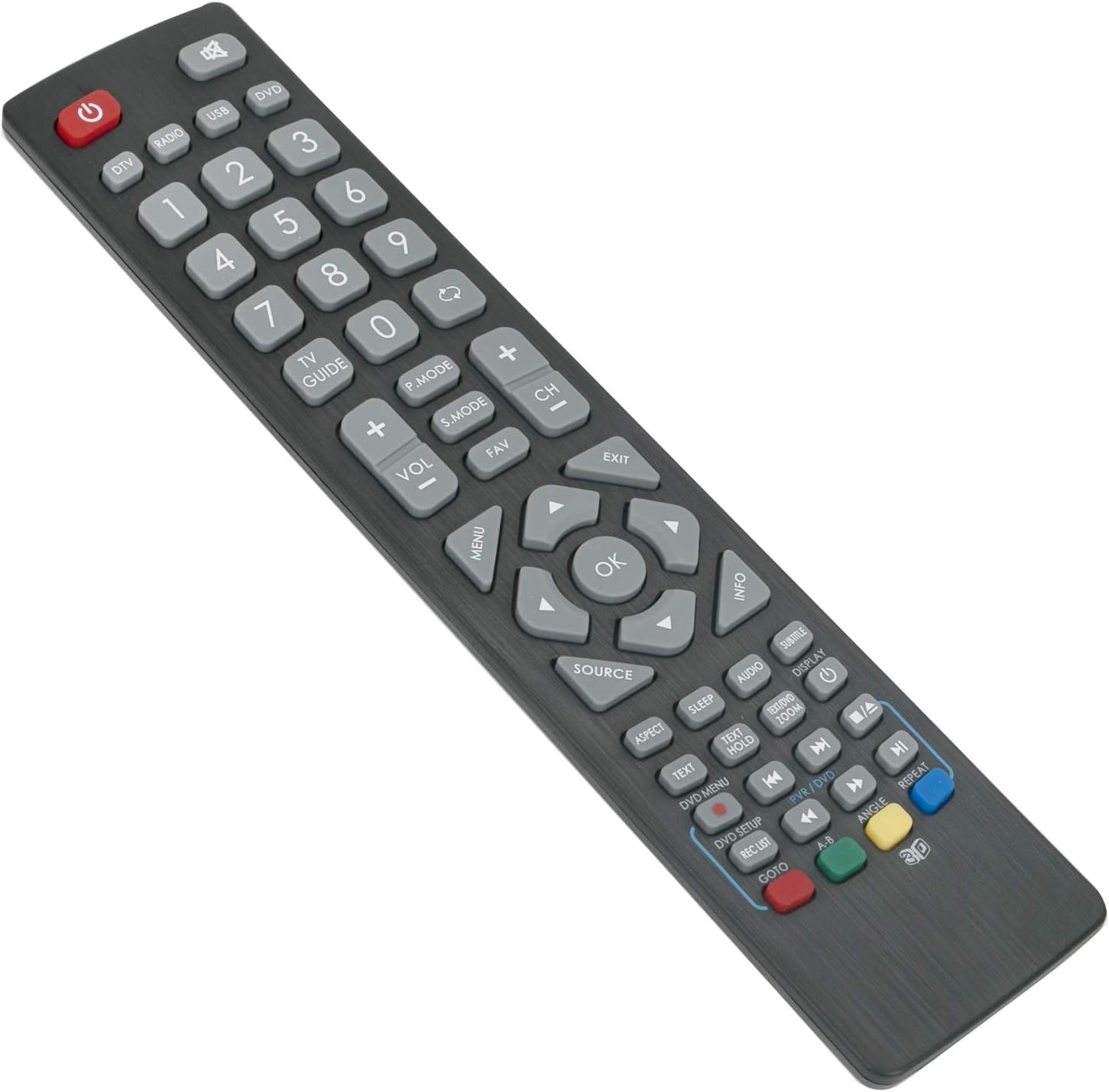
Image: Angled view of the ALLIMITY SHWRMC0103 remote control, highlighting the button arrangement and overall design from a top-right perspective.
Specifications
- Brand: ALLIMITY
- Model: SHWRMC0103
- Manufacturer: MaxControlFactory
- Product Dimensions: 6 x 0.5 x 17 cm
- Product Weight: 80 g
- Battery Type: Alkaline (AAA, not included)
- Connectivity Technology: Infrared
- Maximum Range: 10 Meters
- Special Feature: No programming required
- Compatible TV Models:
- Sharp Aquos 3D TV models including:
- LC-32CHF4041K, LC-32DHE4041K, LC-32DHF4041K, LC-32HG3141K, LC-32HG3241K, LC-32HG3341K
- LC-43CFE4142E, LC-48CFE4041E, LC-48CFE4041K, LC-48CFE4042E
- LC-22DFE4011K, LC-22DFF4011E, LC-22DFF4011ES, LC-24CHE4000E, LC-24CHE4000ES, LC-24CHE4012E, LC-24CHE4012ES
- LC-48CFE4042K, LC-49CFE4041E, LC-49CFE4042E
- LC-22CFE4000ES, LC-22CFE4012E, LC-22CFE4012ES, LC-22CFF4011E, LC-22CFF4011ES, LC-22CFF4012E, LC-22CFF4012ES
- LC-24CHF4011E, LC-24CHF4011ES, LC-40CFE4041E, LC-40CFE4041K, LC-40CFE4042E, LC-40CFF4041K
- LC-40FG3141K, LC-40FG3241K, LC-40FG3341K, LC-24CHF4011K, LC-24CHF4012E, LC-24CHF4012ES
- LC-24DHE4011K, LC-40CFE4040E, LC-43CFE4140E, LC-43CFE4141E, LC-24DHF4011E, LC-24DHF4011ES, LC-24DHF4011K, LC-32CHE4041K
Warranty and Support
Specific warranty information for this product is not provided in the available data. For any issues or support inquiries, please refer to the seller or retailer from whom the product was purchased. Ensure you retain your proof of purchase for any potential warranty claims.