
1. Product Overview
The Elinchrom ELC 500/500 Studio Monolight Dual Kit provides a powerful and versatile lighting solution for professional photographers and videographers. This kit includes two 500 Ws compact monolights, engineered for consistent and reliable performance. Key features include TTL with Manual Lock, High-Speed Sync (HSS), Smart Pro-Active Cooling, and Auto-On functionality. The system is designed for durability and offers direct compatibility with Elinchrom's light modifiers via a bayonet Quick-Lock system. Bright, Daylight LED modeling lamps further enhance creative lighting possibilities.

Figure 1.1: The Elinchrom ELC 500/500 Dual Kit is supplied in a durable carrying case for transport and protection.
2. Key Features
- Advanced Studio Lighting: Equipped with TTL (Through-The-Lens) with Manual Lock, High-Speed Sync (HSS), Smart Pro-Active Cooling, and Auto-On for enhanced shooting flexibility.
- Durable Construction: Rigorously tested design ensures maximum reliability and an extended product lifespan.
- Efficient Cooling System: Smart Pro-Active Cooling adapts to your shooting style, optimizing cooling cycles to prevent workflow interruptions.
- Accurate Color Reproduction: Delivers precise color accuracy across the entire power range, reducing post-production time.
- Versatile Light Modification: Features a Quick-Lock bayonet system for direct compatibility with Elinchrom's extensive range of light modifiers.
- Bright LED Modeling Lamp: Integrated Daylight LED modeling lamps provide continuous light for setup and creative lighting exploration.
3. Setup Instructions
- Unpacking the Kit: Carefully remove all components from the carrying case. Verify that all items listed in the packing list are present.
- Mounting the Monolight: Attach the ELC 500 monolight to a compatible light stand using the integrated tilt-head. Ensure the mounting screw is securely tightened.
- Power Connection: Connect the power cable to the monolight and then to a suitable power outlet.
- Attaching Light Modifiers: Align your desired Elinchrom light modifier (e.g., softbox, umbrella) with the monolight's bayonet mount. Twist and lock the modifier into place. The centered umbrella mount allows for precise positioning.
- Initial Power On: Press the power button on the monolight's control panel to turn it on. The display will illuminate.
- Transmitter Setup (Optional): If using a Skyport PRO Transmitter (sold separately), ensure it is properly mounted on your camera and configured to communicate with the ELC 500 monolights.

Figure 3.1: The kit includes two Elinchrom ELC 500 monolights and accessories, neatly organized within the case.
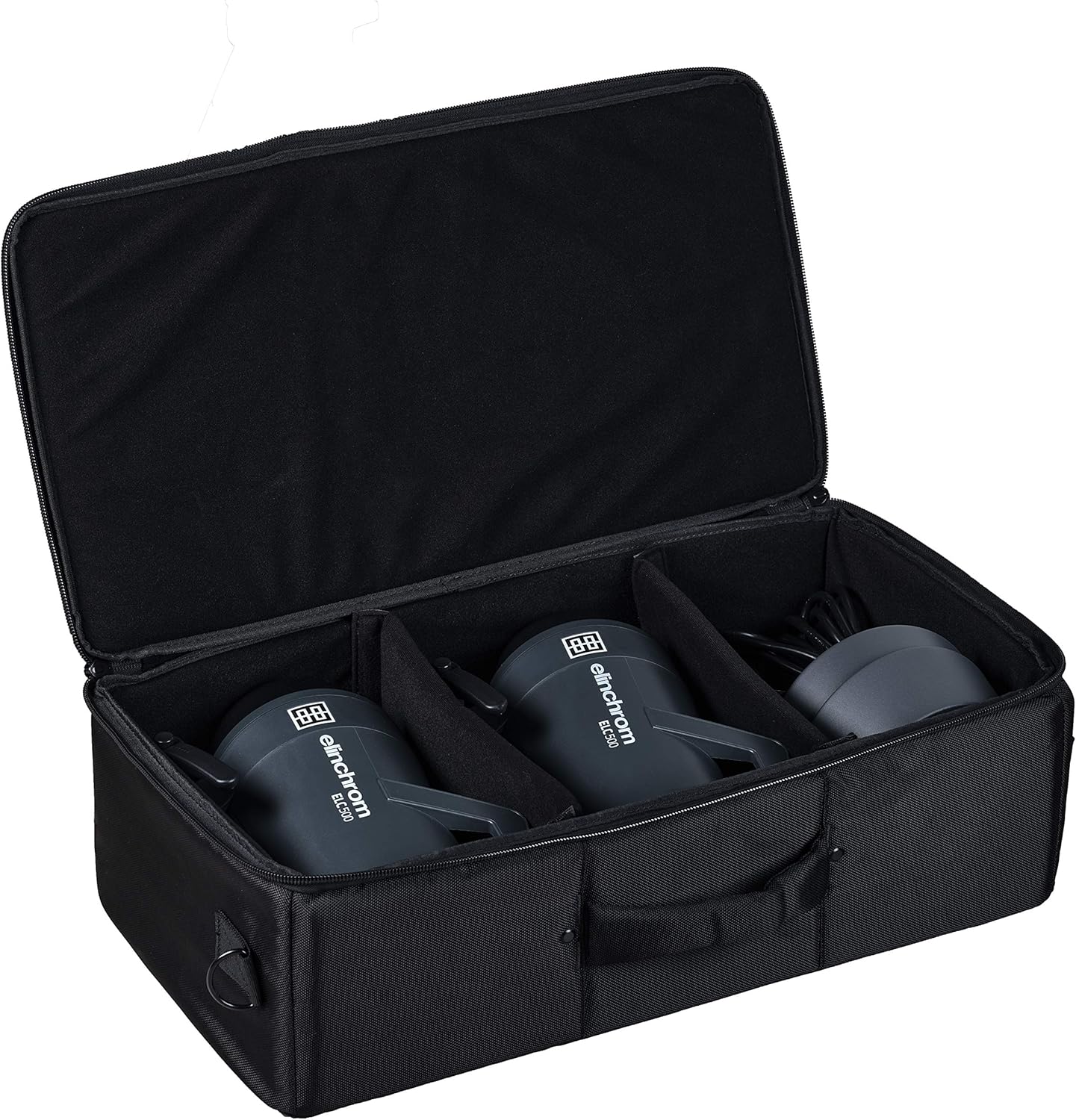
Figure 3.2: An Elinchrom ELC 500 monolight with a softbox attached, ready for studio use.
4. Operating Instructions
- Adjusting Flash Power: Use the control dial on the monolight's interface to increase or decrease the flash output. The current power level will be displayed on the screen.
- TTL Mode: Activate TTL (Through-The-Lens) mode for automatic exposure calculation. This feature simplifies initial exposure settings.
- Manual Lock: After achieving the desired exposure in TTL mode, use the Manual Lock function to switch to manual control while retaining the current power settings. This allows for fine-tuning without losing your starting point.
- High-Speed Sync (HSS): Enable HSS for flash synchronization at shutter speeds up to 1/8000s, useful for overpowering ambient light or freezing fast motion.
- Modeling Lamp Control: Press the modeling lamp button to toggle the LED modeling lamp on/off or adjust its brightness. The modeling lamp provides continuous light for previewing lighting effects.
- Group and Frequency Settings: Access the setup menu to configure the monolight's group and frequency settings, especially when using multiple units or a wireless trigger system. The illuminated group color indicators provide visual confirmation of the assigned group.
- Smart Pro-Active Cooling: The integrated cooling system automatically adjusts to prevent overheating during extended use, ensuring consistent performance.
Video 4.1: Official Elinchrom ELC Product Video demonstrating key features and operation.
5. Maintenance
- Cleaning: Regularly clean the exterior of the monolight with a soft, dry cloth. Avoid abrasive cleaners or solvents. Ensure the flash tube and modeling lamp are free of dust and fingerprints.
- Storage: When not in use, store the monolights and accessories in the provided carrying case in a cool, dry place, away from direct sunlight and extreme temperatures.
- Firmware Updates: Periodically check the Elinchrom website for firmware updates. Updates can be installed via the Micro USB port on the unit.
- Flash Tube Replacement: Flash tubes have a limited lifespan. If the flash output degrades or the tube fails, contact authorized service personnel for replacement. Do not attempt to replace the flash tube yourself unless specifically instructed and trained.
6. Troubleshooting
| Problem | Possible Cause | Solution |
|---|---|---|
| Monolight does not power on. | Power cable not connected, power outlet faulty, internal fuse blown. | Check power cable connection. Test power outlet with another device. If problem persists, contact support. |
| Flash does not fire. | Trigger not connected/configured, flash power too low, modeling lamp on (some modes), flash tube faulty. | Verify trigger connection and settings. Increase flash power. Ensure modeling lamp is off if interfering. Contact support if flash tube is suspected. |
| Inconsistent flash output. | Incorrect power settings, environmental factors, unit overheating. | Check power settings. Ensure adequate ventilation around the unit. Allow unit to cool if Smart Pro-Active Cooling is active. |
| Wireless triggering issues. | Incorrect group/frequency settings, interference, transmitter battery low. | Verify group and frequency settings on both monolight and transmitter. Change frequency if interference is suspected. Replace transmitter battery. |
7. Specifications
- Model: ELC 500/500
- Product Dimensions: 11.02 x 6.57 x 10.35 inches
- Item Weight: 5.5 pounds (per monolight)
- Power Output: 500 Ws (per monolight)
- Recycle Time (120V): 0.09 - 1.9 seconds
- Recycle Time (230V): 0.06 - 1.1 seconds
- Sync Speed: Up to 1/8000s with HSS
- Modeling Lamp: Bright LED, 3000 lm / 5700K / CRI 92
- Cooling: Smart Pro-Active Cooling
- Mount: Elinchrom Bayonet Quick-Lock System
- Firmware Update: Via Micro USB
- Manufacturer: Elinchrom
- Date First Available: October 15, 2019
8. Warranty and Support
For detailed warranty information, please refer to the warranty card included with your product or visit the official Elinchrom website. In case of technical issues or questions not covered in this manual, please contact Elinchrom customer support. Keep your purchase receipt as proof of purchase for warranty claims.
Elinchrom Official Website: www.elinchrom.com


