
1. Introduction
This manual provides detailed instructions for the installation, operation, and maintenance of your Amazon Basics Waterproof LED Solar-powered Outdoor Security Light with Motion Sensor (Model SSM-938DC-2H). Please read this manual thoroughly before use and retain it for future reference.
2. Important Safety Instructions
- Read all instructions: Before installing or operating the light, read and understand all safety and operating instructions.
- Outdoor use only: This product is designed for outdoor use. Do not install indoors.
- Mounting surface: Ensure the mounting surface is sturdy enough to support the light fixture.
- Solar panel placement: For optimal performance, position the solar panel in a location that receives direct sunlight for at least 6-8 hours daily.
- Battery safety: The light contains rechargeable batteries. Do not attempt to replace batteries with non-specified types. Dispose of batteries according to local regulations.
- Waterproof rating: While waterproof, avoid submerging the unit in water.
- Cleaning: Use a soft, damp cloth for cleaning. Do not use abrasive cleaners or solvents.
3. Package Contents
Verify that all components are present before installation:
- LED Security Light with Motion Sensor (1)
- Solar Panel with 15-foot cord (1)
- Mounting Screws (quantity may vary)
- Wall Anchors (quantity may vary)
- User Manual (this document)
4. Product Overview
The Amazon Basics Solar-powered Outdoor Security Light features a dual-head design for wide illumination, a motion sensor for automatic activation, and a separate solar panel for flexible placement.

Figure 1: Front view of the LED security light and solar panel.

Figure 2: Side view of the LED security light and solar panel, highlighting the adjustable components.
Key Features:
- Solar-Powered: Utilizes solar energy for charging, eliminating the need for electrical wiring.
- 1500 Lumen Brightness: Provides powerful illumination for security.
- Motion Sensor: Detects movement up to 49 feet, activating the light automatically.
- Dual Adjustable Heads: Two light heads can be adjusted up to 180° for wide-angle illumination.
- Adjustable Duration Timer: Customize how long the light stays on after motion detection.
- Durable & Waterproof: Aluminum design with a waterproof rating to withstand various weather conditions.
- Long-lasting LEDs: Bulb lifespan of up to 50,000 hours.
5. Setup and Installation
Follow these steps for proper installation:
- Choose a Location: Select an outdoor location for the light fixture that requires illumination. Ensure the solar panel can be placed in a spot receiving direct sunlight for 6-8 hours daily. The solar panel has a 15-foot cord for flexible placement.
- Mount the Light Fixture:
- Mark the desired mounting points for the light fixture on an exterior wall.
- Drill pilot holes if necessary.
- Secure the light fixture to the wall using the provided screws and wall anchors. Ensure the fixture is mounted securely.
- Mount the Solar Panel:
- Choose a sunny location for the solar panel, ideally facing south for maximum sun exposure.
- Mark the mounting points for the solar panel bracket.
- Drill pilot holes and secure the solar panel bracket.
- Attach the solar panel to its bracket and adjust its angle to optimize sun exposure.
- Connect the Solar Panel: Plug the 15-foot cord from the solar panel into the designated port on the bottom of the light fixture.
- Initial Charge: Allow the solar panel to charge the internal batteries for at least 2 full days in direct sunlight before initial operation. This ensures optimal battery performance.
6. Operating Instructions
Your security light is designed for automatic operation once properly installed and charged.
Adjusting Light Heads:
The two LED light heads can be manually adjusted up to 180 degrees horizontally and vertically. Loosen the adjustment knobs, position the light heads to cover your desired area, and then tighten the knobs to secure them.
Motion Sensor Adjustment:
The motion sensor detects movement up to 49 feet. The sensitivity and duration settings are typically located on the underside or side of the motion sensor unit. Refer to the markings on your specific unit for exact controls.
- Sensitivity (SENS): Adjusts the detection range of the motion sensor. Higher sensitivity detects motion from further away.
- Time (TIME): Sets the duration the light remains on after motion is detected (e.g., 30, 60, 120 seconds).
Note: It is recommended to set the motion sensor to a higher sensitivity for reliable activation, especially for vehicles or distant movement.
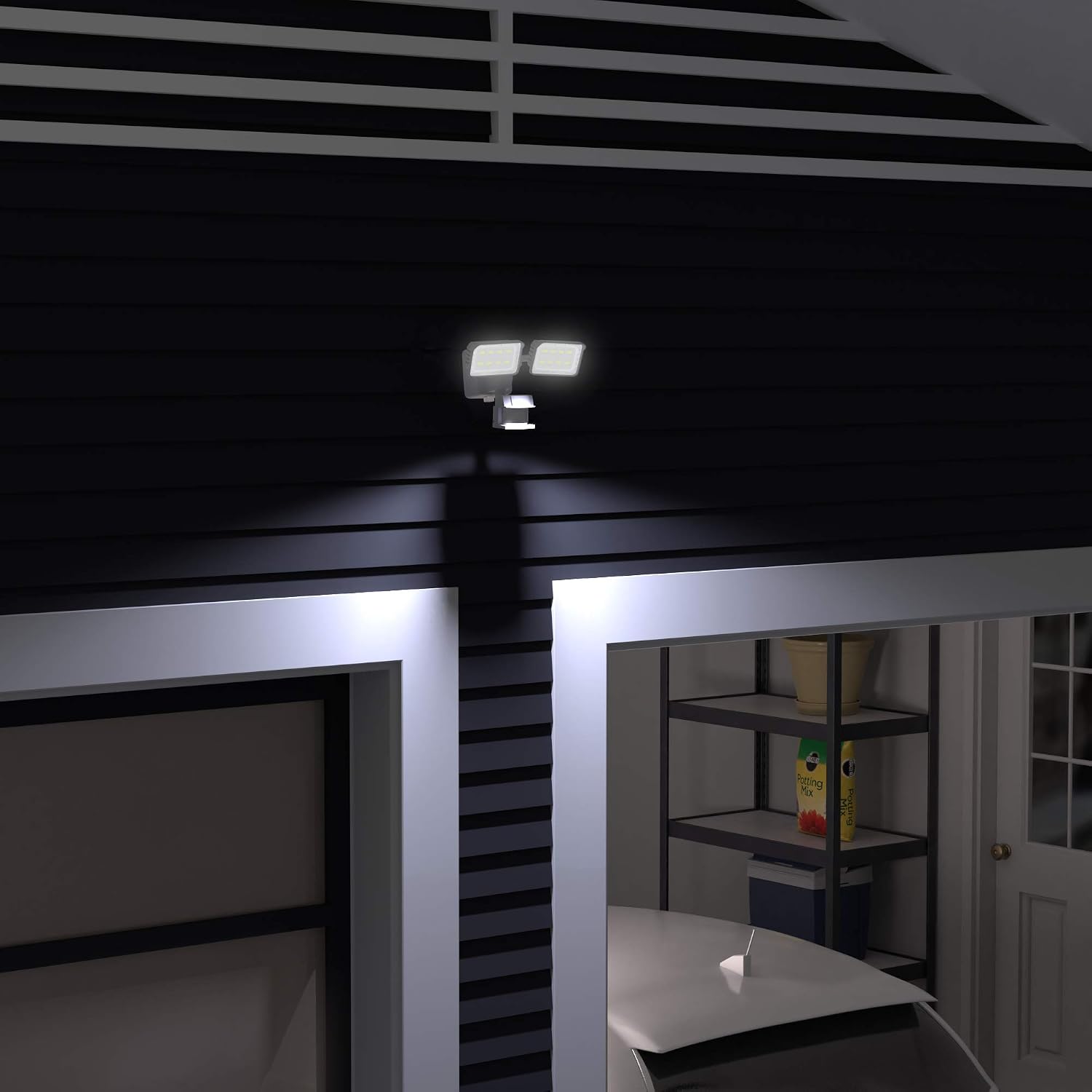
Figure 3: The security light providing illumination in an outdoor setting at night.
7. Maintenance
Regular maintenance ensures optimal performance and longevity of your security light.
- Cleaning the Solar Panel: Periodically wipe the solar panel with a soft, damp cloth to remove dust, dirt, and debris. A clean panel ensures efficient charging. Avoid using harsh chemicals.
- Cleaning the Light Fixture: Clean the LED light heads and motion sensor lens with a soft, damp cloth. Do not spray water directly onto the fixture.
- Battery Replacement: The unit contains 2 x 18650 Lithium Rechargeable Batteries (3.7V 1800 mAh each). These are user-replaceable and located under a screwed-on gasketed battery cover at the rear of the LED Lighting Fixture. If the light's performance significantly degrades over time, consider replacing the batteries with new ones of the same specifications.
- Inspection: Periodically check all mounting hardware for tightness and ensure the solar panel cable is securely connected and free from damage.
8. Troubleshooting
If your security light is not functioning as expected, refer to the following common issues and solutions:
| Problem | Possible Cause | Solution |
|---|---|---|
| Light does not turn on at night. |
|
|
| Light stays on constantly or turns on randomly. |
|
|
| Light is dim or flickers. |
|
|
| Solar panel cable connection issue. |
|
|
9. Specifications
| Model Number | SSM-938DC-2H |
| Brand | Amazon Basics |
| Light Source | LED |
| Brightness | 1500 Lumens |
| Motion Detection Range | Up to 49 feet |
| Adjustable Light Heads | Up to 180° |
| Power Source | Solar Powered |
| Battery Type | 2 x 18650 Lithium Rechargeable Batteries (3.7V 1800 mAh each) |
| Battery Capacity | 3600 mAh (total) |
| LED Lifespan | Up to 50,000 hours |
| Material | Plastic, Aluminum (for heat dissipation) |
| Waterproof Rating | Yes (designed to withstand rain, sleet, or snow) |
| Solar Panel Cord Length | 15 feet |
| Mounting Type | Wall Mount |
| Item Weight | 2.8 Pounds |
10. Warranty and Support
Warranty Information:
This Amazon Basics product is covered by a 1-year manufacturer's warranty from the date of purchase. This warranty covers defects in materials and workmanship under normal use. For full warranty terms and conditions, please refer to the official warranty document available on the product's Amazon page or contact customer support.
Customer Support:
For technical assistance, troubleshooting, or warranty claims, please contact Amazon Basics customer support. You can typically find contact information on the Amazon website under the "Help" or "Customer Service" sections, or by visiting the Amazon Basics Store.

