
Tribesigns bcc122f4-9627-41ca-876e-f98e6ea4635e
Tribesigns 94.5-inch Two-Person Computer Desk Instruction Manual
Model: bcc122f4-9627-41ca-876e-f98e6ea4635e
Introduction
Thank you for choosing the Tribesigns 94.5-inch Two-Person Computer Desk. This extra-long workstation is designed to provide a spacious and functional environment for two individuals, featuring integrated storage shelves and a hutch. Please read this manual carefully before assembly and use to ensure proper setup and safe operation.
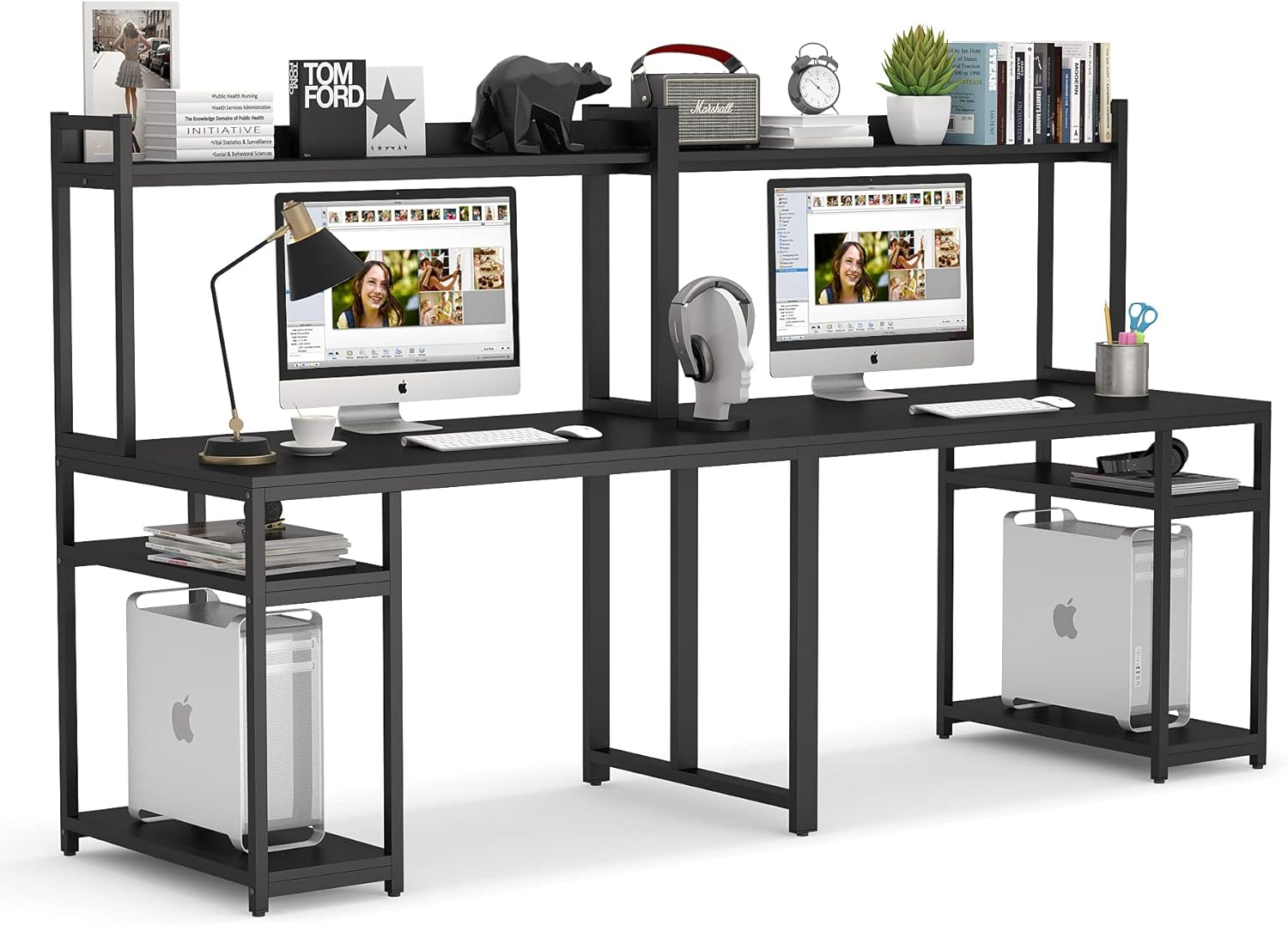
Figure 1: Overall view of the Tribesigns 94.5-inch Two-Person Computer Desk.
Safety Information
To prevent injury or damage to the product, please adhere to the following safety guidelines:
- Always assemble the desk on a stable, level surface to ensure proper alignment and stability.
- Do not overload the desk. It is designed to support a maximum weight of 168 pounds (approximately 76 kg) when evenly distributed across the surface.
- Ensure all screws and fasteners are securely tightened before use. Periodically check and re-tighten as necessary.
- For enhanced stability, especially in high-traffic areas or if children are present, consider anchoring the desk to the wall or floor using appropriate hardware (not included).
- Keep small parts and assembly tools out of reach of children during assembly.
- Avoid exposing the desk to excessive moisture or direct sunlight, which can cause material degradation.
Package Contents
Your Tribesigns desk will be shipped in two separate parcels, which may arrive at different times. Please verify all components are present before beginning assembly. If any parts are missing or damaged, contact customer service immediately.
Typical Components Include:
- Desktop Panels (E1 Particle Board)
- Hutch Shelves
- Side Storage Shelves
- Metal Frame Components (Legs, Support Beams)
- Assembly Hardware (Screws, Bolts, Washers, Allen Wrench, Phillips Head Screwdriver)
- Adjustable Footpads
- Instruction Manual
Assembly Instructions
Assembly is straightforward and typically takes less than two hours for two people. Follow these steps carefully. It is recommended to keep all bolts slightly loose until all pieces are fitted, then tighten them securely.
Tools Required:
- Included Allen Wrench
- Included Phillips Head Screwdriver
- Unpack and Identify Parts: Carefully unpack all components and lay them out on a clean, soft surface to prevent scratches. Identify each part using the provided labels and the parts list in your manual.
- Assemble the Main Desk Frames: Begin by attaching the horizontal support beams to the vertical leg frames for both desk sections. Ensure the orientation of the holes aligns for subsequent steps.
- Attach Side Storage Units: Secure the side storage shelves to their respective vertical frames. These units also serve as host stands.
- Connect Desk Sections: Join the two main desk sections together using the central support beams and connectors. This forms the extra-long workstation.
- Install Hutch Supports: Attach the vertical supports for the hutch to the main desk frame.
- Place Desktop Panels: Carefully place the desktop panels onto the assembled frame. Align the pre-drilled holes with the frame and secure them with screws. Note: Tolerances for hole alignment can be tight; gentle persuasion may be needed.
- Install Hutch Shelves: Mount the hutch shelves onto the hutch supports.
- Attach Adjustable Footpads: Screw the adjustable footpads into the bottom of each leg. These help stabilize the desk on uneven floors and protect your flooring.
- Final Tightening: Once all components are in place and aligned, systematically tighten all screws and bolts securely. Do not overtighten.

Figure 2: Detailed dimensions of the assembled desk, showing the spacious layout and hutch design.

Figure 3: Key construction details including the anti-scratch surface, E1 particle board, heavy-duty metal frame, and adjustable footpads.
Usage Guidelines
The Tribesigns Two-Person Computer Desk is designed for optimal functionality and comfort. Here are some guidelines for its use:
- Workstation Setup: The 94.5-inch wide desktop provides ample space for multiple monitor setups, laptops, and other office essentials for two users.
- Storage Utilization:
- The top hutch shelves are ideal for books, decorative items, or smaller monitors.
- The two-tier open shelves on each side are perfect for storing documents, office supplies, or as dedicated host stands for computer towers.
- Cable Management: While the desk does not include integrated cable management, the open design allows for easy routing of cables using external ties or clips (not included) to maintain a tidy workspace.
- Leg Room: The 30-inch high desk provides generous leg room without obstructions.
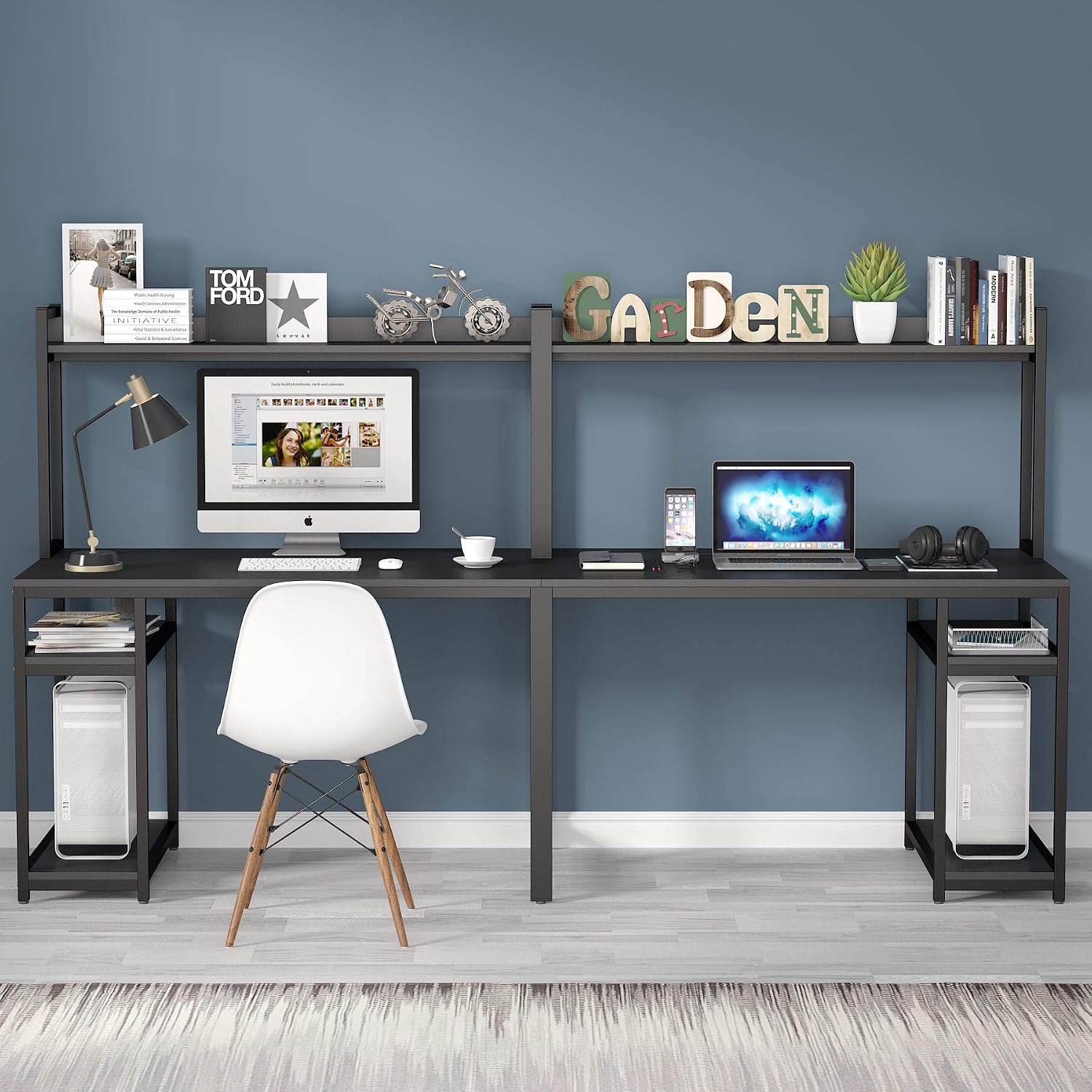
Figure 4: The desk integrated into a home office, showcasing its spacious design for two users.
Maintenance
Proper care will extend the life and appearance of your Tribesigns desk:
- Cleaning: Wipe surfaces with a soft, damp cloth. Avoid harsh chemicals or abrasive cleaners, which can damage the finish.
- Spills: Immediately wipe up any spills to prevent moisture absorption and potential damage to the particle board.
- Hardware Check: Periodically inspect all screws and connections to ensure they remain tight. Re-tighten as needed to maintain stability.
- Avoid Excessive Heat: Do not place hot items directly on the desktop without protective padding.
- Relocation: When moving the desk, lift it rather than dragging it to prevent damage to the legs and frame.
Troubleshooting
If you encounter any issues with your desk, refer to the common problems and solutions below:
| Problem | Possible Cause | Solution |
|---|---|---|
| Desk is wobbly or unstable. | Loose screws; uneven floor; incorrect assembly. | Ensure all screws are tightened. Adjust the footpads on the bottom of the legs to level the desk. Review assembly steps for any missed connections. |
| Parts are missing or damaged upon arrival. | Shipping error; manufacturing defect. | Contact Tribesigns customer service with your order details and a description of the missing/damaged parts. Remember the desk ships in two parcels. |
| Holes do not align during assembly. | Parts oriented incorrectly; screws overtightened prematurely. | Double-check part orientation against the manual diagrams. Loosen all screws slightly, align the parts, then tighten them gradually. |
Specifications
| Feature | Detail |
|---|---|
| Brand | Tribesigns |
| Model Number | bcc122f4-9627-41ca-876e-f98e6ea4635e |
| Product Dimensions (D x W x H) | 23.62"D x 94.48"W x 53.15"H |
| Desktop Height | 30 inches |
| Item Weight | 84 Pounds (approx. 38 kg) |
| Maximum Weight Recommendation | 168 Pounds (approx. 76 kg) |
| Material | E1 Particle Board (Desktop, Hutch, Shelves), Powder Coated Metal (Frame) |
| Color | Black |
| Number of Shelves | 4 (2 hutch, 2 side storage) |
| Assembly Required | Yes |
| Included Tools | Allen Wrench, Phillips Head Screwdriver |
Warranty and Support
Tribesigns offers a limited warranty on this product. For specific warranty details, claims, or technical support, please refer to the warranty information provided with your purchase or visit the official Tribesigns website. Our customer service team is available to assist with any questions or concerns regarding your desk.
For further assistance, please contact Tribesigns customer service via their official channels. You can often find contact information on the product packaging or the brand's website.
Ask a question about this manual
Ask about setup, troubleshooting, compatibility, parts, safety, or missing instructions. Manuals+ will review the question and use this page’s manual context to help answer it.