
1. Introduction
This manual provides essential information for the safe and effective use of your Paladone Pac Man and Ghosts Light. This LED light features iconic Pac Man characters, offering multiple lighting modes including standard, color phasing, and music reactive settings. It is designed for indoor decorative use.
2. Safety Information
- Fragile Item: Handle with care to prevent damage.
- Indoor Use Only: This product is not waterproof and should not be exposed to moisture or used outdoors.
- Power Source: Use only the specified power sources (USB or 3x AAA batteries). Ensure correct battery polarity.
- Choking Hazard: Keep small parts and batteries away from young children.
- Disposal: Dispose of batteries and electronic components responsibly according to local regulations.
3. What's in the Box
- 1 x Paladone Pac Man and Ghosts Light unit
Note: A Micro USB cable and 3x AAA batteries are typically not included and must be supplied separately.
4. Setup
4.1 Powering the Device
The Pac Man and Ghosts Light can be powered in two ways:
- USB Power: Connect a Micro USB cable (not included) to the port on the back of the light unit and plug the other end into a compatible USB power source (e.g., computer, USB wall adapter).
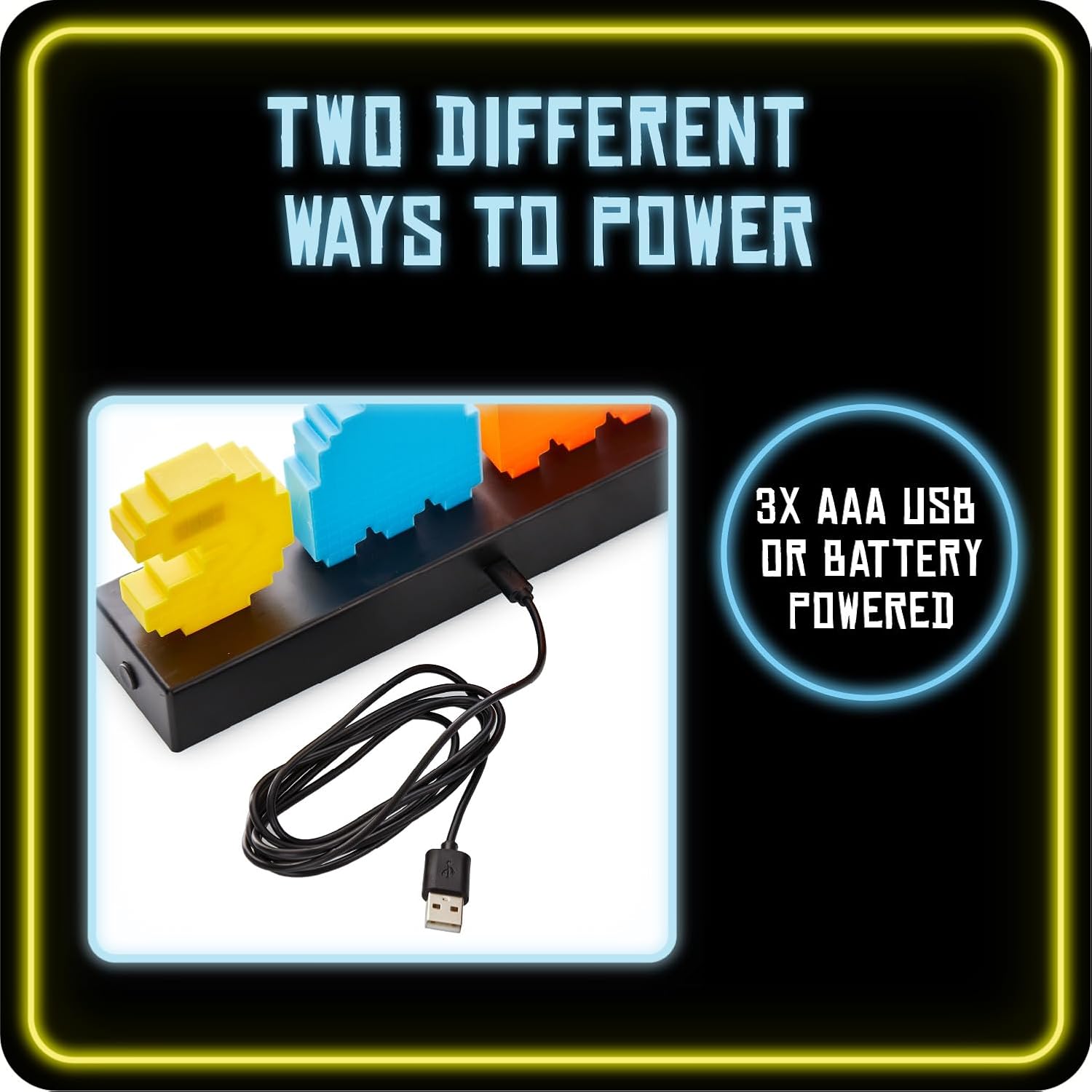
Image: The Pac Man and Ghosts Light connected via a Micro USB cable for power.
- Battery Power: Open the battery compartment located on the underside of the unit. Insert 3x AAA batteries (not included), ensuring correct polarity (+/-). Close the compartment securely.

Image: The underside of the light unit showing the battery compartment for 3x AAA batteries.
5. Operating Instructions
The light unit features a push button switch to cycle through different lighting modes.
5.1 Light Modes
Press the power button to switch between the following modes:
- Standard Lighting: All characters illuminate with their default colors (Red, Orange, Blue, Yellow).
- Color Phasing: The colors of the characters will gradually transition and change.
- Music Reactive: The lights will respond to sounds and music in the environment via a built-in microphone sensor.
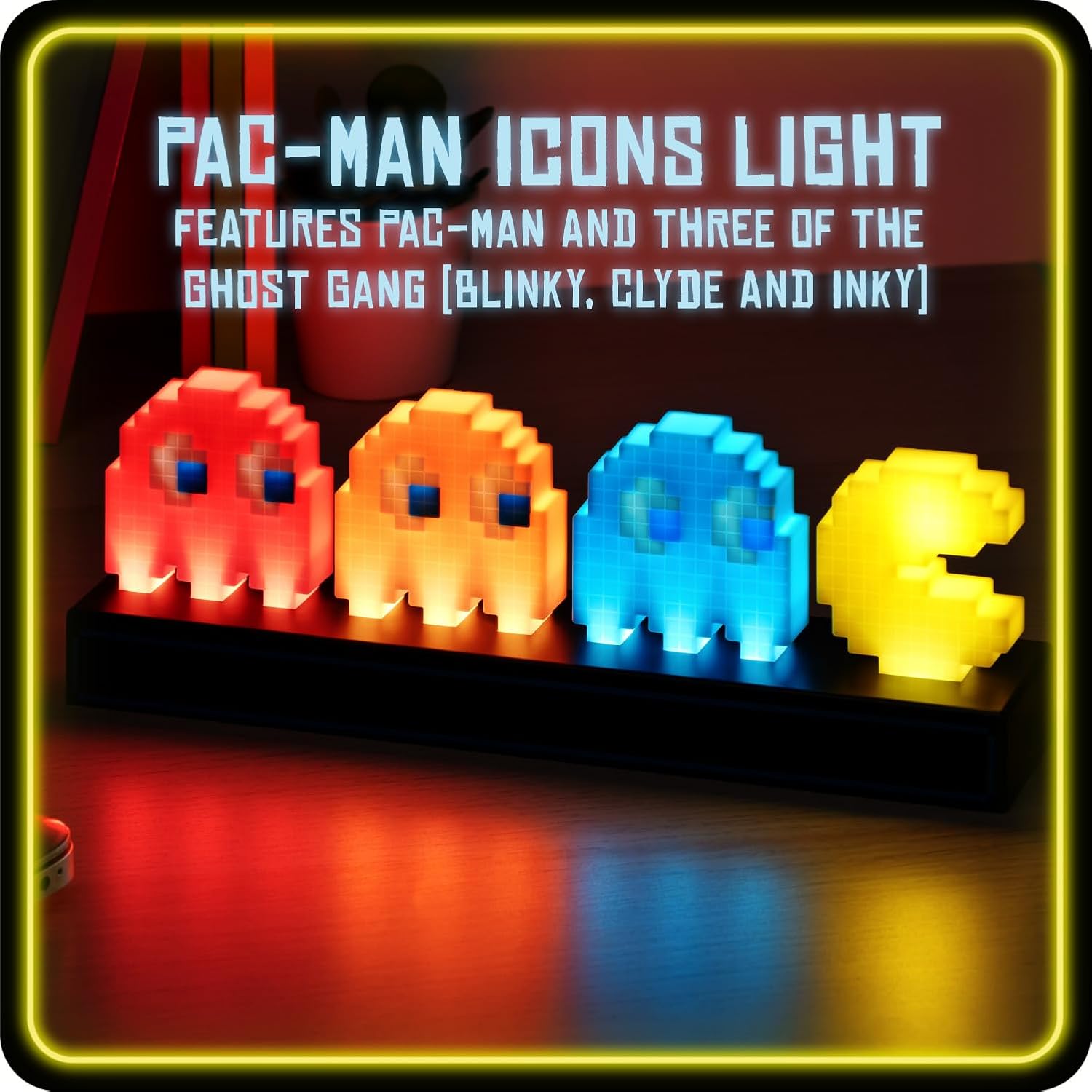
Image: Visual representation of the three available light modes: Standard, Color Phasing, and Music Reactive.
5.2 Turning On/Off
Press the power button once to turn the light on. Continue pressing to cycle through modes. To turn off the light, cycle through all modes until the lights extinguish, or hold the button down for a few seconds.
6. Maintenance
- Cleaning: Use a soft, dry cloth to clean the surface of the light. Do not use abrasive cleaners or immerse in water.
- Battery Replacement: When the light dims or stops functioning on battery power, replace all three AAA batteries with new ones.
7. Troubleshooting
- Light Not Turning On:
- Ensure batteries are inserted correctly and are not depleted.
- If using USB, verify the cable is securely connected and the power source is active.
- Music Sync Not Working:
- Ensure the light is in music reactive mode.
- Check that there is sufficient audio volume for the microphone sensor to detect sound.
- Physical Damage: In case of any broken components, contact Paladone customer support for assistance. Avoid attempting repairs that may further damage the product.
8. Specifications
| Feature | Detail |
|---|---|
| Model Name | Pac Man and Ghosts Light |
| Product Dimensions | 2.76"D x 12.56"W x 6.06"H (approx. 30 cm x 10 cm) |
| Item Weight | 0.27 Kilograms (9.4 ounces) |
| Power Source | Dual-powered (USB or 3x AAA batteries) |
| Light Source Type | LED |
| Special Features | Color Changing, Music Sync, Rechargeable (via USB) |
| Control Method | Push Button |
| Material | Plastic (Base), Metal (Material) |
| Indoor/Outdoor Usage | Indoor |
| Water Resistance Level | Not Water Resistant |
9. Warranty and Support
For warranty information or technical support, please refer to the packaging or contact Paladone customer service directly. Keep your proof of purchase for any warranty claims.