1. Introduction
This manual provides detailed instructions for the KOPUO Mini Body Camera Video Recorder. Please read this manual carefully before using the device to ensure proper operation and to maximize its capabilities. Keep this manual for future reference.

Figure 1: KOPUO Mini Body Camera
2. Product Features
- Ultra HD 1080P Video Recording: Captures video at 1920x1080P resolution using high-quality optical glass.
- Extended Battery Life: Equipped with an 1100 mAh rechargeable battery, providing up to 6 hours of continuous recording. Supports recording while charging.
- Motion Detection: Automatically initiates recording when movement is detected, conserving storage space.
- Loop Recording: Overwrites the oldest video files when the memory card is full, ensuring continuous recording.
- Memory Card Support: Compatible with Micro SD cards from 4GB to 128GB. Includes a 32GB high-speed memory card.
- Wide Viewing Angle: Features a 130-degree lens for broader coverage.
- Rotatable Lens Design: The lens can be rotated 90 degrees to provide a wider view or adjust the recording angle.
- Compact and Portable: Designed with a back clip for easy attachment to pockets, collars, or bags.
- Magnetic Fixing: Can be easily fixed to metal surfaces for discreet placement.
- USB Micro-SD Card Reader Function: Functions as a card reader when connected to a computer.
- Night Vision: Equipped with infrared capabilities for recording in low-light conditions.
3. Package Contents
Please check the package contents upon unboxing:
- KOPUO Mini Body Camera
- USB Charging Cable
- 32GB Micro SD Card
- User Manual
4. Product Diagram
Familiarize yourself with the camera's components:

Figure 2: Camera with 90-degree rotatable lens design
The camera features a lens that can be rotated 90 degrees for flexible recording angles. Controls are located on the side for easy access.
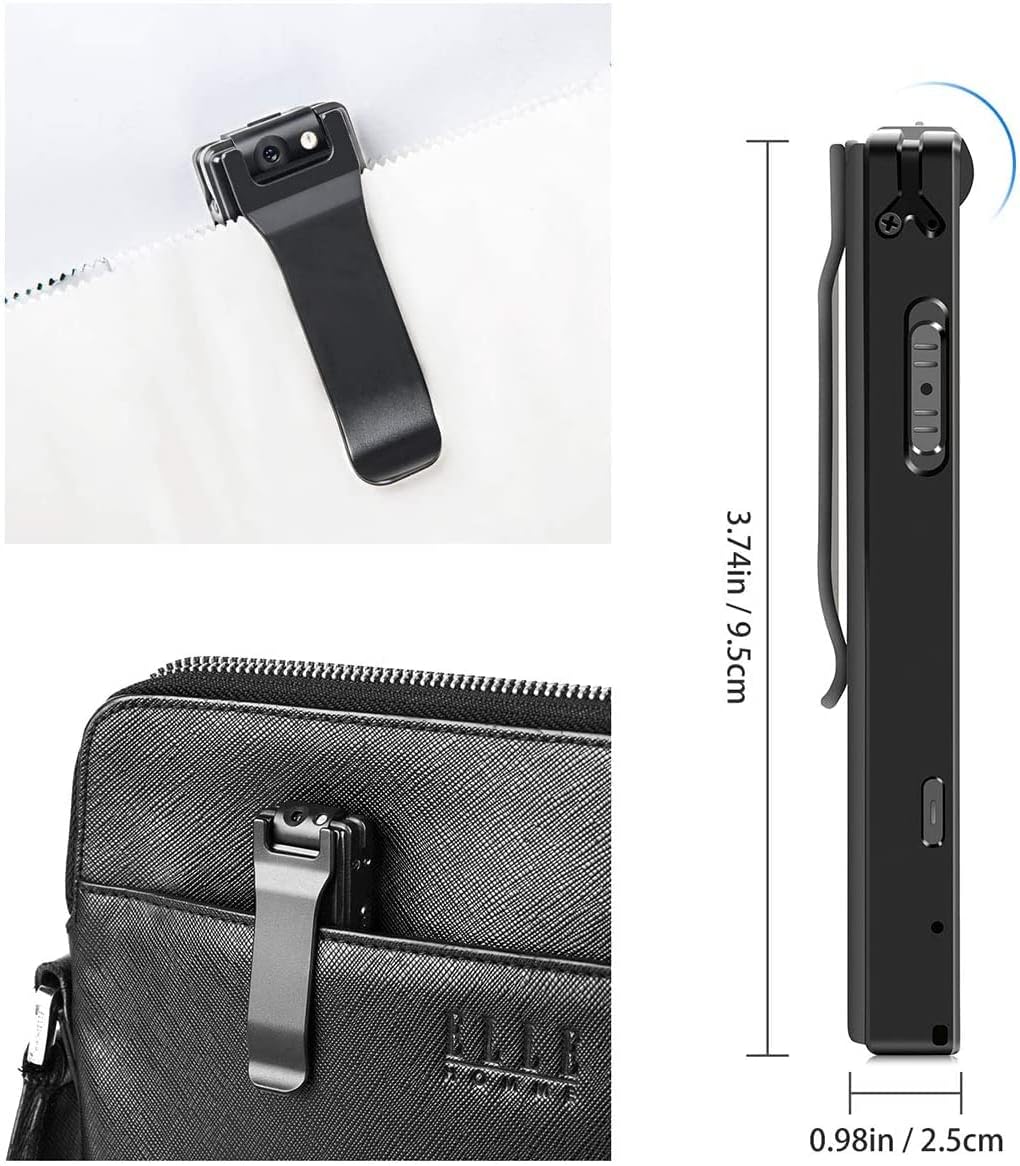
Figure 3: Camera dimensions and clip attachment
The camera measures approximately 9.5cm (3.74in) in length and 2.5cm (0.98in) in width, making it highly portable. The integrated clip allows for secure attachment to various items.
5. Getting Started (Setup)
5.1 Charging the Battery
- Connect the camera to a USB power adapter (5V) or a computer's USB port using the provided USB cable.
- The indicator light will show the charging status. Refer to the device's LED indicator guide for specific light patterns (not detailed in provided data, assume standard red for charging, blue for full).
- A full charge typically takes several hours. Ensure the camera is fully charged before first use.
5.2 Inserting the Micro SD Card
- Locate the Micro SD card slot on the camera.
- Gently insert the 32GB Micro SD card (or another compatible card, 4GB-128GB) into the slot until it clicks into place. Ensure the card is inserted in the correct orientation.
- To remove, gently push the card inward until it springs out.
5.3 Setting Date and Time
To set the correct date and time stamp for your recordings:
- Connect the camera to your computer using the USB cable.
- The camera will be recognized as a removable disk.
- Open the removable disk. You should find a text file (e.g.,
time.txtor similar). - Open this text file and modify the date and time to the current values in the specified format (e.g.,
YYYY-MM-DD HH:MM:SS). Save the file. - Safely eject the camera from your computer. The new date and time settings will be applied upon the next power-on.
6. Basic Operation
6.1 Powering On/Off

Figure 4: Easy one-button operation
- Power On: Press and hold the Power/Record button for a few seconds until the indicator light illuminates.
- Power Off: Press and hold the Power/Record button again for a few seconds until the indicator light turns off. Ensure recording has stopped before powering off to prevent data loss.
6.2 Video Recording
- Ensure the camera is powered on.
- Press the Power/Record button once to start video recording. The indicator light will change to indicate recording is in progress (e.g., flashing blue).
- Press the Power/Record button again to stop recording. The video file will be saved to the Micro SD card.
6.3 Motion Detection Recording
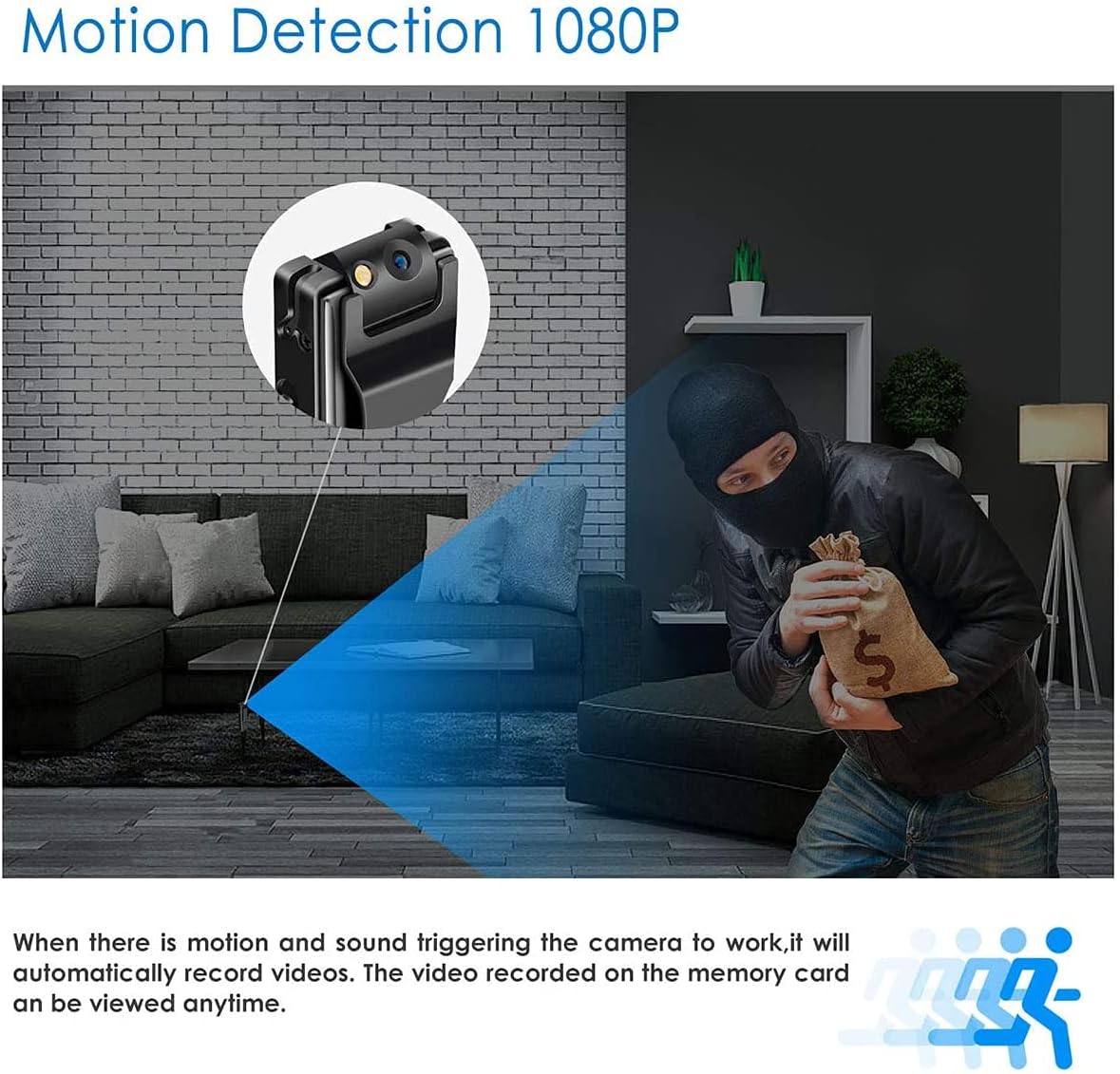
Figure 5: Motion detection in operation
The camera can be set to record only when motion is detected:
- Refer to the specific switch or button on your device for activating motion detection mode (details not provided in JSON, assume a dedicated switch or mode button).
- Once activated, the camera will enter standby mode and begin recording automatically when motion is detected within its field of view.
- Recording will stop after a period of no motion and return to standby, saving storage space.
6.4 Loop Recording
The camera supports loop recording, which means that when the Micro SD card's storage capacity is nearly full (less than 300MB remaining), the oldest video files will be automatically overwritten to make space for new recordings. This ensures continuous operation without manual deletion of files.
6.5 Connecting to a Computer (USB Mode)
To access recorded files or use the camera as a card reader:
- Ensure the camera is powered off.
- Connect the camera to your computer using the USB cable.
- The camera will appear as a removable disk (e.g., USB drive).
- You can now browse, copy, or delete video files from the Micro SD card.
- Always safely eject the removable disk from your computer before disconnecting the camera.
7. Usage Scenarios and Placement
The compact design and versatile features allow for various applications:
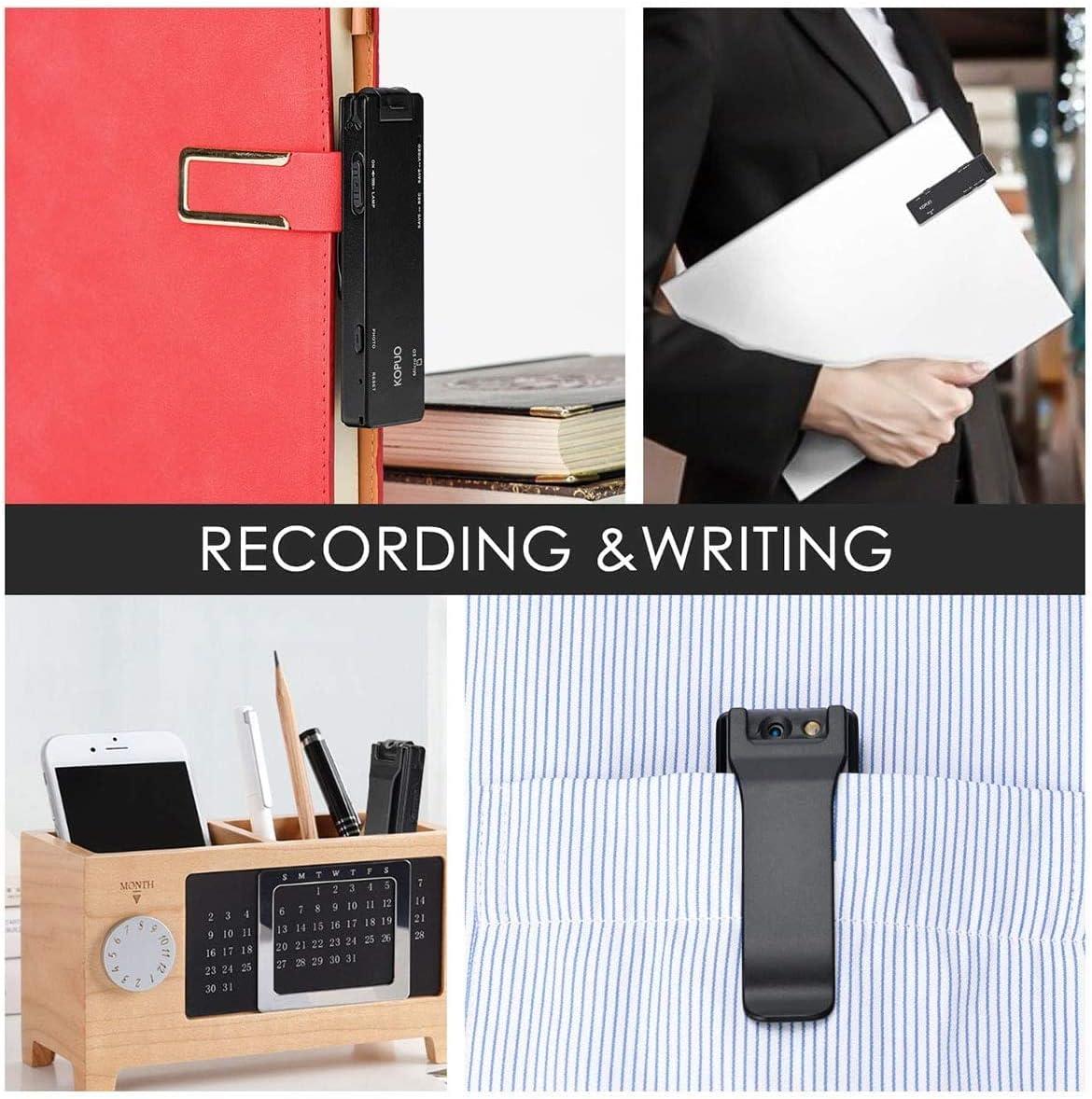
Figure 6: Versatile placement options
- Wearable: Use the back clip to attach the camera to your shirt pocket, collar, or bag for on-the-go recording.
- Stationary: Place it discreetly on a desk, shelf, or in a corner for home or office security.
- Magnetic Mounting: The camera can be fixed to metal surfaces using its magnetic properties for hidden surveillance.

Figure 7: Magnetic fixing for discreet placement
8. Maintenance
8.1 Battery Care
- Charge the battery regularly, even if the camera is not in frequent use, to maintain battery health.
- Avoid fully discharging the battery frequently.
- Do not expose the camera to extreme temperatures, as this can affect battery performance and lifespan.
8.2 Cleaning
- Use a soft, dry cloth to clean the camera body.
- For the lens, use a specialized lens cleaning cloth and solution to avoid scratches.
- Do not use harsh chemicals or abrasive materials.
8.3 Storage
- Store the camera in a cool, dry place away from direct sunlight and moisture.
- If storing for an extended period, ensure the battery is partially charged (around 50%) to prevent deep discharge.
9. Troubleshooting
If you encounter issues with your KOPUO Mini Body Camera, refer to the following common problems and solutions:
| Problem | Possible Cause | Solution |
|---|---|---|
| Camera does not power on. | Low battery; device malfunction. | Charge the camera fully. If the issue persists, contact customer support. |
| Cannot record video. | No Micro SD card; card full; card error; incorrect mode. | Ensure a Micro SD card is inserted and has sufficient space. Format the card if necessary. Check if the camera is in the correct recording mode. |
| Video quality is poor or blurry. | Dirty lens; low light conditions; camera movement. | Clean the lens. Ensure adequate lighting. Minimize camera movement during recording. |
| No video, only audio recorded. | Incorrect mode setting. | Check the camera's mode switch or settings to ensure it is set to video recording mode, not audio-only mode. |
| Computer does not recognize camera. | Faulty USB cable; incorrect connection; driver issue. | Try a different USB port or cable. Ensure the camera is powered off before connecting. Restart your computer. |
| Date and time stamp is incorrect. | Time not set or saved properly. | Follow the instructions in Section 5.3 to set the date and time via the text file on the Micro SD card. |
10. Specifications
| Feature | Specification |
|---|---|
| Model Name | Hidden Camera |
| Video Capture Resolution | 1080P (1920x1080), 720p |
| Frame Rate | 30 frames per second |
| Viewing Angle | 130 Degrees (advertised), 120 Degrees (specification) |
| Battery Capacity | 1100 mAh Lithium Polymer |
| Recording Time | Up to 6 hours |
| Memory Card Support | Micro SD, 4GB to 128GB |
| Material | Optical Glass (lens) |
| Color | Black |
| Item Weight | 136 g |
| Dimensions | 11.43 x 7.37 x 4.06 cm (Parcel Dimensions) |
| Connectivity Technology | Wireless (Wi-Fi mentioned, but functionality not detailed for this model) |
| Special Features | Night Vision, Motion Detection, Loop Recording |
| Power Source | Battery Powered (5 Volts) |
| Indoor/Outdoor Usage | Indoor, Outdoor |
11. Warranty and Support
For warranty information, technical support, or service inquiries, please refer to the contact information provided with your product packaging or visit the official KOPUO website. Keep your purchase receipt as proof of purchase.


