
Introduction
This manual provides comprehensive instructions for the safe and efficient use of your Marmitek Power SE Wi-Fi Smart Plug. This smart plug allows you to control connected electrical devices remotely via the Smart me app, manually, or through voice commands with compatible smart assistants. Please read this manual thoroughly before use and retain it for future reference.

Figure 1: Front view of the Marmitek Power SE Wi-Fi Smart Plug (Type G), showing the socket and integrated power button.
Safety Instructions
Please read these instructions thoroughly before you use the device and keep them for future reference.
- Do not expose the product to extremely high or low temperatures, strong light sources or direct sunlight.
- This product is not a toy. Keep out of reach of children.
- Never open the product; the device may contain parts with deadly voltage.
- Repairs or service should only be performed by qualified personnel.
- Do not connect multiple power strips to each other.
- Do not cover the power strip during use.
- The power strip is only de-energized when unplugged.
- For use in dry rooms only.
Product Overview
The Marmitek Power SE is a compact Wi-Fi smart plug designed for Type G sockets. It allows you to transform any standard electrical appliance into a smart device, controllable from your smartphone or through voice commands.

Figure 2: Detailed frontal view of the smart plug, highlighting the Type G socket and the integrated manual power button.
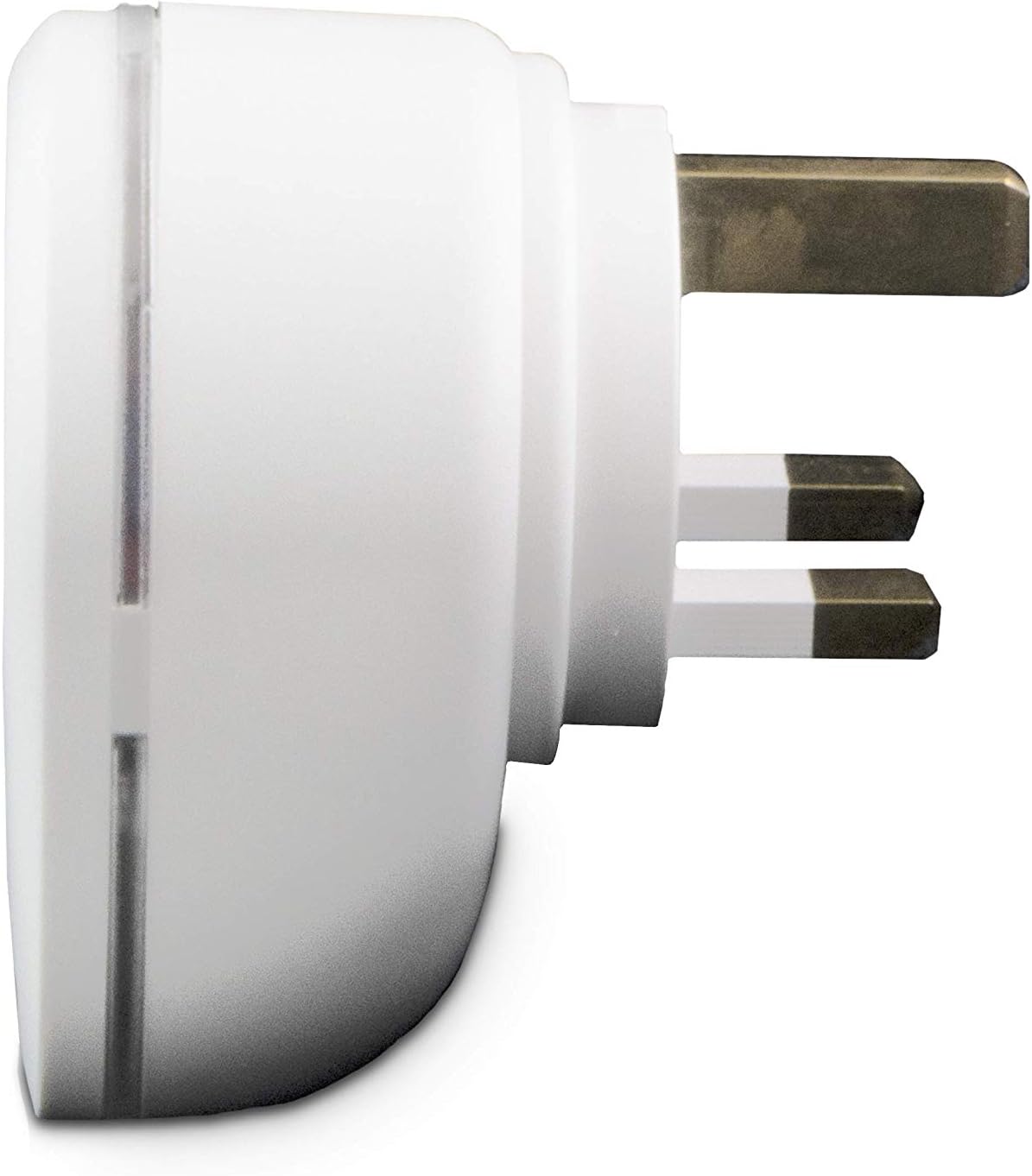
Figure 3: Side profile of the smart plug, illustrating the robust Type G plug pins for secure connection.

Figure 4: Product packaging, showing key features and compatibility information.
Setup
- Download the Smart me App: Search for "Smart me" in your smartphone's app store (iOS or Android) and download the application.
- Plug in the Device: Insert the Marmitek Power SE Wi-Fi Smart Plug into a standard Type G wall socket. Ensure the socket is functioning correctly.
- Initiate Pairing: Open the Smart me app. Follow the on-screen instructions to add a new device. The app will guide you through the process of connecting the smart plug to your home Wi-Fi network (2.4 GHz only). The smart plug is designed for "Plug & Play" setup, requiring no additional gateway.
- Confirm Connection: Once successfully paired, the indicator light on the smart plug will confirm its connection status, and the device will appear in your Smart me app.

Figure 5: The Smart me app logo, essential for controlling your Marmitek smart devices.
Operating the Smart Plug
Manual Operation
The Marmitek Power SE features a physical button on its front. Press this button once to manually switch the connected appliance ON or OFF. The indicator light will change to reflect the current status.
App Control (Smart me App)
Once connected to the Smart me app, you can control your plug from anywhere in the world using your smartphone or tablet. The app allows you to:
- Switch On/Off: Toggle the power to the connected device instantly.
- Set Schedules: Program the plug to turn on or off at specific times or days.
- Create Automations: Link the Power SE with other Marmitek Smart me devices (e.g., cameras or sensors) to trigger actions. For example, turn on a light when motion is detected.

Figure 6: Remote control of the smart plug via the Smart me app on a smartphone.
Voice Control
The Marmitek Power SE is compatible with Amazon Alexa and Google Assistant. To enable voice control:
- Link Accounts: In your Alexa or Google Home app, enable the "Smart me" skill/action and link your Marmitek account.
- Discover Devices: Ask your voice assistant to discover new devices.
- Use Voice Commands: You can now use commands like "Alexa, turn on the living room lamp" or "Hey Google, turn off the fan."

Figure 7: The Smart me ecosystem, showing how the smart plug integrates with other devices and voice assistants.
Maintenance
To ensure the longevity and proper functioning of your Marmitek Power SE smart plug, follow these simple maintenance guidelines:
- Cleaning: Disconnect the smart plug from the power outlet before cleaning. Use a soft, dry cloth to wipe the surface. Do not use liquid cleaners or abrasive materials.
- Storage: If storing the device, ensure it is kept in a dry environment, away from extreme temperatures and direct sunlight.
- Inspection: Periodically check the plug and socket for any signs of damage or wear. If any damage is observed, discontinue use and contact support.
Troubleshooting
| Problem | Possible Cause | Solution |
|---|---|---|
| Device not connecting to Wi-Fi | Incorrect Wi-Fi password, 5 GHz network, weak signal, or device not in pairing mode. | Ensure correct 2.4 GHz Wi-Fi password. Move the plug closer to the router. Reset the plug to pairing mode (refer to app instructions). |
| App cannot control the plug | No internet connection, plug offline, or app issue. | Check your phone's internet connection. Verify the plug's indicator light for connection status. Restart the Smart me app. |
| Voice control not working | Smart me skill/action not enabled, accounts not linked, or incorrect device name. | Ensure the "Smart me" skill/action is enabled and accounts are linked in your Alexa/Google Home app. Use the exact device name configured in the Smart me app. |
| Plug is unresponsive | Power outage, device malfunction. | Check the power supply to the socket. Unplug the device for 10 seconds and plug it back in. If issues persist, contact customer support. |
Specifications
| Model Number | _08517 |
| Brand | Marmitek |
| Colour | White |
| Power Outlet | 1x 100-240 V socket |
| Max. Output | 3450 W |
| Max. Current | 15 Amps |
| Voltage | 100-240 VAC 50/60 Hz |
| Connector Type | Type G |
| Plug Type | Type G |
| Wireless Technology | Wi-Fi 2.4 GHz |
| Standby Current | < 0.5 W |
| Product Dimensions (H x W x D) | 7.2 x 5.2 x 7.2 cm |
| Weight | 140 g |
| Specification Met | IEC |

Figure 8: Technical specifications and compliance markings for the Marmitek Power SE.
Warranty and Support
The Marmitek Power SE Wi-Fi Smart Plug comes with a 2-year warranty from the date of purchase. Please retain your proof of purchase for warranty claims.
For technical support, troubleshooting assistance, or warranty inquiries, please visit the official Marmitek website or contact their customer service department. You can find more information at: www.marmitek.com

Figure 9: Marmitek brand logo.


