
1. Introduction
This manual provides detailed instructions for the JLab Studio ANC On-Ear Wireless Headphones. These headphones are designed for comfort and an immersive audio experience, featuring Active Noise Cancellation (ANC) and extended Bluetooth playtime. Please read this manual thoroughly to ensure proper use and care of your device.
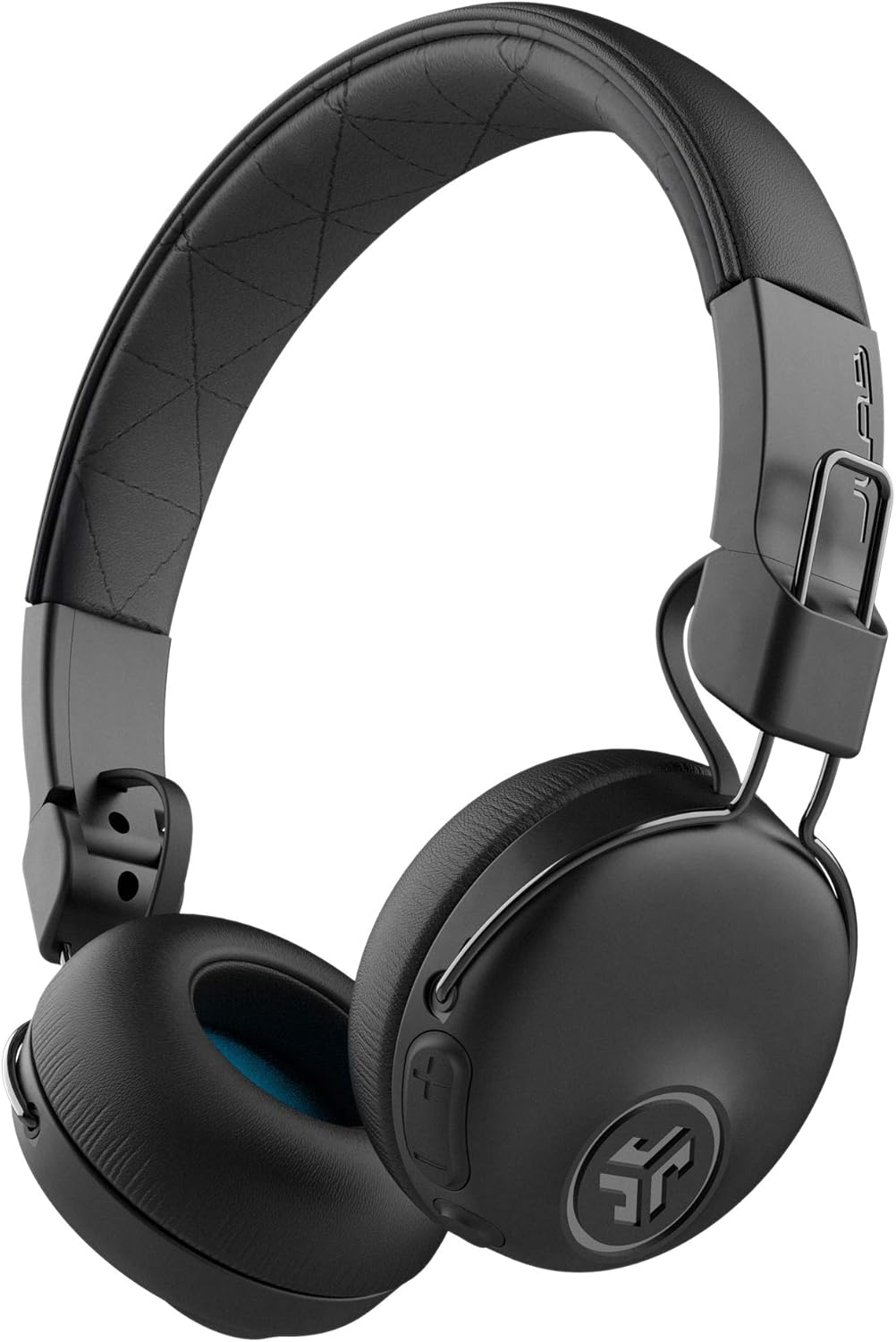
Image 1.1: JLab Studio ANC On-Ear Wireless Headphones.
2. What's in the Box
Verify that all items are present in the packaging:
- Studio ANC Wireless Headphones
- Micro USB Charging Cable
- 3.5mm AUX-IN Cable
- Travel Bag
- JLab Two Year Warranty Information
3. Product Features
3.1 Extended Playtime
The headphones offer up to 34+ hours of Bluetooth 5 playtime. When Active Noise Cancellation (ANC) is engaged, the playtime is approximately 28+ hours. An external 3.5mm AUX cable is included for continued listening when the battery is depleted.

Image 3.1: Headphones featuring extended playtime.
3.2 Active Noise Cancellation (ANC)
Equipped with Active Noise Cancellation, these headphones reduce ambient noise. Two microphones capture external sounds for neutralization, while a third microphone is dedicated to voice clarity during calls.

Image 3.2: Active Noise Cancellation feature.
3.3 Comfort and Design
The headphones feature Cloud Foam earcups and a faux leather headband for comfort during extended use. Adjustable hinges allow for a customized fit, and the design permits the earcups to rotate 80 degrees and fold for portability.

Image 3.3: Comfort features and foldable design.
3.4 Integrated Controls
Control music playback, adjust volume, manage tracks, and handle phone calls directly from the headphone buttons. A built-in microphone supports calls and voice assistant activation.

Image 3.4: Integrated controls and design elements.
4. Setup
4.1 Charging the Headphones
Before first use, fully charge the headphones. Connect the Micro USB Charging Cable to the charging port on the headphones and to a USB power source. The charging indicator light will provide status.
4.2 Bluetooth Pairing
- Ensure the headphones are powered off.
- Press and hold the power button until the indicator light flashes blue and red, indicating pairing mode.
- On your device (smartphone, tablet, computer), enable Bluetooth and search for available devices.
- Select "JLab Studio ANC" from the list.
- Once connected, the indicator light will turn solid blue or flash slowly.
4.3 ANC Activation
To activate or deactivate Active Noise Cancellation, locate the dedicated ANC button on the earcup and press it. An indicator light or audible cue will confirm the ANC status.
5. Operating Instructions
5.1 Basic Controls
- Power On/Off: Press and hold the power button.
- Play/Pause: Press the multi-function button once.
- Volume Up/Down: Use the volume + and - buttons.
- Next Track: Press and hold the volume + button.
- Previous Track: Press and hold the volume - button.
- Answer/End Call: Press the multi-function button once.
- Reject Call: Press and hold the multi-function button.
- Activate Voice Assistant: Double-press the multi-function button.
5.2 EQ3 Custom Sound
The headphones feature EQ3 Custom Sound settings. Refer to the JLab website or app (if available) for details on how to cycle through or customize these sound modes for different listening preferences.
5.3 Wired Connection (AUX)
To use the headphones with a wired connection, plug the 3.5mm AUX-IN Cable into the headphone's AUX port and the other end into your audio device. This mode does not require battery power.
6. Maintenance
6.1 Cleaning
Wipe the headphones with a soft, dry, lint-free cloth. Do not use harsh chemicals, cleaning solvents, or strong detergents. Avoid getting moisture into any openings.
6.2 Storage
When not in use, store the headphones in the provided travel bag to protect them from dust and scratches. Avoid storing in extreme temperatures or high humidity.
7. Troubleshooting
- No Power: Ensure the headphones are fully charged.
- Cannot Pair: Make sure Bluetooth is enabled on your device and the headphones are in pairing mode. Try unpairing and re-pairing.
- No Sound: Check volume levels on both the headphones and your connected device. Ensure the headphones are properly paired or the AUX cable is fully inserted.
- ANC Not Working: Ensure the ANC feature is activated via its dedicated button.
8. Specifications
| Feature | Specification |
|---|---|
| Model Name | Studio |
| Connectivity Technology | Wireless (Bluetooth 5) |
| Headphones Jack | 3.5 mm Jack |
| Battery Life (Bluetooth) | 34 Hours |
| Battery Life (Bluetooth + ANC) | 28+ Hours |
| Noise Control | Active Noise Cancellation |
| Frequency Range | 20 Hz - 20,000 Hz |
| Item Weight | 0.6 Pounds (9.6 ounces) |
| Product Dimensions | 19.69 x 19.69 x 11.02 inches |
| Material | Metal |
| Control Method | Touch / Media Control Buttons |
9. Warranty and Support
9.1 Warranty Information
JLab provides a Two Year Limited Warranty for these headphones. Additionally, a 30-Day Money-Back Guarantee is offered to ensure customer satisfaction. Please refer to the warranty card included in your packaging or visit the official JLab website for full terms and conditions.
9.2 Customer Support
For technical assistance, troubleshooting, or warranty claims, please contact JLab customer support through their official website or the contact information provided in your product documentation.