
EcoAqua EWF-8001A
Contents
EcoAqua EWF-8001A Under Sink Water Filter Instruction Manual
Compatible with 3M 3US-AF01 Systems
Introduction
This manual provides comprehensive instructions for the installation, operation, and maintenance of your EcoAqua EWF-8001A Under Sink Water Filter. This filter is designed to provide clean, filtered water and is compatible with systems requiring the 3M 3US-AF01 filter. Please read this manual thoroughly before installation and use to ensure proper function and longevity of your product.
For optimal performance, it is recommended to replace the filter every 6 months or 2,000 gallons, whichever comes first.
Important Safety Information
- Do not use with water that is microbiologically unsafe or of unknown quality without adequate disinfection before or after the system.
- This filter is designed for cold water line use only. Do not exceed the maximum operating temperature of 38°C (100°F).
- Ensure all connections are secure to prevent leaks.
- Keep this manual for future reference.
Setup and Installation
Before you begin, ensure you have the necessary tools: adjustable wrench (optional), towel, and a bucket.
Step 1: Prepare the Area
- Locate the existing filter housing under your sink.
- Turn off the cold water supply to the filter system. This is usually a small valve under the sink.
- Open the filtered water faucet to relieve pressure in the system. Allow water to drain until it stops.
- Place a towel and a bucket under the filter housing to catch any residual water.
Step 2: Remove the Old Filter
Grasp the old filter cartridge firmly. Twist the filter counter-clockwise (to the left) approximately a quarter turn until it disengages from the filter head. Pull the old filter straight down and remove it. Dispose of the old filter responsibly.
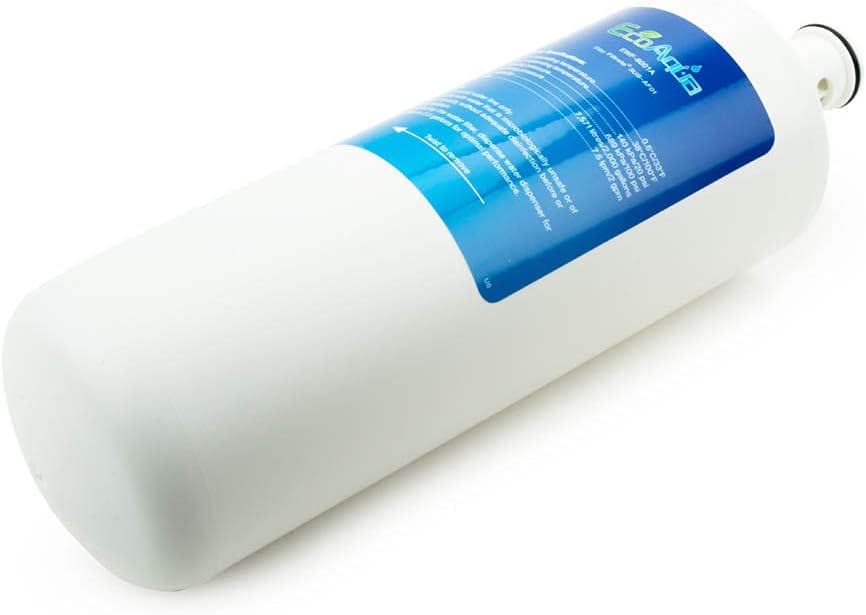
Image: An EcoAqua EWF-8001A water filter shown at an angle, highlighting its cylindrical shape and connection points. This image represents the filter being removed or prepared for installation.
Step 3: Install the New Filter
- Remove the protective cap from the new EcoAqua EWF-8001A filter.
- Align the top of the new filter with the filter head. The filter label often indicates the "Twist to remove" direction, which implies the opposite for installation.
- Push the new filter cartridge up into the filter head and twist it clockwise (to the right) approximately a quarter turn until it locks securely into place. You should feel it seat firmly.

Image: A close-up view of the top connection mechanism of the EcoAqua EWF-8001A filter, showing the O-rings and locking tabs that engage with the filter head. This illustrates how the filter connects to the system.
Step 4: Flush the System
- Slowly turn on the cold water supply valve under the sink.
- Open the filtered water faucet and allow water to run for approximately 3 minutes or until 2.5 gallons have been dispensed. This flushes air from the system and removes any carbon fines from the new filter.
- Check for any leaks around the filter head. If leaks occur, ensure the filter is properly seated and twisted securely.
- Close the filtered water faucet. Your new filter is now ready for use.
Operation
Once installed and flushed, the EcoAqua EWF-8001A filter operates automatically with your existing under-sink filtration system. Simply open your filtered water faucet to dispense clean, filtered water.
The filter is designed to reduce lead and chlorine, improving the taste and odor of your drinking water.
Maintenance
Filter Replacement
Regular filter replacement is crucial for maintaining optimal water quality and system performance. It is recommended to replace your EcoAqua EWF-8001A filter every 6 months or after filtering 2,000 gallons (7,571 liters), whichever comes first. Exceeding the filter's capacity can lead to reduced filtration effectiveness and flow rate.
Follow the "Setup and Installation" steps (Steps 1-4) to replace an old filter with a new one.

Image: A pack of three EcoAqua EWF-8001A water filters, illustrating the product as it would be purchased for multiple replacements. Each filter is white with a blue label.
Troubleshooting
| Problem | Possible Cause | Solution |
|---|---|---|
| Slow water flow |
|
|
| Water leaks from filter head |
|
|
| Unpleasant taste or odor in water |
|
|
Specifications
| Parameter | Value |
|---|---|
| Model Number | EWF-8001A |
| Compatible With | 3M 3US-AF01 |
| Minimum Operating Temperature | 0.6°C (33°F) |
| Maximum Operating Temperature | 38°C (100°F) |
| Minimum Working Pressure | 140 kPa (20 psi) |
| Maximum Working Pressure | 689 kPa (100 psi) |
| Rated Capacity | 7,571 Litres (2,000 Gallons) |
| Flow Rate | 7.6 lpm (2.0 gpm) |
| Product Benefits | Reduces lead and chlorine |

Image: A clear front view of the EcoAqua EWF-8001A water filter, prominently displaying its product label with detailed operating specifications and cautions. This confirms the technical data provided.
Warranty and Support
For warranty information or technical support, please contact EcoAqua customer service. Refer to the product packaging or the EcoAqua official website for the most current contact details.
You can visit the EcoAqua Store on Amazon for more product information.
Documents and downloads
Ask a question about this manual
Ask about setup, troubleshooting, compatibility, parts, safety, or missing instructions. Manuals+ will review the question and use this page’s manual context to help answer it.