
1. Introduction
This manual provides detailed instructions for the safe and efficient use of your Generic SP-20A Wireless Bluetooth Speaker. Please read this manual thoroughly before operating the device and retain it for future reference.
Package Contents
- SP-20A Wireless Bluetooth Speaker
- USB Charging Cable
Ensure all items are present and in good condition. If any items are missing or damaged, contact your retailer.
2. Setup
2.1 Charging the Speaker
Before initial use, fully charge the speaker. Connect the supplied USB charging cable to the speaker's micro USB port and the other end to a USB power adapter (not included) or a computer's USB port. The charging indicator light will illuminate during charging and turn off when fully charged.
Note: Battery backup may vary according to the volume level during playback.
2.2 Powering On/Off
To power on the speaker, press and hold the Power button for a few seconds until you hear an audible prompt or see an indicator light. To power off, repeat the process.
2.3 Bluetooth Pairing
- Ensure the speaker is powered on and in Bluetooth pairing mode. An indicator light will typically flash, and an audible prompt may be heard.
- On your mobile device (smartphone, tablet, etc.), enable Bluetooth.
- Search for available Bluetooth devices. The speaker will appear as "SP-20A" or similar.
- Select "SP-20A" to connect. Once paired, the speaker will provide an audible confirmation, and the indicator light will stop flashing.
- The speaker will automatically attempt to reconnect to the last paired device when powered on.
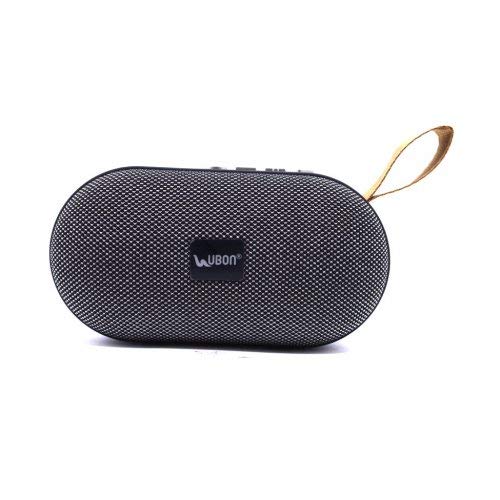
Figure 1: Rear view of the SP-20A speaker, highlighting the USB port, SD card slot, micro USB charging port, and control buttons on the top surface. A carrying strap is visible on the left.
3. Operation
3.1 Bluetooth Mode
Once paired with your device, audio will stream wirelessly to the speaker. Use your connected device to control playback (play/pause, skip tracks) and adjust volume. The speaker may also have integrated controls for these functions.
3.2 SD Card and USB Playback
Insert a microSD card or a USB flash drive containing MP3 audio files into the respective slot on the speaker. The speaker will automatically detect the storage device and begin playing music. Use the speaker's control buttons to navigate tracks and adjust volume.
3.3 FM Radio Mode
To activate FM radio mode, press the Mode button (if available) until you hear the FM radio prompt. The speaker will automatically scan and save available FM stations. Use the skip buttons to cycle through saved stations.
3.4 Volume Control
Adjust the volume using the dedicated volume buttons on the speaker or through your connected Bluetooth device.
4. Maintenance
4.1 Cleaning
Wipe the speaker with a soft, dry cloth. Do not use abrasive cleaners, waxes, or solvents. Avoid exposing the speaker to excessive moisture.
4.2 Storage
When not in use for extended periods, store the speaker in a cool, dry place away from direct sunlight and extreme temperatures. It is recommended to charge the battery periodically to maintain its lifespan.
5. Troubleshooting
| Problem | Possible Solution |
|---|---|
| Speaker does not power on. | Ensure the battery is charged. Connect the speaker to a power source using the USB cable. |
| Cannot pair with Bluetooth device. |
|
| No sound or low volume. |
|
| SD card/USB playback not working. |
|
6. Specifications
| Model Name | SP-20A |
| Brand | Generic |
| Connectivity Technology | USB, Bluetooth |
| Wireless Technology Type | Bluetooth |
| Audio Output Mode | Stereo |
| Speaker Type | Bookshelf |
| Material | ABS plastic |
| Power Source | Battery Powered |
| Compatible Devices | Smartphone, Tablet |
| Item Weight | 173 Grams |
7. Warranty and Support
Specific warranty information for the Generic SP-20A Wireless Bluetooth Speaker is not provided in the product details. For warranty claims or technical support, please contact the retailer where the product was purchased or the manufacturer, Balaji Enterprises, directly.
Always retain your proof of purchase for any warranty-related inquiries.


