
1. Introduction
The DOOGEE S60 Lite is a rugged smartphone designed for durability and performance in challenging environments. It features an IP68 rating for water and dust resistance, a robust build, and essential functionalities for communication and navigation. This manual provides detailed instructions on how to set up, operate, maintain, and troubleshoot your device.
2. Setup
2.1 SIM Card and MicroSD Card Installation
- Locate the SIM card tray on the side of your device.
- Use the provided SIM ejector tool to open the tray.
- Carefully place your Nano-SIM card(s) and/or MicroSD card into the designated slots. Ensure the gold contacts are facing down.
- Gently push the tray back into the phone until it is securely closed.
2.2 Initial Power On and Basic Setup
- Press and hold the Power button until the DOOGEE logo appears.
- Follow the on-screen prompts to select your language, connect to a Wi-Fi network, and set up your Google account.
- Configure security settings such as screen lock and fingerprint unlock.
2.3 Charging the Device
The DOOGEE S60 Lite supports both wired and wireless charging.
- Wired Charging: Connect the Micro-USB cable to the charging port on your phone and the other end to a power adapter. Plug the adapter into a wall outlet.
- Wireless Charging: Place your phone on a compatible wireless charging pad. Ensure the phone is centered on the pad for optimal charging.
3. Operating Instructions
3.1 Power On/Off and Restart
- Power On: Press and hold the Power button until the device vibrates and the screen lights up.
- Power Off/Restart: Press and hold the Power button until the power options menu appears. Select 'Power off' or 'Restart'.
3.2 Screen Navigation
Navigate your device using touch gestures:
- Tap: Select an item or open an application.
- Swipe: Scroll through lists or switch between screens.
- Pinch: Zoom in or out on images and web pages.
3.3 Making Calls and Sending Messages
- Calls: Open the 'Phone' app, enter the number, and tap the call icon.
- Messages: Open the 'Messages' app, tap the new message icon, enter the recipient and your message, then tap send.
3.4 Camera Usage
Open the 'Camera' app. Tap the shutter button to take photos or switch to video mode to record. The DOOGEE S60 Lite features a 16.0MP rear camera and an 8.0MP front camera.
3.5 Fingerprint Unlock
The device features a rear-mounted fingerprint sensor for quick and secure unlocking. To set up, go to Settings > Security & location > Fingerprint and follow the instructions.
3.6 NFC Functionality
The DOOGEE S60 Lite supports NFC (Near Field Communication) for contactless payments and data transfer. To enable, go to Settings > Connected devices > NFC.
4. Key Features
4.1 Robust Performance
The DOOGEE S60 Lite is powered by an efficient octa-core processor clocked at up to 1.5GHz, paired with 4GB of RAM and 32GB of internal storage. This configuration ensures smooth multitasking and responsive application performance.
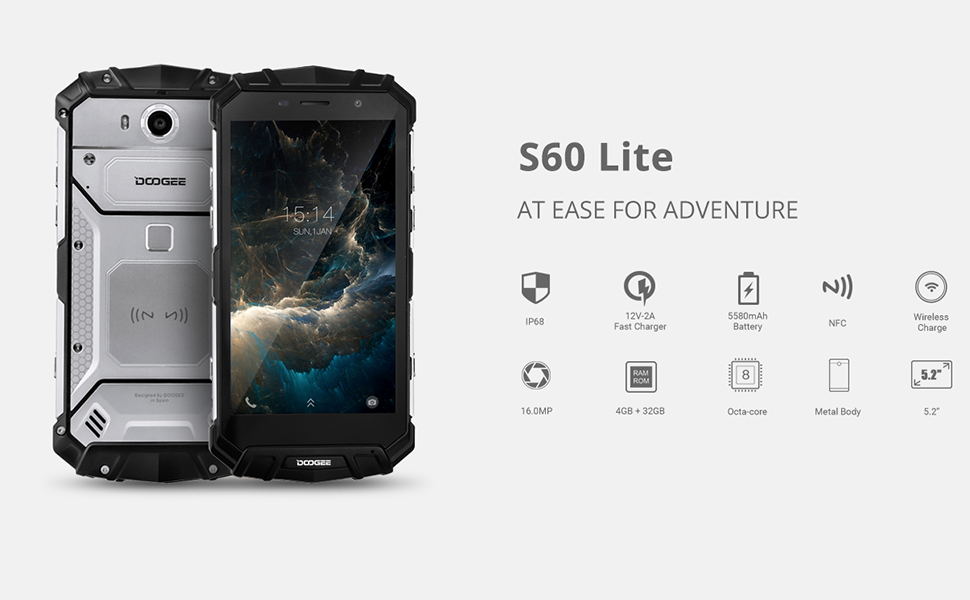
Image: The DOOGEE S60 Lite showcasing its octa-core processor and multitasking ability with a game running on its display.
4.2 IP68 Waterproof and Dustproof Camera
Equipped with a 16.0MP main camera and an 8.0MP front camera, the S60 Lite allows for clear photography. Its IP68 rating ensures the device is waterproof and dustproof, enabling underwater photography and use in harsh conditions. The 5.2-inch display features 1920x1080 (FHD) resolution and Corning Gorilla Glass 5 for enhanced durability.
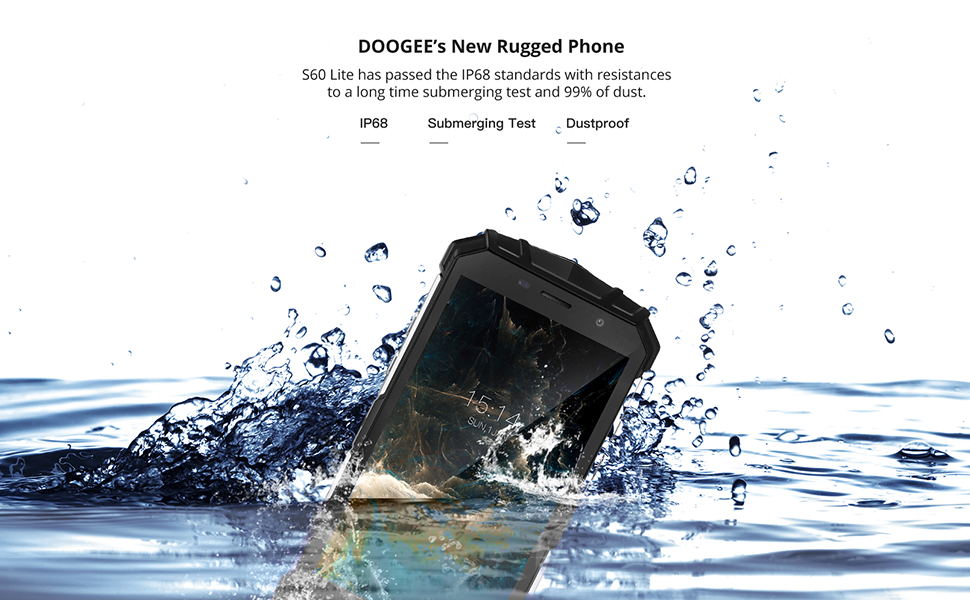
Image: The DOOGEE S60 Lite submerged underwater, highlighting its 16.0MP waterproof camera and 5.2-inch FHD display with Gorilla Glass 5.
4.3 Long-Lasting Battery and Wireless Charging
The device is powered by a large 5580mAh battery, providing ample power for extended use. It supports fast charging (12V-2A) and OTG (On-The-Go) functionality, in addition to wireless charging capabilities.
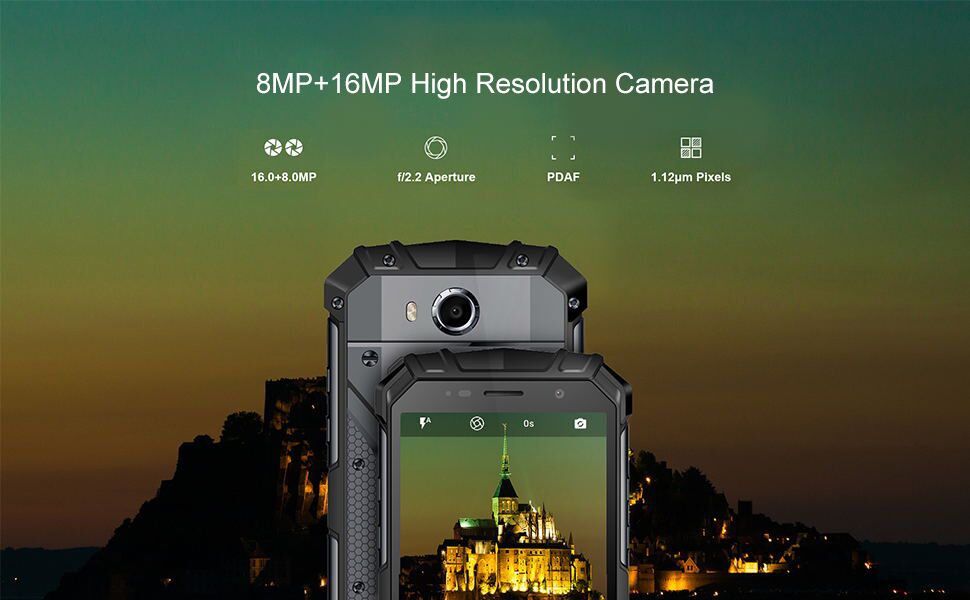
Image: The DOOGEE S60 Lite being charged wirelessly, emphasizing its 5580mAh battery and wireless charging support.
4.4 Secure and Fast Fingerprint Unlock
Unlock your phone quickly and securely in approximately 0.19 seconds using the rear fingerprint sensor. The device also features NFC for convenient transactions and a durable metal body.
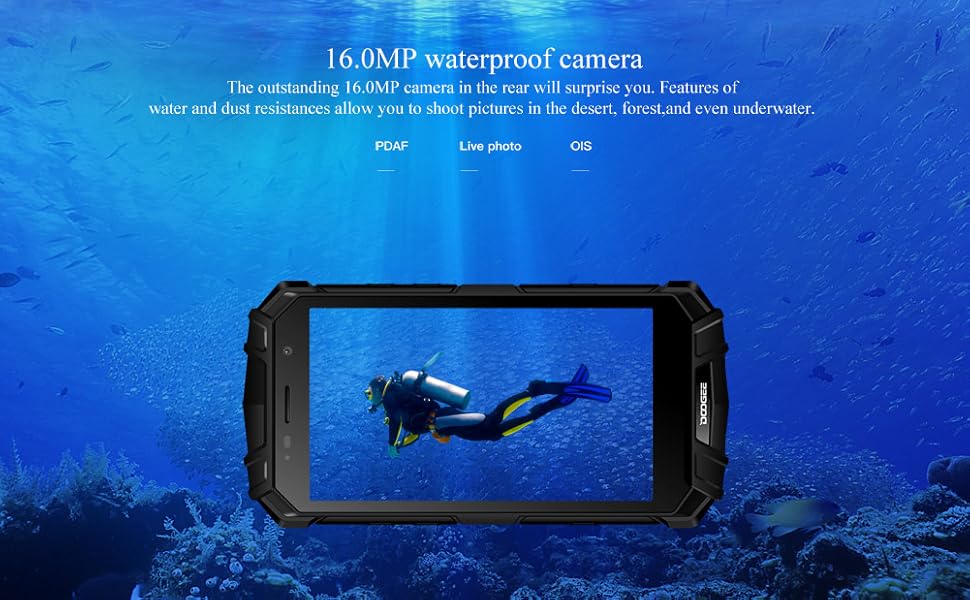
Image: The back of the DOOGEE S60 Lite, highlighting its fast fingerprint unlock, NFC capability, and robust metal body.
4.5 Global Frequency Band Support
The S60 Lite supports a wide range of 2G, 3G, and 4G frequency bands, ensuring strong signal reception and connectivity across various networks globally. Supported bands include GSM B2/3/5/8, WCDMA B1/2/5/8, FDD_LTE B1/2/3/4/5/7/8/12/17/20, and TDD_LTE B38/40/41.
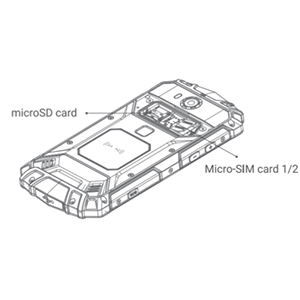
Image: The DOOGEE S60 Lite illustrating its support for various global frequency bands (2G/3G/4G).
4.6 Navigation and Outdoor Tools
The device integrates multiple outdoor tools, including GPS and GLONASS for accurate positioning, a compass, and a flashlight, making it an essential companion for adventurers and outdoor enthusiasts.
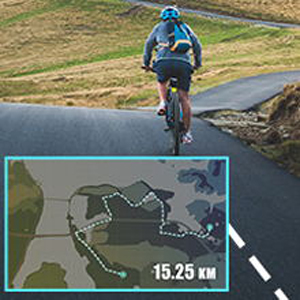
Image: The DOOGEE S60 Lite highlighting its integrated outdoor tools like Compass, GLONASS, and Flashlight.
4.7 Extreme Durability Demonstration
The following video demonstrates the extreme durability of the DOOGEE S60 Lite, showcasing its resistance to impacts, water immersion, and freezing conditions.
Video: A demonstration of the DOOGEE S60 Lite's ruggedness, including being driven over by a car, submerged in water, and surviving being frozen in ice and hammered.
5. Maintenance
- Cleaning: Use a soft, damp cloth to clean the device. Avoid harsh chemicals or abrasive materials.
- Water Resistance: Ensure all port covers are securely closed before exposing the device to water. After exposure to water, dry the device thoroughly before charging or opening any ports.
- Temperature: Avoid exposing the device to extreme temperatures (very hot or very cold) for prolonged periods.
- Impact: While rugged, avoid unnecessary drops or impacts to prolong the device's lifespan.
6. Troubleshooting
- Device Not Responding: Press and hold the Power button for about 10-15 seconds to force a restart.
- Charging Issues: Ensure the charging cable and adapter are working correctly. Check if the charging port is clean and free of debris. For wireless charging, ensure proper alignment on the charging pad.
- Network Connectivity: Check if your SIM card is properly inserted. Go to Settings > Network & internet to verify mobile data and Wi-Fi settings.
- App Crashes: Try clearing the cache of the problematic app (Settings > Apps & notifications > App info > Storage & cache > Clear cache). If the issue persists, consider reinstalling the app.
- Factory Reset: As a last resort, if software issues persist, you can perform a factory reset (Settings > System > Reset options > Erase all data (factory reset)). Warning: This will erase all data on your device. Back up important data before proceeding.
7. Specifications
| Feature | Specification |
|---|---|
| Product Dimensions | 6.46 x 3.19 x 0.61 inches |
| Item Weight | 1.19 pounds |
| Memory Storage Capacity | 32 GB |
| Standing Screen Display Size | 5.2 Inches |
| Battery Capacity | 5580 Milliamp Hours |
| Operating System | Android 8.1 |
| Resolution | 1920 x 1080 |
| Model Name | S60 Lite |
| Wireless Carrier | Unlocked |
| Cellular Technology | 4G |
| Connectivity Technology | NFC |
| Wireless Network Technology | GSM |
8. Warranty and Support
Your DOOGEE S60 Lite smartphone is covered by a manufacturer's warranty. Please refer to the warranty card included in your product packaging for specific terms and conditions, including warranty period and coverage details. For technical support, service, or further inquiries, please visit the official DOOGEE website or contact their customer service channels.


