

Introduction
This manual provides comprehensive instructions for the installation, operation, and maintenance of your Swann Home Security Camera, Model SWNHD-888MSD-US. This PoE Cat5e NVR 4K HD Video Dome Camera is designed for both indoor and outdoor surveillance, featuring color night vision, heat motion detection, and a durable metal housing for reliable local storage security.

Figure 1: Swann 4K Ultra HD Dome Camera (Model SWNHD-888MSD-US).
Key features of your security camera system include:
- 4K UHD NVR CCTV Security Camera System: Provides 4X greater clarity than 1080P, with color night vision up to 115ft with ambient lighting.
- Advanced Analytics: Smart alerts and notifications sent to your phone via the SWANN App with Human and Vehicle Detection.
- Continuous 24/7 Recording: Pre-installed 2TB HDD for continuous recording or Swann True Detect heat and motion-triggered event recordings, offering up to 365 days of stored video.
- Reliable Weatherproof Design: Each camera is tested to withstand various elements, suitable for DIY installation.
- Smart Home Compatibility: Google Assistant and Alexa compatible for integrated control.
What's in the Box
Upon opening your product packaging, please verify that all the following components are included:
- NHD-888MSD Camera
- Cat5e Ethernet Cable (60ft / 18m)
- Mounting Screws & Plugs
- Operating Instructions (this manual)
- Theft Deterrent Stickers
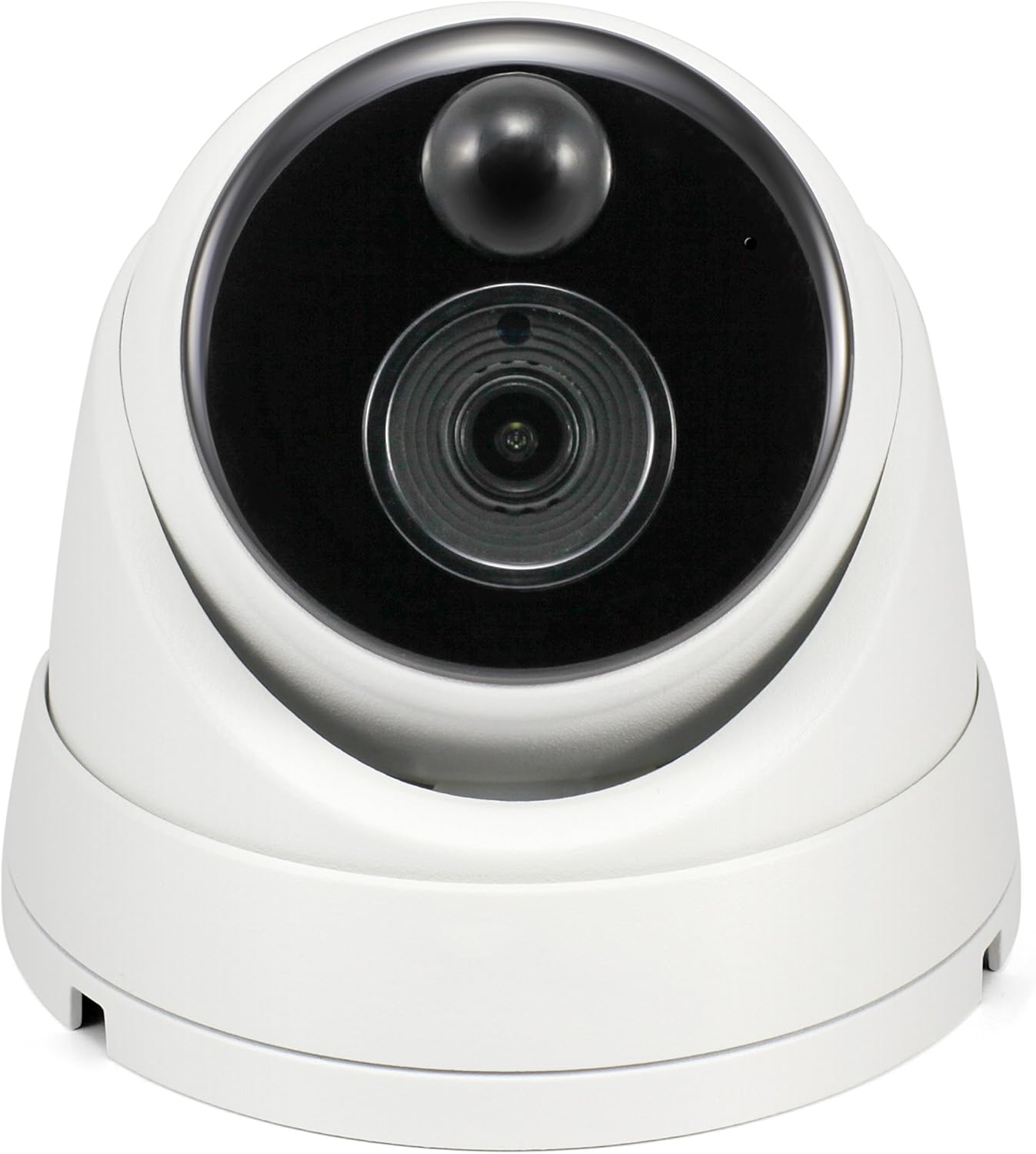
Figure 2: Included components with the Swann Dome Security Camera.
Product Overview
The Swann Dome Security Camera is designed for discreet yet powerful surveillance. Familiarize yourself with its key physical aspects:

Figure 3: Front view of the camera, showing the lens and infrared sensors.
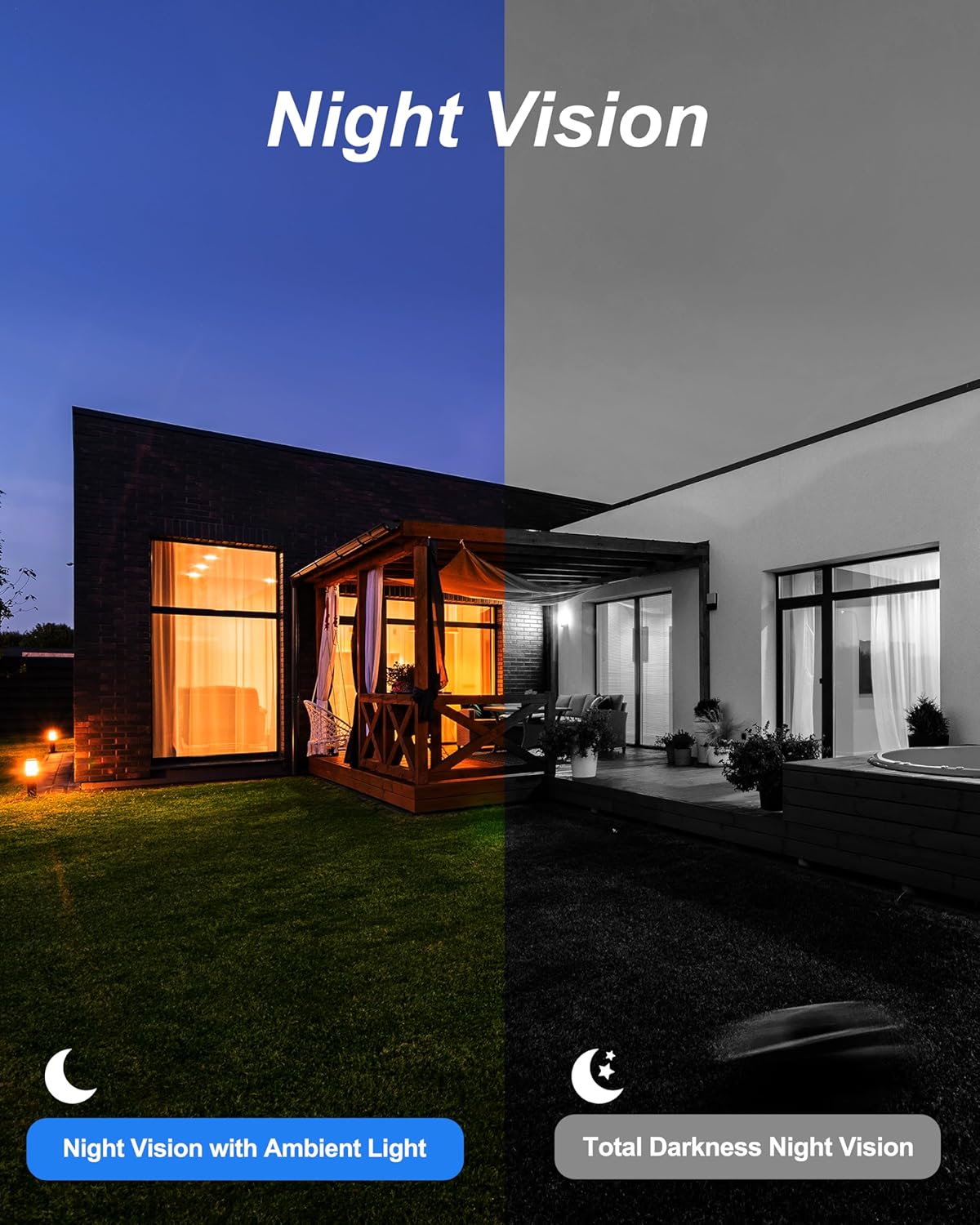
Figure 4: Side view of the camera, highlighting its compact dome design.

Figure 5: Rear view of the camera, showing the Ethernet port for PoE connection.
Setup
The Swann Dome Security Camera utilizes Power over Ethernet (PoE) for simplified installation, requiring only a single Cat5e Ethernet cable for both power and video transmission.
- Camera Placement: Identify optimal locations for camera installation, considering viewing angles and coverage. The camera is suitable for both indoor and outdoor environments.
- Cable Routing: Route the provided Cat5e Ethernet cable from the camera's intended mounting location to your NVR (Network Video Recorder). Ensure cables are protected from environmental damage.
- Connection to NVR: Connect the Ethernet cable from the camera to an available PoE port on your Swann NVR. The NVR will automatically provide power and establish the video connection.
- Mounting: Use the included mounting screws and plugs to securely attach the camera to a wall or ceiling. Ensure the camera is firmly fixed to prevent accidental dislodgement.
- System Initialization: Once connected, the NVR should detect the camera. Refer to your NVR's specific manual for initial setup and camera configuration steps.

Figure 6: Strategic camera placement for comprehensive home surveillance.

Figure 7: Connecting the camera to the NVR using a Cat5e Ethernet cable.
Operating the Camera System
Your Swann security camera system offers advanced features for effective surveillance:
4K UHD Resolution
The camera captures video in stunning 4K Ultra High Definition (3840 x 2160 pixels), providing significantly more detail than standard 1080P systems. This allows for clearer identification of subjects and finer details within the surveillance area.

Figure 8: Visual comparison demonstrating the superior clarity of 4K UHD resolution over 1080P.
Night Vision Capabilities
The camera is equipped with advanced night vision, providing clear images even in low-light conditions. It supports both color night vision with ambient lighting and traditional black-and-white night vision in total darkness, with a range of up to 150 feet.
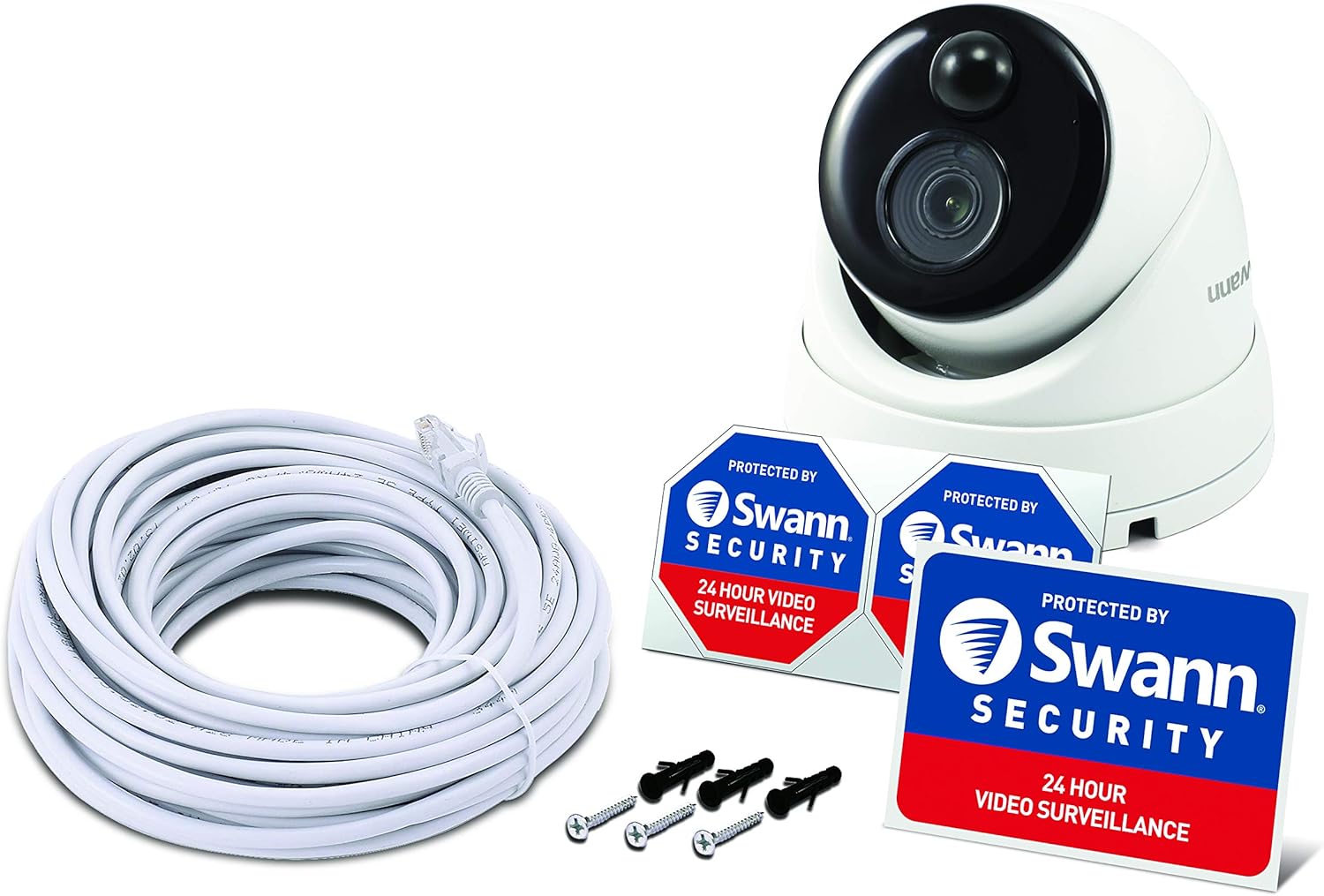
Figure 9: Illustrating the camera's night vision modes under different lighting conditions.
Swann True Detect™ Motion and Heat Detection
True Detect technology intelligently identifies heat and motion signatures from people and large vehicles, minimizing false alarms from swaying branches or small animals. This ensures that recordings are triggered only by significant events.
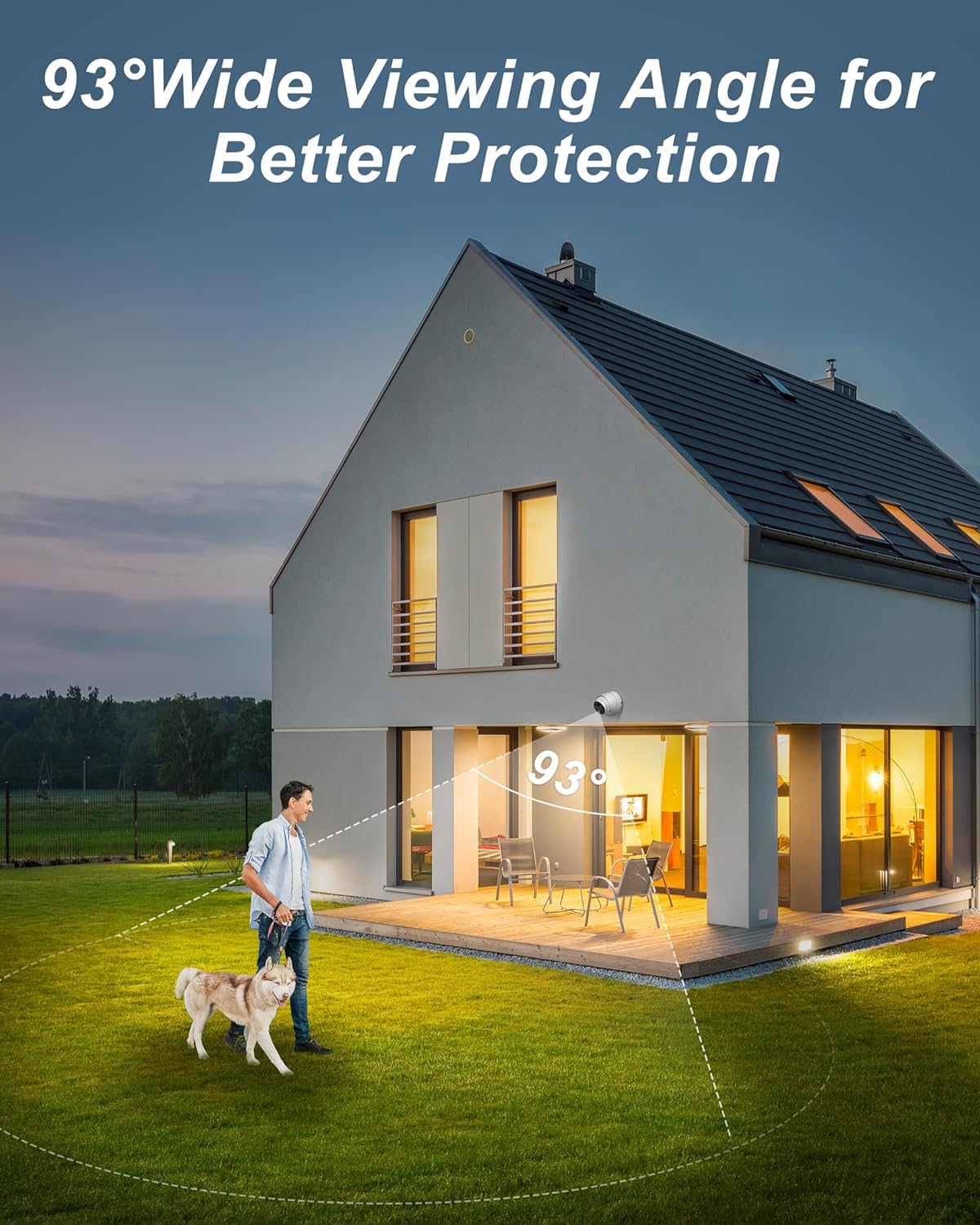
Figure 10: True Detect in action, identifying human and vehicle movement and sending alerts.
Wide Viewing Angle
The camera features a 93-degree viewing angle, providing extensive coverage of your property with fewer blind spots. This wide field of view is crucial for monitoring larger areas effectively.
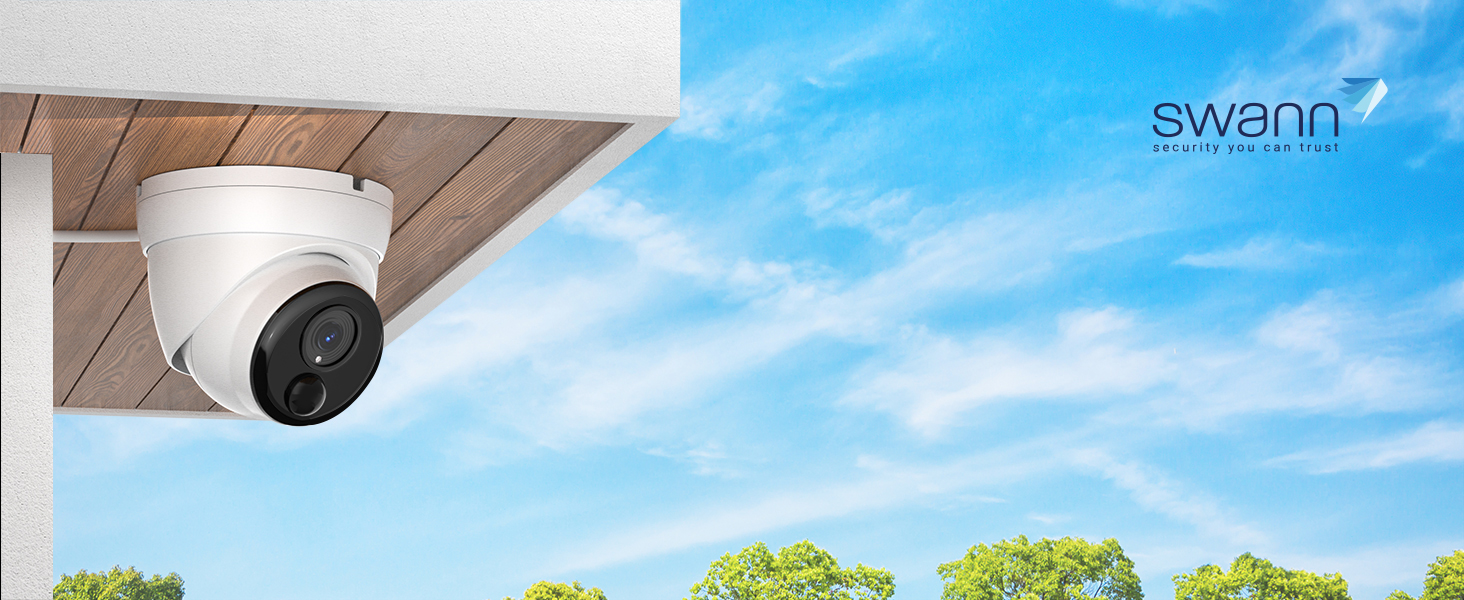
Figure 11: The 93-degree wide viewing angle provides broad surveillance coverage.
Remote Access and Mobile App
Monitor your property from anywhere using the Swann App on your iOS or Android smartphone or tablet. The system also supports remote access via Windows and Mac OS, allowing you to view live feeds and recorded footage remotely.

Figure 12: Access your security camera system remotely on various devices.
Local Storage and Recording
The system includes a pre-installed 2TB HDD, enabling continuous 24/7 recording. With True Detect, you can store up to 365 days of event-triggered video, ensuring ample storage for critical footage.

Figure 13: The NVR provides secure local storage for your video recordings.
Maintenance
Proper maintenance ensures the longevity and optimal performance of your Swann security camera:
- Cleaning: Regularly wipe the camera lens and housing with a soft, damp cloth to remove dust, dirt, or smudges that may obstruct the view. Avoid abrasive cleaners.
- Weather Resistance: The camera features a durable, weatherproof design. However, ensure that the mounting location provides adequate protection from extreme weather conditions where possible, such as direct heavy rainfall or prolonged exposure to ice.
- Cable Inspection: Periodically inspect the Cat5e Ethernet cable for any signs of wear, damage, or fraying, especially if exposed to outdoor elements. Replace damaged cables immediately.
- Firmware Updates: Check the Swann support website or your NVR's settings for available firmware updates. Keeping your system updated ensures optimal performance and security.

Figure 14: The camera's robust design allows it to withstand various weather conditions.
Troubleshooting
This section addresses common issues you might encounter with your Swann security camera system:
- No Video Signal / Video Loss:
- Ensure the Cat5e Ethernet cable is securely connected at both the camera and NVR ends.
- Verify the NVR port is active and functioning. Try connecting the camera to a different port.
- Check the cable for any physical damage.
- Restart the NVR unit.
- Poor Picture Quality / Distorted Video:
- Clean the camera lens thoroughly.
- Check for condensation inside the lens, which may indicate a seal issue. If persistent, contact support.
- Ensure the camera is receiving adequate power via PoE.
- Verify the resolution settings on your NVR for the specific camera.
- Motion Detection Not Triggering / False Alarms:
- Adjust the sensitivity settings for True Detect in your NVR's configuration.
- Review and adjust motion detection zones to exclude areas with constant, irrelevant movement (e.g., swaying trees).
- Ensure the camera's view is not obstructed.
- Remote Access Issues (Swann App):
- Ensure your NVR is connected to the internet and has a stable connection.
- Verify your mobile device has a strong internet connection (Wi-Fi or cellular data).
- Check for updates to the Swann App and your NVR's firmware.
- Confirm correct login credentials for the app.
For more detailed troubleshooting or issues not covered here, please refer to the official Swann support resources or contact customer service.
Specifications
| Feature | Detail |
|---|---|
| Brand | Swann |
| Model Number | SWNHD-888MSD-US |
| Connectivity Technology | Wired (PoE) |
| Video Capture Resolution | 4K (3840 x 2160) |
| Number of Channels | 1 (per camera unit) |
| Memory Storage Capacity | 2 TB (NVR HDD) |
| Color | 4K Ultra HD Dome Camera | SWNHD-888MSD |
| Power Source | PoE (Power over Ethernet) |
| Item Dimensions (L x W x H) | 3.94 x 3.94 x 3.94 inches |
| Operating System Compatibility | Android, iOS (for app); Windows, Mac OS (for remote access) |
| Recommended Uses | Indoor, Outdoor |
| Low Light Technology | Night Vision (Color with ambient light, B&W in total darkness) |
| Night Vision Range | 150 Feet |
| Frame Rate | 30 fps |
| Recording Mode | Motion Detection (True Detect) |
| Hardware Interface | Ethernet (RJ45) |
| Lens Type | Fisheye |
| Viewing Angle | 93 Degrees |
| Item Weight | 2.24 pounds |
| UPC | 840236127887 |
Warranty and Support
Swann stands behind its products with comprehensive support:
- Limited Warranty: Your Swann product comes with a 2-year limited warranty covering factory defects.
- Technical Support: Swann provides lifetime help and technical support for its products. If you encounter any challenges, please reach out to their customer service.
- User Manual (PDF): For a downloadable version of the user manual, please visit: Swann User Manual PDF
- User Guide (PDF): An additional user guide is available here: Swann User Guide PDF
For the latest information, FAQs, and contact details, please visit the official Swann support website.